
ASUS Dual GeForce RTX 5060 Ti
4.7Editor score
16GB GDDR7 memory
Compact 2.5 slot
Affordable performance
This guide compares the top GPUs for DaVinci Resolve including NVIDIA and AMD models to help editors find the best performance for color grading and effects.
Choosing the right GPU for DaVinci Resolve is critical for smooth playback and fast rendering. Professionals need powerful hardware to handle 4K and 8K timelines without lag. The right card ensures your workflow remains efficient and creative.
We evaluated ten top graphics cards based on architecture, memory capacity, and real world performance. Our analysis covers both consumer and workstation options suitable for video editing. Each pick balances speed cost and compatibility with modern systems.
Every recommendation includes detailed specs and practical insights for DaVinci Resolve users. Prices and availability change frequently so verify current listings before buying. These selections represent the current best options available for video professionals today.
4.7Editor score
4.9Editor score

4.3Editor score
This table compares the key specifications of the top ten graphics cards for DaVinci Resolve. Use this overview to quickly identify memory size and architecture differences.




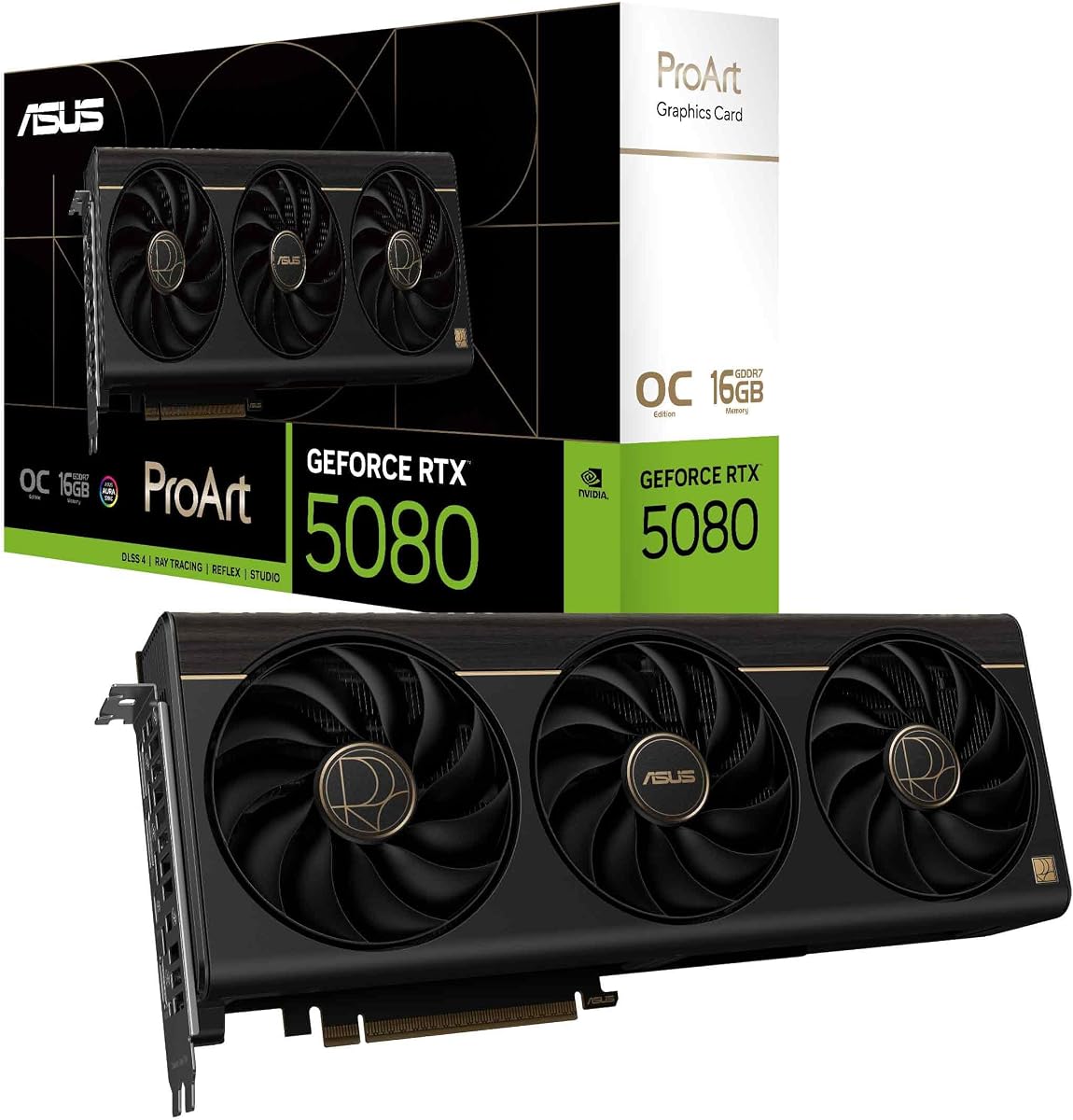
The ASUS ProArt RTX 5080 stands out as the top choice for colorists and editors seeking precision. Its ProArt certification ensures accurate color reproduction which is vital for DaVinci Resolve workflows. The card delivers exceptional performance with Blackwell architecture and 16GB of GDDR7 memory.
We may earn a commission when you buy through this link, at no additional cost to you.
This GPU excels in handling complex timelines with multiple effects and 8K streams. The dedicated USB Type-C port allows for direct connection to high fidelity monitors. Thermal performance is maintained by a MaxContact heatsink and phase change thermal pads ensuring consistent speeds.
While powerful the cost is significant compared to gaming alternatives. The physical size is also substantial at 2.5 slots which may limit case choices. These factors are acceptable given the professional benefits for creative professionals.
Editors who prioritize color accuracy and performance should strongly consider this card. It balances raw power with professional tooling perfectly. This makes it the ideal investment for high end Resolve workstations.
ProArt drivers are optimized for creative apps providing stable performance for color grading tasks.
Vapor chamber and phase change pads keep temperatures low during long renders.
We may earn a commission when you buy through this link, at no additional cost to you.
The ASUS Dual RTX 5060 Ti offers impressive value for editors on a budget. It features 16GB of GDDR7 memory which is sufficient for many 4K projects. Blackwell architecture ensures modern feature support including DLSS and advanced ray tracing.
We may earn a commission when you buy through this link, at no additional cost to you.
Performance is robust for a card at this price. The dual BIOS allows switching between quiet and performance modes based on workload. Thermal design uses axial tech fans that deliver good airflow in smaller cases.
The main tradeoff is the limited VRAM for extreme 8K workflows. Some heavy effects may cause slowdowns if scene complexity is high. However for most users this is a manageable constraint for the cost savings.
This card is perfect for freelance editors or hobbyists starting with Resolve. It provides a strong foundation without breaking the bank. Consider this if you need reliability and memory without premium costs.
Dual BIOS lets you choose between silent operation or max performance easily.
Axial tech fans increase air pressure for better heat dissipation in small builds.
We may earn a commission when you buy through this link, at no additional cost to you.
The NVD RTX PRO 6000 represents the pinnacle of workstation performance for DaVinci Resolve. With 96GB of DDR7 ECC memory it handles massive 8K projects and complex 3D scenes effortlessly. Blackwell architecture brings the latest advancements in AI and compute power.
We may earn a commission when you buy through this link, at no additional cost to you.
This GPU supports PCIe Gen 5 ensuring maximum data transfer speeds between CPU and GPU. The Universal MIG feature allows splitting the card for secure multi user environments. Thermal design uses double flow through cooling to sustain peak loads.
The cost is prohibitive for individual users but justified for enterprise production houses. OEM packaging means retail boxes are not included so plan for proper handling. The investment pays off in reduced render times and stability.
Facilities requiring absolute performance and stability should choose this card. It enables workflows that other cards cannot support. This is the ultimate tool for high end post production.
ECC memory ensures data integrity during critical rendering and export tasks.
Next gen bus doubles bandwidth for faster data movement and compute.
We may earn a commission when you buy through this link, at no additional cost to you.
The GIGABYTE RTX 5080 Gaming OC delivers excellent performance for the price. It uses the Blackwell architecture with 16GB of GDDR7 memory for smooth editing. The WINDFORCE cooling system keeps noise levels manageable during heavy loads.
We may earn a commission when you buy through this link, at no additional cost to you.
This card supports the latest AI tools in Resolve via Tensor cores. Clock speeds are boosted for better frame rates and render times. The build quality is robust with a solid metal backplate for protection.
It is primarily marketed for gaming which may mean different driver optimizations. However for video editing the raw power remains highly effective. RGB lighting can be disabled if preferred for a professional look.
Editors seeking top tier performance without ProArt branding should consider this. It offers similar silicon to the ProArt at a lower cost. This makes it a strong contender for hybrid gaming and work rigs.
Triple fan design ensures stable thermal performance during long sessions.
Boost clock ensures maximum throughput for complex timelines.
We may earn a commission when you buy through this link, at no additional cost to you.
The ASUS TUF RTX 5080 is built for durability and consistent performance. Military grade components ensure reliability under stress. Blackwell architecture provides the necessary compute power for modern editing tasks.
We may earn a commission when you buy through this link, at no additional cost to you.
Thermal performance is enhanced by phase change GPU thermal pads. These materials maintain contact and efficiency longer than traditional paste. The design includes protective PCB coating to guard against dust and moisture.
The physical dimensions are large requiring a spacious case. The weight is also significant which may need extra support brackets. These are minor concerns given the robust build quality.
Users who need a reliable card for daily use will appreciate this. It balances performance with durability. This makes it a practical choice for high volume production environments.
Components are selected for longer lifespan and consistent output.
Phase change pads improve heat transfer for sustained performance.
We may earn a commission when you buy through this link, at no additional cost to you.
The ASRock Radeon AI PRO R9700 is a powerful AMD option for creators. It features 32GB of GDDR6 memory which is ideal for large datasets. RDNA 4 architecture brings new AI accelerators to the workflow.
We may earn a commission when you buy through this link, at no additional cost to you.
The blower design is suited for multi GPU workstation setups. It exhausts heat directly out of the chassis reducing internal temperatures. Enterprise grade thermal materials ensure reliability under sustained loads.
Driver support for specific apps may require validation. The blower can be louder than open designs but necessary for density. These factors should be weighed against the high memory capacity.
Teams needing AMD hardware with high memory should consider this card. It offers excellent bandwidth and AI performance. This is a strong choice for technical workflows requiring large buffers.
32GB VRAM handles complex scenes and textures smoothly.
Blower style ensures proper airflow in dense server racks.
We may earn a commission when you buy through this link, at no additional cost to you.
The GIGABYTE RX 9070 XT provides a solid AMD alternative for budget conscious users. It includes 16GB of GDDR6 memory and supports PCIe 5.0. This allows for fast data transfer and future proofing for modern systems.
We may earn a commission when you buy through this link, at no additional cost to you.
Cooling is managed by Hawk fans with server grade thermal gel. This combination keeps temperatures low even under heavy loads. The gaming OC designation indicates higher clock speeds out of the box.
While drivers are gaming focused they perform well for rendering. The card lacks specific professional optimizations but offers strong raw power. RGB lighting adds visual appeal but can be turned off.
Editors looking for AMD performance at a lower cost should check this. It balances features and price well. This makes it a great option for general purpose editing builds.
Next gen bus ensures no bottlenecks for high bandwidth tasks.
Server grade gel ensures consistent heat transfer over time.
We may earn a commission when you buy through this link, at no additional cost to you.
The NVIDIA Titan RTX remains a powerful card for creative tasks. It features 24GB of GDDR6 memory which is substantial for many workflows. The includes provides robust support for rendering and AI tasks.
We may earn a commission when you buy through this link, at no additional cost to you.
Ray tracing and Tensor cores enable real time lighting and AI tools. While older than Blackwell it still delivers strong performance for most apps. The build is durable and designed for heavy daily use.
Power requirements are high so a strong supply is needed. Newer architectures offer better efficiency but this card holds up well. It is a great choice for those who need VRAM without 6000 cost.
Users needing a balance of VRAM and legacy support should consider this. It is a trusted workhorse for many professionals. This makes it a reliable option for stable environments.
24GB memory allows handling large textures and datasets easily.
Proven design ensures compatibility with older professional software.
We may earn a commission when you buy through this link, at no additional cost to you.
The ASRock Intel Arc Pro B60 offers an Intel based solution for creators. It includes 24GB of GDDR6 memory and supports PCIe 5.0 for fast transfers. The Xe2-HPG architecture provides strong AI acceleration for workflows.
We may earn a commission when you buy through this link, at no additional cost to you.
Dedicated media engines enable fast AV1 and HEVC encoding. This is useful for export workflows without relying on CPU. The blower design fits well in multi GPU setups with proper cooling.
Driver maturity is improving but may lag behind NVIDIA. Users should verify software compatibility before buying. The hardware potential is high for those willing to adapt.
Those interested in Intel hardware with high memory should consider this. It offers good value and modern features. This makes it an interesting option for budget conscious teams.
Dedicated engines speed up export of modern video formats.
Fast bus ensures smooth data movement for heavy workloads.
We may earn a commission when you buy through this link, at no additional cost to you.
The PNY Quadro RTX 4000 is a reliable professional card for basic needs. It uses NVIDIA RTX technology for real time rendering. Certified drivers ensure stability for professional applications.
We may earn a commission when you buy through this link, at no additional cost to you.
The card supports ray tracing and VR features for immersive workflows. It is compact and runs quietly which is good for office environments. This makes it suitable for workstations with limited space.
VRAM is limited compared to newer options. This may restrict 8K workflows or complex scenes. For 4K and standard editing it remains a solid stable choice.
Users needing certified stability in a small card should consider this. It is a legacy option that holds up for specific tasks. This makes it a good pick for conservative setups.
ISV certified drivers ensure reliability for creative apps.
Small size allows installation in tight workstation cases.
We may earn a commission when you buy through this link, at no additional cost to you.
Selecting the right GPU requires considering memory architecture and software compatibility. This guide outlines the essential factors to ensure smooth editing and fast rendering.
Video memory or VRAM is critical for storing textures and frames. For 4K editing 16GB is a good standard. For 8K workflows look for 32GB or more to avoid stutters.
Higher memory capacity allows larger scenes without swapping to system RAM.
Newer architectures like Blackwell and RDNA 4 provide better performance. They support modern features like AI upscaling and advanced ray tracing. Check that your software supports the specific architecture.
Modern architectures ensure longevity and efficiency for complex timelines.
Professional applications often require certified drivers. Studio or Pro drivers offer more stability than gaming drivers. Look for cards with ISV certification for DaVinci Resolve.
Certified drivers reduce crashes and ensure color accuracy.
PCIe bandwidth determines data transfer speed between CPU and GPU. PCIe 5.0 is ideal for high end cards. Older systems may bottleneck newer cards if the slot is older.
Ensure your motherboard supports the PCIe generation of the card.
Sustained rendering generates significant heat. Look for robust cooling solutions like vapor chambers or blower fans. Good thermal design prevents thermal throttling during long sessions.
Efficient cooling keeps performance stable over long rendering times.
High performance cards need significant power. Check the required wattage and connector types. Ensure your power supply can handle the load without issues.
Adequate power prevents system instability and hardware damage.
Cards vary in size and slot count. Measure your case clearance before buying. Some workstation cards are large and require spacious cases.
Proper fit ensures airflow and avoids installation issues.
Balance cost with your workflow needs. Entry level cards work for basic 1080p work. High end cards justify cost through time savings.
Choose a card that fits your budget without compromising on needs.
Install the GPU carefully ensuring proper connection to the motherboard. Connect power cables correctly to avoid loose contacts. Verify the card is detected in the system BIOS.
Update drivers regularly using official manufacturer software. Clean drivers or clean boots can help with installation issues. Monitor temperatures using control software to ensure proper cooling.
Maintain dust filters and fans to prevent overheating. Clean vents and heat sinks regularly. Keep airflow unblocked around the system for optimal performance.
For 4K projects 16GB is a minimum recommendation. For 8K work 32GB or more ensures smooth playback. More VRAM helps with heavy effects and Fusion compositions.
NVIDIA often has better optimization for DaVinci Resolve. However AMD cards work well for basic editing. Check software support for specific features like AI tools.
DaVinci Resolve supports multiple GPUs for acceleration. Ensure all cards are same model for best compatibility. Verify licensing and driver support for multi GPU setups.
The GPU impacts color processing and output. Professional cards offer calibration features for accuracy. Consumer cards work but may lack specific calibration tools.
Yes gaming GPUs work well for video editing tasks. They often offer better performance per dollar. Professional drivers provide extra stability for production.
PCIe 4.0 or 5.0 is recommended for top performance. Older versions may limit bandwidth for high end cards. Check your motherboard specs for compatibility.
Monitor temperatures and clock speeds during render. High temps causing clock drops indicate throttling. Improve cooling or airflow to resolve this issue.
ECC memory prevents data errors during compute. It is vital for scientific work or multi GPU setups. For editing it is less critical but helps stability.
This guide reviewed ten top GPUs for DaVinci Resolve with detailed specs. Top picks include the ProArt RTX 5080 for colorists and the RTX 5060 Ti for value. Each card offers unique benefits for different budgets.
Prioritize VRAM and architecture based on your resolution needs. Stable drivers are essential for professional workflows to prevent crashes. Balance performance with power and cooling requirements.
Prices and availability change so check current listings before purchasing. Verify system compatibility and budget constraints. These selections provide a strong foundation for any editing setup.