
Entina Tina2C
4.4Editor score
Starts printing in just eight minutes
AI-powered search and photo-to-print features
Compact mini size perfect for STEM learning
This guide compares the top easy to use 3D printer models for beginners and pros, featuring auto-leveling, high speed, and kid-friendly safety.
Finding an easy to use 3D printer can transform a hobby into a seamless creative journey. Modern machines now feature auto-leveling and intuitive interfaces that remove technical barriers for everyone.
We evaluated ten top models based on setup time, printing speed, software integration, and safety features. Each selection offers distinct strengths tailored to different user needs and skill levels.
Every pick highlights key specs and real-world performance to help you decide. Note that availability and pricing may shift, so check current listings before purchasing to ensure the best deal.
4.4Editor score

4.7Editor score

4.5Editor score
Here is a side-by-side comparison of the ten selected models. This table highlights core capabilities like speed, build volume, and key user-friendly features to help you quickly identify the right fit for your needs.





The Bambu Lab A1 stands out as the top choice for those seeking an easy to use 3D printer without compromising on quality. With a stellar 4.7 rating, this machine delivers high-speed precision that rivals far more expensive industrial units. Its standout quality lies in its full-auto calibration system, which eliminates the guesswork and frustration often associated with bed leveling and Z-offset settings.
We may earn a commission when you buy through this link, at no additional cost to you.
Key strengths include its active flow rate compensation algorithm, which ensures consistently smooth prints by adjusting extrusion in real time. The 1-Clip quick swap nozzle allows users to change nozzles in seconds, opening up versatile printing options from fine details to robust parts. Furthermore, the active motor noise canceling creates a remarkably quiet environment, making it suitable for shared living spaces or offices where noise levels matter.
One trade-off is that the AMS lite multi-color accessory is sold separately, requiring an extra investment for full color versatility. Additionally, while it supports various filaments, being part of a closed ecosystem means some third-party materials may need tuning. However, for most users, the convenience of reliable automated processes outweighs these minor limitations significantly.
This printer is ideal for beginners who want to start creating immediately and experienced makers looking for speed without complexity. Whether you are printing toys, prototypes, or household items, the A1 provides a seamless and enjoyable experience. If you value time efficiency and reliability, this model is the definitive recommendation for your next upgrade.
Automatic calibration handles Z-offset and leveling instantly, while 10,000 mm/s² acceleration ensures fast print times without sacrificing detail.
Active noise canceling keeps the machine silent, and the simplified touchscreen makes navigating settings intuitive for users of all skill levels.
We may earn a commission when you buy through this link, at no additional cost to you.
The FLASHFORGE Adventurer 5M is engineered for efficiency, offering a coreXY structure that enables rapid prototyping and production cycles. Users appreciate its one-click automatic printing feature, which streamlines bed leveling to ensure consistent adhesion from the start. The direct extruder reaching up to 280°C expands the range of materials you can use, including more robust engineering filaments.
We may earn a commission when you buy through this link, at no additional cost to you.
Its ability to change nozzles in just three seconds makes it versatile for different project requirements without significant downtime. The dual-sided PEI platform simplifies model removal, while the mobile app provides real-time status alerts and remote adjustments. This connectivity ensures you stay updated on print progress even when you are away from the machine.
However, achieving the best results sometimes requires manual tuning of settings to match the speed capabilities fully. Additionally, while efficient, the noise level during high-speed operation can be noticeable in quiet environments. These factors are manageable for users who prioritize speed and adaptability over absolute silence in their workspace.
Choose this model if you need a robust printer for rapid prototyping or small-batch production. It balances speed with accessibility, making it a strong candidate for hobbyists or small businesses needing reliable output. The combination of hardware speed and software monitoring makes it a capable tool for varied creative tasks.
With 600mm/s travel speed and 20,000mm/s² acceleration, this printer maximizes efficiency and reduces production time significantly compared to standard models.
Flash Studio mobile app allows remote monitoring and control, ensuring you can manage your prints seamlessly from anywhere with an internet connection.
We may earn a commission when you buy through this link, at no additional cost to you.
The Bambu Lab A1 mini is a compact powerhouse designed to make 3D printing easy from day one. It comes with an LED Lamp Kit, encouraging immediate creative engagement with practical projects like functional lights or decor. This ready-to-use approach removes the initial hurdle of sourcing models or tools, inviting users to start creating right out of the box.
We may earn a commission when you buy through this link, at no additional cost to you.
Automatic calibration and a smooth printing experience ensure that troubleshooting is minimized. The printer integrates seamlessly with MakerWorld, offering a huge library of ready-to-print models managed through the Bambu Handy app. This ecosystem approach simplifies the workflow significantly, allowing users to focus on creativity rather than technical configuration.
While the build volume is smaller than its full-sized sibling, it is perfectly suited for everyday creativity like toys and personalized gifts. The trade-off of size is balanced by the convenience of a quiet, reliable machine that fits easily into any home or studio. It maintains the high performance expected from the brand in a more accessible footprint.
This printer is an excellent choice for beginners or those with limited space who still want premium performance. It lowers the barrier to entry while providing a rich ecosystem for exploration. If you want a seamless and enjoyable printing experience without complex setup, the A1 mini is a top contender for your needs.
Includes an LED Lamp Kit that lets you print compatible models to create functional decorative lights, perfect for DIY projects and gifts.
Access MakerWorlds model library and manage prints via the Bambu Handy app for an easier, smarter, and more enjoyable workflow.
We may earn a commission when you buy through this link, at no additional cost to you.
The Bambu Lab P1S is a premium option designed for users who need versatility and reliability in one enclosed package. Its fully enclosed body improves print performance for advanced filaments like ABS and ASA that require controlled temperatures. This feature ensures success with materials that typically warp on open-frame printers, making it a robust choice for functional parts.
We may earn a commission when you buy through this link, at no additional cost to you.
With speeds up to 500mm/s and automatic bed leveling, this printer balances speed with ease of use. It supports up to 16 colors with the optional AMS system, bringing vibrant multi-material designs to life. The setup process is streamlined to take only fifteen minutes, allowing you to spend more time printing and less time assembling.
A minor limitation is that the AMS is not included by default, adding to the total investment for multi-color capabilities. Also, it is not recommended for carbon fiber reinforced polymers, so specialized materials need checking. Despite these points, the balance of speed, enclosure, and ecosystem support makes it highly versatile for most users.
Choose this printer if you want a professional-grade machine that grows with your skills. It handles both basic and advanced materials well, ensuring success across various project types. With its user-friendly design and high performance, the P1S is a solid long-term investment for serious makers and hobbyists alike.
The fully enclosed design maintains stable temperatures, enabling reliable printing with ABS, ASA, and other engineering filaments that warp easily.
Lightning-fast printing at 500mm/s combined with automatic leveling ensures you get high-quality prints quickly without waiting around.
We may earn a commission when you buy through this link, at no additional cost to you.
The AOSEED AI 3D Printer transforms how kids engage with creation by integrating AI tools that remove the need for design skills. With AI Doodle and MiniMe features, children can turn text, voice, or photos into 3D models instantly. This focus on accessibility encourages creativity and learning without frustration, making it a standout for educational purposes.
We may earn a commission when you buy through this link, at no additional cost to you.
Safety is a top priority, featuring an enclosed, pinch-resistant design and TÜV Rheinland tested PLA to ensure a secure environment for home use. Parents can monitor progress via a built-in camera and receive real-time alerts or time-lapse videos to share achievements. The 8000+ human-reviewed models ensure content is age-appropriate and fun for young makers.
While it supports single-color printing, the ease of assembly and the AI features compensate for this limitation. The fast Wi-Fi and voice control make interaction smooth and engaging for all ages. Users should note that multi-color looks require assembling separate parts, which can be a creative exercise in itself.
This printer is perfect for families looking to inspire STEM interest and creativity. It combines safety with powerful tools that make designing and printing intuitive. If you want a device that grows with your child's imagination while keeping safety front and center, this model is an excellent investment for home education.
AI MiniMe and Doodle features let children create custom 3D models using simple prompts, no prior design skills required for fun projects.
An enclosed pinch-resistant design and built-in camera allow parents to monitor safely while kids explore creation from home or school.
We may earn a commission when you buy through this link, at no additional cost to you.
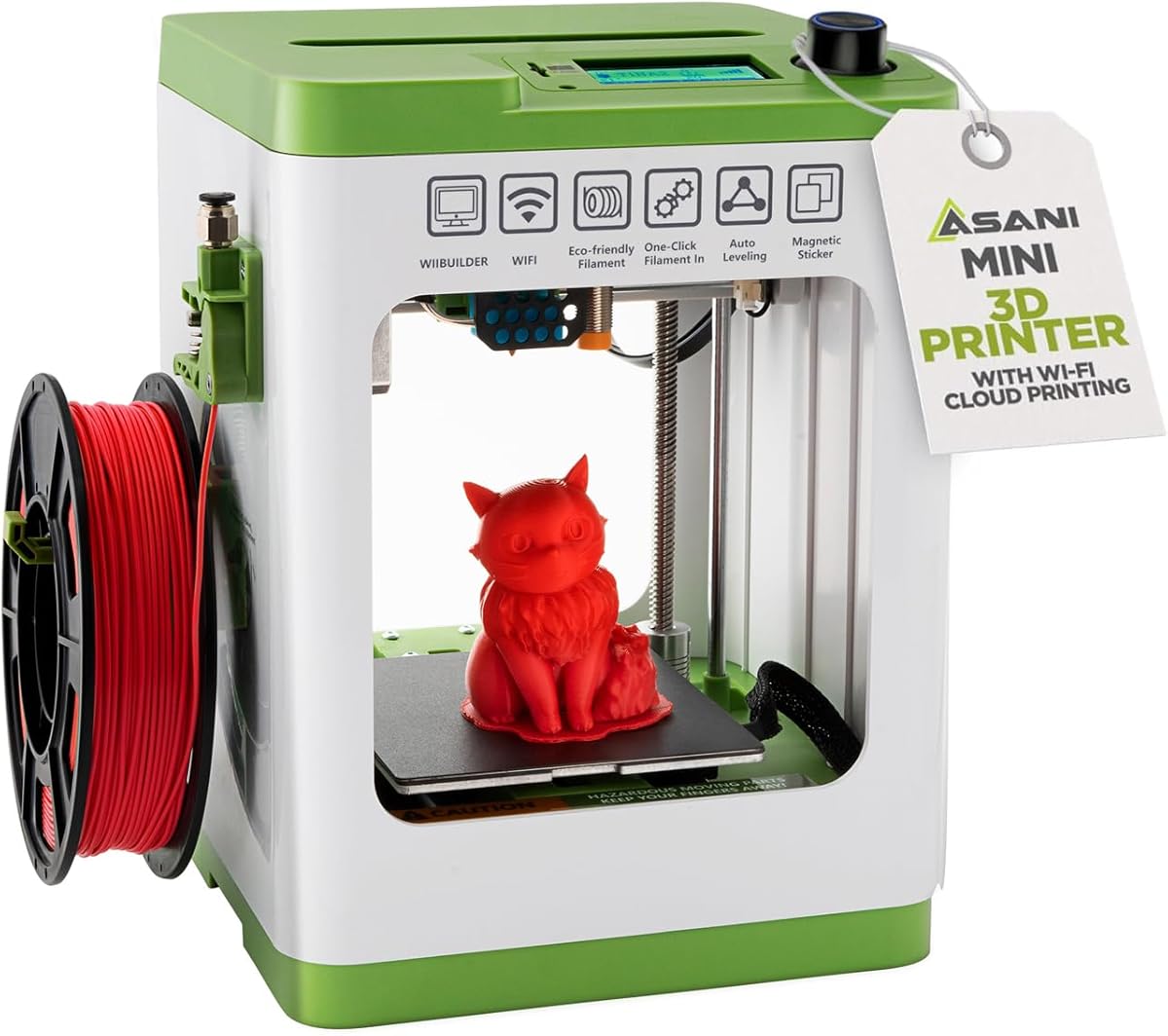
The Entina Tina2C is designed to get beginners printing in as little as eight minutes. It offers a guided setup via the Poloprint Cloud app, removing initial friction. The mini footprint is perfect for small desks or classrooms, making it accessible for STEM education and hobbyists alike. This focus on simplicity ensures that frustration is minimized from the very start.
We may earn a commission when you buy through this link, at no additional cost to you.
Features like AI-powered search and photo-to-print capabilities help users find or create models easily. The device supports both 2.4G WiFi and offline TF card printing, offering flexibility in workflow. A self-cleaning nozzle and flexible magnetic build plate simplify maintenance and model removal, saving time and reducing waste for new users.
Its small print volume limits the size of objects, but this is ideal for keychains, toys, and educational models. While filament options might be limited compared to larger units, the ease of use compensates well for casual use. It is a reliable companion for learning basic 3D printing concepts without technical hurdles.
If you need an affordable, low-maintenance option for kids or beginners, this printer is a strong contender. It balances cost with essential features that ensure a smooth experience. For short creative projects and educational tasks, it provides exceptional value and ease of use for families on a budget.
Optimized for first-time users, the guided app setup lets you start your first print in just eight minutes, making creation simple and fun.
Supports both WiFi and offline printing via TF card, giving users flexibility to create anytime without being tethered to a network.
We may earn a commission when you buy through this link, at no additional cost to you.
The FLASHFORGE AD5M combines brand-new technology and superior craftsmanship to meet the needs of all users from beginners to experts. It features a fully automatic one-click leveling system that precisely measures nozzle distance to set accurate offsets. This ensures a flawless first layer every time, eliminating the manual calibration hurdles that frustrate many new users.
We may earn a commission when you buy through this link, at no additional cost to you.
Its CoreXY all-metal motion structure provides stable and smooth performance even at high speeds. The tool-free nozzle can be swapped in three seconds, simplifying maintenance for both novices and pros. Power-loss resume capabilities help users continue prints after interruptions, improving success rates and reducing material waste significantly during long jobs.
While the app offers remote monitoring, initial setup might require some familiarity to ensure optimal results. High-speed settings may also affect surface finish, requiring careful tuning for delicate parts. However, for general prototyping and hobby use, the machine offers an excellent balance of speed and reliability.
Choose this printer if you want a durable machine that scales with your skills. It offers a stress-free creative journey through automation and quick maintenance. With its efficient control and flexible design, it serves as a reliable companion for turning ideas into reality quickly and easily.
Automatic one-click leveling measures nozzle-to-plate distance precisely, ensuring perfect adhesion and reducing manual adjustment needs every time.
Tool-free quick-release nozzle swaps allow you to change diameters in seconds, simplifying maintenance for beginners and experts alike.
We may earn a commission when you buy through this link, at no additional cost to you.
The TINA2S is a complete starter kit designed to let users bring imagination to life without extra purchases. It comes fully assembled, ensuring reliable long-term use right out of the box. The compact size makes it perfect for home or dorm use, while the included filament and models get you started immediately. This all-in-one approach removes the guesswork for new adopters.
We may earn a commission when you buy through this link, at no additional cost to you.
Features like auto leveling and a dual z-axis rail ensure high-precision prints consistently. The one-touch filament loading simplifies material changes, and power-loss resume keeps projects safe from interruptions. It supports open-source printing with compatibility for major slicing software, offering flexibility for those who want to customize their workflow later.
Note that using the correct magnetic plate is essential for the proximity sensor to function correctly. While mostly limited to PLA, it handles the most common materials for hobbyists. The small footprint saves space without compromising functionality, making it a practical choice for daily creative needs.
If you want a hassle-free entry into 3D printing with everything needed included, this kit is ideal. It balances simplicity with quality to deliver jaw-dropping prints reliably. For students or families seeking a reliable and affordable printer, the TINA2S provides exceptional value and straightforward operation.
Everything is included from filament to pre-installed models, so you can start printing immediately without additional purchases or complex assembly.
Compatible with Windows, macOS, Linux, and major slicers, giving users the freedom to choose software that fits their learning style.
We may earn a commission when you buy through this link, at no additional cost to you.
The Creality Ender 3 V3 SE is designed for fast and straightforward setup, allowing assembly in just a few steps. With CR Touch auto leveling and automatic Z-offset calibration, it achieves a reliable first layer easily. This reduces manual adjustments and makes printing accessible for both beginners and experienced users looking for a cost-effective solution.
We may earn a commission when you buy through this link, at no additional cost to you.
Its proven Sprite Direct Drive Extruder supports smooth feeding for PLA, PETG, and TPU. The stable motion system with dual synchronized Z-axis screws helps reduce vibration, supporting accurate alignment. Quiet operation from the 32-bit mainboard ensures comfort, while the flexible PC spring steel build plate allows for easy model removal.
While the build volume is average compared to large format printers, it is sufficient for most daily projects. Some manual assembly is required, which can be a learning step for absolute beginners. However, the simplicity of the process makes it a manageable task that adds value through engagement.
Choose this printer for its balance of performance and affordability. It provides a solid foundation for learning 3D printing without breaking the bank. With its speed and ease of use, it is a great choice for hobbyists who want consistent results on a budget.
CR Touch auto leveling and Z-offset calibration ensure a reliable first layer with minimal manual adjustments, simplifying the process for users.
The 32-bit silent mainboard reduces operating noise, creating a comfortable environment for home or shared workspace usage.
We may earn a commission when you buy through this link, at no additional cost to you.
The Anycubic Kobra X stands out for its native 4-color multicolor capability, allowing vibrant designs without extra hardware. It reduces purging time significantly, saving material and machine travel path. With hardened steel nozzles and vibration compensation, it ensures smooth layers and high speed up to 600mm/s, enabling quick completion of standard benchmarks.
We may earn a commission when you buy through this link, at no additional cost to you.
Flawless first layers are ensured by LeviQ 3.0, which uses a 49-point calibration algorithm for precise leveling. Smart AI monitoring and spaghetti detection protect prints, while a vast model library supports creativity. Dual-band Wi-Fi and LAN connectivity enable remote control and live status checks via the mobile app for added convenience.
Note that extra filament is required and not included, which adds to the initial cost. Expanding to more than four colors requires additional units not fully compatible with all systems. Despite this, the native support makes it a strong choice for those wanting instant multi-color versatility.
If you prioritize color variety and large build size, this printer offers robust features for home or school use. It balances speed with reliability to ensure successful prints every time. With smart monitoring and an easy setup, it is a practical choice for makers wanting to explore multicolor possibilities easily.
Born with 4 colors built-in, it reduces purging and time significantly to turn ideas into reality with vibrant results instantly.
LeviQ 3.0 leveling ensures 100% bed flatness, while AI monitoring detects spaghetti to protect your prints and ensure success.
We may earn a commission when you buy through this link, at no additional cost to you.
Selecting the right machine involves considering your needs, budget, and technical comfort. Here are key factors to help you choose a printer that fits your workflow.
Look for fully assembled units or those requiring minimal assembly to reduce initial frustration. Auto-calibration tools like bed leveling and Z-offset setup are essential for saving time and ensuring consistent first layers without manual intervention.
Choose models that include guides or apps to walk you through the initial configuration process for a smooth start.
Modern printers should include auto-bed leveling and active flow compensation to maintain quality without constant tuning. Automatic pause and resume features prevent lost work during power outages, ensuring reliability for long prints.
Prioritize models that handle technical adjustments automatically to focus your efforts on creativity rather than troubleshooting.
Consider printing speeds that match your patience levels, with high-speed models now common in the market. Acceleration rates impact both print time and quality, so balancing these two is key for productive workflows.
Select a printer that delivers fast results without sacrificing detail for efficient project turnover.
For kids or shared spaces, enclosed designs protect against hot parts and reduce noise levels significantly. Filament runout detection and pinch-resistant builds are critical for safe operation in family environments.
Ensure the machine meets safety standards and includes features that minimize risks during operation.
User-friendly apps that allow remote monitoring and control simplify workflow management. Compatibility with popular slicing software ensures you can customize settings as you learn and grow.
Opt for printers with seamless cloud integration and intuitive interfaces for easier file management.
Check which filaments the printer supports natively, such as PLA, PETG, or ABS. An enclosed body enables use of engineering materials, while open frames are best for basic plastics.
Choose a printer that supports the materials you need for your specific projects to avoid limitations.
Match the print size to your typical projects. Compact units save space but limit object size, while larger beds allow for big prototypes.
Ensure the dimensions fit your available workspace and project requirements without compromising usability.
Access to model libraries and community support helps you find inspiration and troubleshoot issues. Manufacturers offering strong documentation and warranties provide peace of mind for users.
Prioritize brands with active communities and resources to assist you throughout your printing journey.
Start by calibrating the bed and loading filament through the guided interface provided. Ensure the nozzle is clean and the platform is level before every new project.
Monitor the first few layers via the app to catch any adhesion issues early. This step helps prevent failed prints and saves time during long jobs.
Regularly clean the nozzle and wipe down the build plate to maintain consistent quality. Use a soft brush or cloth to remove debris and keep moving parts lubricated.
Most models listed feature auto-leveling and intuitive interfaces designed for beginners. You can start printing within minutes without needing deep technical skills.
Common filaments like PLA and PETG work with all models. Some enclosed options also support ABS and TPU for more durable parts.
Models with enclosed designs and pinch-resistant features are safe for supervised use. Always check specific safety ratings for young users.
Clean the nozzle with a soft brush or nozzle cleaning tool. Ensure it is cool before wiping to avoid burns or damage to parts.
Many models feature power-loss recovery to resume from the saved layer. This prevents losing progress during long print jobs.
Use the mobile app provided with your printer to view progress and receive alerts. Most modern printers offer this convenience.
Many units support add-ons like multi-color modules or larger beds. Check the manufacturer compatibility before purchasing extra parts.
The TINA2S and Bambu Lab A1 are top choices due to their ease of use and reliability. They minimize setup hurdles for new users.
We have reviewed ten top models that simplify the 3D printing process. Each offers unique strengths like automation, speed, or multicolor support for different needs.
When choosing, prioritize ease of setup and reliability over raw power. Ensure the machine fits your space and skill level to maximize enjoyment.
Remember to check current pricing and availability before buying as these change often. Investing in the right tool will unlock endless creative possibilities for your projects.