
Samsung 8GB DDR4 3200MHz
4.8Editor score
Affordable 8GB single module option
High speed 3200MHz PC4-25600
Single Rank design for broad compatibility
This guide compares the top DDR4 Sodimm Laptop RAM modules for performance and compatibility to help you upgrade your laptop memory effectively.
Upgrading your laptop memory is one of the most effective ways to boost performance without buying a new device. DDR4 SODIMM modules offer a balance of speed and affordability for modern notebooks. Choosing the right one ensures your system runs smoothly during multitasking and demanding applications.
We evaluated ten leading DDR4 SODIMM options based on capacity, speed, compatibility, and reliability. Our analysis focuses on modules that deliver consistent performance across various laptop models. This list covers everything from budget-friendly single sticks to high-capacity dual kits for power users.
Each pick highlights key specifications and real-world benefits to help you make an informed decision. Note that stock levels and pricing fluctuate frequently on Amazon so check current availability before purchasing. We aim to provide accurate technical details to streamline your upgrade process today.
4.8Editor score
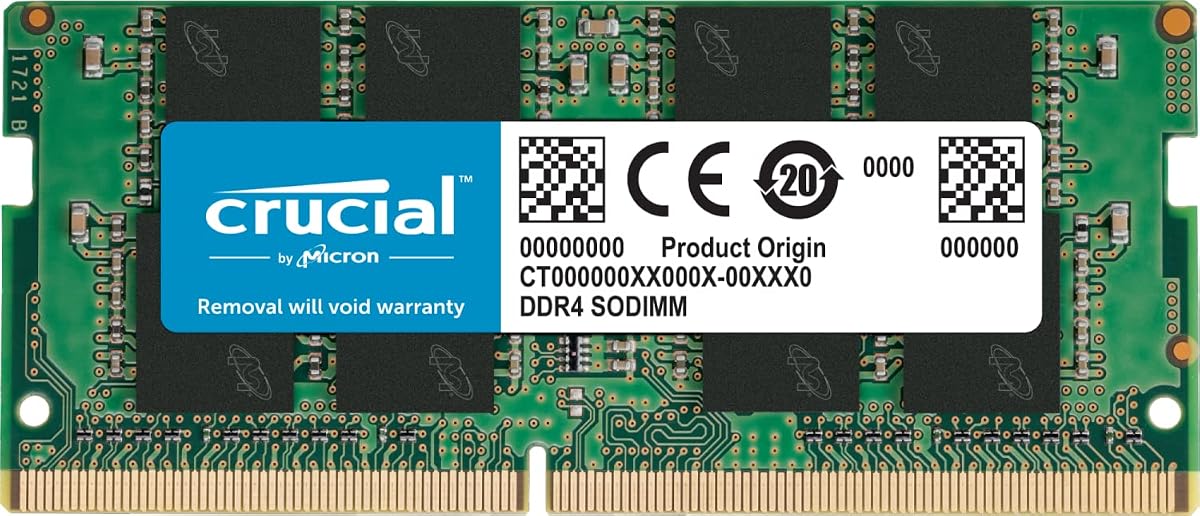
4.8Editor score
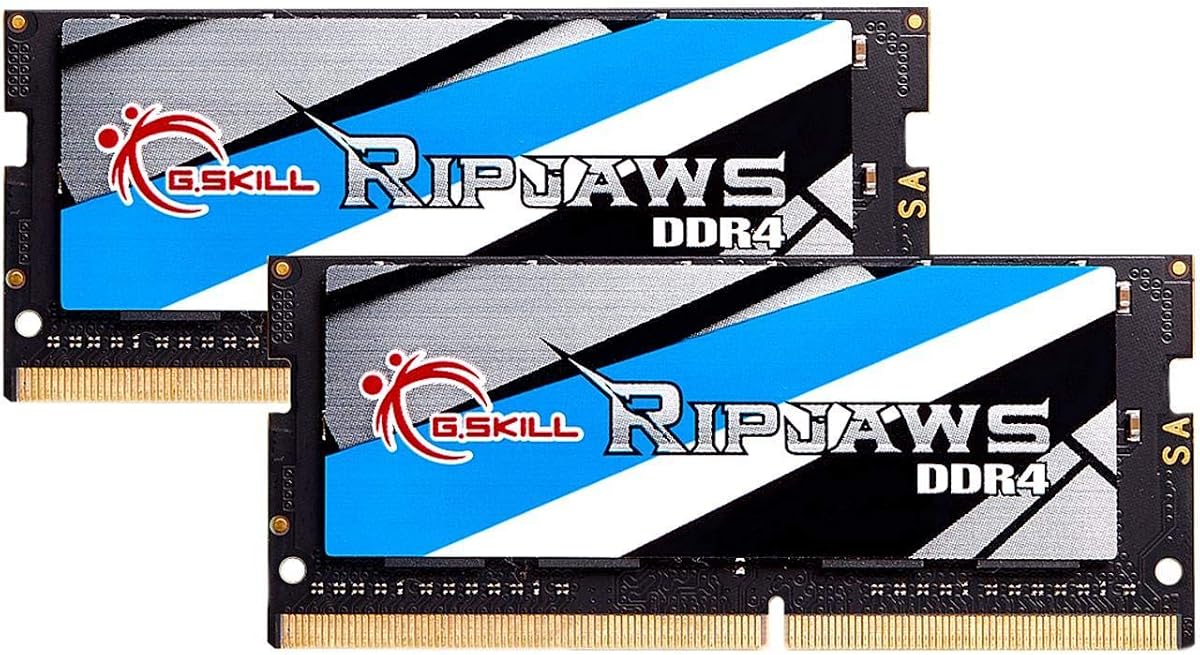
4.7Editor score
Below is a detailed side-by-side comparison of all ten DDR4 SODIMM modules reviewed in this guide. Each entry includes critical specifications to help you quickly identify the best match for your specific laptop model and performance needs.


This Crucial 16GB module stands out as the top choice for most users due to its reliability and speed. Rated at 4.8 stars it operates at 3200MHz with CL22 timing to ensure smooth multitasking. The compatibility scanner tool guarantees it fits your specific laptop model without issues.
We may earn a commission when you buy through this link, at no additional cost to you.
The standout quality here is the trusted Micron expertise behind the product. Backed by 42 years of memory expertise this RAM is rigorously tested at both component and module levels. This ensures top performance and reliability for your Mac or Windows system during heavy workloads.
While the price is not the lowest on the market the reliability is worth the investment. The downclockable support to 2933MHz or 2666MHz ensures it works with older laptops too. This flexibility makes it a safe bet for varied hardware configurations.
Anyone looking for a hassle-free upgrade to 16GB should buy this module. It is ideal for professionals and students who need consistent performance. The detailed step-by-step guides make installation worry-free even for beginners.
Use the Crucial System Scanner to get accurate recommendations for your specific device before purchasing.
No computer skills are required to install this RAM as step-by-step how-to guides are provided for a smooth experience.
We may earn a commission when you buy through this link, at no additional cost to you.
Samsung is a top memory manufacturer and this 16GB module reflects that quality. It features DDR4 3200MHz speed with PC4-25600 rating to deliver solid performance. The 2Rx8 dual rank design helps with data throughput for general laptop tasks.
We may earn a commission when you buy through this link, at no additional cost to you.
The key strength is the ability to speed up loading times and improve system responsiveness. All modules undergo quality assurance testing to ensure dependable and reliable performance. This is a strong choice for users needing a reliable upgrade without premium branding costs.
While the rating is slightly lower than top-tier options it remains a very strong product. The voltage is standard at 1.2V ensuring low power consumption and heat generation. It is a practical solution for extending the life of older notebooks.
Users who want a reputable brand at a reasonable price should choose this one. It is perfect for daily computing needs and light content creation. The compatibility with select DDR4 laptops makes it versatile for many models.
Speed up loading times and improve system responsiveness for better productivity during daily tasks.
All modules undergo testing to ensure dependable and reliable performance for your specific system needs.
We may earn a commission when you buy through this link, at no additional cost to you.
This G.SKILL Ripjaws kit delivers premium performance with a massive 32GB capacity split into two modules. It targets power users who need significant memory for virtualization or heavy multitasking. The 3200MT/s speed is high for notebook RAM to support demanding apps.
We may earn a commission when you buy through this link, at no additional cost to you.
The key strength is the matched dual channel design which boosts performance over single sticks. Memory kits are sold in matched kits that are designed to run together as a set. This ensures stability and optimal bandwidth for your system architecture.
However be aware that maximum speed may require BIOS adjustments. Mixing memory kits will result in stability issues or system failure so stick to the kit. Users should refer to the G.SKILL QVL tool to validate their motherboard compatibility first.
If you need serious power and budget is not the primary concern this is the best pick. It is ideal for engineering students or creators working with large datasets. The JEDEC default profile ensures it boots at compatible settings without hassle.
Memory kits are sold in matched kits designed to run together as a set for maximum stability.
Refer to G.SKILL memory QVL or RAM Configurator tool for validated motherboard and hardware compatibility.
We may earn a commission when you buy through this link, at no additional cost to you.
This Crucial 8GB module is a solid entry point for anyone needing a RAM upgrade. It runs at 3200MHz but can downclock to 2933MHz or 2666MHz for older laptops. The high rating shows users trust it for basic to moderate computing tasks.
We may earn a commission when you buy through this link, at no additional cost to you.
The key strength is the compatibility with the 13th Gen Intel Core and AMD Ryzen 7000. This ensures future proofing for newer devices. It is backed by 42 years of memory expertise ensuring top performance and reliability.
While 8GB is less than the 16GB option it is enough for basic productivity. The voltage is low at 1.2V keeping power draw minimal. It is a good starting point for users who cannot afford larger capacities.
Buy this if you need a cheap and reliable stick to top up your existing RAM. It is ideal for lightweight web browsing and document editing. The step-by-step guides make installation a breeze for beginners.
Compatible with the 13th Gen Intel Core and AMD Ryzen 7000 for newer devices.
Backed by 42 years of memory expertise ensuring top performance and reliability.
We may earn a commission when you buy through this link, at no additional cost to you.
This TEAMGROUP Elite kit offers a high 32GB total capacity for heavy multitasking. It runs at 3200MHz and is compatible with a wide range of laptops and notebooks. The lifetime warranty and free technical support make it a secure purchase for buyers.
We may earn a commission when you buy through this link, at no additional cost to you.
The key strength is the adherence to JEDEC standards and RoHS compliance. This ensures environmental safety and production quality. Strict test and verification procedures are performed for products to guarantee they work as expected.
Note that the actual memory speed may vary depending on the system CPU and motherboard. Check your device specifications and compatibility before purchase to avoid issues. The installation video in product image helps users set it up easily.
Users needing large memory and support should choose this kit. It is great for virtual machines or large data processing. The lifetime warranty adds peace of mind for long-term use.
Lifetime warranty and Free technical support are provided for any issues after purchase.
Adherence to JEDEC and compliance to RoHS with respect to environmental protection regulations.
We may earn a commission when you buy through this link, at no additional cost to you.
This A-Tech module is a solid choice for older laptops that do not support high speeds. It operates at 2400MHz which is still faster than DDR3 alternatives. It is easy to install at home without expertise which saves on labor costs.
We may earn a commission when you buy through this link, at no additional cost to you.
The key strength is the back by A-Tech's Lifetime Warranty and friendly tech support. This support team is available to help before and after your purchase to ensure satisfaction. It is a risk-free option for budget upgrades.
While the speed is not top tier it maximizes your system performance for basic tasks. Loading speeds are boosted and multitasking becomes easier with more memory. It is a good fit for laptops that need a simple bump in capacity.
Buy this if you need a cheap reliable module for an older system. It is ideal for browsing and word processing. The warranty offers protection against defects so you can upgrade with confidence.
Backed by A-Tech's Lifetime Warranty for protection against defects.
Friendly tech support team available to help before and after your purchase.
We may earn a commission when you buy through this link, at no additional cost to you.
This GIGASTONE 32GB kit provides a large capacity for users who need memory. It is designed for laptops notebooks and all-in-one computers to ensure broad compatibility. The 3200MHz speed supports high performance tasks like editing and rendering.
We may earn a commission when you buy through this link, at no additional cost to you.
The key strength is the versatile use across multiple systems. It is non ECC unbuffered which fits standard laptop architecture. Ensuring versatile use across multiple systems makes it a flexible choice for various home or office setups.
While the brand is less known it still offers high quality memory components. The voltage is low at 1.2V helping with battery life. It is a good way to upgrade a budget laptop without buying a new machine.
Buy this if you need a high capacity upgrade at a competitive price. It works well for multitasking and large file handling. The 260 pin design ensures it fits your modern laptops.
Ensuring versatile use across multiple systems like laptops and AIOs.
High speed 3200MHz PC4-25600 for demanding notebook memory upgrades.
We may earn a commission when you buy through this link, at no additional cost to you.
This Samsung 8GB module runs at high 3200MHz speed for excellent responsiveness. It is a Single Rank x16 design which fits many laptops with tight slots. It helps to expand your system's available memory resource quickly.
We may earn a commission when you buy through this link, at no additional cost to you.
The key strength is the ability to reduce bottlenecks and increase workload capacity. Genuine Samsung DDR4 Memory RAM ensures quality. This module is ideal for laptops that need a fast speed boost without adding complex dual channel kits.
Note that it is a single module so you might need to buy two for dual channel. This can be cost effective if you already have one stick. The voltage is standard at 1.2V to save power.
Buy this if you want fast speed in a small footprint. It is great for basic laptops that feel slow with 4GB or 8GB. The single rank ensures compatibility with many older models.
Expands your system's available memory resource improving performance and reducing bottlenecks.
Genuine Samsung DDR4 Memory RAM with equivalent part numbers for consistent specs.
We may earn a commission when you buy through this link, at no additional cost to you.
This Samsung 32GB module offers high density in a single stick format. It operates at 3200Mbps which is the newest version speed for DDR4. The 2Rx8 configuration allows for efficient data access during heavy tasks.
We may earn a commission when you buy through this link, at no additional cost to you.
The key strength is the newest version speed and component composition. With (2G x 8) x 16 chips it is built for reliability. The voltage is low at 1.2V which keeps power consumption and heat low for laptops.
While it is expensive it saves slots compared to dual kits. This is perfect for laptops that only have one memory slot. The high capacity supports advanced workloads like 4K editing or virtual machines.
Buy this if you need maximum capacity in one slot. It is ideal for users with limited slots who still need high memory. The high speed ensures it keeps up with modern CPUs.
3200 speed and 2Rx8 configuration for newest version performance.
Low 1.2V voltage ensures stable operation and heat management.
We may earn a commission when you buy through this link, at no additional cost to you.
This CORSAIR Vengeance module is designed for a sleek look and reliable performance. It is slim and attractive to ensure physical compatibility with 11th Generation Intel Core Processors. It works well with both Intel and AMD systems.
We may earn a commission when you buy through this link, at no additional cost to you.
The key strength is the stability through careful DRAM selection. Each module is built using carefully selected DRAM to allow excellent stability. Auto-overclocking with compatible laptops makes setup easier without manual BIOS tweaks.
While the speed requires overclocking for max value it defaults to standard speeds. This ensures stability on most devices. It is a good choice for gamers and creative users who want a stylish reliable upgrade.
Buy this if you value design and stability in your laptop memory. It is great for systems that run hot or have tight space. The sleek design fits well without blocking other components.
Slim and attractive design to ensure physical compatibility with 11th Generation Intel Core Processors.
Each module is built using carefully selected DRAM to allow excellent stability.
We may earn a commission when you buy through this link, at no additional cost to you.
Choosing the right DDR4 SODIMM involves checking your laptop model capacity limits and speed support to ensure smooth upgrades.
Determine how much memory your laptop needs based on your typical tasks. Basic browsing may only require 8GB while video editing benefits from 16GB or more.
Match the module to your current usage patterns to avoid overpaying for unnecessary power.
Check your motherboard specifications to see what RAM speeds are supported. Some laptops support up to 3200MHz while others cap at 2400MHz or 2666MHz.
Buying faster RAM than your system supports will not yield extra speed so verify compatibility first.
Consider whether you need single or dual rank modules. Dual rank can improve performance in dual channel setups but may not fit all laptops.
Select the configuration that matches your motherboard layout for best results.
Ensure the RAM is SODIMM (small outline dual in line memory module) which is for for laptops. Desktop RAM is larger and will not fit.
Always choose 260-pin SODIMM modules for modern laptops to ensure physical compatibility.
Look at the CL rating or CAS latency to gauge how quickly memory can access data. Lower latency numbers indicate faster response times for demanding tasks.
Balance latency with speed to find the sweet spot for your performance needs.
Choose brands with a track record of reliability like Crucial Samsung and Corsair. These companies often provide better support and testing.
A reputable brand can save you from compatibility headaches in the long run.
Set a budget that aligns with your performance goals. Higher capacity and speed generally cost more but may offer better longevity.
Prioritize capacity over speed if you work with large datasets on a tight budget.
Check if the RAM includes a lifetime warranty or robust support. Good warranties protect against failures during the life of your laptop.
Opt for products with clear warranty terms to secure your investment.
Turn off your laptop and remove the battery before opening the access panel to install new RAM. Ground yourself to avoid static discharge which can damage the delicate memory chips.
Align the notch on the RAM with the slot and press down firmly until the clips click into place. Ensure the module is seated fully to avoid boot issues or system crashes.
After installation check system information to confirm the new capacity is recognized. Clean the laptop vents regularly to keep heat levels low for stable memory performance.
SODIMM stands for Small Outline Dual In-line Memory Module and is the standard form factor for laptops. These modules are smaller than desktop RAM sticks to fit compact notebook chassis. They use 260 pins for DDR4 memory and are essential for upgrading portable computers.
While it is possible to mix different RAM sizes brands it is not recommended for best performance. Using matched kits ensures dual channel mode works correctly without stability issues. If you must mix ensure the speed and voltage match your existing stick.
3200MHz DDR4 RAM can work with older laptops that support lower speeds like 2400MHz or 2666MHz. The RAM will downclock automatically to match the motherboard specifications. Always check your system requirements to confirm before purchase.
Check your laptop manufacturer website or system settings to find the maximum supported capacity. Some laptops have one soldered slot while others allow two slots for dual channel upgrades. Knowing these limits prevents buying memory that is too large.
Single rank RAM has memory chips on one side of the module while dual rank has chips on both sides. Dual rank can improve bandwidth in some systems but may require more power. Single rank is more common in standard laptop upgrades.
Your laptop might be running at a lower speed due to BIOS settings or motherboard limits. If the system supports it update your BIOS to enable the full speed. Sometimes the RAM defaults to a safe speed to ensure stability on older hardware.
Our top picks include Crucial Samsung and G.SKILL options that balance speed capacity and reliability. These modules cover a range of needs from basic upgrades to high performance workstations.
Prioritize checking compatibility and speed support to ensure the RAM works with your specific laptop model. A compatible module will deliver better stability than a mismatched high-speed one.
Always verify current prices and stock before purchasing as these values change often on Amazon. Checking the official specs ensures you get the best value for your upgrade today.