
2×2 4k Video Wall Controller
4.6Editor score
Affordable entry-level option
HDMI and DVI inputs
Simple remote control interface
This guide compares the top HDMI Video Wall Controllers for 2026, evaluating features like 4K support, bezel adjustment, and control options for seamless
Creating a seamless multi-screen display requires more than just connecting cables. A reliable HDMI Video Wall Controller ensures that multiple monitors work together as one cohesive unit, perfect for retail, offices, or home theaters.
We analyzed the latest models available in November 2026, focusing on resolution support, input flexibility, and ease of configuration. Each product was evaluated based on user feedback, technical specifications, and real-world application scenarios.
Each pick below highlights specific strengths and potential limitations to help you find the right fit for your setup. Keep in mind that product availability and pricing can change frequently, so verify details before purchasing.
4.6Editor score

4.8Editor score

4.2Editor score
The following table provides a side-by-side comparison of all ten selected controllers, highlighting key specifications and unique features to assist in your decision-making process.



This J-Tech Digital controller stands out for its robust feature set and reliable performance. With a high user rating, it is a top choice for professionals needing precise control over their video wall setup.
We may earn a commission when you buy through this link, at no additional cost to you.
Its ability to handle 4K input while offering multiple display modes makes it versatile for various environments. The inclusion of audio extraction via SPDIF ensures you can route sound to external systems without extra hardware.
While it limits output to 30Hz at 4K, this is acceptable for most static displays. The edge masking and rotation features help minimize bezel gaps, creating a smoother visual experience across multiple screens.
Ideal for retail or corporate settings where clarity and ease of use are paramount. The lifetime technical support adds significant value, ensuring you have assistance whenever configuration questions arise.
The 180-degree rotation allows for flexible physical screen arrangements, accommodating portrait or landscape layouts seamlessly.
Dedicated audio extraction ports mean you do not need a separate audio splitter, simplifying your cabling and setup process.
We may earn a commission when you buy through this link, at no additional cost to you.
For those seeking a cost-effective solution, this controller offers essential video wall functions without breaking the bank. It transforms four standard TV screens into a unified display efficiently.
We may earn a commission when you buy through this link, at no additional cost to you.
The support for both HDMI and DVI inputs provides flexibility for older devices or specific setups. The memory function is particularly useful as it retains settings after power cycling.
Although it lacks some advanced web controls found in premium models, the remote and button controls are intuitive. This makes it a great entry point for small businesses or home users.
Buy this if you need a straightforward way to split an image across four screens without complex configuration. The low price point makes it a low-risk option for testing video wall concepts.
Being able to use DVI alongside HDMI ensures compatibility with a wider range of legacy computer graphics cards.
The memory feature saves your last configuration, so you do not need to reconfigure every time the unit restarts.
We may earn a commission when you buy through this link, at no additional cost to you.
This model bridges the gap between consumer and professional equipment. The ability to accept 60Hz signals makes it ideal for dynamic content where smooth motion is critical.
We may earn a commission when you buy through this link, at no additional cost to you.
Web control via LAN allows for remote management, which is invaluable for large installations where physical access to the device is difficult. Multiviewer presets simplify complex viewing scenarios.
The scaling options allow you to match outputs to specific display resolutions, ensuring optimal image quality on different monitor sizes. This flexibility is unmatched in lower-end models.
Invest in this controller if you require professional-grade reliability and remote management capabilities. It is designed for environments where downtime is not an option and performance must be consistent.
The LAN web interface lets you adjust settings from a computer, making maintenance easier for large or inaccessible setups.
60Hz input support ensures video playback is smooth, which is essential for sports or live event displays.
We may earn a commission when you buy through this link, at no additional cost to you.
OREI has built a reputation for reliable AV accessories, and this controller maintains that standard. It offers strong input support including USB-C, which modern laptops frequently use.
We may earn a commission when you buy through this link, at no additional cost to you.
The ability to process 4K60Hz signals at the input ensures you capture full quality from high-end sources before splitting. RS-232 control allows integration into larger automation systems.
While it lacks HDR support, standard video content displays well. The audio extraction is comprehensive, supporting various surround sound formats to external speakers.
This is a solid choice for general commercial use where high refresh rates are needed from the source. It balances features and price effectively for small to medium-sized installations.
USB-C input allows direct connection to newer laptops and devices without needing additional adapters.
RS-232 support makes this unit compatible with professional control systems found in conference rooms and event halls.
We may earn a commission when you buy through this link, at no additional cost to you.
A key advantage here is the dual voltage power supply, making it ideal for international use or locations with unstable power. It ensures the unit works wherever you plug it in.
We may earn a commission when you buy through this link, at no additional cost to you.
The unit handles HDMI and USB-C inputs, providing flexibility for modern and legacy devices. EDID management helps avoid resolution handshake issues, ensuring stable displays.
While the outputs cap at 1080p, this is often sufficient for large screens where individual pixels are less noticeable. The optical audio output ensures clean sound delivery.
Choose this if you need a rugged, versatile controller for mixed environments. The international adapter inclusion reduces extra costs for travel or global deployments.
The dual voltage capability means you can deploy this unit abroad without needing specific local power converters.
EDID management ensures that source devices and displays communicate correctly to prevent resolution flashing or black screens.
We may earn a commission when you buy through this link, at no additional cost to you.
This unit offers the full flexibility of a 4×4 matrix combined with video wall capabilities. You can route any of four sources to any of four displays simultaneously.
We may earn a commission when you buy through this link, at no additional cost to you.
Web control is a major feature, allowing remote configuration and monitoring. Seamless switching ensures no dropouts when changing inputs, which is vital for professional presentations.
Audio formats like TrueHD and DTS-HD are supported, ensuring high-quality sound alongside video. This makes it suitable for premium entertainment setups.
If you need to switch between multiple sources across multiple screens, this is the right tool. It is complex but provides total control over your display matrix.
With a 4×4 setup, you can show different content on different screens or combine them into a single wall as needed.
Web control simplifies operations, allowing you to manage the matrix from a central computer without touching the device.
We may earn a commission when you buy through this link, at no additional cost to you.
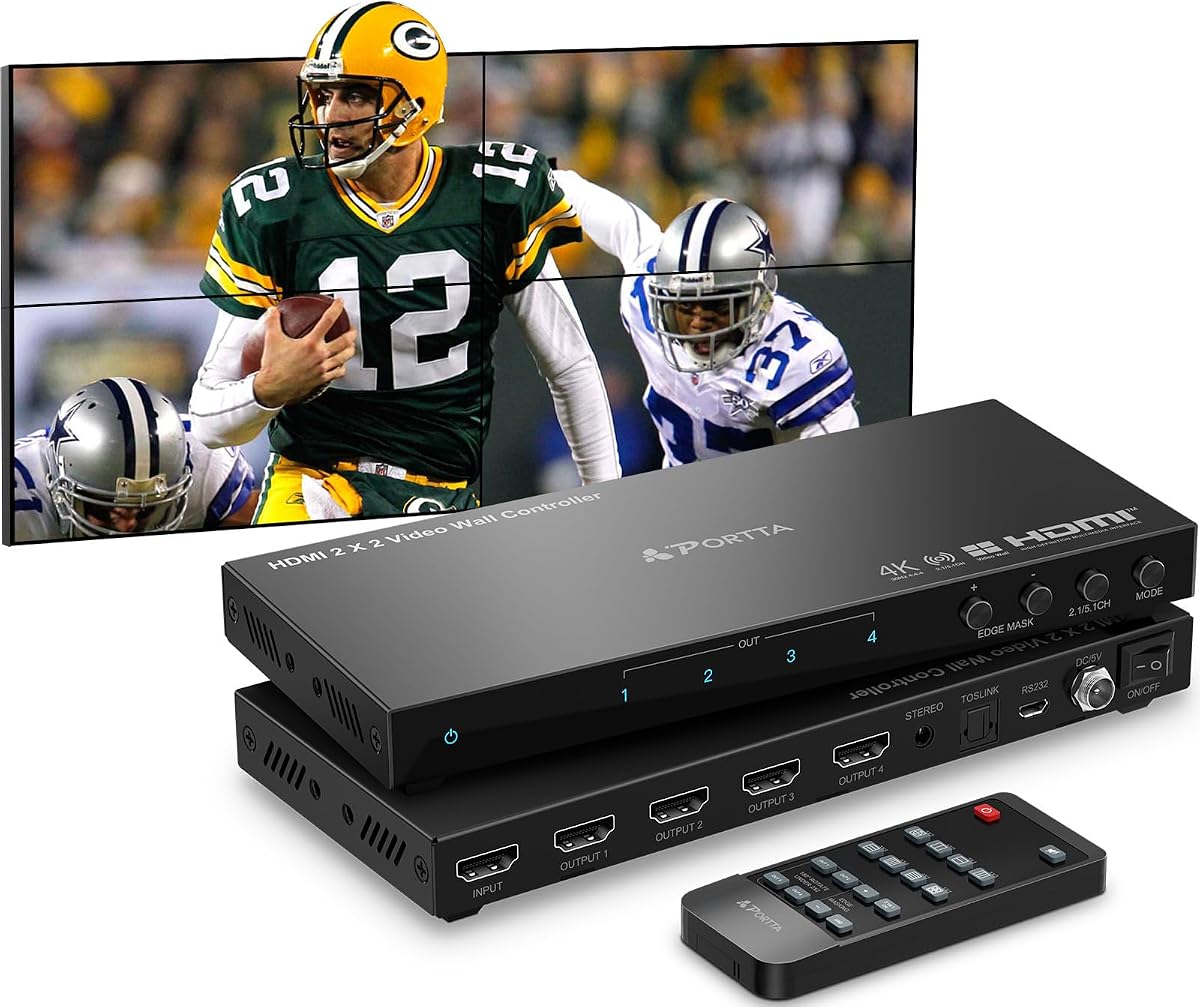
PORTTA focuses on ease of use and visual quality. The 11 splicing modes offer plenty of layout options without requiring complex configuration steps.
We may earn a commission when you buy through this link, at no additional cost to you.
The edge masking function is a standout feature that helps eliminate distortion near bezels, ensuring the image aligns perfectly. This is critical for professional appearances.
RS232 and IR controls provide redundancy, so you can switch between physical and network-based control easily. The audio extractor simplifies sound management.
Use this unit if you need a precise finish on your video wall. It is well-suited for retail environments where aesthetics matter more than high-speed motion.
Edge masking helps remove black borders and artifacts that might appear around the edges of split screens.
With eleven available modes, you can quickly switch between different layouts to suit various content types.
We may earn a commission when you buy through this link, at no additional cost to you.
ISEEVY brings a focus on stability and high refresh rates. Supporting 60Hz inputs makes it a strong candidate for dynamic content playback.
We may earn a commission when you buy through this link, at no additional cost to you.
The design is built for continuous 24×7 operation, meaning it can handle long hours without overheating or failing. This reliability is key for busy commercial spaces.
Setup is straightforward with plug-and-play functionality, reducing downtime during installation. USB-C ensures you can use it with current laptops without extra cables.
Select this for environments where screens stay on for long periods. Its durability and high-speed support make it practical for advertising loops or active displays.
Designed for 24×7 use, this unit can handle non-stop operation without risk of hardware failure.
Plug and play design means you can have a video wall running in minutes without specialized technical knowledge.
We may earn a commission when you buy through this link, at no additional cost to you.
This unit distinguishes itself with auto-play features for USB drives. If you insert a drive, it will automatically play supported media files without needing a PC source.
We may earn a commission when you buy through this link, at no additional cost to you.
It supports a wide range of file formats for video, audio, and images, making it ideal for standalone signage. Image cropping allows for clean bezel elimination.
Brightness and contrast settings are adjustable directly, so you can tune the screen for bright rooms or dark environments. This control helps maintain visibility in all lighting conditions.
Great for digital signage where a simple USB stick is the content source. It reduces the need for constant computer connections, simplifying maintenance.
The USB auto-play feature lets the unit function as a standalone media player, reducing hardware complexity.
Adjusting brightness and sharpness ensures content remains legible regardless of ambient light levels.
We may earn a commission when you buy through this link, at no additional cost to you.
When you need more than four screens, this controller provides up to six HDMI outputs. It expands your video wall potential significantly without changing brands.
We may earn a commission when you buy through this link, at no additional cost to you.
Modes like 2X3 and 3X2 allow for larger, more immersive displays. The input support remains strong with 4K60Hz capability, ensuring high-quality visuals across all screens.
The unit is designed for stability, ensuring it runs reliably during long hours. This is crucial for large installations where one failure could disrupt the entire display.
Choose this if you need to scale your display beyond four monitors. It is perfect for large control rooms or expansive advertising setups.
Six outputs allow for larger layouts, providing more surface area for content and impact.
Built for professional environments, this unit maintains stable performance even with high channel counts.
We may earn a commission when you buy through this link, at no additional cost to you.
Selecting the right video wall controller depends on your specific needs regarding resolution, input types, and control methods.
Ensure the controller supports the input resolution you plan to use. Many models support 4K input but may output at 1080p, which could affect sharpness on larger screens.
Look for 4K@60Hz input if you need smooth motion, while 4K@30Hz is often sufficient for static digital signage.
Check if the controller supports the ports your devices use. Options include HDMI, USB-C, and DVI, so verify compatibility with your source equipment.
More output ports offer flexibility, so decide whether you need 4, 6, or more displays before purchasing.
Some controllers use simple IR remotes, while others offer RS-232 or Web Control. Web control is better for remote management in large setups.
Consider how often you will need to change settings. Frequent changes benefit from easy-access interfaces like apps or web panels.
Different modes like 2×2, 1×4, or 3×1 determine how the image is split across screens. Ensure the model supports the layout you want to achieve.
Look for edge masking features to help minimize the physical gaps between screens for a seamless look.
If you need to route audio to external speakers, check for SPDIF or 3.5mm outputs. Some models support extraction even when video is split.
Surround sound support can be important for entertainment setups, so verify the audio formats supported.
Dual voltage power supplies are useful for international use or areas with unstable voltage. They prevent the unit from failing due to power issues.
Ensure the power adapter is included and matches your region's outlets to avoid extra costs.
Prices vary significantly from basic models to professional matrix units. Decide on a budget based on your priority features like 4K support or web control.
Investing slightly more for better reliability can save money on repairs or downtime in the long run.
Technical support is vital when setting up complex video walls. Look for brands that offer lifetime or long-term support to resolve configuration issues quickly.
Check warranty terms to ensure you are covered in case of hardware failure within the first year.
Start by connecting your source device to the controller using a high-quality HDMI cable. Ensure the connection is secure to avoid signal dropouts during operation.
Set up the display mode on the controller using the remote or web interface to match your screen layout. Adjust edge masking if necessary to align the image across bezels.
Keep the unit in a well-ventilated area to prevent overheating during long operation. Periodically check cable connections and firmware updates to maintain optimal performance.
It is a device that takes one video signal and splits it across multiple displays to create a single large image. It handles resolution matching and layout distribution automatically.
No, you do not always need a computer. Many controllers can play videos directly from USB drives or accept signals from Blu-ray players and media boxes.
Ideally, screens should be the same size for best results. However, some models allow for edge masking to reduce visual discrepancies between different sizes.
4K support ensures that high-resolution content is processed correctly before splitting. This maintains clarity even if the output resolution is downgraded slightly.
Layouts are usually controlled via an included remote, physical buttons, or software interfaces. RS-232 or Web Control offers the most remote flexibility.
It is important if you want sound to come from external speakers rather than the TV. Most units include optical or analog outputs for this purpose.
Matrix controllers allow easy switching between multiple sources, while basic splitters usually work with one source at a time unless additional inputs are available.
Yes, they generate heat during operation. Ensure there is airflow around the unit and do not cover it to maintain its lifespan and stability.
We reviewed ten top-rated controllers ranging from budget options to professional matrix units. Each offers distinct features suitable for various environments and technical needs.
Prioritize resolution support and control methods when making your decision. A high-quality controller ensures your displays look professional and run reliably over time.
Prices and stock change frequently so check current details before finalizing your purchase. Use the features listed to match the right unit to your specific project.