
CENMATE Aluminum 4 Bay
4.3Editor score
Aluminum alloy cooling housing
Supports 2.5 and 3.5 drives
5Gbps USB 3.0 transfer
JBOD enclosures provide a straightforward way to connect multiple hard drives directly to a computer without building a complex network attached storage system. These devices allow users to access each drive independently while keeping their data organized and easily manageable through standard operating system interfaces.
We evaluated ten leading models based on build quality, transfer speeds, cooling efficiency, and ease of use. Our comparison covers options ranging from simple four bay units to robust ten bay systems suitable for professional workflows and large scale data management needs.
Each pick highlights specific strengths like hot swap capabilities or hardware RAID support for flexible data protection. Keep in mind that product availability and pricing can change frequently so always verify current details before making your final purchase decision today.
4.3Editor score

4.2Editor score
4.1Editor score
As an Amazon Associate we earn from qualifying purchases.
The following table presents a side-by-side comparison of all ten selected models highlighting their key specifications and unique capabilities for various storage expansion scenarios.




The TERRAMASTER D4-320 stands out as a top choice for users needing high-speed external storage without RAID complexity. With a rating of 4.2 stars it delivers reliable performance for creative professionals and IT admins.
We may earn a commission when you buy through this link, at no additional cost to you.
Its USB 3.2 Gen 2 interface enables transfer speeds up to 10Gbps which is essential for large file workflows. The intelligent temperature-controlled fan keeps noise levels below 21dB in standby making it suitable for office environments.
While it lacks RAID support users gain simplicity with plug-and-play compatibility across major operating systems. The tool-free design and hot swap capability further enhance convenience for frequent drive changes without downtime.
This model is ideal for those prioritizing raw speed and quiet operation over data redundancy. It offers a balanced mix of performance and usability that justifies its position as our editor's choice.
The USB 3.2 Gen 2 protocol allows up to 10Gbps transfer rates enabling efficient handling of massive media libraries or backup tasks.
Sound-absorbing panels and vibration damping reduce noise by up to 50 percent ensuring a peaceful workspace even under heavy load.
We may earn a commission when you buy through this link, at no additional cost to you.
The CENMATE Aluminum 4 Bay offers excellent value for users seeking reliable external storage without breaking the bank. It holds a 4.3 star rating reflecting satisfaction with its build quality and basic performance.
We may earn a commission when you buy through this link, at no additional cost to you.
Constructed from aluminum alloy it maximizes data security through efficient heat dissipation. The USB 3.0 interface supports up to 5Gbps which is sufficient for most personal backup and media streaming tasks.
The main trade-off is fan noise which can reach 50 decibels under load. However this is acceptable for desktop use where silence is not the primary concern.
Budget conscious buyers will appreciate the hot swappable design and wide compatibility with Windows Mac and Linux. It is a solid entry level option for expanding storage capacity.
Designed for individuals and businesses it supports up to 80TB total capacity making it versatile for growing storage needs.
Includes a DC 12V power adapter to ensure stable high-speed transmission even when multiple drives are active simultaneously.
We may earn a commission when you buy through this link, at no additional cost to you.
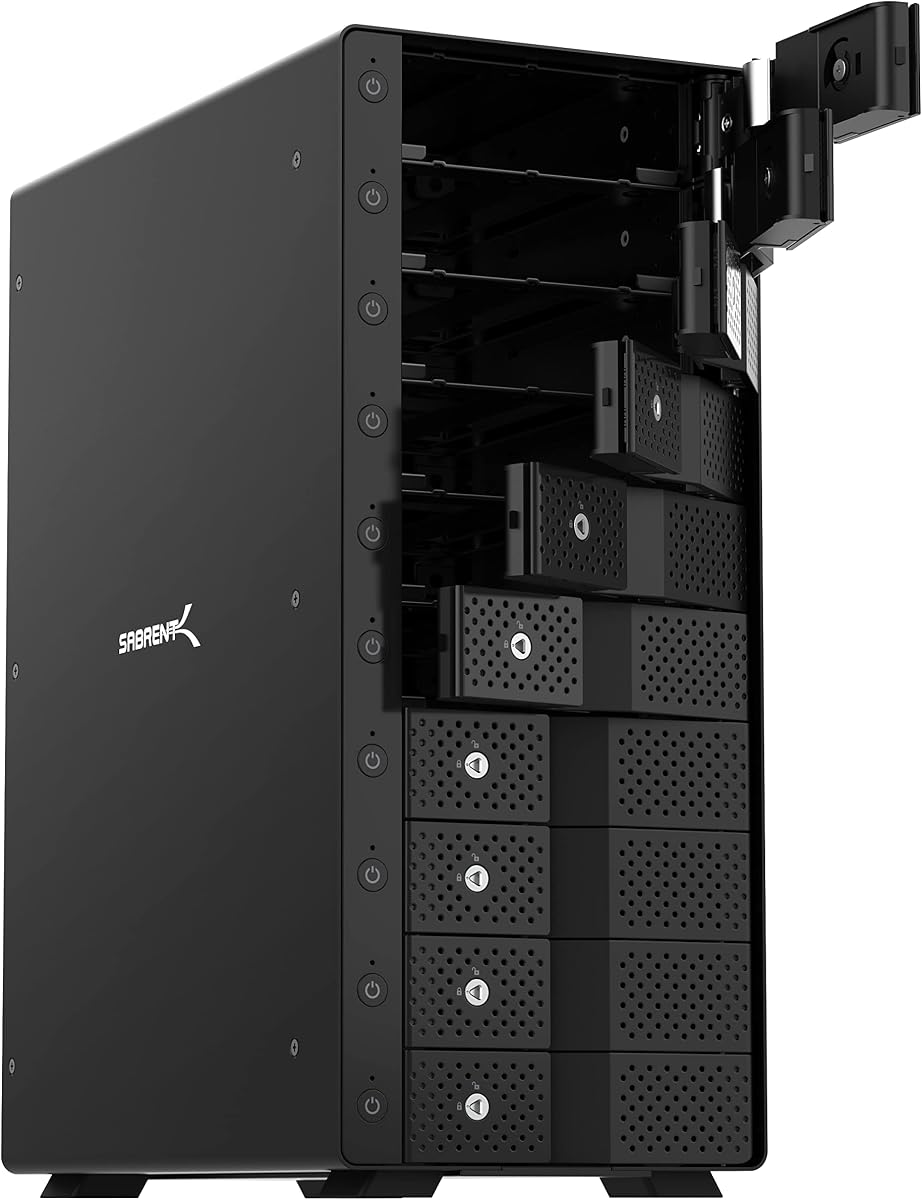
The SABRENT 10-Bay USB-C is a powerhouse for users needing extensive storage expansion without network overhead. Rated at 4.1 stars it is built for professional workflows and IT environments requiring scalable capacity.
We may earn a commission when you buy through this link, at no additional cost to you.
Its ten tray-less bays support up to 200TB total allowing seamless expansion as needs grow. The 10Gbps USB-C connection ensures fast transfers even when managing large video or photo libraries.
Each drive has its own power switch and status LED providing granular control over which drives are active. The aluminum build and dual fans maintain cool temperatures under sustained loads.
This premium unit justifies its cost with robust build quality and scalability. It is best suited for media servers or backup systems where independent drive access is critical.
Connect up to ten hard drives over one USB-C cable without building or rebuilding arrays ideal for backups and media servers.
Dual 120mm cooling fans move air across all ten drives to hold temperatures under sustained load preventing thermal throttling.
We may earn a commission when you buy through this link, at no additional cost to you.
The QNAP TR-004 is a specialized enclosure for users invested in the QNAP ecosystem needing hardware RAID flexibility. With a 4.2 star rating it serves as both external storage and a NAS expansion unit.
We may earn a commission when you buy through this link, at no additional cost to you.
It supports RAID 0 1 5 and JBOD allowing users to balance speed and redundancy. The USB Type-C connection makes it compatible with Windows Mac and Linux systems as well.
However the drive bays are lockable and NAS apps cannot be installed on the unit. This limits its standalone capabilities but strengthens its role as a NAS peripheral.
Ideal for QNAP owners it provides secure storage expansion. For others it offers robust hardware RAID features via USB in a compact form factor.
Supports RAID 0 1 5 and JBOD giving users control over data protection strategies without software overhead.
Expand the capacity of your QNAP NAS directly adding external storage pools accessible by the connected NAS system.
We may earn a commission when you buy through this link, at no additional cost to you.
The QNAP TL-R1200C-RP is designed for data centers and businesses requiring enterprise grade storage expansion. Rated at 4.1 stars it offers reliable performance for heavy duty server environments.
We may earn a commission when you buy through this link, at no additional cost to you.
Its 12 bay design supports up to 3.5 inch SATA drives for massive capacity. The 250W redundant power supply ensures continuous operation even if one power unit fails.
Connection is via USB 3.2 Gen 2 Type-C providing high bandwidth for data transfers. This model is strictly for rackmount deployment which limits home office use.
It is a specialized tool for IT professionals needing scalable JBOD storage. The redundant power adds critical reliability for mission critical business operations.
Designed for QNAP NAS computers and servers it provides massive capacity expansion without complex network configurations.
Features a 250W redundant power supply unit to ensure uptime and reliability in critical server environments.
We may earn a commission when you buy through this link, at no additional cost to you.
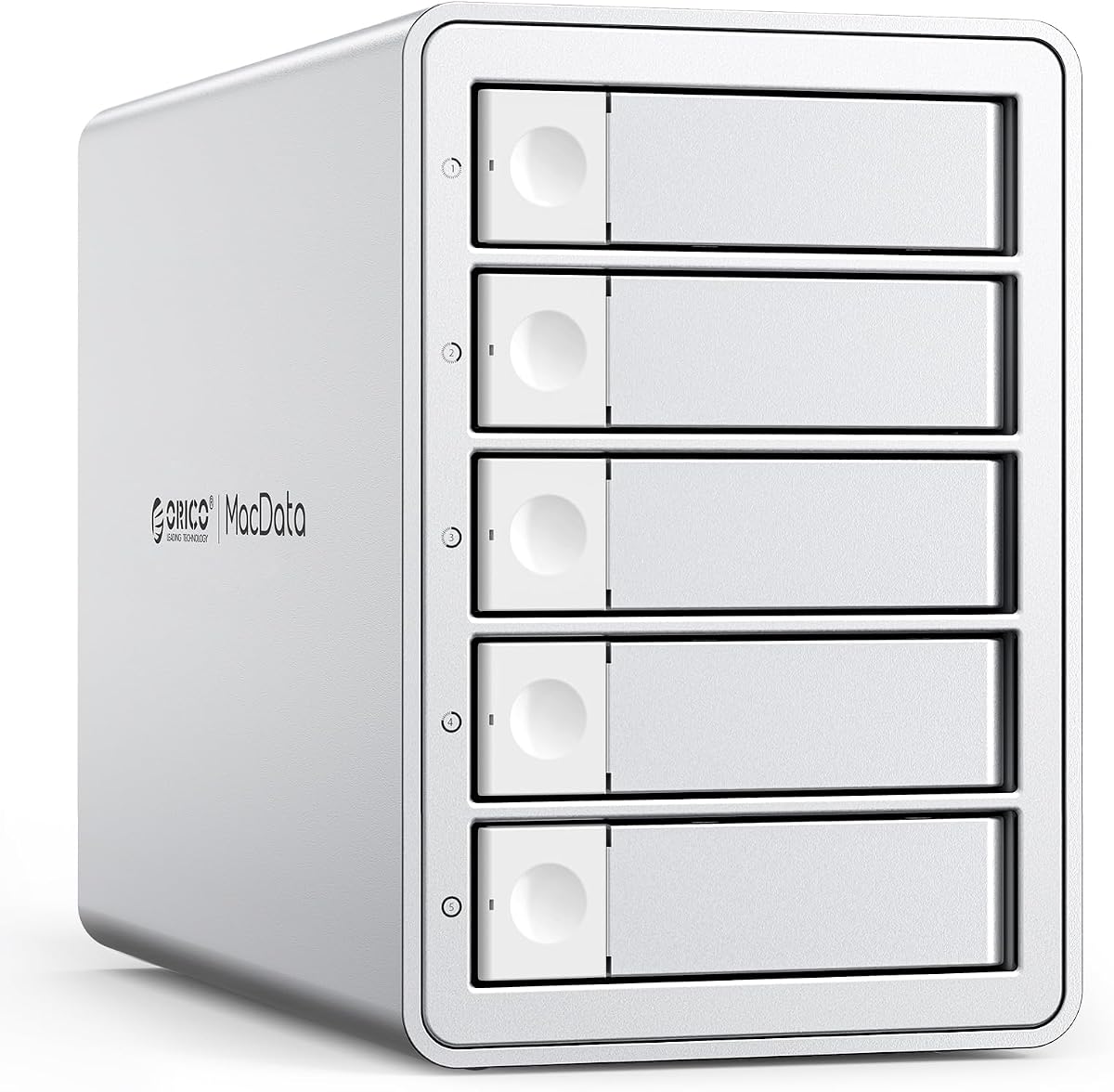
The ORICO 5 Bay RAID holds the highest rating at 4.7 stars reflecting exceptional customer satisfaction with its reliability and features. It serves as a powerful workstation for large data projects.
We may earn a commission when you buy through this link, at no additional cost to you.
Equipped with a professional hardware RAID controller it supports RAID 0 1 3 5 10 and JBOD. This flexibility allows users to choose between speed redundancy or independent disk operations.
The 150W built-in power supply eliminates the need for bulky external adapters ensuring stable voltage for multiple drives. The rugged aluminum shell and silent cooling fan prevent overheating.
Best for creative studios and media libraries it handles up to 110TB total. Its high rating and robust build make it a top contender for professional users.
Hardware switches allow quick configuration of RAID 0 1 3 5 10 JBOD Clone and Clear modes for diverse backup needs.
Built-in 150W power supply ensures peak voltage stability even when running five high-consumption mechanical drives simultaneously.
We may earn a commission when you buy through this link, at no additional cost to you.
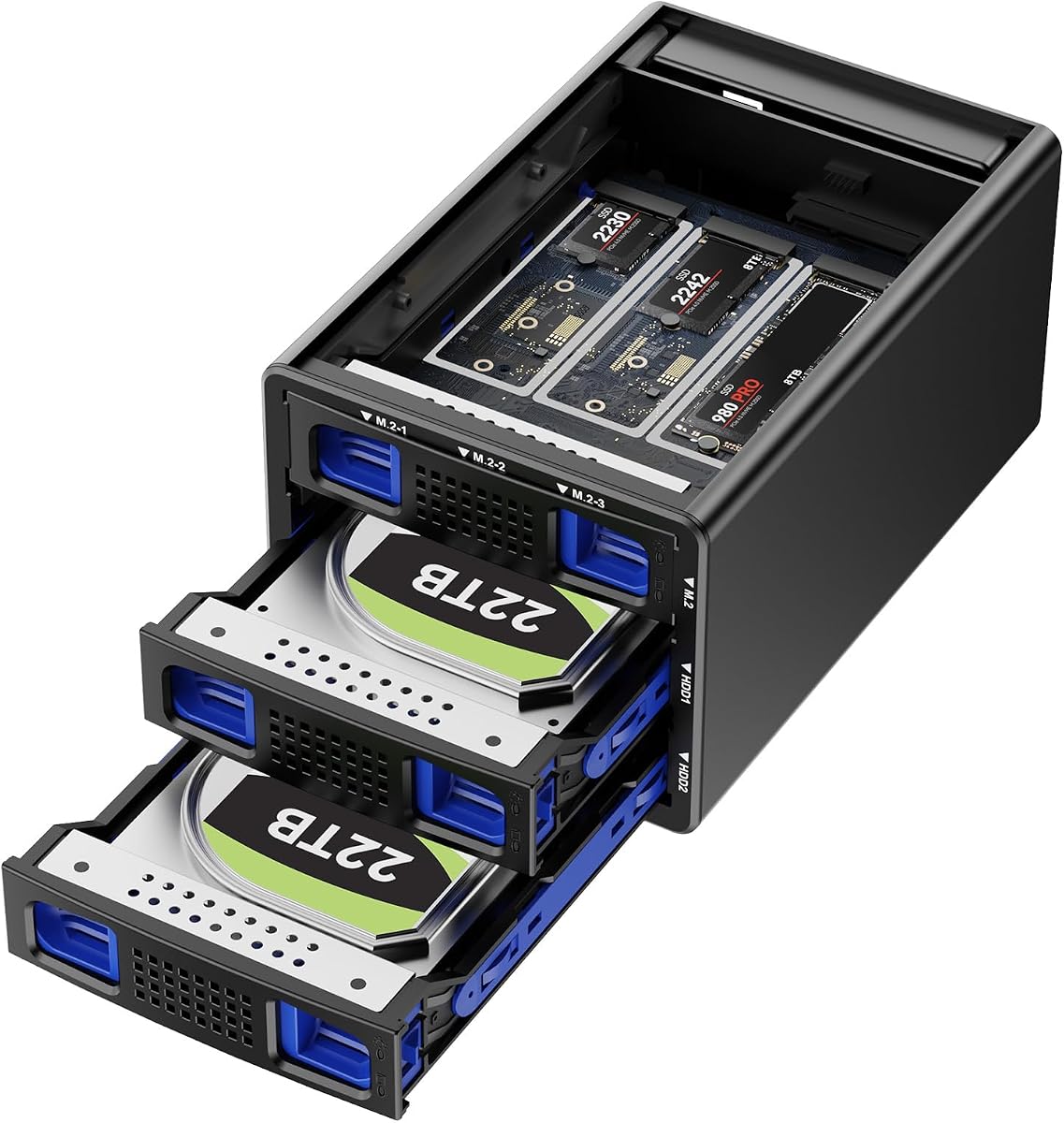
This Hybrid enclosure uniquely combines traditional SATA drives with high-speed NVMe SSDs for flexible storage solutions. With a 4.6 star rating it appeals to users needing both capacity and speed.
We may earn a commission when you buy through this link, at no additional cost to you.
It supports two SATA drives and three M.2 slots enabling up to 68TB total. The advanced chip solution delivers full load read rates of 200 to 300MB/s.
Users must be cautious during RAID setup as improper configuration may lead to data loss. The aluminum build and silent fans help manage heat effectively.
Ideal for power users mixing archive HDDs with fast cache SSDs. Its innovative design bridges the gap between bulk storage and high performance computing.
First hybrid enclosure holding both SATA HDDs and M.2 NVMe SSDs combining massive capacity with high-speed performance.
Tool-free drive tray design allows easy installation and removal without additional tools for quick drive swaps.
We may earn a commission when you buy through this link, at no additional cost to you.
The ORICO 4 Bay Raid offers robust RAID capabilities for users needing data protection without network complexity. Rated at 4.3 stars it is built for efficient expansion and backup workflows.
We may earn a commission when you buy through this link, at no additional cost to you.
It supports eight RAID modes including RAID 0 1 3 5 and 10 ensuring versatile storage configurations. The USB 3.0 interface provides up to 235 MB/s transfer rates for solid performance.
With built-in 150W power it avoids messy external adapters. The aluminum design and safety lock prevent unexpected drive ejection ensuring data security during transport.
This unit is ideal for engineers and videographers handling large projects. Its balance of safety features and RAID flexibility makes it a strong mid-range option.
Support RAID 0 1 3 5 10 JBOD CLONE and CLEAR to achieve dual data backup or enhanced data security needs.
Built-in 150W power supply ensures smooth data transfer when multi-disk reading without extra large power adapters.
We may earn a commission when you buy through this link, at no additional cost to you.
The IO CREST 8-Bay offers high capacity for users needing multiple drives without network overhead. Rated at 4.0 stars it provides solid utility for storage expansion projects.
We may earn a commission when you buy through this link, at no additional cost to you.
Each drive has an independent control switch allowing selective power off for energy efficiency. The steel housing helps dissipate heat efficiently during operation.
It supports drives up to 24TB each for a total of 192TB. The USB 3.0 connection is adequate for many tasks but lacks modern USB-C speeds.
Best for users needing volume over speed it handles massive data needs reliably. Independent switches make management easier when accessing specific drives.
Independent control switches for each drive allow drives to be powered off individually for energy saving and management.
Steel housing with quiet fan and thermal sensor dissipates heat efficiently maintaining stable performance under load.
We may earn a commission when you buy through this link, at no additional cost to you.
The OWC Mercury Elite Pro Quad offers next-level performance for Mac and Windows users needing fast external storage. Rated at 3.7 stars it delivers reliable connectivity with its USB-C interface.
We may earn a commission when you buy through this link, at no additional cost to you.
It supports both 2.5 and 3.5 drives for versatile compatibility. The USB 3.2 interface delivers up to 947MB/s which is ideal for editing high resolution video or audio.
Note that SOFTRAID software is not included which may be a limitation for some RAID users. However the hardware remains solid for direct drive access.
Mac users will appreciate the Thunderbolt 3 compatibility. It is a good choice for creative professionals prioritizing speed and portability in a professional design.
Delivers up to 947MB/s transfer speed with USB-C interface working with any USB-C or Thunderbolt 3 Mac or PC.
Four universal drive bays support both 2.5 and 3.5 drives offering flexibility in drive selection and capacity.
We may earn a commission when you buy through this link, at no additional cost to you.
Selecting the right JBOD enclosure requires balancing capacity speed connectivity and cooling. This guide outlines key factors to consider for your specific workflow.
Determine how many drives you need based on your storage volume. Four bay units suffice for most home users while ten or twelve bays serve enterprise needs. Check maximum drive size support to ensure future expandability.
Choose a bay count that aligns with your current and projected storage requirements.
USB 3.2 Gen 2 Type-C offers up to 10Gbps which is essential for large file transfers. Older USB 3.0 interfaces cap at 5Gbps which may bottleneck high performance drives. Ensure your host computer has matching ports for optimal speeds.
Prioritize USB-C or Thunderbolt interfaces for faster data handling and better future compatibility.
Hot swap allows removing or installing drives without powering off the enclosure. This feature improves efficiency for frequent drive changes in backup workflows. Verify the model explicitly supports this feature before purchasing.
Hot swap support is valuable for systems requiring continuous uptime or regular drive rotation.
Multiple drives generate significant heat so efficient cooling fans are critical. Look for models with silent fans or sound dampening if operating in quiet environments. Aluminum housings help dissipate heat better than plastic ones.
Balance cooling needs with noise tolerance to maintain a comfortable workspace.
Built-in power supplies reduce cable clutter and ensure stable voltage for multiple drives. External adapters are common but can be cumbersome. Check wattage ratings to confirm they support your drive load.
Built-in power supplies offer cleaner setups and more consistent performance for multi-drive arrays.
Most JBOD enclosures work with Windows Mac and Linux out of the box. However verify file system formats as Mac may reformat drives by default. Ensure drivers are not required for plug-and-play convenience.
Confirm compatibility with your primary operating system to avoid setup issues.
Aluminum or steel housings protect drives from physical damage and help with cooling. Look for lockable trays if transporting the enclosure. Check warranty terms to ensure coverage for manufacturing defects.
Robust build quality protects your hardware investment and ensures long-term reliability.
Some enclosures offer hardware RAID while others are standalone JBOD. RAID adds data protection but complicates setup. If you need simple independent drive access a standalone model is often simpler and cheaper.
Decide if you need RAID protection or prefer the simplicity of independent drive access.
Begin by inserting your hard drives into the bays ensuring they align correctly with the connectors. Most modern units allow tool-free installation so slide them in until they lock securely.
Connect the power adapter first then attach the USB cable to your computer. Wait for the operating system to recognize each drive before accessing them to avoid data corruption.
Regularly monitor the enclosure temperature and clean dust from vents to prevent overheating. Avoid moving the unit while drives are active to protect mechanical parts and ensure data safety.
A JBOD enclosure is better if you want simple direct access without network setup. It is cheaper and faster for local backups but lacks remote access features that a NAS provides.
Yes most JBOD enclosures support mixed 2.5 and 3.5 inch drives. Just ensure the tray adapters are installed correctly to fit smaller drives securely in the bay.
No most enclosures are plug-and-play and work with standard file systems. You do not need drivers or RAID software unless specifically configuring hardware RAID modes.
They can get warm but quality models have fans to keep temps safe. Monitor heat levels if running drives continuously for long periods to avoid thermal throttling.
Yes if the model supports hot swap you can replace drives without powering off. Always check the indicator light before removing a drive to ensure it is safe.
Mac may try to reformat the drives to APFS. Check disk utility to see if drives appear as unformatted and use Disk Utility to initialize them with ExFAT or HFS+.
Our top picks highlight the TERRAMASTER D4-320 for speed, the CENMATE Aluminum 4 Bay for budget needs, and the SABRENT 10-Bay for scalability. Each model offers distinct advantages depending on your specific workflow requirements.
Prioritize transfer speeds and cooling if you handle large media files. For simple data storage focus on capacity and reliability. Always match the enclosure interface with your computer's ports for optimal performance.
Prices and availability change regularly so verify current details before purchasing. Check user reviews for the latest feedback on firmware updates or compatibility issues before making your final decision.