
VSD Mini Macro Pad
4.1Editor score
Six customizable LCD keys
Compact portable design
Dual side RGB lighting
This guide compares the top 10 macro pads for streaming to help creators choose the right controller for OBS, scene switching, and workflow automation today.
Streaming has evolved into a competitive space where efficiency matters more than ever. A good macro pad lets you manage scenes, audio, and chat without touching your keyboard. It keeps your focus on the content while handling technical tasks seamlessly in the background.
We evaluated ten leading models based on customization, software support, build quality, and integration with tools like OBS and Twitch. Each product offers unique strengths for different workflows. Our analysis highlights which devices deliver the most value for streamers at any experience level.
Every pick includes detailed specs, real-world performance insights, and honest trade-offs to help you decide quickly. We focus on features that matter most during live broadcasts. Remember that pricing fluctuates, so check current deals before making your final decision today.
4.1Editor score

4.8Editor score

4.4Editor score
The following table provides a side-by-side comparison of all ten models. Each entry highlights core specifications to help you identify which device matches your specific streaming needs without needing to dig through lengthy descriptions.


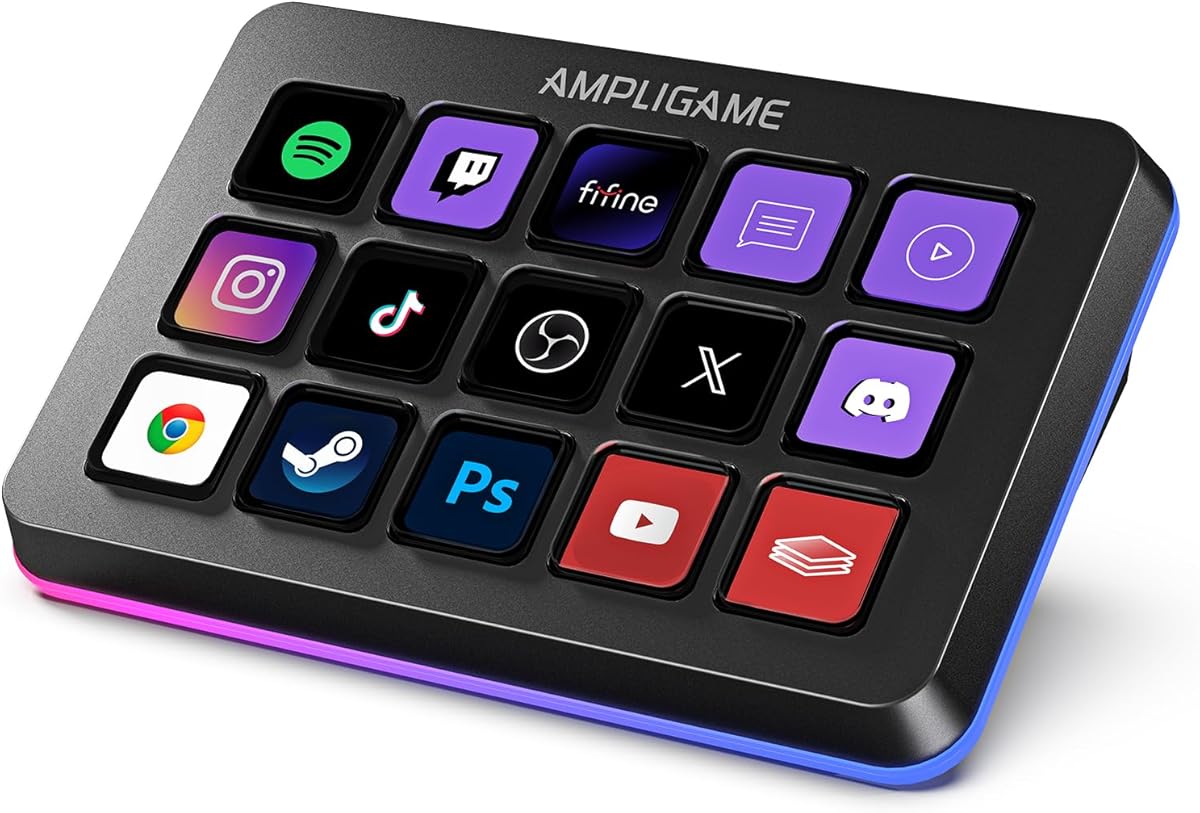


The Elgato Stream Deck MK.2 remains the gold standard for stream controllers. With a 4.8 rating, it delivers consistent performance for creators who need reliability during live broadcasts. Its fifteen LCD keys offer visual feedback that reduces mistakes while managing complex OBS scenes.
We may earn a commission when you buy through this link, at no additional cost to you.
This device shines in its ability to streamline workflows through one-touch operations. You can trigger single or multiple actions instantly, such as launching social posts, adjusting audio levels, or muting your microphone. The visual feedback ensures every command executes as intended without hesitation.
While the price is higher than some alternatives, the investment pays off in software support. Elgato offers powerful plugins for 4KCU, Twitch, YouTube, Twitter, Discord, and Philips Hue. However, reliance on proprietary software means limited flexibility for users who prefer open-source tools.
It is ideal for professionals who prioritize stability over cost. If you need a controller that works out of the box with minimal setup, this model is unmatched. The build quality and intuitive interface make it a lasting addition to any streaming desk.
The LCD keys display customizable icons so you always know what each button does during a stream.
Access plugins for major platforms like Spotify, OBS, and Twitter to control everything from one place.
We may earn a commission when you buy through this link, at no additional cost to you.
The VSD N4 Pro offers advanced control for creators who need more than just hotkeys. With ten LCD keys and four RGB knobs, it provides tactile feedback alongside visual customization. This model stands out for its audio-synced lighting and built-in USB dock.
We may earn a commission when you buy through this link, at no additional cost to you.
You can manage complex workflows through one-tap multi-step macros without coding. The USB sound deck feature lets you trigger audio control commands directly, enhancing your live production capabilities. Dynamic RGB visuals match media files for a truly immersive desktop experience.
The device includes a foldable ergonomic stand for comfortable long sessions. While the feature set is impressive, the software can take time to master. Some users may find the number of options overwhelming when compared to simpler controllers on the market.
This deck is perfect for professionals who value customization and connectivity. The dock adds extra ports for peripherals while the knobs allow precise adjustments for volume or timeline scrolling. It balances premium features with practical utility for demanding workflows.
The dock provides extra connectivity for mice, keyboards, and storage drives without using computer ports.
Lighting effects react to your audio output for dynamic visuals during streaming sessions.
We may earn a commission when you buy through this link, at no additional cost to you.
For streamers on a tight budget, the VSD Mini Macro Pad delivers core functionality without breaking the bank. It features six customizable LCD keys and dual side RGB light bars for a stylish look. Its compact size ensures it fits easily on crowded desks.
We may earn a commission when you buy through this link, at no additional cost to you.
One-touch shortcuts help you switch OBS scenes, launch apps, or execute game combos instantly. The visual customization allows you to set JPG or GIF animations on each key. It works well with mainstream apps like Office and Photoshop after installing the VSD Craft software.
Though it has fewer keys than larger decks, it covers essential tasks efficiently. The USB-powered design means no battery worries during long streams. However, Linux users may need to rely on open-source SDK files for adaptation since plug-and-play isn't available.
This pad is ideal for beginners or secondary setups where space is limited. While not as feature-rich as premium models, it gets the job done for basic scene switching and app launches. The price point makes it an accessible entry point for automation.
The mini footprint saves desk space while still offering full macro customization functions.
Side light bars add ambient lighting to enhance your setup without taking up extra room.
We may earn a commission when you buy through this link, at no additional cost to you.
The VSD M18 Macro Pad offers a robust feature set with eighteen programmable keys to handle complex streams. Its customizable LCD keys accept images and animations for clear identification. The device includes a USB sound board to trigger actions across multiple platforms.
We may earn a commission when you buy through this link, at no additional cost to you.
Single tap commands let you switch OBS scenes or input text quickly. Multi-shortcut macro programming supports game combos and video editing workflows. The outer RGB light ring adds aesthetic appeal that adjusts to dim or dark gaming setups effectively.
This deck comes with built-in plugins like schedule reminders and weather widgets. However, Linux plug-and-play support is not available, which may limit some users. The large footprint requires ample desk space for optimal use.
It suits content creators who need volume and versatility. With a mix of physical and visual keys, it balances speed with clarity. The included plugins and lighting make it a practical all-rounder for daily streaming tasks.
Execute pre-set macros with one tap for immediate response during live broadcasts.
The outer light ring provides customizable ambient lighting to match your streaming environment.
We may earn a commission when you buy through this link, at no additional cost to you.
The Stream Dock N1 stands out with its vertical space-saving design. It offers three practical modes including left-hand shortcut, calculator, and numeric keypad modes. This flexibility makes it unique among standard horizontal stream controllers available on the market.
We may earn a commission when you buy through this link, at no additional cost to you.
Drag and drop functionality allows quick access to files and apps without searching. The LCD keys support custom images and GIFs for unique styles. It integrates well with tools like OBS, Excel, and Adobe Premiere Pro seamlessly.
The device offers hundreds of plugins for schedule reminders and weather. Sixty icon packs are available for download. However, the setup may feel complex for new users due to multiple modes. Support is available via tutorial videos on the product page.
This deck is ideal for limited desk space setups. The numeric keypad mode complements tenkeyless keyboards well. Its high rating reflects user satisfaction with its versatility. Consider this for specialized workflows needing calculator or numpad integration.
The upright layout saves desktop space while expanding shortcut key availability.
Switch between left-hand shortcut, calculator, and numeric keypad modes easily.
We may earn a commission when you buy through this link, at no additional cost to you.
The VSD M18 Stream Controller focuses on efficiency with eighteen customized macro keys. It allows assigning individual or series of actions to streamline workflow. The LCD keys are personalized with images and animations for enhanced recognition.
We may earn a commission when you buy through this link, at no additional cost to you.
Efficiency is central to the design with instant macro launching. Multi-hotkey macro pads let you execute multiple operations simultaneously. The RGB light ring creates a visually stunning atmosphere that enhances the overall desktop experience.
It integrates seamlessly with software like OBS and Discord. High-quality construction supports long-lasting performance. While it requires software for full function, the included plugins assist daily desktop operations effectively.
This deck is great for professionals seeking reliable performance. Its versatile compatibility across Windows and macOS broadens its appeal. The RGB features add style while the build ensures stability during intensive daily tasks.
Launch macros or switch scenes instantly without complex settings or delays.
Built with high-grade materials to support long-lasting performance and durability.
We may earn a commission when you buy through this link, at no additional cost to you.
The fifine D6 RGB Macro-Keyboard features fifteen customizable macro keys for multi-tasking. It allows you to launch apps and switch OBS scenes with a simple press. Visual feedback on the touchscreen improves workflow efficiency significantly.
We may earn a commission when you buy through this link, at no additional cost to you.
Its vivid RGB ring offers nine controllable modes to match your setup. The device works with OBS, Twitch, and YouTube plugins. Drag-and-drop setup makes it easy to fill your streaming console with desired icons and plugins.
You can create folders for different scenes like gaming or editing. While useful, ensure firmware is updated before use to avoid issues. Some third-party connections may require active subscriptions or memberships.
This keyboard is ideal for users needing visual organization. It simplifies complex tasks into simple presses. With its multi-tasking focus, it is a strong contender for streamers who manage multiple apps simultaneously.
See application on the touchscreen to confirm actions without opening multiple windows.
Customize RGB effects with nine modes to match your gaming setup style.
We may earn a commission when you buy through this link, at no additional cost to you.
The TreasLin VSDinside Stream Controller offers 18 customizable macro keys. It supports dynamic animated icons to make interfaces vibrant. The device includes numeric keypad mode and calculator mode for specialized workflows.
We may earn a commission when you buy through this link, at no additional cost to you.
You can switch scenarios like Live Streaming mode for easy OBS control. The VSDinside marketplace offers thousands of free and premium options. This includes plugins for Discord, Twitch, and OBS to streamline your workflow.
Setup is straightforward with USB-C connection and included software. Spotify integration requires a premium account. If you need dynamic animation capabilities and extensive app control, this deck delivers strong value.
It is perfect for users who want animated feedback. The numeric mode is a good addition for data-heavy tasks. While Spotify requires premium, the overall ecosystem supports diverse content creation needs well.
Use animated GIFs and images to create unique, vibrant interface scenes.
Download thousands of plugins and icons from the VSDinside marketplace.
We may earn a commission when you buy through this link, at no additional cost to you.
The Streonor S15 provides fifteen customizable LCD keys and three status display panels. These panels show real-time information like CPU temperature and memory usage. This helps keep you informed while working or streaming without switching windows.
We may earn a commission when you buy through this link, at no additional cost to you.
Create dedicated pages for streaming, editing, or office tasks. Action flows allow triggering multiple commands with one key. The software supports GIF icons and over 100 plugins to personalize your workflow effectively.
Compatible with Windows 10 and macOS Big Sur. Ensure you uninstall similar controller software to avoid conflicts. Some app connections may require active subscriptions. The setup is designed for smooth and stable use.
This controller suits users who need system monitoring at a glance. The status panels add utility that most competitors lack. If you want actionable insights and workflow automation, it is a strong choice.
View real-time data like CPU status and memory usage at a glance.
Build specific layouts for streaming, editing, or office scenarios easily.
We may earn a commission when you buy through this link, at no additional cost to you.
The Streonor S10 brings together ten LCD keys and four programmable rotary knobs. The touchscreen provides access to supported information and controls. It is designed for demanding workflows needing both instant commands and precise adjustments.
We may earn a commission when you buy through this link, at no additional cost to you.
Assign knobs to volume or timeline adjustments for hands-on control. Multi-action workflows reduce repetitive steps across complex projects. The integrated touchscreen and audio mixer functions make it a premium creator console.
Access over 100 plugins through the software store. Compatible with Windows 10 and macOS Big Sur. Ensure similar software is uninstalled to avoid conflicts. Some services may require active accounts.
This deck is ideal for users who want tactile feedback. The knobs allow precise control that flat keys cannot offer. With its combination of keys and touch, it handles complex editing and streaming tasks.
Access controls and information through the screen alongside physical keys and knobs.
Assign knobs to volume and timeline adjustments for precise control.
We may earn a commission when you buy through this link, at no additional cost to you.
Selecting the right macro pad requires balancing features like key count, customization, and software support. This guide outlines the factors that matter most for streamers to ensure a smooth buying decision.
The number of keys determines how many actions you can control simultaneously. Decks with 15 or more keys are ideal for managing complex scenes and audio levels. Consider if the layout fits your workspace without causing clutter.
Choose a model with enough keys to cover your frequent actions. A compact design works better for smaller desks.
LCD keys allow you to see icons or GIFs that identify functions. This visual feedback reduces errors during high-pressure streams. Ensure the device supports custom images and animations for clarity.
Look for decks that support dynamic icons to keep your workflow intuitive and engaging.
The software determines how easily you can configure and automate tasks. A strong ecosystem offers plugins for major platforms like OBS and Twitch. Check if updates are free and if community support is active.
Prioritize models with intuitive software to minimize setup time and technical hurdles.
Streaming often involves long sessions, so durability and comfort are key. High-grade materials ensure the device withstands frequent use. An ergonomic stand or layout can reduce strain on your hands.
Select a model with sturdy construction and comfortable angles for daily use.
Some macro pads include sound deck features or dedicated audio knobs. These help manage volume and effects without leaving your stream software. Audio sync lighting can also add a layer of visual feedback.
If audio management is critical, choose a deck with specific sound control features.
Most decks support Windows and macOS, but Linux support varies. Ensure the device works with your operating system and has plug-and-play options if available. Check for any software requirements before purchase.
Verify OS support to avoid compatibility issues during setup and operation.
Prices vary from budget-friendly models to premium decks with advanced features. Higher cost often brings better build quality and more plugins. Balance your needs with what you can afford without overspending.
Look for value through feature sets that match your specific streaming requirements.
USB-C connections are standard for reliable data transfer. Some decks offer built-in USB docks to save ports. Ensure the connection is stable for consistent performance during live broadcasts.
Choose a model with robust connectivity options to maintain smooth operation.
Connect the device via USB-C and install the manufacturer software. Configure your keys by assigning actions through the dashboard. Test each function before going live to ensure smooth operation during streams.
Keep the firmware updated to access new plugins and stability fixes. Regularly review your macros to optimize them for current streaming needs. Adjust RGB settings to match your setup for a cohesive look.
Clean the surface with a soft, dry cloth to avoid damaging the LCD. Store it in a safe place when not in use to protect it from dust. Regular maintenance ensures the device lasts longer and functions reliably.
A macro pad for streaming lets you trigger complex actions with one press, such as switching OBS scenes or adjusting audio levels. It simplifies workflows so you can focus on content. This automation saves time and reduces errors during live broadcasts.
Yes, most macro pads are compatible with macOS 11.0 and newer. Ensure the device supports macOS before purchase. Some models may require specific software installations for full functionality on Apple systems.
Yes, most models support custom icons including GIFs and animations. You can assign unique images to each key for quick recognition. This customization helps you identify actions quickly during a live stream.
Most macro pads require installing manufacturer software for full customization. Some offer plug-and-play for basic functions but not advanced features. Always check if the software supports your operating system before buying.
Yes, macro pads work seamlessly with OBS Studio through plugins. You can configure keys to trigger scene changes or media control. This integration makes them essential tools for professional streaming workflows.
Yes, macro pads can be used to execute game combos or launch apps. They simplify inputs that would otherwise require complex keyboard sequences. This utility extends their use beyond just streaming tasks.
The Elgato Stream Deck MK.2 leads as the top overall choice with its balance of features and reliability. For budget-conscious creators, the VSD Mini Macro Pad offers essential functionality at a lower cost. Premium users will appreciate the customization of the VSD N4 Pro.
When selecting a device, prioritize the features that match your specific workflow needs. Key count and plugin support should guide your decision to ensure efficiency. A model with robust software makes daily tasks significantly smoother.
Remember to check current prices and availability before purchasing as deals may change. Investing in the right controller can elevate your streaming quality and reduce stress. Choose wisely to enjoy a seamless and professional streaming experience.