
Ozeino Wireless Headset
4.2Editor score
Ultra low latency
Dual wireless modes
Great value price
This guide compares the top ten Mac gaming headsets for immersive audio, wireless connectivity, and comfort across Mac platforms.
Gaming on a Mac requires specialized audio gear that integrates seamlessly with macOS while delivering immersive sound. A good headset offers clear directional audio, a reliable microphone, and long-lasting comfort for extended play sessions on your desktop or laptop.
We evaluated the top models based on audio quality, wireless latency, build durability, and platform compatibility. Our list includes both premium and budget-friendly options ensuring you find a headset that enhances your gaming experience without breaking the bank.
Each pick highlights key features like driver size, connection types, and microphone clarity to help you decide quickly. Prices and availability change frequently so be sure to check current listings before making your final purchase decision today.
4.2Editor score

4.6Editor score
4.2Editor score
This table provides a side-by-side comparison of every headset on our list to help you quickly identify the best fit for your specific gaming needs and budget.


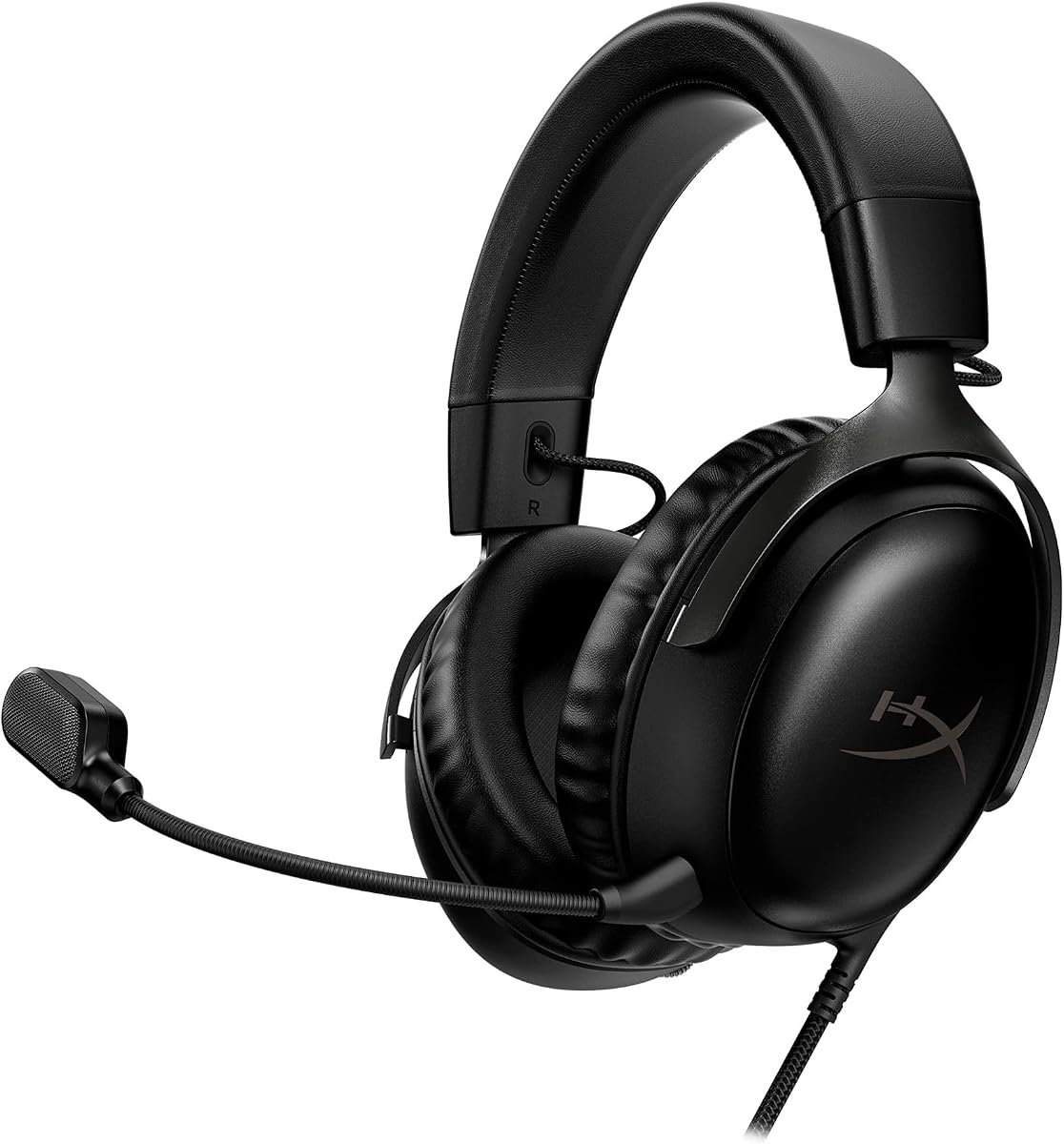


The HyperX Cloud III Black stands out as a top choice for Mac gamers seeking reliability and sound quality. With a rating reflecting high user satisfaction this wired headset delivers immersive audio and comfort that lasts through marathon gaming sessions.
We may earn a commission when you buy through this link, at no additional cost to you.
Its angled 53mm drivers are tuned specifically for gaming dynamics providing precise sound staging that helps you hear footsteps and directional cues. The memory foam ear cushions and premium leatherette wrapping ensure a plush fit that reduces fatigue over time.
While it lacks wireless flexibility the included USB-C USB-A and 3.5mm cables make it versatile for various devices. The main trade-off is the cable which some users might find restrictive compared to fully wireless models available today.
Ideal for Mac users who prioritize audio fidelity and comfort over wireless freedom this headset is a solid investment. It offers a balanced mix of durability sound quality and microphone clarity that suits competitive and casual players alike.
The audio engineers tuned the drivers to accentuate dynamic gaming sounds ensuring you hear every detail clearly.
The aluminum frame resists wear while the memory foam cushions provide a secure and comfortable fit.
We may earn a commission when you buy through this link, at no additional cost to you.
The Ozeino Wireless Headset offers an impressive entry point for Mac gamers on a tight budget. Despite its low price it provides solid wireless performance and decent audio quality that makes it a strong contender for casual players.
We may earn a commission when you buy through this link, at no additional cost to you.
Its 2.4GHz wireless connection ensures a lag-free experience with less than 30ms delay which is crucial for competitive gaming. The 50mm drivers deliver clear sound allowing you to hear critical game cues without distortion or noise.
However the Bluetooth mode has limitations on Mac devices requiring an adapter for full functionality. Additionally the build materials feel lighter than premium models which may not suit users looking for rugged long-term durability.
For those seeking an affordable wireless option without sacrificing core performance this headset is highly recommended. It balances cost and features well making it an excellent choice for students or budget-conscious gamers.
This headset proves you don't need to spend a lot to enjoy stable wireless gaming audio on your Mac.
With up to 40 hours of battery life and intuitive buttons managing your game session is easy and convenient.
We may earn a commission when you buy through this link, at no additional cost to you.
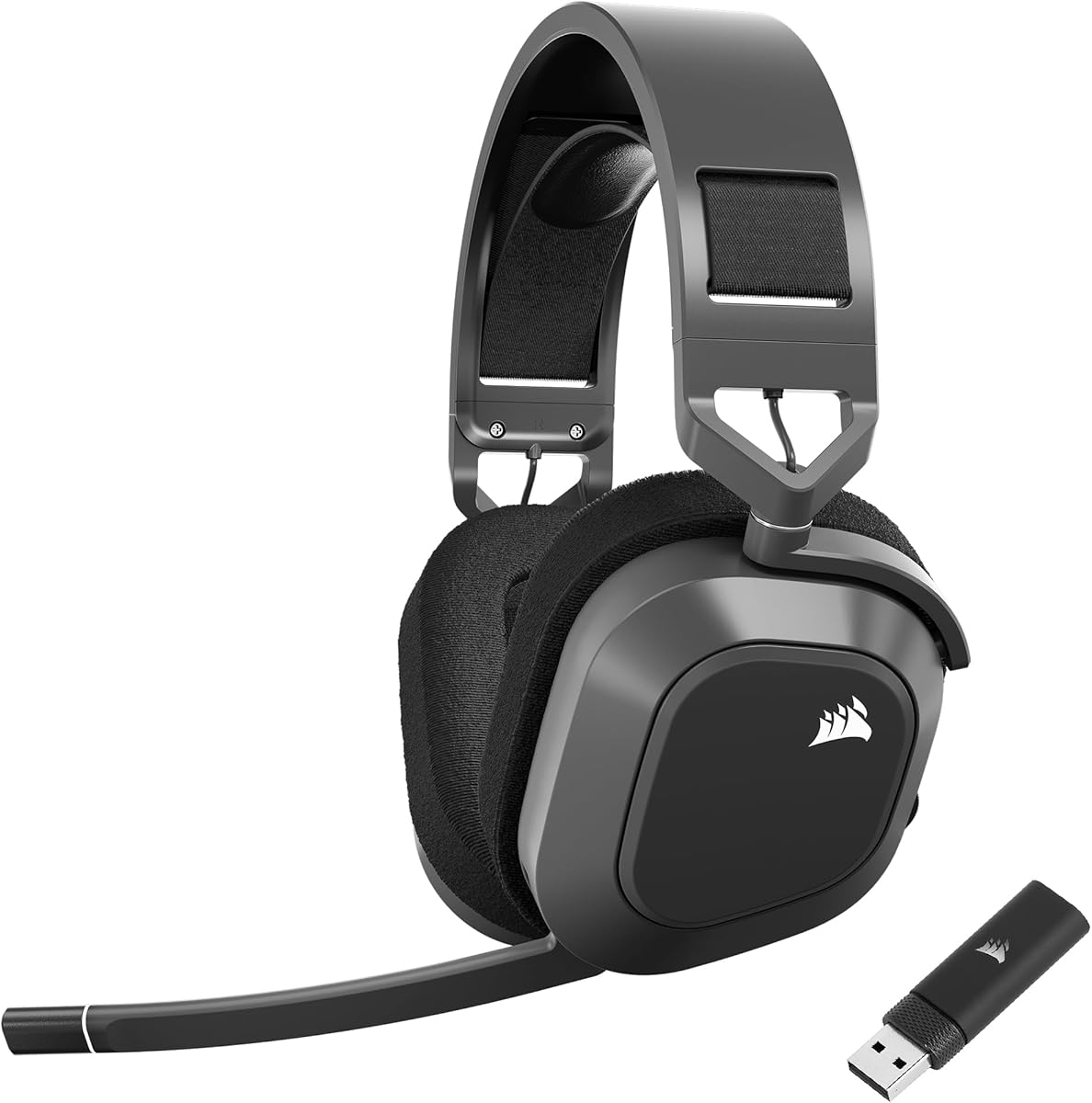
The Corsair HS80 MAX represents the pinnacle of wireless audio technology for Mac users seeking premium features. Its support for high fidelity sound and versatile connectivity options makes it a standout choice for serious gamers.
We may earn a commission when you buy through this link, at no additional cost to you.
The 24bit 96kHz audio quality provides an immersive experience far beyond standard gaming headsets ensuring crisp highs and deep bass. With both 2.4GHz and Bluetooth connectivity you can easily switch between your Mac and mobile devices seamlessly.
While the price is higher the extensive battery life of up to 130 hours in Bluetooth mode justifies the investment. The floating headband design and memory foam pads offer exceptional comfort for all-day use without discomfort.
If you want the best possible wireless experience with top-tier sound and long battery life this headset is worth the cost. It delivers professional grade audio and flexibility that enhances your overall gaming setup significantly.
Enjoy studio quality sound with 24bit 96kHz audio that brings game audio and music to life.
Connect via low latency wireless for gaming or Bluetooth for mobile use with effortless switching between modes.
We may earn a commission when you buy through this link, at no additional cost to you.
The Valorise Wireless Headset impresses with its incredible battery life and versatile connectivity options for Mac users. It offers a rich audio experience with 7.1 surround sound that enhances spatial awareness during intense gameplay.
We may earn a commission when you buy through this link, at no additional cost to you.
With up to 100 hours of battery life in Bluetooth mode you can game for days without needing a charge. The retractable microphone and ENC noise cancellation ensure clear communication with teammates while maintaining a sleek look when not in use.
The passive noise cancellation and ergonomic design provide a comfortable fit for long sessions. However compatibility notes indicate limitations with Xbox and some console wireless modes which may affect cross platform gamers.
Ideal for users prioritizing battery life and surround sound this headset delivers great value for the price. It is a strong choice for marathon gaming sessions where recharging is not convenient or desired.
Enjoy up to 100 hours of playtime on a single charge ensuring uninterrupted gaming without constant recharging.
The 7.1 surround sound creates a cinema-like audio experience helping you locate enemies and events precisely.
We may earn a commission when you buy through this link, at no additional cost to you.
The Corsair Void RGB Elite brings a blend of high performance and style to Mac gaming setups. Its expanded frequency range and custom tuned drivers provide detailed audio that captures every subtle sound in your games.
We may earn a commission when you buy through this link, at no additional cost to you.
The lightweight aluminum yokes and breathable microfiber earpads ensure comfort even during extended play. RGB lighting adds a personalized touch to your setup allowing you to match your gaming aesthetic with dynamic visual effects.
While the microphone is omnidirectional and clear it is not retractable which might be a drawback for some users. The reliance on software for RGB customization may also be a minor hurdle for those preferring plug-and-play solutions.
If you value both audio precision and visual appeal this headset is a fantastic choice for Mac gamers. It balances durability comfort and immersive sound making it a great option for those who want a standout look.
The drivers support a frequency range up to 30kHz ensuring you hear high pitched sounds that others miss.
Breathable mesh fabric keeps your ears cool and dry reducing sweat and fatigue during long gaming sessions.
We may earn a commission when you buy through this link, at no additional cost to you.
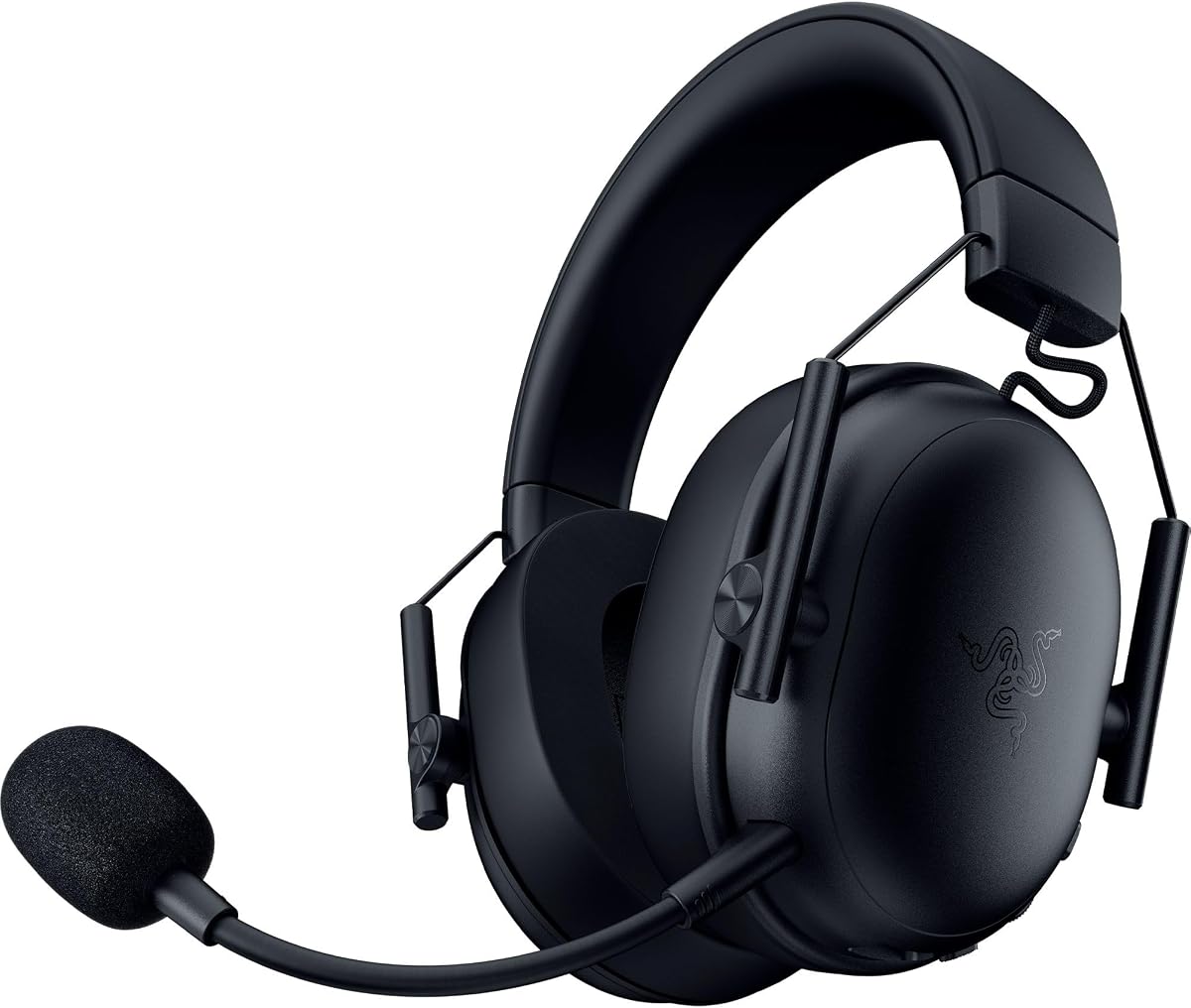
The Razer BlackShark V3 X offers a competitive edge with its ultra lightweight build and fast wireless technology. Designed for comfort and performance it allows players to wear it for hours without feeling weighed down.
We may earn a commission when you buy through this link, at no additional cost to you.
The Gen 2 Triforce drivers deliver improved clarity and soundstage ensuring precise directional audio. HyperSpeed wireless connection minimizes latency keeping your game audio synced perfectly with your actions on screen.
While the build is largely plastic which may feel less premium the weight reduction is significant for comfort. The detachable mic is great for versatility but its primary focus is on game communication rather than music recording.
For gamers who prioritize comfort and speed this headset is an excellent investment. It combines modern wireless tech with ergonomic design to support intense and focused gaming sessions effectively.
At just 270 grams the headset feels barely there allowing you to focus on the game without physical distraction.
The proprietary wireless connection ensures stable low latency transmission essential for competitive and fast-paced games.
We may earn a commission when you buy through this link, at no additional cost to you.
The Corsair HS80 RGB delivers immersive 3D audio with Dolby Atmos support making it a top pick for Mac users seeking cinematic sound. Its wireless connection ensures minimal latency keeping you synchronized with in-game action.
We may earn a commission when you buy through this link, at no additional cost to you.
The custom tuned 50mm drivers capture details from whispers to explosions providing a rich audio landscape. The broadcast grade microphone with flip-up mute ensures your voice is clear to teammates without background noise interference.
While the RGB lighting and software features add customization options they require setup which can be a hurdle. Comfort can also vary based on head shape though the memory foam helps maintain a secure fit.
If you want high fidelity audio and surround sound capabilities this headset is a great choice. It balances performance and style effectively for those who enjoy immersive single player and competitive gaming experiences.
Dolby Atmos places sounds around you in a virtual 3D space enhancing spatial awareness and immersion.
The broadcast grade microphone captures your voice with professional clarity ensuring effective team communication.
We may earn a commission when you buy through this link, at no additional cost to you.
The Razer Barracuda X excels at seamless multi-platform connectivity allowing you to switch between Mac and mobile with a simple toggle. Its ergonomic design ensures it stays comfortable during daily commutes or long gaming sessions.
We may earn a commission when you buy through this link, at no additional cost to you.
With up to 70 hours of battery life it keeps you going for days on a single charge. The Chroma lighting adds a personal touch to your setup syncing with games and apps for a dynamic visual experience.
The Triforce 40mm drivers provide clear balanced audio that handles gaming and media well. While it lacks Xbox support its broad compatibility with other platforms makes it a versatile option for mixed device users.
Ideal for gamers who use multiple devices this headset offers convenience and style in one package. The easy switching and long battery life make it a practical choice for modern multitaskers.
Switch between a PC and phone instantly without re pairing simplifying your workflow and gaming transition.
Sync the earcup lighting with over 300 games and 500 devices for a personalized and vibrant gaming experience.
We may earn a commission when you buy through this link, at no additional cost to you.
The HyperX Cloud III White is celebrated for its exceptional comfort and durable build making it a favorite for marathon gaming sessions. Its memory foam ear cushions and full metal frame provide a secure and lasting fit.
We may earn a commission when you buy through this link, at no additional cost to you.
The angled 53mm drivers ensure immersive audio with precise sound staging for competitive play. On earcup controls allow you to adjust volume and mute quickly without interrupting your game or navigating menus.
While it uses wired connections this ensures stable audio without battery concerns which is a plus for reliability. The only trade-off is the lack of wireless freedom but the build quality justifies the choice for many.
For Mac users who prioritize comfort and build quality this headset is a top contender. It offers a clean aesthetic and reliable performance that suits any gaming environment or desktop setup.
High quality memory foam and leatherette create a plush fit that minimizes pressure points during extended use.
Adjust settings directly on the earcup for quick access to volume and mute without breaking your focus.
We may earn a commission when you buy through this link, at no additional cost to you.
The Razer Kraken V4 X provides a reliable wired solution with excellent audio clarity for Mac users. Its 40mm Triforce drivers are designed to separate frequencies ensuring distinct highs mids and lows for a clear soundscape.
We may earn a commission when you buy through this link, at no additional cost to you.
The retractable Hyperclear mic allows for better voice capture and protection when not in use. With 7.1 surround sound enabled you gain a competitive edge by hearing environmental cues with precise directionality.
The convertible USB-C and Type A cable offers flexibility across different Mac models. While it lacks wireless convenience the wired setup guarantees consistent audio quality without battery dependency or connectivity drops.
Ideal for users who prefer simplicity and consistency this headset delivers strong performance for the price. It balances audio quality and build durability making it a practical choice for daily gaming.
The patented driver design pushes out distinct audio frequencies preventing muddiness for a cleaner listening experience.
The retractable design keeps the microphone safe from dust and damage when not actively in use.
We may earn a commission when you buy through this link, at no additional cost to you.
Choosing the right Mac gaming headset involves evaluating audio quality, connectivity, comfort, and features to ensure a seamless gaming experience.
Look for headphones with high-quality drivers (typically 40mm to 50mm) that support a wide frequency range. Features like 7.1 surround sound or Dolby Atmos enhance spatial awareness allowing you to hear footsteps and directional cues clearly during competitive play.
Prioritize models with balanced audio tuning that do not muddy the sound ensuring clear highs and deep bass for immersive gaming.
Decide between wired and wireless based on your setup. Wireless headsets using 2.4GHz technology offer low latency crucial for gaming whereas Bluetooth is often too laggy. Check compatibility with Mac USB ports or wireless dongles.
Ensure the headset supports the connection types your Mac uses such as USB-C or USB-A and verify if Bluetooth requires adapters.
Comfort is essential for long gaming sessions. Look for memory foam ear cushions and breathable materials like microfiber or cloth. The headband should be adjustable and padded to reduce pressure on the top of your head.
Choose lightweight designs to avoid fatigue over time especially if you play for hours at a stretch.
A good microphone is vital for team communication. Opt for noise-canceling microphones with clear pickup patterns. Retractable or detachable mics offer flexibility and keep the headset looking sleek when not in use.
Verify that the mic works well with your chat apps and offers mute indicators for convenience.
For wireless models consider battery life. Aim for headsets offering 40 hours or more to avoid frequent charging. Fast charging capabilities and the ability to use while charging are valuable features for uninterrupted play.
Check if the battery life drops significantly when RGB lighting or other features are enabled.
A durable headset withstands daily use and travel. Aluminum frames and reinforced hinges are signs of quality construction. Plastic builds may be lighter but are less durable over time.
Ensure the materials resist wear and tear especially around the ear pads and headband adjustments.
Verify that the headset supports your Mac model and any other devices you use like consoles or mobile. Some headsets have limitations with certain wireless protocols on Mac so always check the product details.
Multi-platform headsets offer more versatility if you game on different devices beyond your Mac.
Set a budget that balances cost with features. Higher priced models often offer better audio and build but budget options can provide surprising value. Consider what features you truly need to avoid overspending.
Look for sales and warranty options to ensure your investment is protected.
Connect your headset to your Mac using the appropriate USB or 3.5mm cable. If using wireless pair the dongle and ensure it is recognized in System Preferences under Audio settings.
Clean the ear pads and headband regularly using a soft dry cloth to remove sweat and oils. Avoid using harsh chemicals that might damage the materials.
Store your headset in a cool dry place when not in use to prevent dust accumulation and damage. For wireless models keep them charged and store in a protective case if available.
Yes most modern gaming headsets support Apple Silicon Macs via USB-C USB-A or Bluetooth. Always check the product's connection requirements to ensure compatibility with your specific Mac model.
Bluetooth often introduces latency which can affect gameplay. It is recommended to use 2.4GHz wireless dongles or wired connections for competitive gaming to ensure audio sync.
Enable surround sound via the manufacturer's software or Mac's audio settings. Some headsets require specific apps to activate features like 7.1 surround or Dolby Atmos.
Many models offer adjustable headbands and memory foam cushions that accommodate larger head sizes. Look for headsets with generous ear cup depth and stretchy bands for the best fit.
Battery life varies from 20 to over 100 hours depending on features like RGB lighting. Most high-end models offer 40 to 80 hours on a single charge.
Yes most gaming headsets provide excellent music quality with balanced audio. Some models support high-resolution audio formats which enhance music listening experiences on Mac.
Choosing the right headset depends on your priorities whether it is audio quality comfort or wireless freedom. The HyperX Cloud III and Corsair HS80 MAX stand out for their exceptional balance of features and performance.
Prioritize comfort and connectivity that suits your specific Mac setup. Whether you choose wired for stability or wireless for convenience ensure the headset meets your gaming needs and budget.
Remember that prices and availability change so check current listings before buying. With the right headset your Mac gaming experience will be more immersive and enjoyable.