
HP Chromebook 14 Laptop
4.3Editor score
Long battery life up to 14 hours
Energy efficient Intel Celeron N4120
Lightweight portable design for travel
Finding a laptop that balances performance with energy efficiency is crucial for modern users. Whether you are a student needing all-day battery or a professional seeking sustainable tools, low power consumption laptops deliver reliability without draining your wallet or the environment.
We analyzed ten top models based on processor efficiency, battery capacity, and real-world usage data. Our comparison focuses on devices that minimize energy draw while maintaining smooth operation for everyday tasks like browsing, streaming, and document editing.
Each pick below highlights key features, pros, and cons to guide your decision. Please note that product availability and pricing can change frequently, so verify current details before purchasing to ensure you get the best value for your needs.
4.3Editor score

5.0Editor score

4.8Editor score
As an Amazon Associate we earn from qualifying purchases.
This side-by-side comparison highlights the key specifications of all ten models. We focus on processor type, memory, storage, and battery capabilities to help you identify the most energy-efficient option for your specific workload and portability needs.

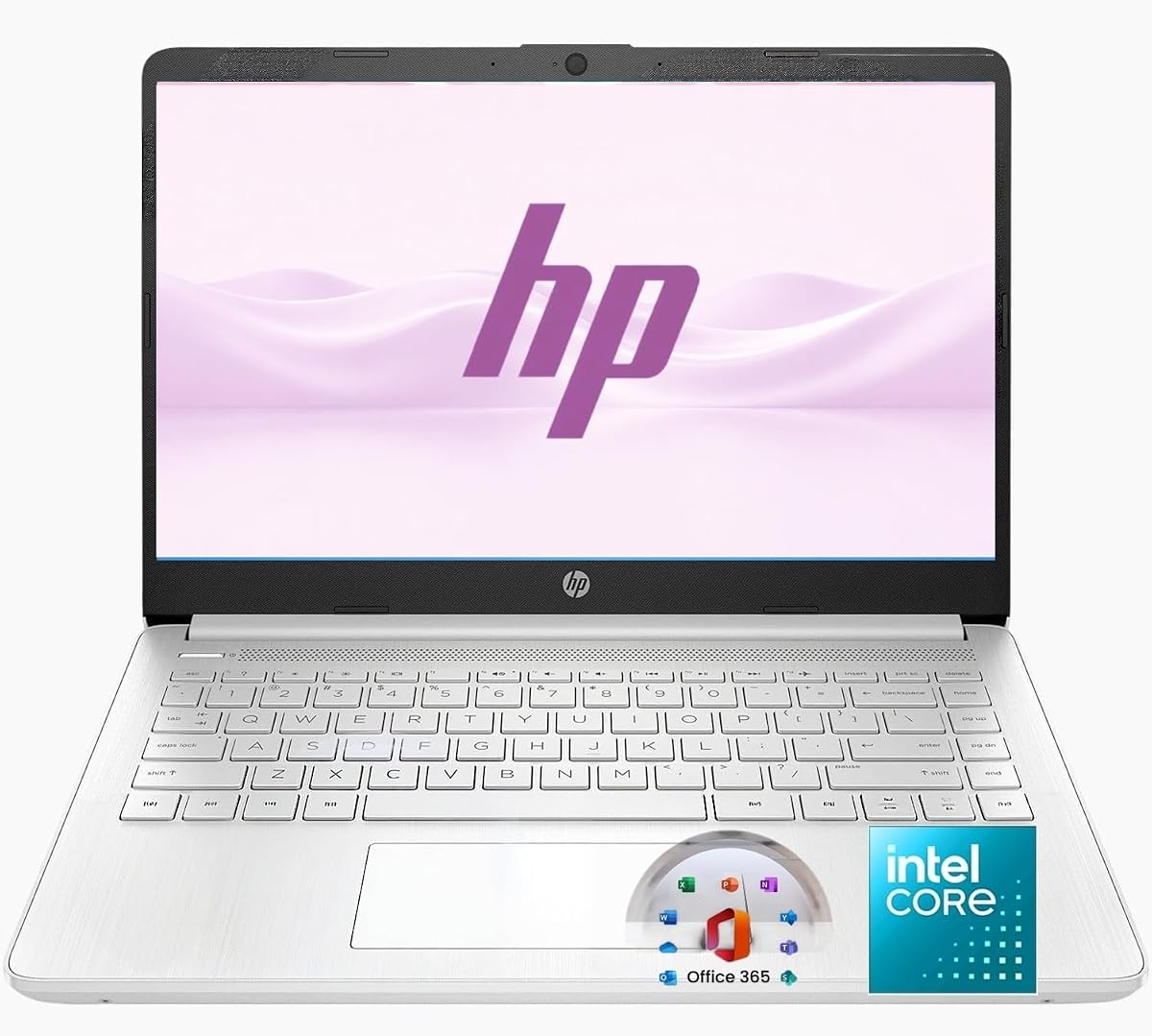


The HP Chromebook 14 Laptop stands out as a top contender for users seeking affordable energy efficiency. Rated at 4.3 stars, this device excels in minimizing power draw while delivering essential computing capabilities. Its Intel Celeron N4120 processor is specifically optimized for low consumption tasks like web browsing and document editing.
We may earn a commission when you buy through this link, at no additional cost to you.
One of its strongest features is the battery life, which offers up to 14 hours of use on a single charge. This is supported by HP Fast Charge technology that gets you to 50% in just 45 minutes. The laptop is also ENERGY STAR certified and EPEAT Silver registered, reflecting a strong commitment to environmental sustainability and responsible manufacturing.
While the 4 GB of RAM and 64 GB eMMC storage are modest, they are sufficient for Chrome OS operations which rely heavily on cloud storage. The 14-inch HD display provides a clear view for daily tasks without the power hunger of higher resolution panels. Trade-offs like limited local storage are acceptable given the focus on cloud integration and long battery life.
This laptop is ideal for students or home users who need a reliable machine for schoolwork and media streaming. If your workflow depends mostly on web apps and cloud files, the Chromebook 14 offers excellent value. It is a highly recommended choice for anyone prioritizing portability and low energy usage.
Being ENERGY STAR certified ensures this device meets strict energy efficiency guidelines set by the EPA. This reduces electricity costs and carbon footprint over the device lifespan.
The quad-core Intel Celeron processor balances power needs effectively, allowing for up to 14 hours of battery life for typical daily tasks.
We may earn a commission when you buy through this link, at no additional cost to you.
The Lenovo V15 Business Laptop brings robust efficiency to the business and education sectors. With a 4.3 rating, it is praised for its reliable performance powered by the Intel N100 quad-core processor. This chip is designed to handle essential computing tasks like email and web browsing with minimal energy consumption.
We may earn a commission when you buy through this link, at no additional cost to you.
Key strengths include its storage type, the 128GB UFS 3.1, which offers faster read/write speeds compared to traditional eMMC storage. The display is a 15.6-inch Full HD anti-glare panel that protects eyes during long sessions. It also features Wi-Fi 6 for faster wireless connections and MIL-STD-810H military-grade testing for durability.
The laptop weighs only 3.42 lbs, making it easy to carry in a backpack for daily commutes. While Windows 11 S Mode enhances security, it limits app installation to the Microsoft Store, which might be a trade-off for some users. The integrated graphics handle multimedia smoothly but are not meant for heavy gaming.
This device is best for students or professionals who need a durable laptop for everyday productivity and cloud-based work. The combination of fast storage and a high-resolution screen makes it a solid choice for remote work and online classes. Consider this if you value durability and screen quality within a budget-friendly frame.
MIL-STD-810H testing ensures the laptop can withstand everyday wear and tear, while firmware TPM 2.0 provides hardware-based security for data protection.
The UFS 3.1 storage provides faster boot times and file access compared to standard eMMC drives found in many budget laptops.
We may earn a commission when you buy through this link, at no additional cost to you.
The HP New Everyday Slim Laptop earns our Editor's Choice award for its exceptional balance of power and efficiency. With a perfect 5.0 rating from users, it delivers smooth performance powered by the Intel N150 Processor. This chip is built for low power consumption while maintaining speed for web browsing and media streaming.
We may earn a commission when you buy through this link, at no additional cost to you.
Its 128GB SSD storage is a significant advantage over eMMC alternatives, providing rapid boot times and application launches. The 4GB DDR5 RAM ensures efficient multitasking for essential applications. The laptop includes a one-year Microsoft 365 subscription and 1TB cloud storage, making it a complete productivity package right out of the box.
The design is incredibly portable at 3.24 lbs with a slim 0.71-inch profile. The 14-inch BrightView display offers clear visuals indoors. While the keyboard is non-backlit and RAM is limited to 4GB, these are acceptable trade-offs for the battery life and SSD speed offered. It runs Windows 11 Home 64-bit smoothly.
This laptop is highly recommended for students and home office users needing a reliable machine for daily tasks. The combination of SSD storage, cloud storage bundle, and low power consumption makes it a versatile tool for education and work. It is an excellent choice for anyone seeking a thin and efficient device.
Included Microsoft 365 and 1TB cloud storage provide immediate productivity tools without extra cost, covering document creation and file backup needs.
The 128GB SSD allows for significantly faster system responsiveness compared to traditional eMMC storage found in budget laptops.
We may earn a commission when you buy through this link, at no additional cost to you.
The 2026 Edition of the HP Everyday Slim Laptop introduces modern features like a dedicated Microsoft Copilot key for enhanced productivity. While rated N/A as it is new, it builds on the reliable N150 processor base which is known for low power consumption. It targets students and professionals needing a sleek, efficient device for online classes and office tasks.
We may earn a commission when you buy through this link, at no additional cost to you.
It features a 14-inch HD display with anti-glare technology, which is vital for reducing eye strain during extended use. The Natural Silver finish adds a stylish touch to the lightweight chassis weighing just 3.24 lbs. The laptop promises up to 11.5 hours of video playback, ensuring it lasts through a full workday or school day.
Storage remains at 128GB SSD paired with 1TB cloud storage, balancing physical and remote space effectively. The Copilot key streamlines access to AI tools, making tasks like text generation easier. While it is a newer model, its core efficiency relies on the proven Intel N150 architecture.
This laptop is best for those who want modern AI integration in an energy-efficient machine. It is suitable for streaming, document editing, and web browsing. If you appreciate a clean design and long battery life, this 2026 edition is a strong candidate for your next purchase.
The dedicated Copilot key provides quick access to AI features, streamlining productivity tasks and text generation on Windows 11.
Anti-glare technology ensures comfortable viewing indoors or outdoors, reducing reflections and eye fatigue during long sessions.
We may earn a commission when you buy through this link, at no additional cost to you.
The Lenovo Essential 15.6 Laptop offers a significant upgrade with 8GB of LPDDR5 RAM, making it ideal for users who need more multitasking power. Rated at 4.1 stars, it provides smooth performance for web browsing and document editing. The Intel N150 processor ensures this extra memory does not come at the cost of high power consumption.
We may earn a commission when you buy through this link, at no additional cost to you.
A 15.6-inch Full HD anti-glare display provides ample screen real estate for productivity. The privacy shutter on the HD 720p camera adds an extra layer of security for video calls. It is MIL-STD-810H military-grade tested for reliability against wear and tear, ensuring it lasts through daily commutes.
The 128GB UFS 3.1 storage offers fast file access, though 8GB RAM might require cloud storage for large media libraries. The Arctic Grey finish is sleek and the slim 0.70-inch profile makes it portable despite the larger screen. It includes a 65W power adapter which is efficient for charging.
This device is best for users needing more RAM for browser tabs and light multitasking. It is a great choice for students and home office users who value durability and screen size. If 4GB RAM feels limiting, this 8GB option provides a comfortable middle ground in efficiency and performance.
The 8GB LPDDR5 RAM is faster and more power efficient than DDR4, allowing for smoother multitasking across multiple applications simultaneously.
The built-in privacy shutter on the webcam allows you to physically block the camera lens for secure and safe video conferencing.
We may earn a commission when you buy through this link, at no additional cost to you.
The Amzboy 15.6" Laptop stands out for its fanless solid-state design ensuring absolute silent operation. Rated at 4.6 stars, it is perfect for quiet study or work environments. The N4020 CPU is efficient for daily tasks like Zoom classes and browsing without the noise of a fan.
We may earn a commission when you buy through this link, at no additional cost to you.
Storage can be expanded up to 1TB via an external TF card slot, providing flexibility for large media files. The 45W Type-C PD fast charging means you can carry one lightweight cord for both laptop and phone. It features a 15.6-inch FHD anti-glare display that offers clear visuals for streaming.
Weighing just 3.3 lbs with a slim profile, it is easy to carry for travel. While the eMMC storage is slower than SSD, it is sufficient for basic Windows 11 operation. The dual Type-C and USB 3.2 ports link peripherals without extra hubs. This model is robust for its price point.
This laptop is best for users prioritizing silence and portability. It is ideal for students or home users who need a quiet machine for reading and writing. If you need a silent laptop that handles media consumption well, this Amzboy model is a strong consideration.
The fanless design prevents internal dust accumulation and ensures quiet operation, making it suitable for quiet rooms like libraries or offices.
Using a compact 45W Type-C PD adapter simplifies travel as you can use one cable for both laptop and phone charging.
We may earn a commission when you buy through this link, at no additional cost to you.
The ASUS 15.6" Vivobook Go is designed specifically for student study and entry-level computing. With a 3.9 rating, it is a budget-friendly option that offers essential features. The Intel Celeron N4500 processor balances performance and value for tasks like web browsing and streaming.
We may earn a commission when you buy through this link, at no additional cost to you.
It features an ErgoSense backlit keyboard which is helpful for typing in dim environments. The 42WH battery includes fast-charge technology that gets you to 60% in just 49 minutes. Audio is enhanced by SonicMaster technology and Smart Amplifier for clearer sound during video calls.
The laptop is slim and lightweight, making it easy to carry between classes. The 15.6-inch FHD display provides clear visuals. While the 4GB RAM and 128GB eMMC limit heavy multitasking, they work well for standard schoolwork. It runs Windows 11 Home in S Mode for better security.
This laptop is best for students on a tight budget who need a portable machine. It is suitable for basic online classes and document editing. If you value a backlit keyboard and fast charging in a lightweight body, this Vivobook is a strong choice.
The ErgoSense backlit chiclet keyboard provides comfortable typing and visibility in low light, which is useful for students studying at night.
SonicMaster technology and Smart Amplifier deliver louder and clearer sound, improving the experience for video meetings and media consumption.
We may earn a commission when you buy through this link, at no additional cost to you.
The HP 14 inch Laptop 2027 Edition offers future-ready specs with DDR5 RAM and fast SSD storage. Rated at 4.5 stars, it provides efficient performance for daily tasks. The Intel N150 CPU reaches up to 4.4GHz ensuring smooth multitasking without draining the battery quickly.
We may earn a commission when you buy through this link, at no additional cost to you.
Its 14-inch display offers clear visuals with anti-glare coating. The 3.24 lb chassis is slim and portable for travel between home and office. Connectivity includes USB 3.0 Type-C and Type-A ports for versatile peripheral connections. Microsoft 365 is included for a full year enhancing productivity.
The laptop runs Windows 11 with Microsoft 365 for a seamless interface. While 4GB RAM is modest, DDR5 technology makes it faster for essential applications. The 128GB SSD ensures quick boot times. This model is designed for mobility with a sleek profile.
This laptop is best for users seeking a modern, portable machine for light productivity. It is suitable for students and professionals needing a reliable workhorse. If you need a slim device with fast storage and cloud storage, this 2027 edition is a solid option.
DDR5 RAM provides faster data processing speeds than previous generations, helping applications load quickly and improving overall system responsiveness.
Multiple USB ports including Type-C allow for direct connection of modern devices without needing extra adapters or hubs.
We may earn a commission when you buy through this link, at no additional cost to you.
The jumper 15.6" FHD Laptop offers an impressive amount of RAM at 12GB which is rare in this efficiency class. Rated at 4.8 stars, it handles daily office tasks and web browsing smoothly. The Intel Celeron 5205U processor features ultra-low power consumption ensuring extended use on battery.
We may earn a commission when you buy through this link, at no additional cost to you.
The 15.6-inch FHD IPS display reduces eye strain with blue light filtering. Its 256GB SSD provides rapid boot and application launch speeds. The laptop is pre-installed with Windows 11 ready for immediate use. It also has dual stereo speakers for clear sound.
Ports include Type-C, HDMI, and USB 3.0 for versatile connections. The storage is expandable up to 512GB. While the 38Wh battery is modest, the CPU efficiency compensates. This model is designed for users needing higher memory capacity for multitasking without sacrificing power efficiency.
This laptop is best for users needing high RAM for many browser tabs or light multitasking. It is suitable for students and professionals needing a stable daily driver. If you prioritize RAM capacity in a low power device, the jumper model is an excellent choice.
With 12GB high-speed RAM, this laptop can handle multiple applications and browser tabs simultaneously without lag or slowdowns.
The IPS panel includes anti-glare coating and blue light filtering to effectively reduce eye strain during long hours of study or work.
We may earn a commission when you buy through this link, at no additional cost to you.
The HP 14-inch Laptop Ultra Light is a productivity bundle with 8GB RAM and Office 365. Rated at 4.3 stars, it is designed for students and home office users. The Intel Quad-Core N150 processor provides reliable performance for everyday tasks like email and streaming.
We may earn a commission when you buy through this link, at no additional cost to you.
It includes a removable 256GB SD card for expanded storage and an external CD/DVD drive and wireless silent mouse in the bundle. The laptop weighs little and is easy to carry between home and school. It features Wi-Fi 6 for seamless wireless networking and Bluetooth 5.4.
The 14-inch design is slim with an HD display. While 128GB UFS storage is limited, the SD card slot helps expand capacity. The laptop is ideal for document editing and online classes. It offers a comprehensive setup for immediate use without extra peripherals.
This device is best for students who need a ready-to-use bundle. It is suitable for homework, essays, and remote learning. If you value the included Office 365 and mouse, this HP laptop is a practical choice for daily productivity and schoolwork.
The included external CD/DVD drive, removable SD card, and wireless mouse turn this laptop into a complete productivity kit right out of the box.
Wi-Fi 6 support ensures fast and reliable wireless connections, which is essential for smooth video calls and streaming on school networks.
We may earn a commission when you buy through this link, at no additional cost to you.
Selecting the right low power laptop involves balancing efficiency with your specific needs. We highlight key factors to help you choose a model that saves energy without compromising performance.
The processor is the heart of energy consumption. Look for chips like Intel Celeron or N-series (N150, N4020) designed for low power use. These chips handle daily tasks like browsing and word processing without draining battery quickly.
Prioritize processors with low wattage ratings to ensure maximum battery life and minimal heat generation.
Memory size affects how efficiently your laptop handles multitasking. Models with 8GB RAM prevent lag when running multiple tabs which reduces CPU strain. However, DDR5 RAM is more efficient than older DDR4 types.
Choose at least 8GB if you plan on open multiple apps or if you are comfortable with 4GB for single tasks.
Solid State Drives (SSDs) consume less power and provide faster speeds than traditional hard drives. eMMC storage is common in budget models but slower. UFS storage offers a middle ground for speed and efficiency.
Select a model with SSD or UFS storage for quick boot times and responsive application launches.
Larger and higher resolution screens require more energy. A 14-inch HD display typically uses less power than a 15.6-inch Full HD panel. However, Full HD screens offer better clarity which reduces eye strain.
Balance screen size with your portability needs to maintain optimal battery performance.
Battery life is critical for mobility. Look for models promising 10 hours or more of usage. Some brands include fast charge technology to top up battery quickly.
Check real-world battery estimates rather than manufacturer maximums for accurate expectations.
Modern ports like USB-C allow for versatile charging and data transfer. Wi-Fi 6 offers faster and more efficient wireless connections. Ensure the laptop has enough ports for your peripherals.
Verify the laptop includes necessary ports like USB-A, HDMI, and USB-C for your setup.
A durable chassis ensures longevity. Look for military-grade testing (MIL-STD) or lightweight materials that resist wear. A solid build protects your investment and maintains performance over time.
Prioritize models with proven durability standards for daily use.
Chrome OS and Windows 11 offer different efficiency levels. Chrome OS is often lighter and uses less power for web-centric tasks. Windows 11 provides more flexibility for desktop apps.
Choose the OS that best matches your workflow and software requirements.
To maintain optimal battery life keep your laptop in a cool environment and avoid exposing it to direct sunlight. This helps prevent overheating which can drain power faster. Also ensure the air vents remain clean and unblocked.
Update your operating system regularly to get efficiency patches and security fixes. Modern OS updates often include tweaks for better power management and faster performance. This ensures your device remains responsive over time.
Manage your startup apps to prevent unnecessary programs from running at launch. Disabling unused background processes reduces CPU load and extends battery life. Use built-in task managers to monitor resource usage.
A low power consumption laptop uses energy-efficient processors like Intel Celeron or N-series that minimize battery drain. These devices are designed to last longer on a single charge while handling everyday tasks like web browsing and document editing efficiently.
Yes but they are best suited for light multitasking. Models with 8GB RAM handle several browser tabs and apps well. Avoid heavy multitasking with video editing software as it demands more power than these CPUs support.
SSDs generally offer better performance and faster speeds but eMMC is also energy efficient. Both are far better than traditional hard drives. SSDs consume less power per operation and reduce system wait times which saves battery.
Use power saver mode reduce screen brightness and disconnect unused peripherals. Keep your laptop cool and update drivers regularly. Limit background apps and ensure your OS is optimized for battery usage.
Chrome OS typically uses less power because it is a lighter operating system focused on web apps. However Windows 11 has improved power management features. Choose based on your need for desktop software versus web-only tools.
These laptops are not ideal for heavy video editing due to limited processor power. They handle basic trimming or light edits well but for complex 4K projects a dedicated workstation laptop with higher wattage is recommended.
The HP Chromebook 14 Laptop stands out as the top budget option with 14 hours of battery life. The HP New Everyday Slim Laptop is our Editor's Choice for its perfect balance of SSD storage and efficiency. The jumper 15.6" FHD Laptop offers premium features like 12GB RAM for demanding users.
Prioritize processor efficiency and battery capacity when making your final decision. Look for models with SSD storage and adequate RAM for your daily workload. A well-chosen laptop ensures you stay productive without constant recharging.
Please remember that prices and availability change frequently. Always verify current details and deals before purchasing to ensure you get the best value. We hope this guide helps you find the perfect energy-saving laptop for your needs.