
Logitech G305 Lightspeed Wireless Gaming Mouse
4.6Editor score
HERO sensor up to 12000 DPI
Ultra-fast 1 ms report rate
250 hours battery life per AA
Weighs only 3.4 ounces
Discover the top lightweight mouse options for gaming and productivity, comparing sensor precision, battery life, and ergonomic designs to help you choose.
Finding the right lightweight mouse can transform your daily computing experience by reducing strain and improving precision. Whether you are a gamer seeking speed or a professional needing comfort, the ideal model balances weight, performance, and durability effectively for your needs.
Our team analyzed ten top-rated models to identify the best performers in speed, ergonomics, and build quality. We evaluated sensor accuracy, battery life, wireless connectivity, and user feedback to ensure each recommendation meets high standards for reliability and value.
Each pick highlights key strengths like battery efficiency, sensor precision, and ergonomic design tailored to different workflows. Keep in mind that prices fluctuate frequently, so checking current listings ensures you secure the best deal available for your specific requirements today.
4.6Editor score

4.5Editor score

4.6Editor score
This side-by-side comparison highlights key specifications and unique features across ten top models. We focus on weight, sensor capabilities, connectivity, and battery performance to help you identify the perfect match for your specific usage patterns and preferences.





The Logitech G305 Lightspeed is a top choice for budget-conscious gamers seeking wireless freedom without sacrificing performance. With a 4.6 rating from users, it delivers reliable tracking and ultra-fast response times ideal for competitive play and daily tasks.
We may earn a commission when you buy through this link, at no additional cost to you.
Its HERO sensor offers precision up to 12000 DPI with zero smoothing ensuring accurate cursor control. The LIGHTSPEED wireless technology provides a 1 ms report rate matching wired speeds, while the battery life spans 250 hours on a single AA cell.
Trade-offs include reliance on AA batteries instead of USB-C charging and absence of RGB customization. These choices help maintain a low weight and price, making it a practical option for users prioritizing function over flashy aesthetics.
Ideal for casual gamers and travelers, this mouse balances cost, comfort, and endurance effectively. If you need a dependable wireless mouse that works straight out of the box without complex setup, the G305 is a highly recommended pick.
Advanced power-saving modes extend gameplay to 250 hours or up to 9 months in Endurance mode, reducing battery changes.
Weighing only 3.4 ounces, it fits easily in laptop bags for gaming sessions anywhere without added wrist strain.
We may earn a commission when you buy through this link, at no additional cost to you.
The white variant of the G305 mirrors the black version in functionality but offers a fresh look for modern setups. It shares the same high-rated sensor and wireless tech, making it equally reliable for gaming and productivity tasks alike.
We may earn a commission when you buy through this link, at no additional cost to you.
Users appreciate its classic shape and smooth tracking which support precision aiming in FPS games. The compact design and light weight help reduce fatigue during long sessions, while the nano receiver storage keeps your setup tidy.
While it costs slightly more than the black option, the price difference is minor for a color upgrade. The lack of rechargeable battery and RGB remains consistent, but these are small compromises for its overall value.
Choose this if you prefer a minimalist or bright aesthetic without sacrificing performance. It remains one of the best budget wireless mice available for those needing dependable speed and portability.
Available in white, it blends well with light-colored desks and setups while maintaining full gaming functionality.
Its compact form and included nano receiver make it easy to slip into a laptop sleeve for on-the-go use.
We may earn a commission when you buy through this link, at no additional cost to you.
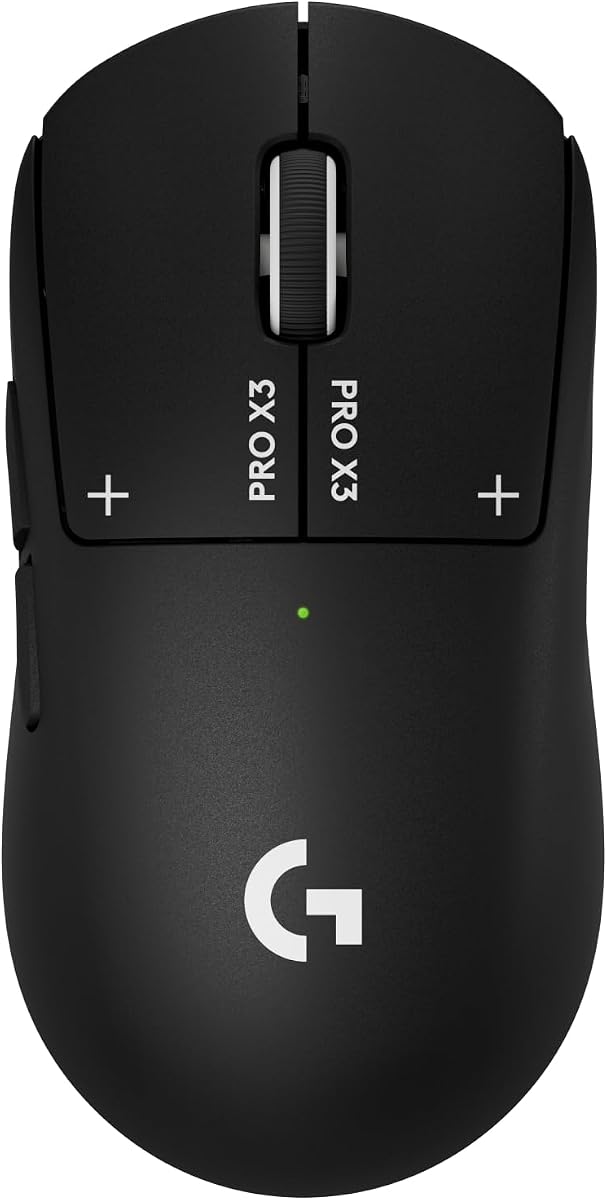
The G PRO X Superlight 2 represents the pinnacle of wireless gaming mouse engineering with unmatched speed and precision. Designed with esports pros, it delivers a championship-winning experience that reduces movement strain and enhances aim accuracy significantly.
We may earn a commission when you buy through this link, at no additional cost to you.
Featuring the HERO 2 sensor, it tracks over 888 IPS with up to 44000 DPI and zero smoothing. The LIGHTFORCE switches offer tactile clicks, while PTFE feet ensure smooth gliding on any surface for consistent performance.
At 60 grams, it minimizes fatigue during marathon gaming sessions. USB-C charging and POWERPLAY compatibility add convenience though the high price may deter casual users seeking simple wireless functionality.
For serious gamers wanting the lightest, fastest wireless mouse available, this model is the top choice. Its refined ergonomics and cutting-edge tech justify the investment for competitive and high-performance needs.
HERO 2 sensor provides precise tracking without acceleration or filtering, essential for competitive accuracy.
Zero-additive PTFE feet offer seamless connection and smooth movement across various mousepads.
We may earn a commission when you buy through this link, at no additional cost to you.
This SUPERSTRIKE model stands out for its industry-leading click speed and haptic feedback system designed for elite performance. It delivers 30 ms faster clicks than standard models, giving competitive gamers a tangible edge in fast-paced matches.
We may earn a commission when you buy through this link, at no additional cost to you.
The HERO 2 sensor ensures pinpoint accuracy while the 10-level actuation points allow deep customization. Haptic Inductive Trigger System provides real-time feedback for immersive gameplay that enhances your connection to virtual actions.
Build quality is exceptional with ultra-thin walls and large gliding feet for smooth movement. Battery life spans up to 90 hours, though you will need HUB software to unlock advanced features like polling adjustments.
Perfect for professionals wanting the absolute fastest, most customizable wireless mouse available. The innovative features make it worth the premium price if you demand peak performance and unique feedback mechanics.
Real-time feedback enhances immersion and allows precise control over trigger actuation.
0.7 mm case and UHMWPE feet provide effortless movement and long-term reliability.
We may earn a commission when you buy through this link, at no additional cost to you.
The Redragon M612 delivers impressive value for wired gaming with customizable buttons and responsive tracking. Users praise its ergonomic design and rich RGB effects which brighten gaming stations without breaking the budget.
We may earn a commission when you buy through this link, at no additional cost to you.
Five DPI levels allow quick switching between precision aiming and fast cursor movement. The skin-friendly coating reduces fingerprints while side buttons support macros for enhanced control in MMORPGs or productivity tasks.
Lacking wireless freedom may be a drawback for some, but the stable connection ensures zero latency. Its weight is higher than ultra-light options, but this adds stability for users who prefer a solid feel.
Ideal for budget gamers wanting extensive button customization and visual flair. If wireless connectivity is not essential, this mouse offers a robust package of features at an unbeatable price.
11 reassignable buttons and rapid fire options tailor control to any game or application.
Streamlined claw-grip design reduces fatigue during extended gaming or work sessions.
We may earn a commission when you buy through this link, at no additional cost to you.
The G502 Hero is a legendary gaming mouse known for its customizable weight system and high-performance HERO sensor. It appeals to users who prefer a heavier mouse for stability and enjoy extensive button customization.
We may earn a commission when you buy through this link, at no additional cost to you.
With up to 25600 DPI tracking, it offers exceptional accuracy for any genre. The scroll wheel switches between precise ratcheted and free-spin modes, while LIGHTSYNC RGB allows personalization to match your setup theme.
Wired connectivity ensures no latency, though it lacks wireless portability. Adding or removing 3.6g weights lets you fine-tune balance to suit your grip style, making it versatile for different play preferences.
Best for gamers seeking robust build quality and deep customization. Its iconic design and reliable performance make it a staple for those who favor precision and tactile control over ultra-lightweight designs.
Up to five 3.6g weights let you personalize balance and feel for optimal comfort.
Dual-mode hyper-fast scroll wheel offers versatility for both gaming and productivity tasks.
We may earn a commission when you buy through this link, at no additional cost to you.
This advanced wireless mouse delivers elite performance with its HERO 2 sensor and haptic trigger system designed for precision play. Its 135-hour battery life ensures you can game for days on a single USB-C charge.
We may earn a commission when you buy through this link, at no additional cost to you.
The electromagnetic field switch replaces traditional mechanical parts for consistent actuation and reset points. This innovation supports high-speed inputs with minimal wear, ideal for competitive environments demanding reliability.
Ultra-lightweight design with 0.7 mm walls reduces fatigue significantly. UHMWPE feet provide effortless glide across surfaces, though the cost may limit access to enthusiasts seeking top-tier features and endurance.
Suitable for professionals wanting maximum battery life and cutting-edge wireless tech. Its refined ergonomics and high polling rate make it a serious contender for tournament-grade setups and serious gamers.
Enjoy up to 135 hours of continuous use before needing a recharge via USB-C.
HERO 2 sensor tracks over 930 IPS for accurate cursor control during fast-paced matches.
We may earn a commission when you buy through this link, at no additional cost to you.
The M185 offers a simple reliable solution for travelers and office workers seeking wireless convenience. Its compact ambidextrous design fits any hand and workspace, making it a practical everyday tool.
We may earn a commission when you buy through this link, at no additional cost to you.
With a one-year battery life and auto-sleep mode, it minimizes hassle and power consumption. The plug-and-play setup requires no drivers, ensuring immediate connectivity on Windows Mac or ChromeOS laptops.
Tracking precision is adequate for browsing and documents but not for gaming. The build uses recycled plastic, reflecting a commitment to sustainability without compromising on functionality or comfort.
Perfect for users needing a basic wireless mouse for on-the-go productivity. It balances cost, portability, and battery efficiency for general computing tasks effectively.
Works seamlessly across Windows Mac and ChromeOS systems with simple plug-and-play connectivity.
Made with certified recycled plastic, reducing environmental impact without affecting quality.
We may earn a commission when you buy through this link, at no additional cost to you.
Designed for quiet offices, the M330 Silent Plus reduces click noise by over 90% for a distraction-free environment. Its ergonomic contoured shape provides comfort for long work sessions with reliable optical tracking.
We may earn a commission when you buy through this link, at no additional cost to you.
Battery life extends up to 18 months thanks to auto-sleep mode and efficient power management. A USB-A receiver ensures compatibility across Windows macOS and Linux systems without needing extra software.
The SilentTouch technology preserves responsiveness while keeping noise levels low. While not suitable for gaming due to its size and lack of advanced features, it excels for daily productivity and shared workspaces.
Best for professionals prioritizing quiet operation and comfort. Its long battery life and ergonomic build make it a top choice for office workers seeking reliable, low-noise wireless performance.
SilentTouch reduces click noise by 90% to enhance focus in shared office spaces.
Smart auto-sleep mode enables up to 18 months of use on a single battery.
We may earn a commission when you buy through this link, at no additional cost to you.
The MX Master 4 redefines productivity with haptic feedback and a scroll wheel that handles 1000 lines per second. Its ergonomic shape reduces hand stress while supporting multiple devices via Bluetooth or USB dongle.
We may earn a commission when you buy through this link, at no additional cost to you.
The Haptic Sense Panel allows customizable feedback on shortcuts enhancing workflow efficiency. Actions Ring adapts to apps to keep tools at your fingertips, making complex tasks simpler and faster.
Quiet clicks and recycled materials ensure a sustainable quiet experience suitable for creative professionals. The thumb wheel and natural tilt promote fluid navigation though the higher price reflects its premium features.
Ideal for designers and power users managing complex workflows. If you value speed comfort and smart customization this wireless mouse delivers exceptional productivity gains for demanding daily use.
Actions Ring and Haptic Panel adapt to apps to streamline workflows with shortcuts.
Scroll wheel moves 1000 lines per second with precision pixel-stop for control.
We may earn a commission when you buy through this link, at no additional cost to you.
Selecting the right lightweight mouse depends on your specific needs whether for gaming precision or ergonomic comfort. This guide explores the key factors that impact performance and longevity to help you make an informed decision.
Lightweight mice typically range between 50 to 80 grams which helps reduce wrist fatigue during extended use. Look for a contoured shape that supports your natural grip style to ensure comfort without sacrificing control.
A lighter mouse enhances speed and agility but should still feel balanced and secure in your hand.
High-performance sensors provide accurate tracking without acceleration or jitter ensuring your movements match the cursor. DPI ranges should support both fine adjustments and quick sweeps depending on your application needs.
Choose a sensor with adjustable DPI settings to switch seamlessly between tasks or game requirements.
Wireless options offer freedom from cables and are ideal for mobile setups or clean desks. Wired mice guarantee zero latency but may limit movement range and add cable clutter to your workspace.
Opt for wireless models with low latency technologies if you need mobility and stable performance.
Rechargeable batteries are convenient but require charging cycles while AA cells offer longer uptime without outlets. Consider how often you use the mouse to decide which power method suits your workflow best.
Extended battery life reduces interruptions so aim for models offering at least 50 hours of continuous use.
Durable materials like reinforced plastics or metal internals extend the mouse lifespan significantly. Check for scratch-resistant coatings and sturdy switches that withstand heavy clicks without wear over time.
Quality construction ensures your investment lasts longer even under frequent or intense daily use.
Customizable buttons and profiles allow you to tailor controls for specific games or applications. Software support should be intuitive enabling easy setup and macro programming for enhanced productivity.
Prioritize mice that support profile saving so you can switch between tasks seamlessly.
Higher prices often reflect advanced sensors and materials but budget models can deliver excellent performance. Assess whether extra features justify the cost based on your actual usage and performance expectations.
Balance your budget against essential features to get the best value without overspending.
To get started, connect your wireless mouse using the included USB receiver or Bluetooth pairing. Install the manufacturer software if needed to adjust DPI settings and customize button functions for your workflow.
Regularly clean the mouse surface and sensor area with a dry microfiber cloth to prevent dust buildup. Avoid exposure to liquids and store it in a dry place when not in use to maintain performance.
Update firmware periodically to ensure optimal connectivity and battery efficiency. Adjusting grip and hand position can further reduce strain and enhance comfort during long usage sessions.
A lightweight mouse typically weighs between 50 and 80 grams using hollowed-out shells and efficient internal components. This design reduces wrist strain and enhances movement speed without sacrificing tracking accuracy or durability.
Yes, modern wireless mice using technologies like LIGHTSPEED provide 1 ms response times that match wired performance. These systems ensure smooth, lag-free cursor movement ideal for gaming and precise tasks.
Many lightweight models feature efficient sensors and sleep modes delivering hundreds of hours on a single charge or battery. For example, some gaming mice offer up to 250 hours of continuous use before needing recharge.
Most lightweight gaming mice come with software allowing you to remap buttons and set macros. This customization supports different game genres or productivity tasks by letting you define specific actions for each button.
Yes, ergonomic designs and reduced weight help minimize fatigue during extended use. However, comfort varies by hand size and grip style so try different shapes to find what suits your hand best.
High DPI settings up to 12000 or higher offer fine control but most users find 800 to 3000 DPI sufficient. Adjustable DPI lets you adapt to different tasks without sacrificing precision or speed.
Many lightweight models support both Windows and Mac out of the box. Check product specs for macOS compatibility if you need specific software features or driver support.
Quality lightweight mice can last several years with proper care thanks to durable switches and components. Battery lifespan varies but rechargeable units generally last years with regular updates and gentle use.
We highlighted ten excellent lightweight mice ranging from budget-friendly options to premium gaming models tailored to various needs. Each choice balances speed ergonomics and performance to help you find the right fit.
Prioritize sensor accuracy and battery life based on whether you prioritize gaming or productivity. Lightweight designs reduce fatigue and improve control which is valuable across all types of computer use.
Remember that prices change frequently so verify current offers before purchasing. Investing in a quality lightweight mouse today can enhance your comfort and efficiency for years of daily use.