
Laptop Monitor Light Bar with Clip
4.6Editor score
Easy clip-on install
USB powered memory
Asymmetrical optics
Finding the right lighting for your workspace is essential for long hours of productivity. A laptop monitor light bar offers a sleek solution by mounting directly on your screen to illuminate your desk without causing glare.
We evaluated ten top-rated models based on their optical design, brightness control, ease of installation, and overall value. Our analysis focuses on features that reduce eye strain and maximize desk space efficiency for remote workers.
Each pick below highlights specific strengths like auto-dimming, color temperature control, or compact portability. Please note that product availability and pricing can change frequently on retailer sites.
4.6Editor score

4.6Editor score

4.7Editor score
As an Amazon Associate we earn from qualifying purchases.
The following table provides a side-by-side comparison of all ten models evaluated in this guide. We highlight key specifications such as color temperature ranges, power sources, and unique features to help you decide quickly.

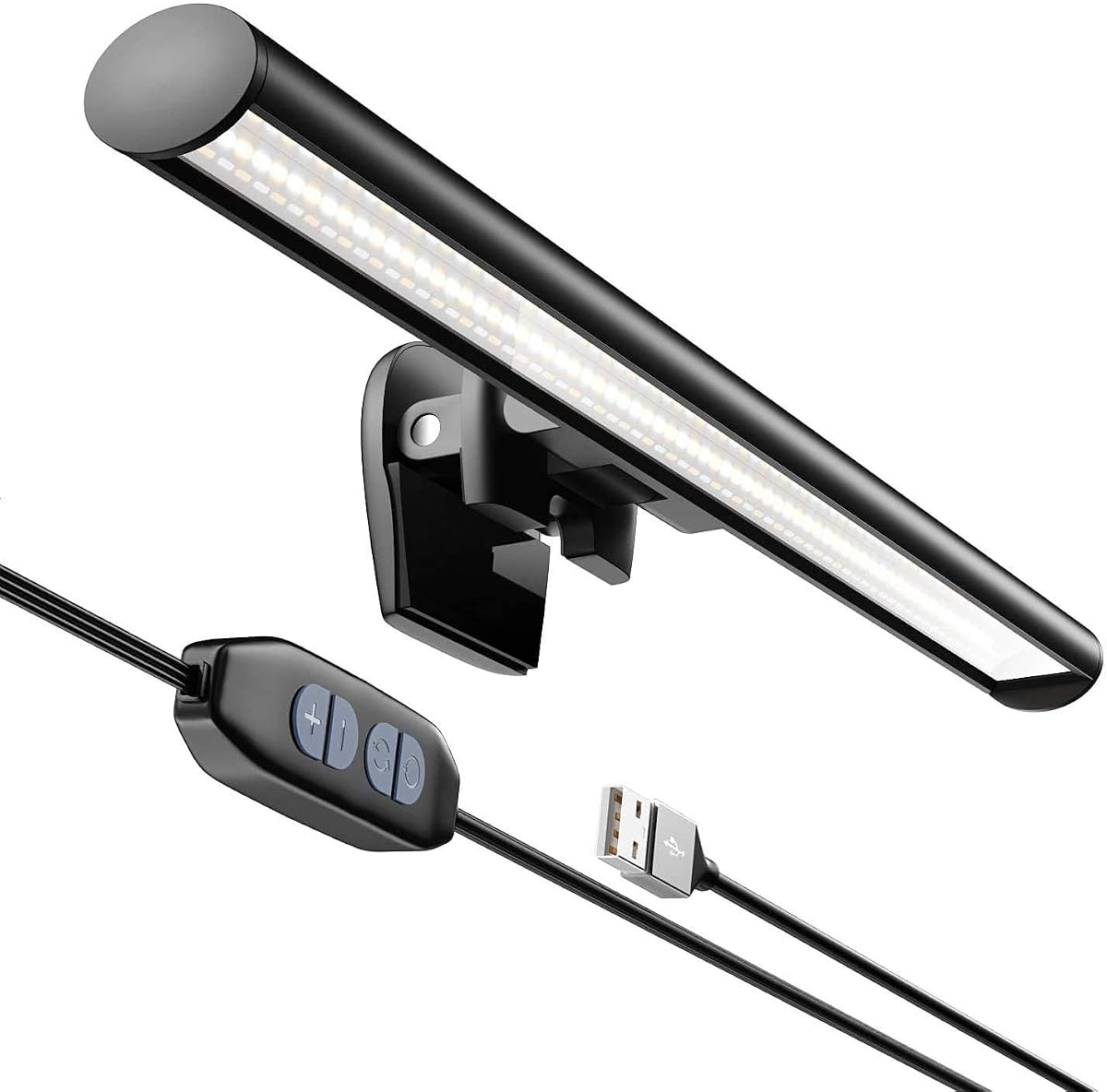


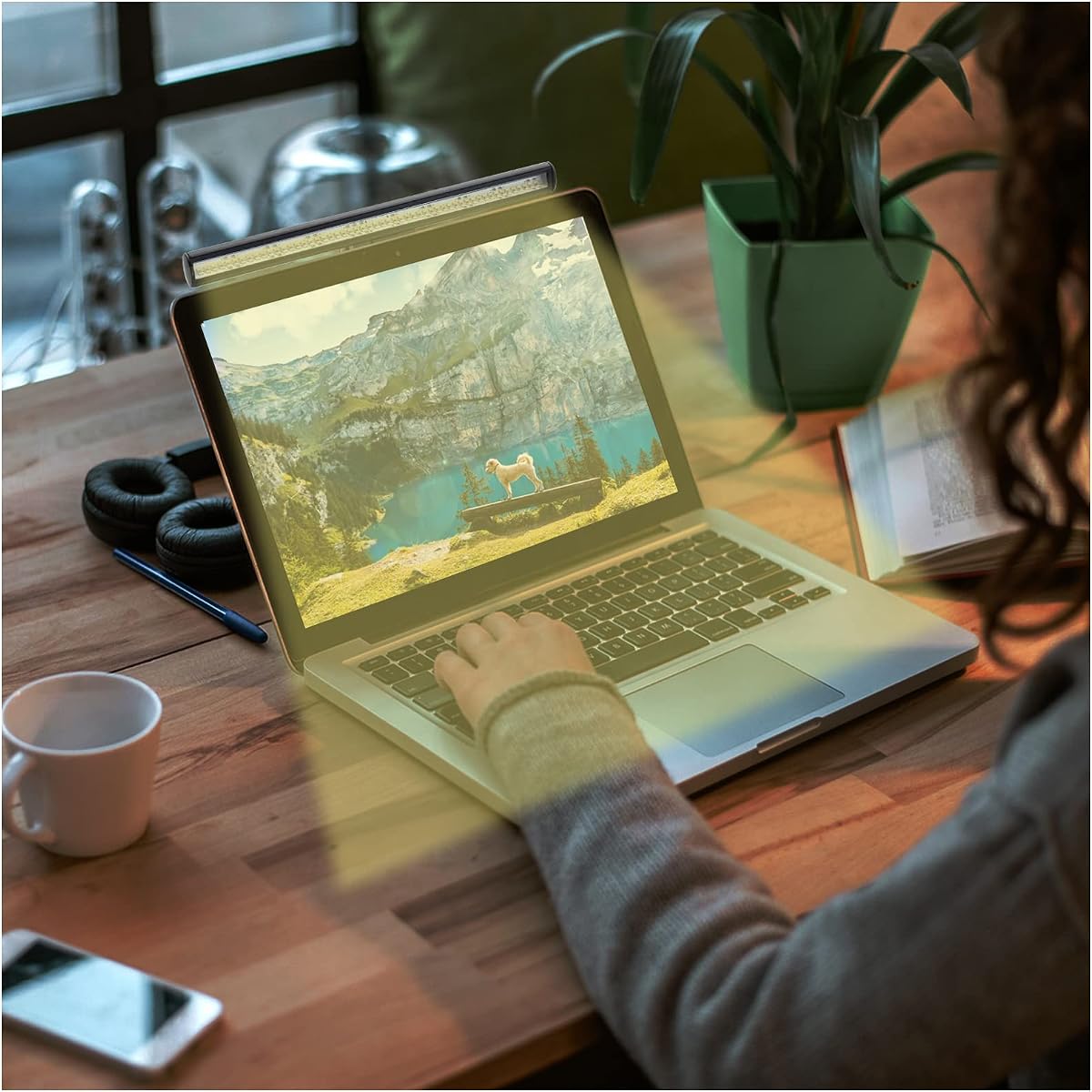


The Quntis Computer Monitor Lamp stands out as a top choice for professionals who need precise lighting control. With a 4.6 rating, it is praised for its auto-dimming feature that adjusts based on ambient light, ensuring your eyes remain comfortable throughout the day.
We may earn a commission when you buy through this link, at no additional cost to you.
Its standout quality is the Ultra-High Ra98 Color Rendering Index, which makes colors appear vivid and realistic on your screen. The asymmetrical optical design ensures light hits your desk without reflecting onto the monitor, reducing glare significantly during long work sessions.
While it is priced higher than entry-level options, the investment pays off in eye comfort and design accuracy. The touch control is intuitive, allowing you to switch between stepless dimming and specific temperature settings with ease.
This light bar is ideal for designers, office workers, and students who spend hours in front of screens. If you value eye care features and premium build quality, the Quntis is a reliable and effective solution for your desk setup.
Certified to meet IEC standards, this lamp eliminates harmful blue light and flicker, providing a stable source that reduces visual fatigue over time.
The weighted clip mounts securely without tools, freeing up desk space and keeping your workspace clutter-free while providing bright task lighting.
We may earn a commission when you buy through this link, at no additional cost to you.
For those seeking a cost-effective lighting solution, the Laptop Monitor Light Bar with Clip offers exceptional value. It holds a strong 4.6 rating due to its simplicity and effectiveness in providing task lighting without cluttering your desk.
We may earn a commission when you buy through this link, at no additional cost to you.
The key strength here is the easy clip-on installation. You can set it up in seconds without screws or tools, making it perfect for temporary workspaces or shared desks. The memory function ensures you don't have to readjust settings every time you plug it in.
While it lacks advanced features like auto-dimming, it covers the essentials perfectly. The asymmetrical optical design directs light onto your desk rather than your screen, minimizing reflections that often cause strain during late-night work.
This model is best suited for students or casual users who need a reliable light source on a budget. It delivers solid performance for reading and general work tasks while keeping your workspace organized and glare-free.
The clip-on design fits monitors from 0.2 to 0.4 inches thick, ensuring stability without damaging your laptop or monitor bezel during installation.
With 10 brightness levels and three color temperatures, you can tailor the light to your preference for reading, relaxing, or focusing on tasks.
We may earn a commission when you buy through this link, at no additional cost to you.
If you use an ultrawide or curved monitor, the Quntis Curved Monitor Light Bar is specifically engineered to match your display. With a 4.7 rating, it excels in providing uniform lighting across large screens where standard bars might fail.
We may earn a commission when you buy through this link, at no additional cost to you.
The standout feature is the foldable dual light design that offers up to 1400 lux at the center. This ensures even illumination across the entire desk surface, eliminating dark corners that often occur with larger setups.
Additionally, the 15 RGB backlight modes add a unique touch for gamers or those who want to customize their ambiance. The stepless dimming allows for precise control, ensuring the light complements your screen without causing contrast issues.
This light bar is perfect for professionals with large curved monitors who want premium performance and style. While the price is higher, the specialized design and high brightness make it a worthwhile investment for serious setups.
The patented clamps accommodate screens from ultra-thin to 3.35 inches thick, providing a secure grip without damaging the screen edges.
The dual light design creates a soft bias light to reduce harsh contrast between the screen and the room, protecting eyes during long sessions.
We may earn a commission when you buy through this link, at no additional cost to you.
The Wodgreat Laptop Monitor Lamp is designed with eye care as a primary focus. Its asymmetrical optical design ensures light only illuminates the keyboard and desk, eliminating reflections that can strain your eyes over time.
We may earn a commission when you buy through this link, at no additional cost to you.
Featuring 54 LED beads, it provides a soft and even lighting source that is gentle on the eyes. The 3 color temperature settings allow you to switch between warm relaxing light and cool focus light depending on your needs.
The stylish matte black frame complements modern workstations nicely. The cable length of 75cm is sufficient for most setups, and the memory function saves your preferred settings for convenience when you return to your desk.
This lamp is a solid choice for users who prioritize eye comfort and design. It is particularly suitable for video communication since the low profile does not block the webcam, making it great for remote workers and students.
The even lighting source reduces shadows and harsh contrasts, ensuring a comfortable environment for reading or working for long hours.
Its unique fixing structure sits stably on top of the laptop, freeing up desk space for other peripherals and accessories.
We may earn a commission when you buy through this link, at no additional cost to you.
The CATPOWER Portable Laptop Monitor Light Bar is built for users who move their workspace frequently. Its flexible and lightweight design makes it easy to carry and use in different places like home offices or study rooms.
We may earn a commission when you buy through this link, at no additional cost to you.
It features a flicker-free design that reduces eye strain during prolonged use. The 3 color modes and 10 brightness levels give you enough options to adjust the light for various tasks such as reading, working, or relaxing.
The durable construction ensures it withstands daily wear and tear. The space-saving design mounts directly onto your monitor, eliminating the need for extra desk space while providing effective illumination without screen glare.
This model is ideal for students or professionals who travel with their laptops. It offers reliable performance and eye care features in a package that is easy to transport and set up wherever you need to work.
The slim and lightweight design makes it easy to pack and use in different places without adding bulk to your carry-on bag.
Flicker-free technology helps prevent fatigue, making it suitable for long hours of work or study without causing discomfort.
We may earn a commission when you buy through this link, at no additional cost to you.
This monitor light bar stands out for its ultrawide lighting capability, covering a large area effectively. With a length of 11.8 inches and up to 800 lux of central brightness, it minimizes dark spots on your desk.
We may earn a commission when you buy through this link, at no additional cost to you.
The 45-degree lighting angle illuminates just your screen and desk area without shining into your eyes. This design helps reduce digital eye strain and provides an optimized lighting environment for long hours of use.
Control is straightforward with a mechanical ON/OFF switch on the side. You can easily adjust brightness and color temperature to match your needs for work, reading, or gaming without navigating complex menus.
Ideal for users who need broad illumination, this bar is great for larger desks or shared spaces. The secure mounting design ensures it stays firmly in place without occupying desk space, keeping your setup clean and functional.
Delivering 800 lux central brightness, it offers significantly more uniform lighting than conventional desk lamps across a wide workspace.
The patented counterweight clip fits screens from thin to thick and stays firmly in place without tools or damaging the monitor.
We may earn a commission when you buy through this link, at no additional cost to you.
This monitor light bar offers a minimalist design that matches sleek workstations perfectly. It adopts a 45-degree asymmetric angled optical structure to cast light solely on your desktop and keyboard, boosting concentration.
We may earn a commission when you buy through this link, at no additional cost to you.
The dual control modes allow you to toggle settings without touching the bar directly. You can adjust brightness and color temperature between warm white and cool white effortlessly to suit office work or gaming scenarios.
With a maximum center brightness of 800 lux, it fully lights up a 25 by 15-inch workspace. This ensures consistent performance for years without fading or flickering, delivering steady illumination for extended sessions.
It is a practical choice for those who value clean setups and reliable lighting. The ability to fit curved screens adds versatility, making it a strong contender for users with modern monitor configurations.
You can tweak lighting settings without touching the light bar directly, allowing for easy adjustments during your work or reading sessions.
Targeted forward lighting sharpens focus and lessens eye fatigue while avoiding screen reflections and harsh light directed at your eyes.
We may earn a commission when you buy through this link, at no additional cost to you.
This laptop light is designed specifically for eye protection during office work or study. It provides illumination for people using laptops in the evening, ensuring a well-lit workspace without causing glare on the screen.
We may earn a commission when you buy through this link, at no additional cost to you.
The ABS housing is simple and lightweight with a texture that is gentle to hands. The reflector design improves lighting effect and avoids dazzle light, relieving eye fatigue caused by staring at the computer screen for long periods.
Installation is easy using a counterweight fixture with a unique structure that adjusts to facilitate study or office work. It saves a lot of space for your desktop, making it suitable for use on desks in offices or homes.
It is a practical gift for friends and family looking for simple eye care solutions. The USB power supply is safe and works with various adapters, making it a versatile choice for travel or home use.
Scientific optical design ensures light only illuminates the keyboard area and eliminates reflected glare on the screen for better eye health.
Easy installation right above the monitor using a counterweight fixture saves significant desktop space compared to traditional lamps.
We may earn a commission when you buy through this link, at no additional cost to you.
The YEELIGHT Monitor Light Bar offers premium build quality with a full-metal body. This design ensures effective heat conduction, keeping the lamp cool during prolonged use and reducing burn risks compared to plastic alternatives.
We may earn a commission when you buy through this link, at no additional cost to you.
Its ultra-high Color Rendering Index of Ra95 ensures vibrant, true-to-life colors. This is ideal for professionals who need accurate color representation, and the stepless dimming allows for seamless adjustment of brightness and color temperature.
The low-profile design avoids webcam obstruction, enabling seamless video calls and multitasking. It fits flat and curved monitor screens easily thanks to its retractable clip, saving over 50% desk space compared to traditional lamps.
This light bar is perfect for designers and content creators who value precision and durability. The touch control interface is intuitive, making it easy to create the ideal lighting environment for working or gaming sessions.
An ultra-high Color Rendering Index of Ra95 paired with high-quality LED beads provides even illumination and accurate color representation.
Premium full-metal body offers durability and a sleek design, outperforming plastic alternatives and ensuring longevity.
We may earn a commission when you buy through this link, at no additional cost to you.
OOWOLF LED monitor lamp features a new technology with front and rear ambient lights. This design reduces pressure and irritation from dark surroundings, offering a high level of lighting comfort when reading or working.
We may earn a commission when you buy through this link, at no additional cost to you.
It has a Color Rendering Index of 95 which restores true natural light colors to reduce visual fatigue. The warm light emission helps neutralize Blue-Ray damage to the macula and prevent myopia, protecting eyes during long sessions.
Memory dimming remembers the color temperature and brightness settings when you restart after disconnecting power. This saves time and avoids setting adjustments every time you turn it on for your work or study.
Safety is ensured with Type C power and silicone mount base. It passes multiple quality tests and has a lifespan over 35,000 hours. It is a practical gift for relatives and friends who spend time on computers.
New Tech rear ambient lights reduce pressure from dark surroundings, offering the highest level of lighting comfort for reading or working.
Ultra-high color rendering index restores true natural light colors, reducing color error visual fatigue and improving work accuracy.
We may earn a commission when you buy through this link, at no additional cost to you.
Choosing the right laptop monitor light bar requires evaluating several key factors to ensure it meets your specific lighting needs and workspace constraints.
Look for models with asymmetrical optical designs that direct light onto your desk rather than your screen. This reduces reflections and screen glare, which are major causes of eye strain during long work sessions.
Prioritize lights that illuminate the keyboard and desk area only to ensure your screen remains free of distracting reflections.
Adjustable color temperature allows you to switch between warm, neutral, and cool light depending on your activity. Cool light helps with focus while warm light is better for relaxation.
Ensure the light offers multiple presets or stepless dimming for fine-tuning the light to your preference.
Brightness is measured in lumens or lux. Aim for at least 500 to 800 lux for effective task lighting that eliminates dark spots on your desk.
Check the brightness levels available; more levels offer better control over illumination intensity for different times of day.
Select a model that is easy to install without tools. Clip-on designs with counterweights are secure and protect your monitor bezel from damage.
Ensure the clamp width fits your monitor thickness whether you have a laptop or a desktop screen.
Most light bars are USB powered for compatibility with laptops and power banks. This ensures they can be used in various settings without extra outlets.
Check the cable length to make sure it reaches your USB port without creating clutter.
Materials matter for long-term use. Metal bodies offer better heat dissipation and durability compared to plastic ones.
Look for certifications regarding blue light and flicker-free performance to ensure eye safety.
Features like memory function, auto-dimming, or RGB backlights add value. Memory remembers your settings while auto-dimming adjusts to ambient light.
Consider if these extras fit your workflow and justify the cost.
A good light bar should not block your webcam or take up desk space. Look for low-profile designs that mount cleanly on top of your screen.
This is crucial for video calls and maintaining a tidy workspace.
To install, place the clip over the top center of your monitor or laptop screen. Ensure the weight hangs evenly so the bar stays stable and the light points directly at your desk area.
Connect the USB cable to your computer or power adapter. Adjust the brightness and color temperature using the touch or button controls to suit your current task.
Regularly clean the light surface with a soft cloth to remove dust. Avoid bending the bar excessively to maintain its structural integrity and ensure longevity.
No, most quality light bars use asymmetrical optical designs to direct light onto your desk rather than the screen. This ensures reflections are minimized and your view remains clear.
Yes, many models offer flicker-free lighting and blue light filters certified to safety standards. These features reduce strain and protect vision during long hours of screen time.
Some models are designed to fit curved screens with adjustable clips. Check the product specs to ensure it supports your monitor's curvature radius and thickness.
Use a soft dry cloth to wipe the surface gently. Avoid harsh chemicals or water that could damage the electrical components or LED beads inside.
Most USB powered light bars connect directly to your laptop or a USB wall adapter. This ensures they can be used without needing extra electrical outlets.
Many models have a flexible design allowing you to adjust the lighting angle slightly. However, they are generally fixed to point forward for optimal task lighting.
We have reviewed ten top-rated laptop monitor light bars offering various features from budget-friendly options to premium models with auto-dimming.
Prioritize features like glare reduction, color temperature control, and ease of installation to find the best fit for your daily tasks.
Remember to check current pricing and availability as offers may vary. Choosing the right light can significantly improve your workspace comfort and eye health.