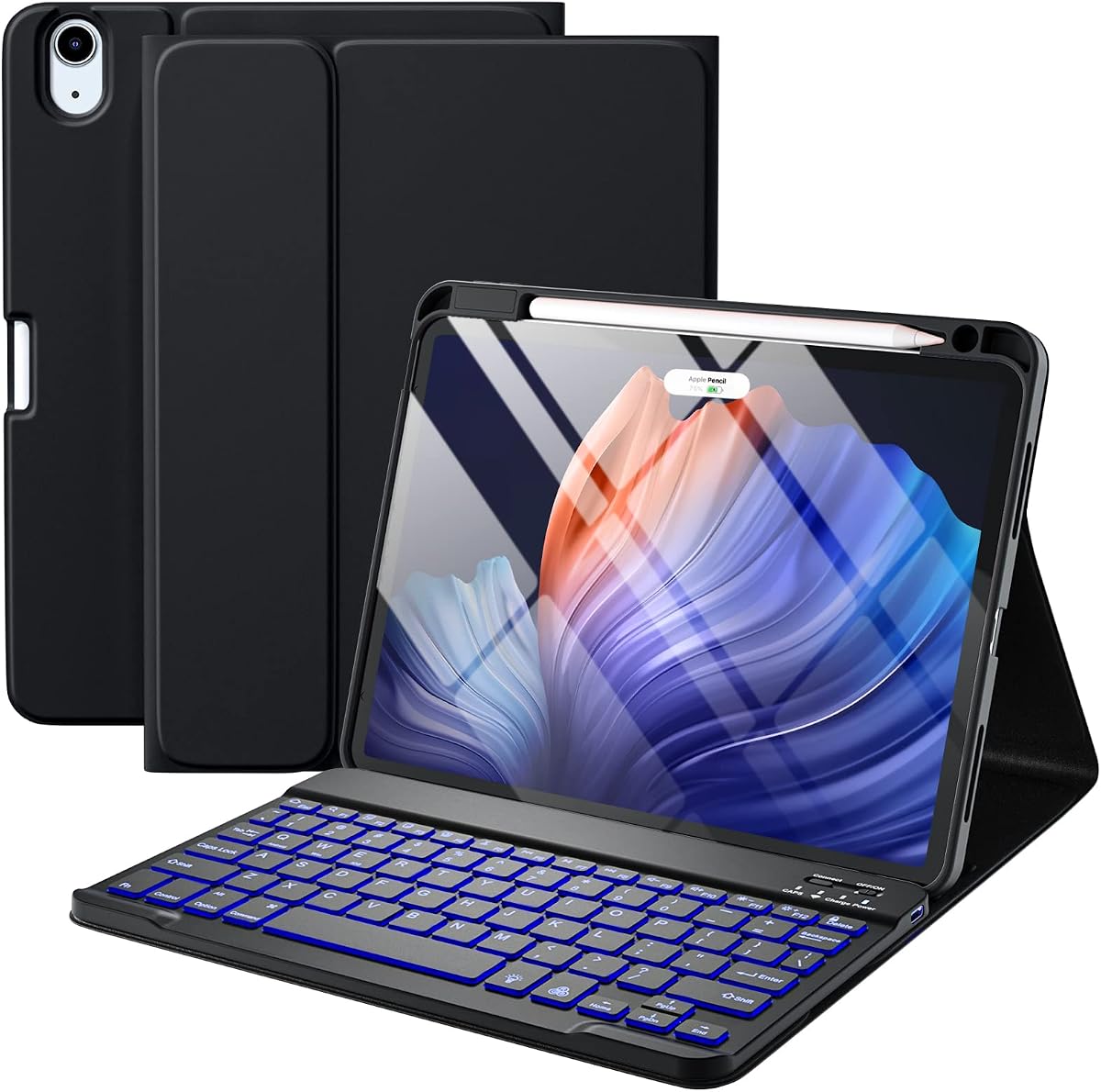
Harvopu for iPad Air Case
4.3Editor score
Detachable backlit keyboard
Pencil holder support
Multiple viewing angles
This guide compares the top iPad Air Folio Case with Keyboard options for 2026, evaluating trackpads, typing comfort, and protection features.
Finding the right iPad Air Folio Case with Keyboard transforms your tablet into a powerful workstation. These versatile accessories combine protection with productivity, offering laptop-like typing and stand functionality in a single sleek package.
We compared ten leading models based on compatibility, build quality, trackpad performance, and typing experience. Our analysis focuses on real-world usability for students, professionals, and creative users who demand reliability and style.
Each pick highlights specific strengths like backlighting, magnetic detachment, or premium materials. While features vary, all options provide solid protection and enhanced workflow. Note that availability and configurations may change over time.
4.3Editor score

4.5Editor score

4.5Editor score
This side-by-side comparison highlights key specifications across all ten selected models to help you identify the best fit for your specific workflow and budget requirements.




The Logitech Flip Folio ranks as the top choice for iPad Air users seeking a complete typing solution. It features a high-precision trackpad and backlit keys that adapt to your environment for seamless productivity.
We may earn a commission when you buy through this link, at no additional cost to you.
Its Smart Connector ensures instant pairing without charging, while the adjustable kickstand supports four distinct modes. The military-grade protection keeps your device secure during travel or daily office use.
While it commands a higher price than basic covers, the build quality and typing comfort justify the investment. Some users might find it adds noticeable weight compared to slim folios.
Ideal for professionals and students who type frequently, this case delivers reliable performance. The combination of protection and functionality makes it a standout option for serious users.
The precise trackpad supports swipe and pinch gestures for faster navigation without touching the screen.
Switch easily between typing, sketching, viewing, and reading with the adjustable kickstand design.
We may earn a commission when you buy through this link, at no additional cost to you.
This Harvopu case offers an accessible entry point for those needing a keyboard folio without breaking the bank. It supports multiple iPad Air generations and includes useful features like a detachable keyboard and pencil tray.
We may earn a commission when you buy through this link, at no additional cost to you.
The keyboard features backlighting with seven colors and three brightness levels, making it practical for low-light conditions. A rechargeable battery provides long standby time with quick Type-C charging for convenience.
Although it relies on Bluetooth rather than direct connector power, setup is quick and stable. The case protection is solid but may not offer the same ruggedness as higher-end models.
Perfect for budget-conscious users or secondary devices, this option balances cost and functionality well. It serves as a reliable daily driver for casual typing and web browsing tasks.
Choose from seven breathing colors to match your environment and typing mood.
The built-in tray holds your Apple Pencil securely while allowing direct charging.
We may earn a commission when you buy through this link, at no additional cost to you.
Apple's official Magic Keyboard delivers a premium experience unmatched by third-party alternatives. The floating cantilever design offers smooth viewing angles while the scissor mechanism provides tactile feedback similar to a MacBook.
We may earn a commission when you buy through this link, at no additional cost to you.
It includes a full function row and built-in trackpad for seamless navigation. USB-C pass-through ensures you can charge your iPad without unplugging the device, maintaining workflow efficiency.
The premium cost is offset by the build quality and direct ecosystem integration. However, the lack of backlighting might be a drawback for frequent night users.
Best for Apple ecosystem enthusiasts who prioritize feel and reliability, this keyboard is a top-tier investment. It transforms the iPad Air into a true laptop replacement for demanding workflows.
Scissor switches and keycaps deliver consistent tactile feedback for accurate typing.
The cantilever hinge adjusts smoothly to find the perfect ergonomic position.
We may earn a commission when you buy through this link, at no additional cost to you.
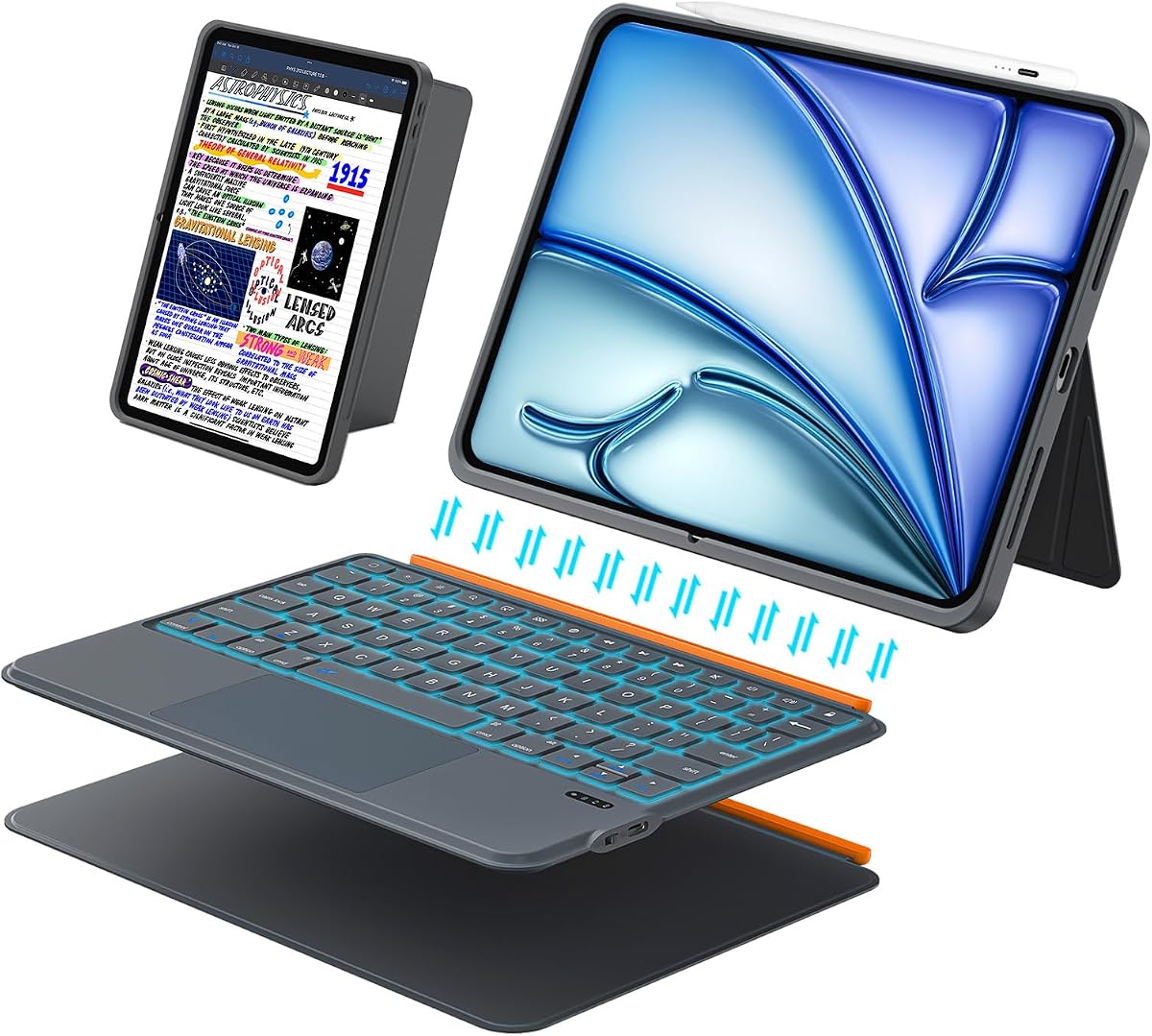
The ESR Ultra-Light case prioritizes portability without sacrificing essential functionality. Its slim profile makes it easy to carry, while the magnetic detachable keyboard offers flexibility between work and leisure modes.
We may earn a commission when you buy through this link, at no additional cost to you.
The extra-large precision trackpad supports intuitive gestures for smooth navigation. Two fixed viewing angles provide stability for typing or sketching, supported by a sturdy triangular structure.
While it lacks backlighting, the focus on weight reduction appeals to travelers and students. The protection is robust with reinforced corners to prevent drops and scratches.
Ideal for users who travel frequently, this model keeps bulk to a minimum. The seamless switch between tablet and laptop modes enhances daily productivity on the go.
At just 6.9mm, this keyboard fits easily into any bag without adding bulk.
The triangular stand ensures the iPad remains steady during intensive tasks.
We may earn a commission when you buy through this link, at no additional cost to you.
This keyboard case supports a wide range of iPad Air and Pro models, offering broad compatibility. It features a magnetic stand with a floating cantilever feel and includes a full trackpad for easy navigation.
We may earn a commission when you buy through this link, at no additional cost to you.
The 750mAh battery provides extended usage on a single charge, with quick USB-C recharge. The backlighting offers three brightness levels for comfortable use in different lighting conditions.
Build quality includes a vegan leather case for enhanced protection against drops. While heavier, the versatility and battery life make it practical for long work sessions.
Suitable for users owning multiple iPad models, this case adapts to various needs. The combination of protection and productivity features ensures a reliable companion for daily tasks.
The high-capacity battery supports weeks of nightly use on a single charge.
Works with multiple iPad Air and Pro generations for flexible device support.
We may earn a commission when you buy through this link, at no additional cost to you.
This model excels in versatility with a 160-degree adjustable stand supporting both portrait and landscape orientations. The Bluetooth 5.3 pairing ensures a stable connection, while the scissor keys offer quiet typing.
We may earn a commission when you buy through this link, at no additional cost to you.
It includes a large multi-touch trackpad with palm rejection for intuitive navigation. The backlighting enhances visibility during late work sessions with three brightness settings.
While setup requires initial configuration, the flexibility in viewing angles is unmatched. The PU leather offers a smooth feel and full protection against drops and scratches.
Perfect for creatives who need varied angles for drawing or viewing, this case adapts well to different tasks. It balances functionality and comfort for diverse usage scenarios.
Adjust the stand to 160 degrees for optimal angles in any orientation.
Full multi-touch gestures allow seamless app switching and document editing.
We may earn a commission when you buy through this link, at no additional cost to you.
This renewed option brings classic Apple utility at a reduced cost. It connects via Smart Connector for instant use without pairing or battery concerns. The design folds neatly to double as a front and back cover.
We may earn a commission when you buy through this link, at no additional cost to you.
The full-size layout provides comfortable typing for extensive work sessions. While it lacks a trackpad, the focus remains on simplicity and direct integration with iPadOS shortcuts.
It offers solid basic protection but lacks the advanced features of newer models. However, the lack of charging needs makes it incredibly reliable for travel.
Ideal for users who value simplicity and cost-effectiveness, this model delivers essential functionality. It works seamlessly for text entry without adding technical complexity.
Power and pair instantly through the Smart Connector without battery worries.
The folio folds flat, making it easy to slide into any bag.
We may earn a commission when you buy through this link, at no additional cost to you.
This renewed model offers premium features like a trackpad and backlit keys at a lower price point. It connects via Smart Connector and includes the same four versatile use modes as the new version.
We may earn a commission when you buy through this link, at no additional cost to you.
The adjustable kickstand allows for smooth transitions between typing and viewing. Military-grade drop protection ensures your device remains safe during transit or accidental bumps.
While being renewed means variable cosmetic condition, the functional components are tested. It represents significant savings for those seeking Logitech quality.
Great for budget buyers who still want high-end features, this option balances value and performance. It supports both typing and sketching with equal comfort.
Access premium features like trackpad and backlighting without full retail costs.
The magnetic latch keeps the case shut securely to protect your iPad.
We may earn a commission when you buy through this link, at no additional cost to you.
This case focuses on customization with seven vibrant colors for backlighting. The magnetic detachment allows you to switch between typing and tablet mode effortlessly. It includes a trackpad for enhanced navigation.
We may earn a commission when you buy through this link, at no additional cost to you.
Multiple adjustable viewing positions let you find the perfect angle for any task. Bluetooth pairing is straightforward, ensuring quick setup for work or leisure use.
While it lacks premium materials, the feature set is impressive for the price. Users seeking personalization and versatility will appreciate the flexible design.
Best for casual users who value aesthetics and adaptability, this model delivers strong value. It supports both productivity and relaxation modes effectively.
Customize your keyboard color to match your mood or workspace.
Adjust the screen angle to maximize comfort for writing or watching.
We may earn a commission when you buy through this link, at no additional cost to you.
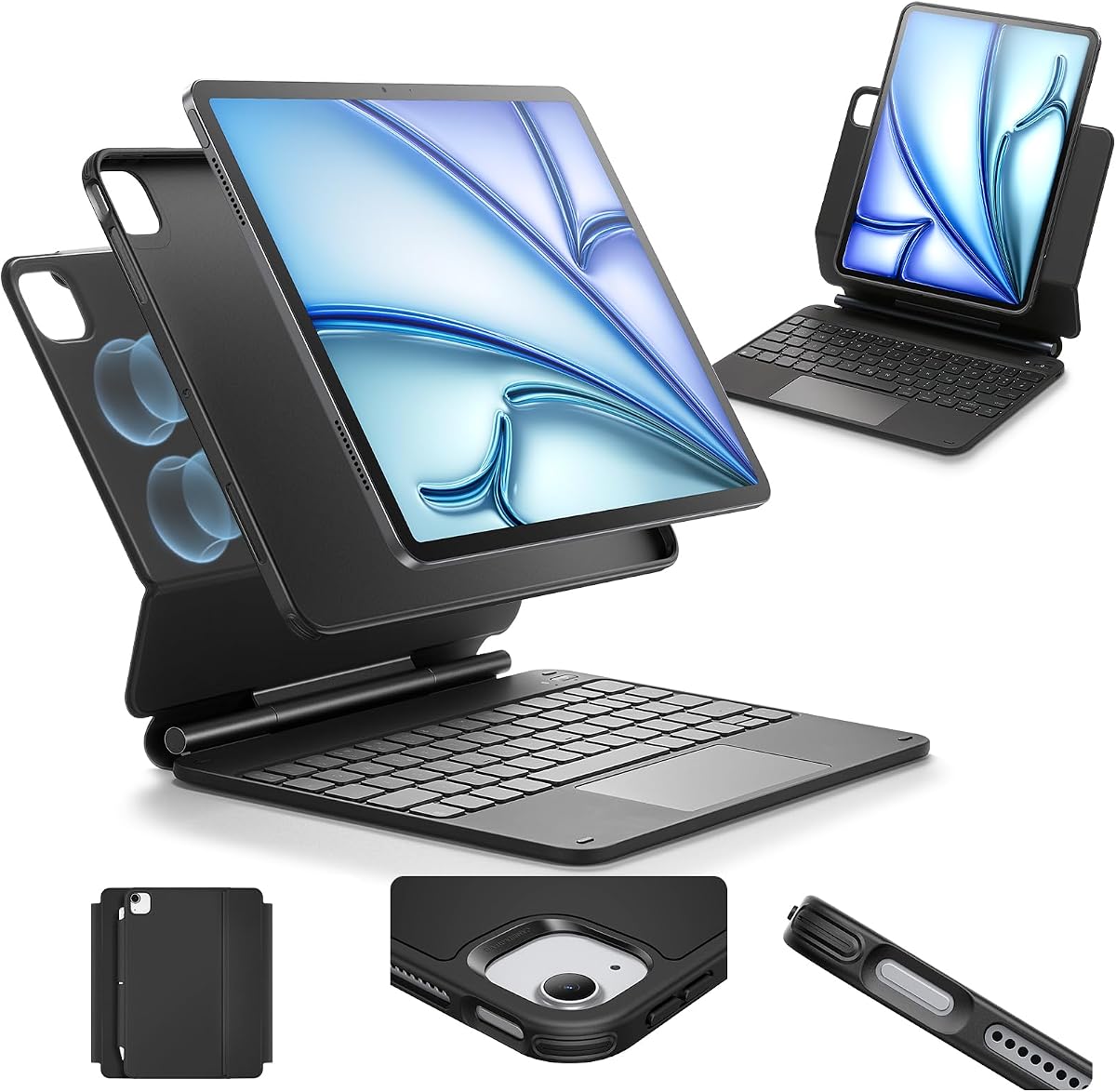
This model transforms your iPad into a portable workstation with multi-mode viewing. The quick-set magnetic stand allows easy setup for typing or browsing, while the detachable case offers hands-on access.
We may earn a commission when you buy through this link, at no additional cost to you.
The extended trackpad supports precise navigation for document editing and web browsing. It provides full-body protection while keeping the device ready for work anywhere.
Though it lacks some advanced features of premium models, its portability stands out. The design balances productivity and travel-friendly attributes effectively.
Perfect for remote workers needing a lightweight solution, this case ensures readiness on the go. It offers a reliable balance of protection and utility.
The magnetic stand aligns quickly to get you started immediately.
A larger trackpad allows more intuitive gestures for navigating apps.
We may earn a commission when you buy through this link, at no additional cost to you.
Selecting the right case requires understanding compatibility, typing quality, and specific features like trackpads or backlighting.
Ensure the case matches your iPad Air model and generation. Check the model number to confirm fit for ports and buttons.
Always verify the model number before purchasing to avoid incompatibility issues.
Look for scissor mechanism keys or well-spaced layouts for comfort. Key travel distance affects long-term typing fatigue.
Prioritize tactile feedback to ensure comfortable extended typing sessions.
A built-in trackpad simplifies navigation without touching the screen. Ensure it supports multi-touch gestures for efficiency.
Check gesture support to maximize productivity during complex tasks.
Backlit keys are essential for low-light environments. Adjustable brightness levels enhance visibility without glare.
Opt for adjustable backlighting to suit varying lighting conditions.
Adjustable stands allow for comfortable viewing angles during work. Fixed stands may limit versatility.
Choose models with multiple angles for ergonomic flexibility.
Smart Connector models charge directly from the iPad. Bluetooth models require separate charging.
Consider your need for battery independence versus convenience.
Military-grade protection shields against drops and scratches. Ensure corners are reinforced.
Verify drop protection ratings to safeguard your device during travel.
Prices vary significantly between premium and budget options. Identify essential features to avoid overpaying.
Balance cost against the features you actually use daily.
Attach the case by aligning the corners and securing any magnetic latches. Ensure the keyboard connects securely to the iPad.
Clean the keys with a soft cloth and avoid liquids. Protect the trackpad from dust and debris.
Store the iPad in a cool, dry place to preserve battery life. Regularly check connections for stability.
Compatibility varies by model and generation. Always check the specific model number before purchasing to ensure the case fits your device correctly.
Most models support the Apple Pencil. Some have dedicated slots or holders for easy access while the case remains attached.
Weight depends on the material and design. Premium cases may be heavier due to added features like trackpads and sturdy hinges.
Bluetooth models vary from weeks to months on a single charge. Connector-powered models do not require charging as they draw power from the iPad.
Backlit keys are valuable if you work in dim environments. They significantly improve typing accuracy when lighting is limited.
Many cases offer detachable keyboards for pure tablet mode. This adds flexibility when you prefer not to use typing features.
Logitech and Apple are top choices for build quality and features. Third-party brands like Harvopu and ESR offer competitive alternatives at lower prices.
Our top picks cover various needs from premium comfort to budget-friendly utility. The Logitech and Apple options lead in performance and integration.
Prioritize features like trackpads and backlighting if they enhance your workflow. Match the case to your specific usage habits for best results.
Prices and stock change frequently so verify current details before buying. Regular checks ensure you get the most value for your investment.