
Video Conference Lighting & Computer Light
4.1Editor score
Plug-and-play USB design
3 color modes available
Magnetic and clip mount
Finding the right lighting for your computer workspace is essential for productivity and eye health. Internal PC work lights offer targeted illumination that reduces strain during long sessions.
We evaluated ten top-rated models based on brightness, adjustability, and user feedback. Each product was analyzed to ensure it meets the demands of modern office and gaming setups.
This list provides detailed insights into each model's strengths and weaknesses. Note that prices and availability may change frequently, so check current listings before purchasing.
4.1Editor score

4.2Editor score

4.5Editor score
As an Amazon Associate we earn from qualifying purchases.
This side-by-side comparison highlights the key specifications of each model to help you find the perfect fit for your workspace.
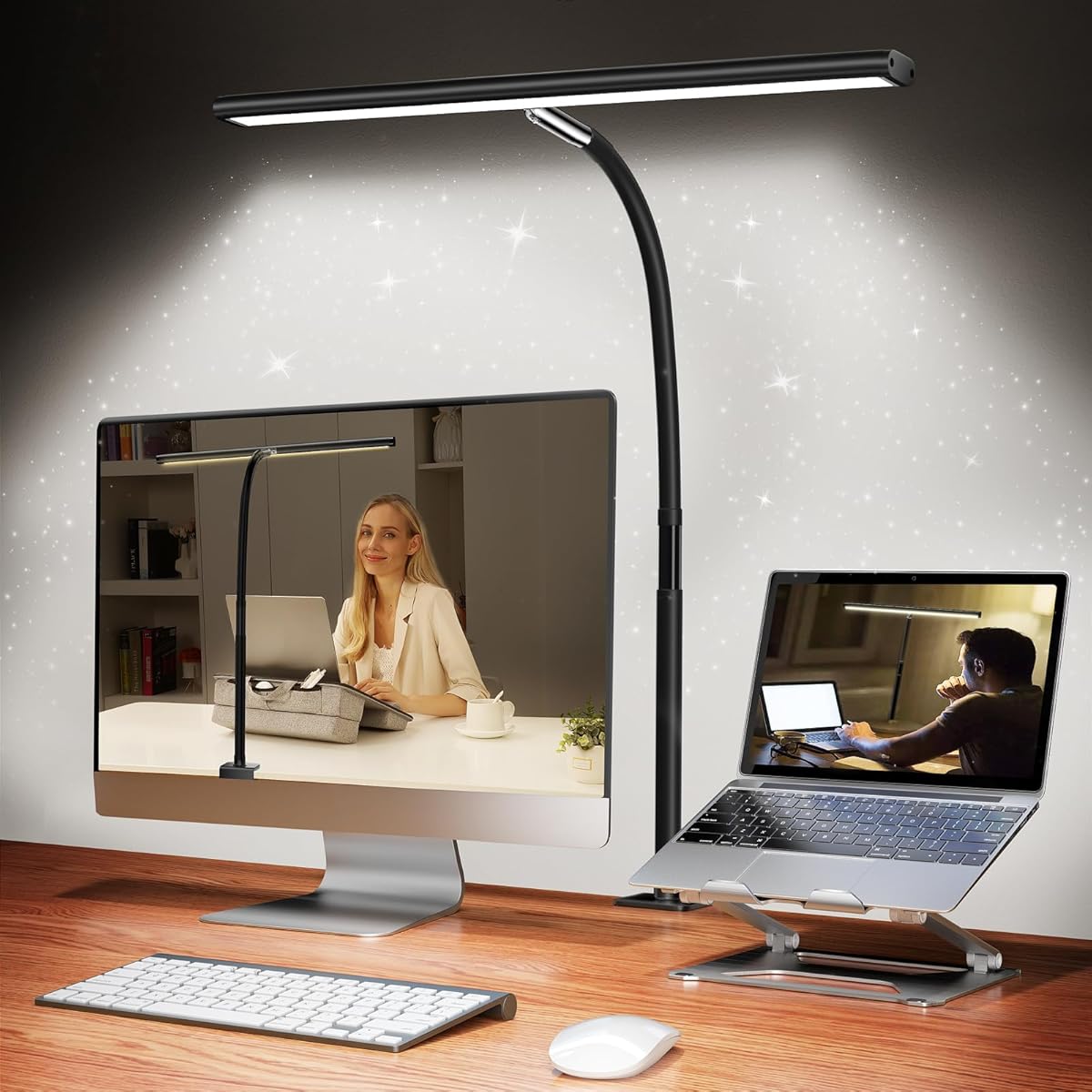



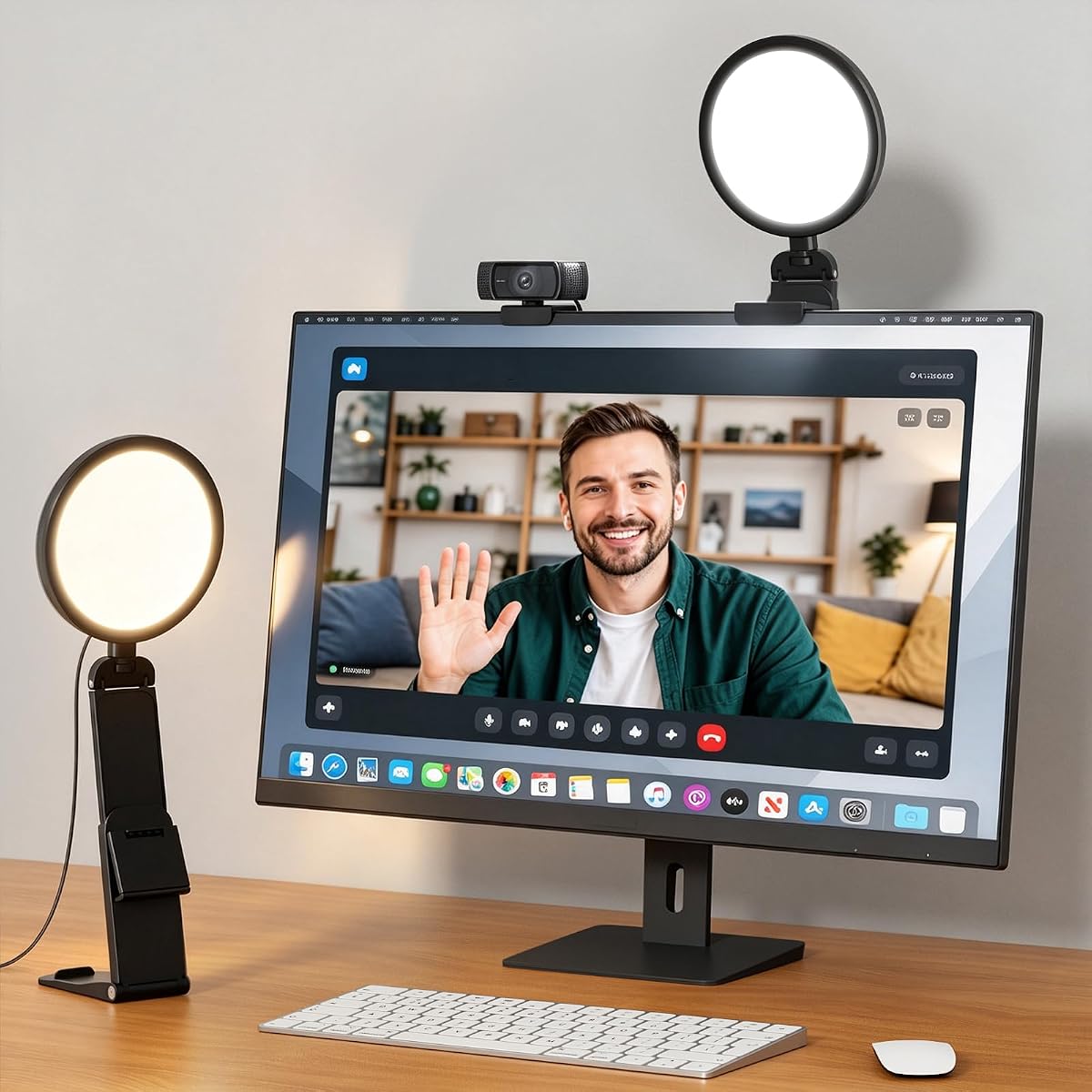

This monitor light bar stands out as a top choice for anyone seeking reliable internal PC work lighting. With a 4.2 rating, it delivers consistent performance that suits both professional and casual users effectively.
We may earn a commission when you buy through this link, at no additional cost to you.
The 11.8-inch width provides ample coverage for most screens without taking up desk space. Its 45-degree beam angle ensures light hits your desk and screen but avoids your eyes, reducing strain during long sessions.
While it lacks advanced RGB features found in gaming lights, its focus on task lighting is clear. The stepless dimming and color temperature controls allow for precise adjustments to match your environment.
Ideal for home offices and gaming setups, this light offers a clean solution for lighting needs. Its memory function and easy installation make it a practical choice for daily use.
The light is designed to minimize reflections and glare, which are common causes of digital eye strain. This makes it suitable for extended periods of computer work.
By mounting directly on the monitor, it frees up valuable desk real estate. The counterweight clip ensures stability without damaging the screen.
We may earn a commission when you buy through this link, at no additional cost to you.
This USB LED panel is a fantastic option for those on a budget who still need quality lighting for video calls and work. Its straightforward design focuses on essential functionality without unnecessary complications.
We may earn a commission when you buy through this link, at no additional cost to you.
It offers three color modes and ten brightness levels, allowing you to adjust the light to suit different times of day. The plug-and-play nature means you can start using it immediately upon arrival.
The magnetic and clip-on mounting options provide flexibility for various setups. While it may not offer the same range of features as premium models, it serves its purpose well.
Best for students or remote workers needing basic illumination, this light is a practical investment. It ensures you look your best on camera without breaking the bank.
No software or drivers are required to operate this light. Simply connect it to a USB port on your computer or adapter for immediate use.
Designed specifically for video conferencing, it helps eliminate shadows on your face. This improves your professional appearance during meetings.
We may earn a commission when you buy through this link, at no additional cost to you.
This premium gaming light from Logitech G is designed for users who want professional-grade lighting effects. With a 4.5 rating, it delivers exceptional quality for both gaming and streaming scenarios.
We may earn a commission when you buy through this link, at no additional cost to you.
TrueSoft technology ensures balanced, full-spectrum LED light that looks natural on camera. The ability to shape and direct light allows for customized setups that fit unique gaming spaces.
While it requires the G HUB desktop app for full control, this adds significant versatility. You can save presets for quick access to your preferred lighting configurations.
Ideal for streamers and content creators, this light elevates your setup to a professional level. Its safety certifications ensure you can use it for long sessions without worry.
This technology provides cinematic color accuracy, making skin tones look natural on video. It is ideal for professional presentations or streaming.
The 3-way adjustable stand and multiple mount points allow for endless positioning options. This flexibility helps you find the perfect angle for any task.
We may earn a commission when you buy through this link, at no additional cost to you.
This clamp lamp is excellent for users with larger desks or those needing broader coverage. Its 17-inch bar ensures that your entire workspace is evenly lit without dark spots.
We may earn a commission when you buy through this link, at no additional cost to you.
The flexible gooseneck allows you to direct light exactly where you need it, whether reading or working on detailed tasks. Stepless dimming gives you precise control over brightness levels.
The metal clamp is sturdy and supports desktops up to 2.36 inches thick, ensuring stability. Built-in wire management helps keep your desk organized and clutter-free.
Suitable for home offices and crafting areas, this lamp offers both functionality and durability. Its energy-saving design makes it a practical long-term investment for daily use.
The extra-wide bar provides enough brightness to illuminate large surfaces. This is particularly useful for those using multiple monitors or drafting large materials.
The 360-degree adjustable neck allows for easy repositioning. You can adapt the light to your specific needs throughout the day.
We may earn a commission when you buy through this link, at no additional cost to you.
This dual-mode light offers a unique combination of task lighting and ambient effects. It allows you to focus on work with front light while enjoying gaming vibes with RGB backlight.
We may earn a commission when you buy through this link, at no additional cost to you.
The front light protects your eyes by targeting only the screen and desk area. Meanwhile, the RGB backlight adds a dynamic atmosphere that enhances your setup visually.
Intuitive dual buttons let you manage both functions independently, giving you full control. The smart memory function recalls your preferred settings every time you turn it on.
Perfect for gamers and multitaskers, this light balances utility with style. Its USB-C power ensures modern compatibility and easy integration into your existing setup.
You can choose to use only the front light for work or add the RGB for a different vibe. This versatility makes it suitable for various activities.
The 45-degree beam angle reduces direct exposure to your eyes. This helps prevent fatigue during long sessions of work or gaming.
We may earn a commission when you buy through this link, at no additional cost to you.
This lamp is specifically designed for large desks with multiple monitors. Its 31.5-inch double head provides wide coverage that ensures both screens are evenly lit.
We may earn a commission when you buy through this link, at no additional cost to you.
With 50 customizable lighting modes, you have extensive control over color temperature and brightness. The auto-off timer is a useful feature for energy saving and safety.
The sturdy metal clamp secures the lamp in place, preventing movement. Its high-quality LEDs are rated for 50,000 hours, promising long-lasting performance for daily use.
Ideal for professionals needing consistent light across a large workspace, this model offers reliability. Its adjustable heads allow you to target specific areas effectively.
The double head design covers a span of 31.5 inches. This makes it perfect for setups with multiple screens without needing separate lamps.
You can set the lamp to turn off after 10 or 45 minutes. This helps save energy and ensures you don't leave lights on accidentally.
We may earn a commission when you buy through this link, at no additional cost to you.
This two-pack set is ideal for those who need multiple lights for different devices. Whether for a laptop and monitor or multiple workstations, it offers flexible lighting solutions.
We may earn a commission when you buy through this link, at no additional cost to you.
High CRI ensures natural true color accuracy, which is vital for content creators. The foldable and rotatable bracket allows for easy storage and transport.
The screen-safe clip is designed to prevent damage to your devices. With 50 dimmable modes, you can find the right setting for any situation.
Best for families or offices with multiple users, this set provides consistent quality. Its lightweight design makes it easy to move around as needed.
With a CRI greater than 97.8, this light renders colors accurately. This is especially useful for professional video calls or photography.
Getting two lights in one package is cost-effective for multi-device setups. You can dedicate one for your primary workspace and another for travel.
We may earn a commission when you buy through this link, at no additional cost to you.
This light is tailored for streamers and content creators who need professional results. Its TrueSoft technology delivers balanced light that looks natural on camera without harsh shadows.
We may earn a commission when you buy through this link, at no additional cost to you.
The frameless diffuser radiates soft light that flatters the subject, ensuring you look your best during broadcasts. It has passed strict UL testing guidelines for all-day streaming safety.
With the G HUB desktop app, you can control settings and save presets easily. The lightweight and portable design makes it easy to move between setups.
Perfect for podcasters and video creators, this light is a professional investment. It simplifies the process of achieving studio-quality lighting at home.
The frameless diffuser ensures wide and even light distribution. This eliminates harsh shadows that can distract from your content.
Its lightweight design makes it easy to transport to different locations. Plus, it is safe to use for extended periods without overheating.
We may earn a commission when you buy through this link, at no additional cost to you.
This monitor light bar offers a premium solution for those valuing design and quality. Its asymmetric polished design ensures no screen reflection, maintaining focus on your work.
We may earn a commission when you buy through this link, at no additional cost to you.
With a high Ra95 color rendering index, it reveals true natural color and detail. The wireless remote control provides a seamless experience for adjusting settings without reaching for the lamp.
The USB-C port allows it to turn on automatically when your computer starts. This integration adds convenience to your daily workflow.
Ideal for professionals who demand high-quality light, this model is a top choice. Its metal body and careful design make it a durable addition to any desk.
The custom optical glass directs light downward to avoid screen reflections. This helps maintain a clear view of your monitor while working.
With an Ra95 rating, colors appear natural and accurate. This is beneficial for designers or anyone requiring precise color representation.
We may earn a commission when you buy through this link, at no additional cost to you.
This lamp offers a versatile range of lighting options for various tasks. With 25 light modes and adjustable arms, it fits the needs of drafting, studying, and working effectively.
We may earn a commission when you buy through this link, at no additional cost to you.
The wireless remote control makes switching between modes easy and convenient. Its energy-efficient LED technology provides uniform illumination without flicker or glare.
While remote issues can occur, the warranty ensures a replacement is available. The flexible swing arms and rotatable head allow for precise lighting angles.
Suitable for artists or architects needing flexible light, this model delivers. It balances functionality with energy efficiency for a comfortable workspace.
The lamp features standing and foldable swing arms for maximum reach. This flexibility ensures you can direct light exactly where needed.
A wireless remote is included to manage settings from a distance. This adds a layer of convenience for quick adjustments.
We may earn a commission when you buy through this link, at no additional cost to you.
Choosing the right lighting for your workspace involves considering several key factors to ensure comfort and functionality.
Brightness is crucial for ensuring your desk and screen are adequately lit without causing strain. Look for models that offer high lux ratings and wide coverage areas to illuminate large spaces effectively.
Prioritize lights with adjustable brightness to suit different tasks and times of day.
Different activities require different light temperatures. Cool white light is better for focus and productivity, while warm light is relaxing for evening use.
Choose a lamp with multiple color temperature settings to adapt your environment as needed.
The way the light attaches to your monitor or desk impacts stability and space usage. Clamps and counterweights are common solutions that save desk space.
Ensure the mounting mechanism is secure to avoid accidental damage to your equipment.
Ease of use is enhanced by intuitive controls. Some lights offer touch panels, while others use remotes or app connectivity for advanced customization.
Select a control method that aligns with your workflow and preferences.
Most PC work lights are USB-powered, allowing you to plug directly into your computer or adapter. This ensures compatibility and convenience.
Check that the power cable length is sufficient for your setup.
Look for lights that reduce glare and flicker to protect your eyes. Features like anti-glare coatings and diffuse lighting are beneficial for long-term health.
Prioritize models that explicitly mention eye-care technology.
Durable materials like metal or high-grade ABS plastic ensure the lamp withstands daily use. A sturdy build also contributes to stability on the desk.
Invest in a model with proven quality to avoid frequent replacements.
Prices vary significantly based on features and brand. Determine what you need versus what you want to balance cost with functionality.
Consider long-term value over initial price when making a purchase.
Position the light so it illuminates your screen without creating glare. Adjust the angle to avoid direct exposure to your eyes for comfort.
Regularly clean the light surface with a soft cloth to maintain brightness and remove dust. Avoid using harsh chemicals that could damage the finish.
Check cables and mounting clips periodically to ensure stability and safety. Proper care extends the lifespan of your lighting equipment significantly.
Internal PC work lights are specialized lamps designed to mount on or near computer monitors. They provide targeted illumination to reduce eye strain and improve workspace visibility without taking up desk space.
Yes, many models include features like anti-glare technology and adjustable brightness to minimize eye fatigue. Proper lighting is essential for reducing strain during long computer sessions.
Most lights are designed to fit a wide range of monitor thicknesses. However, it is best to check the specifications for maximum thickness compatibility before purchasing.
They are typically powered via USB, connecting directly to your computer or a wall adapter. This ensures easy setup and compatibility with modern devices.
Yes, many models offer high color accuracy and adjustable settings suitable for streaming. Look for lights with specific features designed for content creation.
Most internal PC work lights mount directly on the monitor, saving desk space. This design allows you to maximize your workspace while maintaining adequate lighting.
Task lighting focuses on illuminating specific areas for work, while ambient lighting provides overall illumination. Some models offer both modes for versatility.
LED lights are known for their longevity, often lasting for thousands of hours. Proper usage and care can further extend their lifespan.
We have reviewed ten top models that offer a range of features to suit different needs. From budget-friendly options to premium gaming lights, there is something for everyone.
Prioritize eye care and adjustability when selecting a light to ensure long-term comfort. The right choice will enhance your productivity and reduce fatigue.
Remember that prices and availability change often. Check current listings to get the best deal on the model that fits your workspace.