
MONTECH AIR 903 MAX
4.8Editor score
Four 140mm fans included
Supports E-ATX motherboards
High airflow mesh front panel
This guide compares the top hybrid airflow PC cases for 2026 focusing on thermal performance design flexibility and compatibility to help you choose the
Finding the right chassis is crucial for any build. Hybrid airflow PC cases balance cooling and aesthetics effectively. They ensure components stay cool while maintaining a clean look.
We compared ten leading models based on airflow design and expansion options. Each case was evaluated for fan support and dust filtration. This list covers diverse budgets and build styles.
Each pick highlights unique features and thermal capabilities. You will see pros and cons for every model. Please note that prices and availability can change over time.
4.8Editor score

4.6Editor score

4.6Editor score
The following table provides a side by side comparison of all ten selected models. It highlights key specifications and unique features to help you differentiate between them easily.


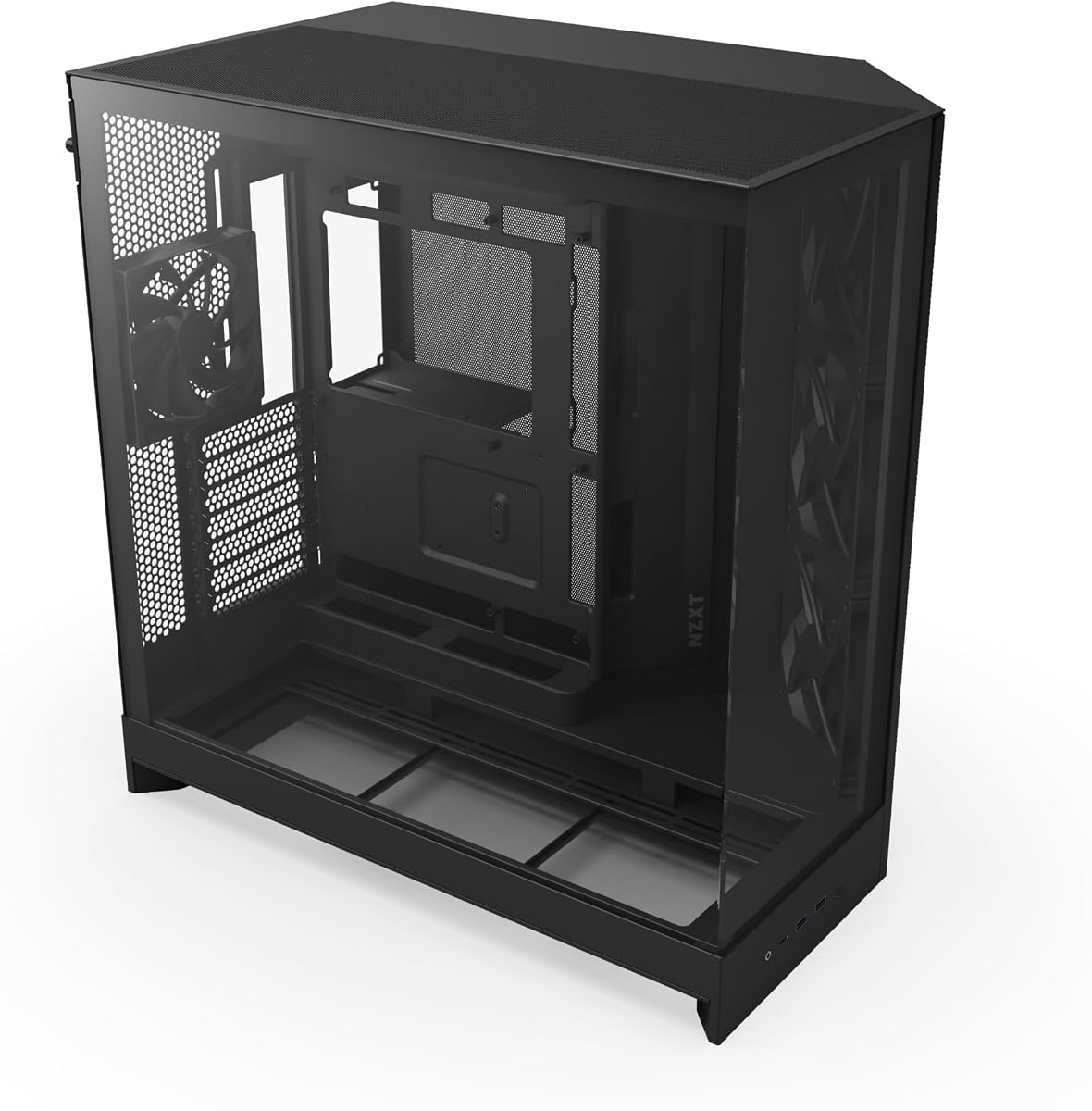

The CORSAIR 4000D RS ARGB stands out as a versatile choice for enthusiasts. It combines high airflow with modular customization. Its unique FRAME system allows you to swap parts easily.
We may earn a commission when you buy through this link, at no additional cost to you.
The pre-installed RS ARGB fans deliver solid performance right out of the box. They support PWM control and offer a silent low-speed mode. The InfiniRail system lets you place fans precisely where you need them.
While the front lacks a USB-C port the design prioritizes airflow and clean lines. You can remove the side panel for added cooling or use it as a cover. This trade-off suits builders who value airflow over modern port connectivity.
This case is ideal for users who want a chassis that grows with their needs. Its modular design and robust cooling make it a top recommendation for mid-tower builds today.
The FRAME system allows upgrades like billet aluminum trays or different I/O panels for future proofing.
The 3D Y pattern panel minimizes air resistance while the InfiniRail system supports up to 200mm fans.
We may earn a commission when you buy through this link, at no additional cost to you.
The NZXT H5 Flow is a compact case designed for efficient cooling. It features a perforated PSU shroud that enables extra intake. This helps direct cool air to components effectively.
We may earn a commission when you buy through this link, at no additional cost to you.
Its top front and side panels use ultra-fine mesh to maximize airflow. The case supports large radiators for liquid cooling needs. Quiet Airflow fans are included for decent baseline performance.
Cable management is handled well with wide channels and straps. However the included fans are not top tier. Users might want to upgrade them for quieter operation.
This case fits well in smaller spaces without sacrificing thermal performance. It is a great choice for compact builds that still need good airflow.
The perforated PSU shroud allows two 120mm fans to push air directly toward the GPU area.
Support for up to 360mm radiators in front makes this case suitable for high performance liquid cooling.
We may earn a commission when you buy through this link, at no additional cost to you.
The NZXT H6 Flow RGB offers a panoramic view of your build. Its wraparound glass panels create a seamless display. The dual chamber design keeps things clean and thermally efficient.
We may earn a commission when you buy through this link, at no additional cost to you.
Three 120mm RGB fans are included and angled for optimal cooling. The top and side panels have perforations for airflow and dust control. This setup ensures your components stay cool while looking vibrant.
Cable management is simplified with wide channels and straps. The main downside is the lack of top fan mounts. Dust is also more visible on the white finish.
This case is perfect for builders who prioritize looks without ignoring cooling. It delivers a stunning visual experience with solid airflow performance.
The wraparound glass provides an unobstructed view of your components and lighting.
The compact design improves thermal performance and keeps the interior uncrowded.
We may earn a commission when you buy through this link, at no additional cost to you.
The HAVN HS 420 redefines airflow with its hybrid dual chamber design. It directs cool air to the GPU from the bottom. This balanced ratio ensures optimal cooling for high end parts.
We may earn a commission when you buy through this link, at no additional cost to you.
It fits eleven 140mm fans and supports 420mm radiators. The curved glass panel offers a panoramic view with minimal distortion. The SimpliCable system routes cables cleanly from top to bottom.
The adjustable GPU bracket handles cards up to 3.6 slots thick. However the high price might be a barrier for some. Assembly can be complex due to its many features.
This case is best for advanced builders who want maximum cooling flexibility. Its unique design and support options make it a standout in the market.
The dual chamber design balances airflow and size to direct cool air to the GPU.
Support for 420mm radiators and 140mm fans allows for extensive custom cooling loops.
We may earn a commission when you buy through this link, at no additional cost to you.
The Antec Flux Pro is a full tower designed for serious airflow. It includes six PWM fans for immediate cooling power. The multi directional vent design allows for flexible airflow paths.
We may earn a commission when you buy through this link, at no additional cost to you.
Its innovative iShift PSU mount lets you orient the power supply. This helps with cable management and intake. The case supports simultaneous 420mm and 360mm radiators.
A digital display shows CPU and GPU temperatures. The build quality uses a mix of metal glass and wood. This can be seen as premium or less industrial.
This case is ideal for those with large setups who need cooling. It offers unique features for airflow and cable management alike.
Multi directional vents support up to twelve fans for extensive cooling customization.
The integrated display helps you monitor temps without entering software.
We may earn a commission when you buy through this link, at no additional cost to you.
The Cooler Master HAF II 500 is built for maximum throughput. It uses oversized 220mm and 180mm fans to move air efficiently. The design lowers resistance for better overall performance.
We may earn a commission when you buy through this link, at no additional cost to you.
Split level cable management optimizes space and routing. The MasterRail system supports various fan sizes easily. A dual mode GPU holder provides stability for heavy cards.
The physical size is very large. The fans might be loud when running at high speeds. These factors suit users who prioritize cooling above all.
This case is perfect for high end systems that need raw cooling power. It handles large components and extensive setups well.
Two 220mm front fans and one 180mm rear fan provide unmatched air movement.
MasterRail supports multiple fan and radiator sizes for custom airflow paths.
We may earn a commission when you buy through this link, at no additional cost to you.
The CORSAIR AIR 5400 RS ARGB isolates components into three chambers. This setup keeps CPU heat away from other parts. A panoramic view showcases your build beautifully.
We may earn a commission when you buy through this link, at no additional cost to you.
The CPU chamber holds a 360mm radiator for dedicated cooling. Airflow ducts on the bottom fans increase velocity without noise. The central chamber handles GPU and motherboard cooling.
This design is complex but effective for high performance builds. The price is higher than standard cases. Managing the zones requires planning.
Ideal for users who want premium cooling and separation. Its unique layout ensures each component gets optimal airflow.
The CPU chamber prevents heat from affecting the GPU and motherboard zones.
Innovative ducts accelerate air velocity improving cooling without added noise.
We may earn a commission when you buy through this link, at no additional cost to you.
The NZXT H9 Flow separates components with a dual chamber layout. This improves thermal performance and cable management. Perforated panels ensure efficient cooling for high end builds.
We may earn a commission when you buy through this link, at no additional cost to you.
It supports up to ten fans for extensive airflow. The case is ready for back-connect motherboards. Extra-wide channels make routing cables simple.
The glass panels add weight but provide a great view. Compatibility for back-connect boards can vary. These are minor trade-offs for the overall design.
This case offers great value for those wanting a clean look. Its dual chamber design is perfect for organized and cool systems.
Separating the PSU and drives from main components improves airflow efficiency.
Compatible with ASUS BTF and MSI Project Zero for a cleaner look.
We may earn a commission when you buy through this link, at no additional cost to you.
The CORSAIR AIR 5400 LX RGB combines the 5400 design with RGB. It isolates components into three chambers for optimal cooling. The panoramic view lets you see the lights shine.
We may earn a commission when you buy through this link, at no additional cost to you.
The CPU chamber ensures heat does not affect other parts. Airflow ducts improve velocity without noise. The PSU and storage are separated in their own zone.
While the price is high the RGB adds visual flair. Some may prefer clean builds over lighting. The design remains top tier for airflow.
This case suits builders who want separation and style. Its RGB features and isolation make it a great premium option.
The LX version adds RGB lighting to the powerful airflow design.
The triple chamber system ensures dedicated airflow for CPU GPU and PSU.
We may earn a commission when you buy through this link, at no additional cost to you.
The MONTECH AIR 903 MAX is a high value option. It comes with four fans for ready to use cooling. The mesh front allows plenty of air to enter the case.
We may earn a commission when you buy through this link, at no additional cost to you.
It supports E-ATX motherboards and long GPUs. The front includes a USB Type-C port for modern connectivity. The build is simple and efficient.
The RGB is basic compared to premium models. The steel feels standard. But it provides great cooling for the price.
This case is perfect for budget conscious builders. It offers solid performance and features without breaking the bank.
Four fans at front and rear provide an airflow ready starting point.
The front I/O includes a USB Type-C port for fast device access.
We may earn a commission when you buy through this link, at no additional cost to you.
Selecting a hybrid airflow case requires balancing thermal performance with your specific needs.
Look for cases with mesh panels or perforated designs that maximize air intake. Hybrid cases often use dual chamber layouts to separate components and improve airflow paths.
Prioritize models with mesh fronts to ensure maximum air intake.
Check how many fans the case can hold and their sizes. Some cases support oversized fans like 220mm while others offer multiple slots for standard 120mm fans.
Ensure the case supports enough fan slots for your cooling needs.
If you plan to use liquid cooling verify the maximum radiator size. Hybrid cases often support large radiators like 360mm or 420mm for better cooling efficiency.
Choose a case that supports your desired radiator size.
Some cases offer modular parts like removable I/O panels or adjustable brackets. This allows you to customize the case as your needs change over time.
Consider modular cases if you plan to upgrade your build.
Good hybrid cases include wide channels and tools to route cables neatly. This helps maintain airflow by preventing clutter that can block air movement.
Look for wide channels and routing tools for clean builds.
Ensure the case supports your motherboard size and GPU length. Hybrid cases often provide more clearance for E-ATX boards and larger graphics cards.
Verify that your components fit within the case dimensions.
Choose between glass panels or solid fronts based on your style. Hybrid cases often offer panoramic glass while maintaining airflow through other panels.
Decide between solid or glass panels for your look.
Prices vary widely depending on materials and features. Set a budget and compare cases that offer the best value for your required features.
Set a budget that aligns with your priority features.
Always position your case with enough space around vents. Hybrid cases rely on airflow so do not place them in enclosed cabinets.
Regularly clean dust filters to maintain efficiency. A simple vacuum or brush can remove dust buildup quickly.
Check cable routing occasionally to ensure nothing blocks airflow. Proper management keeps the system cooling effectively over time.
A hybrid airflow model balances aesthetics and cooling. It combines features like glass panels for looks with mesh sections for airflow. This design ensures components stay cool without looking too industrial.
Dual chamber cases are often better because they separate the PSU from the CPU. This keeps hot air from the PSU away from the CPU. It improves overall airflow efficiency and thermal performance.
Most hybrid cases come with at least two or three fans. This provides a solid starting point. You may want to add more if you need extra cooling.
Mesh panels allow more air to enter the case. This improves cooling performance. Hybrid cases use mesh on specific areas to balance looks and airflow.
RGB lighting is optional and depends on personal preference. It does not affect airflow. Some cases include it while others leave it out for simplicity.
Yes many hybrid cases support custom loops. Check the radiator support and space available. Large cases often support 360mm or 420mm radiators for this.
Clean the filters every few months depending on dust levels. This prevents airflow blockage. A vacuum is often enough for routine cleaning.
The best direction is front and bottom intake with rear top exhaust. This creates positive pressure and keeps dust out. Hybrid cases support this path naturally.
The top picks offer diverse options for builders. The CORSAIR 4000D RS ARGB excels in modularity while the MONTECH offers value.
Prioritize airflow and component compatibility for your needs. Modular features are great for future upgrades.
Check current prices and stock before buying as they change often.