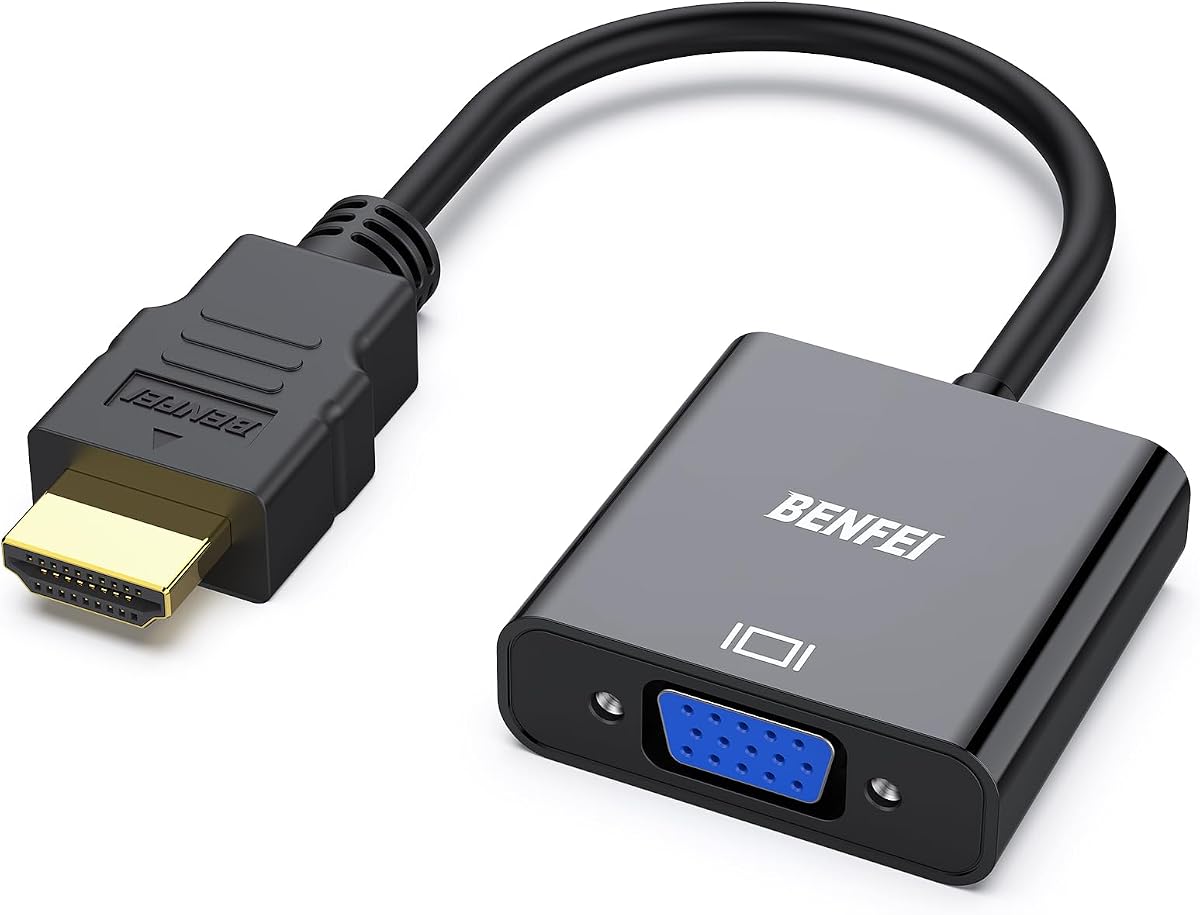
BENFEI HDMI to VGA Gold Plated Adapter
4.6Editor score
Compact portable design for travel
Supports up to 1080p resolution
Gold plated connectors for durability
This guide compares the top HDMI to VGA converter adapter models to help you find the reliable solution for connecting modern devices to legacy displays.
Connecting modern devices to older displays often requires a reliable HDMI to VGA converter adapter. These small gadgets bridge the gap between digital HDMI outputs and analog VGA inputs found on many projectors and monitors. Choosing the right one ensures clear video and stable signal transmission for your specific setup needs.
We evaluated ten highly rated converters based on performance, compatibility, build quality, and user feedback. Each product offers unique features like audio support, compact designs, or extended warranties. Our comparison helps you identify the best match for your laptop, desktop, or streaming device requirements.
Each pick includes detailed specifications, pros and cons, and real-world usage insights. While prices fluctuate regularly, the core features and reliability remain consistent. Check current listings before purchasing to ensure you get the best value for your specific connection needs and budget.
4.6Editor score

4.6Editor score

4.5Editor score
This side by side comparison highlights key specifications and features across all ten selected models to help you make an informed decision based on your specific connectivity requirements.


The BENFEI HDMI to VGA Gold-Plated Adapter stands out as a top choice for its reliability and cost-effectiveness. With a rating of 4.6 stars, users appreciate its consistent performance when connecting modern laptops to older monitors. It delivers 1080p resolution clearly without requiring extra software or drivers.
We may earn a commission when you buy through this link, at no additional cost to you.
This adapter uses an advanced IC chip to ensure smooth digital to analog signal conversion. The gold plated HDMI connector resists corrosion, which helps maintain strong signal quality over time. Its compact design makes it easy to carry in a bag for business presentations or home use.
One limitation is that audio is not supported since VGA does not carry sound. You will need separate audio cables if your setup requires it. However, for visual presentations and standard displays, this is a minor trade-off for the stable video connection it provides.
Anyone needing a dependable bridge between HDMI and VGA ports should consider this model. It works well with computers, desktops, laptops, and even gaming consoles like Xbox. The 18-month warranty adds peace of mind for long-term use.
The built-in advanced IC chip converts digital HDMI signals to analog VGA without glitches.
Gold plated connectors resist corrosion while molded strain relief protects the cable.
We may earn a commission when you buy through this link, at no additional cost to you.
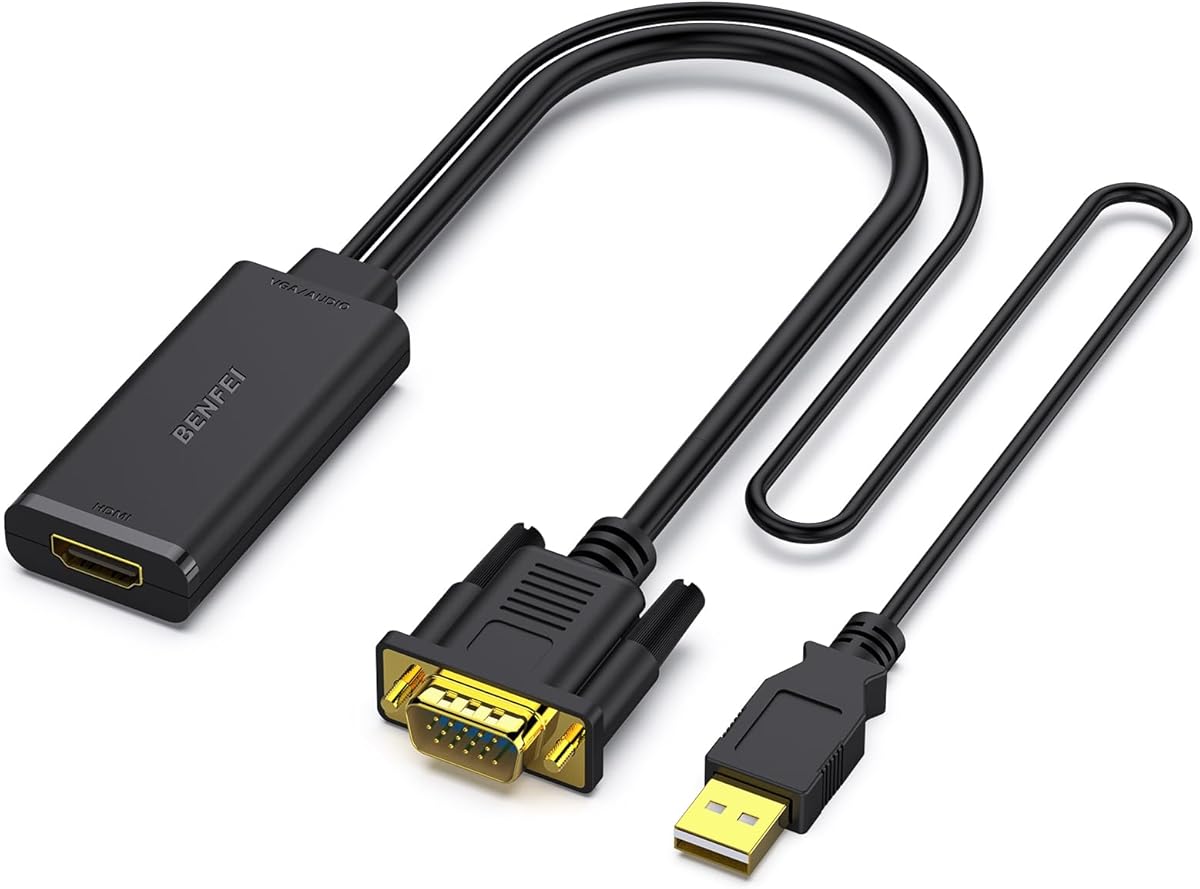
This adapter reverses the typical direction by converting VGA sources to HDMI displays. It is perfect for older laptops or PCs that only have VGA outputs connecting to modern TVs. Users report smooth 1080p video quality with audio support through an included USB cable.
We may earn a commission when you buy through this link, at no additional cost to you.
The integrated USB cable allows digital audio to be configured through Windows settings for external speakers. This feature solves a common issue where VGA connections lack audio entirely. The compact design keeps your desk tidy and makes portability easy for travel.
While effective for legacy devices, remember this cannot convert HDMI sources to VGA. It is strictly for VGA output to HDMI input. For most users with older computers, this limitation does not affect usability and still delivers great results.
Choose this if you need to project an older computer onto a modern TV. It is ideal for classrooms or offices with outdated hardware. The simple plug and play setup means no drivers are needed for immediate use.
USB audio cable allows sound output alongside video through HDMI display.
Connects older VGA source devices to modern HDMI monitors easily.
We may earn a commission when you buy through this link, at no additional cost to you.
The Moread HDMI to VGA Adapter offers exceptional value with a five year unconditional warranty. This long-term support signals strong confidence in build quality. Users highlight its consistent performance for connecting laptops to projectors or older monitors without signal loss.
We may earn a commission when you buy through this link, at no additional cost to you.
Like many top models, it uses advanced IC chips for stable signal conversion up to 1080p. The gold plated connector ensures resistance to corrosion and wear. A molded strain relief design adds durability to the cable connection points during frequent use.
One consideration is that it does not handle audio since VGA is video only. You may need a separate 3.5mm cable if sound is required. However, for video-centric tasks like presentations or gaming, this is an excellent choice.
Buyers seeking long-term reliability will appreciate the extensive warranty. It fits well for home, office, or travel use. The plug and play design ensures quick setup without any technical knowledge or software installation.
Exclusive five year unconditional warranty ensures long term satisfaction.
Supports up to 1920x1080p resolution for clear visuals.
We may earn a commission when you buy through this link, at no additional cost to you.
StarTech is known for professional grade adapters and this model lives up to that reputation. It supports resolutions up to 1920×1200 for crisp visuals on high density displays. The design eliminates the need for external power, keeping your setup clean and simple.
We may earn a commission when you buy through this link, at no additional cost to you.
It works across all operating systems without drivers, making it versatile for Windows, macOS, or Linux. The adapter supports VGA screw-locking cables to prevent accidental disconnections during important meetings. This feature adds security to your presentation or monitoring setup.
While pricier than basic options, the build quality and reliability justify the cost for frequent users. It is an ideal choice for offices needing stable connections. The lightweight design ensures it does not add bulk to your portable kit.
Invest in this for professional environments where downtime is not an option. The universal compatibility means it works with any HDMI source device. For users needing top tier stability and higher resolution, this adapter is a solid investment.
Active adapter uses GPU for minimal CPU usage during conversion.
Supports VGA screw-locking cables to prevent accidental disconnection.
We may earn a commission when you buy through this link, at no additional cost to you.
This option combines the adapter and cable into a single unit for simplicity. The six feet length provides flexibility for placing monitors away from your computer. It supports 1080p resolution and features gold plated connectors for reliable signal transmission.
We may earn a commission when you buy through this link, at no additional cost to you.
Users appreciate not having to buy separate parts or match cables. It streamlines your setup with a ready to use solution. The unidirectional design ensures proper conversion from HDMI source to VGA display without confusion.
Since the cable length is fixed, ensure it fits your desk or room layout before purchasing. If six feet is sufficient, this saves time and effort. It is convenient for home office or classroom setups where distance matters.
Pick this for a hassle free connection experience. The compact design keeps your workspace organized. For basic presentations or extended desktop setups, this integrated cable delivers consistent performance without extra components.
Cable and adapter combined into one portable unit.
Six feet length allows placing monitor away from computer.
We may earn a commission when you buy through this link, at no additional cost to you.
Designed with TV sticks in mind, this adapter includes a 3.5mm audio jack for sound. It uses a Micro USB port for power when needed, ensuring compatibility with low-power HDMI devices. Users report excellent performance with sticks like Roku or Fire TV.
We may earn a commission when you buy through this link, at no additional cost to you.
The female HDMI input allows connection from devices without bulky plugs. Audio output lets you connect speakers for a full viewing experience. This solves a common issue where HDMI to VGA adapters fail with streaming devices.
Note that an external audio cable is needed to connect speakers. Also, verify power requirements for your specific device. For streaming devices or low-power HDMI sources, this adapter is often the only reliable option.
Use this when connecting streaming sticks to projectors or older monitors. The included audio port ensures you do not lose sound. It is an essential tool for modern entertainment setups using legacy displays.
Designed to connect HDMI compatible devices to VGA monitors.
Includes independent 3.5mm audio jack for external speakers.
We may earn a commission when you buy through this link, at no additional cost to you.
UGREEN offers a reliable active adapter with an optional Micro USB power cable. This flexibility helps devices with low-power HDMI ports like Apple TV or Raspberry Pi. Users value the 3.5mm audio jack for connecting external speakers easily.
We may earn a commission when you buy through this link, at no additional cost to you.
The active chipset ensures stable video conversion up to 1080p. It maintains signal integrity without freezing or signal loss during use. The compact design makes it easy to keep in a travel kit for presentations.
Remember that the power cable is optional for high-power devices but essential for others. Audio output requires a separate cable to connect speakers. These minor extras are standard for adapters handling audio separately from video.
Ideal for users needing power flexibility. Whether you connect a laptop or streaming box, this adapter adapts. The combination of video and audio support makes it a versatile choice for home or office.
Included micro USB cable optimizes compatibility with low-power devices.
3.5mm line-out jack allows connection to external speakers.
We may earn a commission when you buy through this link, at no additional cost to you.
This model supports external 5V power for stable long-distance transmission. It is ideal for installations where signal loss over longer cables might occur. Users report clear 1080p visuals even in commercial or industrial settings.
We may earn a commission when you buy through this link, at no additional cost to you.
The built-in active conversion chipset ensures reliable HDMI to VGA conversion. Audio output through 3.5mm jack allows flexible speaker connections. This makes it suitable for conference rooms or surveillance displays.
It requires an external power adapter, which adds a small cable to your setup. This is a worthwhile trade for enhanced reliability over longer distances. If signal stability is critical, this adapter performs well.
Choose this for commercial or large room setups. It works with DVRs, media players, and other HDMI sources. For users needing consistent performance across longer runs, this converter delivers excellent results.
External 5V power ensures stable performance over long runs.
Ideal for conference rooms and industrial equipment displays.
We may earn a commission when you buy through this link, at no additional cost to you.
This StarTech adapter focuses on simplicity with an integrated audio port. No drivers or software are needed for instant plug and play use. Users highlight its lightweight build perfect for business travelers and remote presentations.
We may earn a commission when you buy through this link, at no additional cost to you.
Crystal-clear picture quality up to 1920×1200 is supported for professional displays. The audio port allows connection to speakers for complete sound. It fits well in laptop cases without adding bulk to your travel kit.
While it lacks external power support, most laptops provide enough power. The higher price reflects the brand reliability and audio feature. For those prioritizing convenience and quality, this is a strong pick.
Select this for easy travel setups. It is great for connecting Apple TVs or projectors quickly. The user-friendly design ensures you spend more time presenting and less time troubleshooting cables.
Lightweight adapter fits perfectly in laptop carrying case.
Integrated audio port enables connection to external speakers.
We may earn a commission when you buy through this link, at no additional cost to you.
The Dell branded adapter offers official support for Dell laptop users. It provides a standard HDMI to VGA connection in a compact dongle format. Users value the reliability of using an original equipment manufacturer accessory.
We may earn a commission when you buy through this link, at no additional cost to you.
It fits well with Dell systems ensuring optimal compatibility. The simple design means it works as expected without issues. Ideal for corporate environments where brand consistency matters.
Unlike other models, audio is not explicitly supported in its description. It is strictly for video output. For basic display extension, it fulfills its purpose effectively for Dell owners.
Choose this if you own a Dell laptop and want official hardware. It is widely available and offers consistent performance. While basic, it is a dependable choice for professional use.
Official Dell adapter ensures compatibility with Dell devices.
Compact dongle format keeps setup simple.
We may earn a commission when you buy through this link, at no additional cost to you.
Choosing the right adapter requires understanding your specific display needs and device compatibility. This guide breaks down key factors to consider for a successful purchase.
Always confirm whether your setup needs HDMI source to VGA display or the reverse. Most adapters are unidirectional. Using a bi-directional converter incorrectly will not work. Check your source and display ports carefully before buying.
VGA ports do not carry audio. If you need sound, look for adapters with 3.5mm audio jacks. Some require separate cables or USB for audio. Plan for extra audio cables if your model does not include them.
Active converters may need external power via USB. Check if your HDMI port provides enough power for passive models. Devices like Raspberry Pi or TV sticks often need extra power. Ensure your setup has access to a USB power source if needed.
Most adapters support up to 1080p. Some higher-end models reach 1200p. Verify your monitor or projector supports the resolution you need. Using higher resolutions than the adapter supports may result in no image or errors.
Look for gold plated connectors and molded strain relief. These features resist corrosion and protect cables. Higher quality materials extend the adapter lifespan. Avoid cheap plastic models if you plan to use it frequently.
A longer warranty period indicates confidence in build quality. Some models offer one year while others offer five years. Check the terms to ensure they cover defects or damage. A good warranty provides peace of mind for purchases.
Some adapters include integrated cables while others do not. Measure your distance between source and display. Short cables may be insufficient for large rooms. Consider adapters that support screw-locking if your monitor is prone to disconnection.
Ensure the adapter works with your specific devices like laptops or consoles. Some adapters fail with low-power HDMI ports. Check the product notes for known incompatibilities. Confirm compatibility with your operating system for drivers if needed.
Start by connecting the HDMI end of the adapter to your source device like a laptop or console. Ensure the connection is secure to maintain signal integrity. Then plug the VGA cable into the adapter and your display.
If your adapter requires extra power, connect the USB cable to a port on your source or a power block. Adjust display settings to mirror or extend your screen. Set resolution to match your monitor support for best quality.
Store your adapter in a protective case to avoid damage. Clean the connectors with a dry cloth occasionally. Avoid bending cables sharply to prevent internal wire breaks. Proper care ensures long life and consistent performance.
Yes but note that analog connections may have slight latency. For casual use it works well but competitive gamers prefer native HDMI. Resolution support varies by model. Check reviews for lag reports before purchasing for gaming.
Most modern adapters are plug and play without drivers. They work with Windows macOS and Linux automatically. Some specialized models may require software for audio. Check product details to confirm driver needs before setup.
VGA ports do not transmit audio signals. You need separate audio cables connected via a 3.5mm jack. Some adapters include audio jacks while others do not. Ensure you have the correct audio cables to fix this issue.
Verify connections are tight on both ends. Check resolution settings match your display limits. Ensure your source provides enough power to the adapter. Try another HDMI cable or reset your display settings to resolve signal issues.
This requires a different VGA to HDMI converter. Most HDMI to VGA adapters work one way. Check product descriptions for directionality before purchasing. Using wrong direction will not transmit signal correctly.
Most affordable HDMI to VGA adapters support up to 1080p. VGA technology generally does not handle 4K well. If you need high resolution, consider using native HDMI ports or higher quality displays. VGA limits your resolution significantly.
Devices like Raspberry Pi or TV sticks often require extra power. Check if your HDMI port provides enough current. If display flickers or fails, use the included USB power cable. This ensures stable operation.
Active adapters use chips to convert signals and may need external power. Passive adapters work without extra power but are less flexible. Active ones handle more complex conversions. Choose based on your source and display requirements.
We reviewed ten top adapters offering various features like audio support and long warranties. The BENFEI and Moread models lead in value while StarTech offers professional reliability. Each model suits different needs from travel to industrial use.
Prioritize compatibility with your devices before buying. Audio support and power needs are crucial for seamless use. Choose an adapter that matches your resolution requirements. Consider warranty length for long-term satisfaction with your purchase.
Prices and availability change frequently so check current listings. Look for bundle deals or special offers to save money. Verify return policies before finalizing your purchase. With the right adapter, your setup will deliver stable performance.