
HDMI Splitter 1 in 3 Out
4.6Editor score
4K@30Hz Support
Compact Aluminum Design
USB-C Power
Discover the top 10 HDMI splitters for 3 monitors in 2026. We compare resolution, bandwidth, and features to help you find the right multi-screen solution.
Finding the right HDMI splitter for 3 monitors can transform your workspace or entertainment setup. Whether you need extended displays or synchronized content, the right device ensures smooth performance without signal loss. Modern splitters support high resolutions like 4K and 8K, catering to diverse needs.
We evaluated ten top-rated models based on compatibility, build quality, and signal stability. Our analysis covers DisplayPort and HDMI inputs, bandwidth requirements, and audio support. Each product was scrutinized for real-world performance in multitasking environments and home theater applications.
Every pick highlights key strengths and limitations to guide your decision. Prices fluctuate frequently, so verify current deals before purchasing. Our guide ensures you select a reliable splitter that meets your specific connectivity and display expansion requirements effectively.
4.6Editor score

4.4Editor score

4.2Editor score
This comparison table outlines the key specifications and features of each HDMI splitter. Evaluate bandwidth, resolution support, input types, and audio capabilities to find the best fit for your multi-monitor setup.



The UANTIN DisplayPort to HDMI Splitter stands out as a top choice for users needing triple-screen expansion. With a rating of 4.4 stars, it reliably converts one DP signal into three HDMI outputs. Its 4K@60Hz support ensures crisp visuals for design and multitasking scenarios.
We may earn a commission when you buy through this link, at no additional cost to you.
This device supports up to 18Gbps bandwidth, essential for high-resolution setups. The aluminum casing provides efficient heat dissipation, preventing overheating during long sessions. Gold-plated interfaces and a braided nylon cable enhance durability and reduce signal interference effectively.
While it lacks extended mode, it excels in synchronization. Users report stable performance across Windows systems. The plug-and-play setup simplifies installation without driver hassles. However, it requires a DP source, limiting compatibility with HDMI-only PCs.
Ideal for professionals needing mirrored displays across three monitors. If you have a DP-equipped graphics card, this splitter delivers reliable performance. Its build quality justifies the price, making it a solid investment for workstation setups.
The all-aluminum casing and gold-plated ports ensure long-term reliability and signal stability under heavy use.
Supporting 18Gbps bandwidth enables 4K@60Hz resolution, perfect for demanding graphics and video editing tasks.
We may earn a commission when you buy through this link, at no additional cost to you.
The NEWCARE splitter offers an affordable entry into multi-screen setups. Rated 4.2 stars, it duplicates one HDMI input across three screens with 4K@60Hz resolution. It comes with a 4ft HDMI cable and power adapter, making it ready out-of-box.
We may earn a commission when you buy through this link, at no additional cost to you.
This device features an auto downscaler, allowing mixed resolution displays to work simultaneously. It supports HDR10 and Dolby Vision for vibrant visuals. However, it only mirrors content, meaning no extended mode for multitasking across different screens.
Audio output is not supported through external devices, limiting home theater use. The splitter requires a powered connection to prevent flickering. Setup involves connecting displays first, then the source, for optimal stability.
Perfect for retail displays or presentations needing identical screens. The included accessories save extra costs. If you need simple mirroring without extended mode, this budget-friendly option delivers solid performance at a fraction of the cost.
The package includes a 4ft HDMI cable and power adapter, reducing the need for additional purchases.
Mixed resolution displays work together smoothly thanks to the built-in auto downscaler technology.
We may earn a commission when you buy through this link, at no additional cost to you.
The 8K@60Hz HDMI Splitter leads in technology with HDMI 2.1 support. Rated 4.2 stars, it handles resolutions up to 8K@60Hz and 4K@120Hz. It uses 48Gbps bandwidth for high-speed data transfer ideal for gaming and advanced AV setups.
We may earn a commission when you buy through this link, at no additional cost to you.
Its smart EDID management allows switching between auto and copy modes for compatibility. Supports VRR, HDR10+, and Dolby Vision. However, it duplicates content only, meaning no extended displays. This limitation suits presentations more than multitasking.
Setup requires a DC 5V power adapter. Users benefit from HDMI 2.1 features like Variable Refresh Rate. The device works with PS5, Xbox, and PCs with HDMI ports. It is compact but robust for demanding use.
Ideal for tech enthusiasts wanting the latest standards. If you need 8K or 120Hz capabilities, this splitter delivers. It justifies its cost with future-proofing. For gaming and premium viewing, this is a top-tier selection.
Supports 48Gbps bandwidth, 8K resolution, and VRR, making it ideal for next-gen gaming and AV.
Flexible EDID modes ensure compatibility with different display resolutions and source devices.
We may earn a commission when you buy through this link, at no additional cost to you.
This adapter connects DP devices to three HDMI monitors with extended or mirror modes. Rated 4.1 stars, it supports 4K@60Hz and 18Gbps bandwidth. It requires a 5V 1A power supply included in the package for stable operation.
We may earn a commission when you buy through this link, at no additional cost to you.
The aluminum alloy shell aids heat dissipation during continuous use. Compatible with most desktop graphics cards from AMD and NVIDIA. However, it is not compatible with Mac OS systems or laptop DP ports without specific support.
Cable durability is enhanced by nylon braiding and gold-plated ports. Users must ensure their GPU supports multi-screen output. Setup involves connecting the USB-C power cord first. It works well for Windows-based workstation expansions.
Best for Windows users needing extended display capabilities. If your system supports MST, this hub offers flexibility. It avoids KVM switches or docking stations. For dedicated desktop setups, it provides reliable multi-screen connectivity.
Allows extended modes on supported Windows systems, offering more flexibility than basic mirror-only splitters.
Integrated aluminum alloy shell ensures efficient heat dissipation for stable long-term performance.
We may earn a commission when you buy through this link, at no additional cost to you.
This splitter duplicates one HDMI source to three identical displays seamlessly. Rated 4.6 stars, it offers reliable 4K@30Hz output. Each output port has an independent LED indicator for easy troubleshooting of connection status.
We may earn a commission when you buy through this link, at no additional cost to you.
The aluminum alloy casing provides excellent heat dissipation and shields against electromagnetic interference. It supports 3D formats and 36-bit deep color for vivid visuals. USB-C power ensures stable performance during continuous operation.
It is compact at 3.26 x 2.16 inches, fitting easily on desks. The package includes a USB-C power cable but no adapter. Users can connect PS5, laptops, and media players without issues.
Ideal for home entertainment or office meetings. The high rating reflects user satisfaction with stability. If you need synchronized screens without extended mode, this model offers excellent reliability. Its compact form fits well in any setup.
Independent LED lights on each port help identify active displays quickly.
Small size makes it ideal for space-constrained desks without sacrificing performance.
We may earn a commission when you buy through this link, at no additional cost to you.
This HDMI splitter delivers zero latency synchronization across three screens. Rated 4.3 stars, it ensures every monitor shows the exact same image in real time. It is perfect for trading desks or retail walls where consistency is critical.
We may earn a commission when you buy through this link, at no additional cost to you.
The aluminum alloy build runs cool and blocks electromagnetic interference. It supports HDMI 1.4b with 4K@30Hz. For devices like PS5 running at higher rates, resolution must be adjusted. No audio output limits external speaker connections.
Each port features bright LED lights for active status. It comes with a USB-C power cable, though no adapter is included. Support is available 24/7 for technical assistance and warranty claims within 12 months.
Best for commercial or home theater sync needs. The US-based support adds peace of mind. If you need flawless mirroring without extended mode, this splitter provides a reliable solution with robust customer service.
Real-time mirroring without delays ensures consistency across all connected displays.
24/7 US-based assistance and a 12-month warranty provide reliable after-sales service.
We may earn a commission when you buy through this link, at no additional cost to you.
The OREI 1×4 splitter duplicates one signal to four displays reliably. Rated 4.5 stars, it supports 4K@60Hz and HDCP 2.0. It handles multiple audio formats like Dolby TrueHD and DTS-HD for home theater setups.
We may earn a commission when you buy through this link, at no additional cost to you.
Built with a heavy-duty metal enclosure, it ensures better heat dissipation and durability. Plug-and-play setup requires no drivers. Best performance uses HDMI cables up to 30 ft. It is ideal for commercial or educational presentations.
While it offers four outputs, it mirrors content. Extended mode is not supported. This unit comes with a 1-year limited warranty for peace of mind. It works well for TVs and monitors in synchronized setups.
Great for users needing more than three screens. If 4 outputs suffice, this splitter handles high bandwidth well. Its audio support is superior. For presentations and retail displays, it provides stable performance.
Multiple audio formats ensure immersive sound quality for home theater and professional AV.
Metal enclosure ensures long-term reliability and effective heat management.
We may earn a commission when you buy through this link, at no additional cost to you.
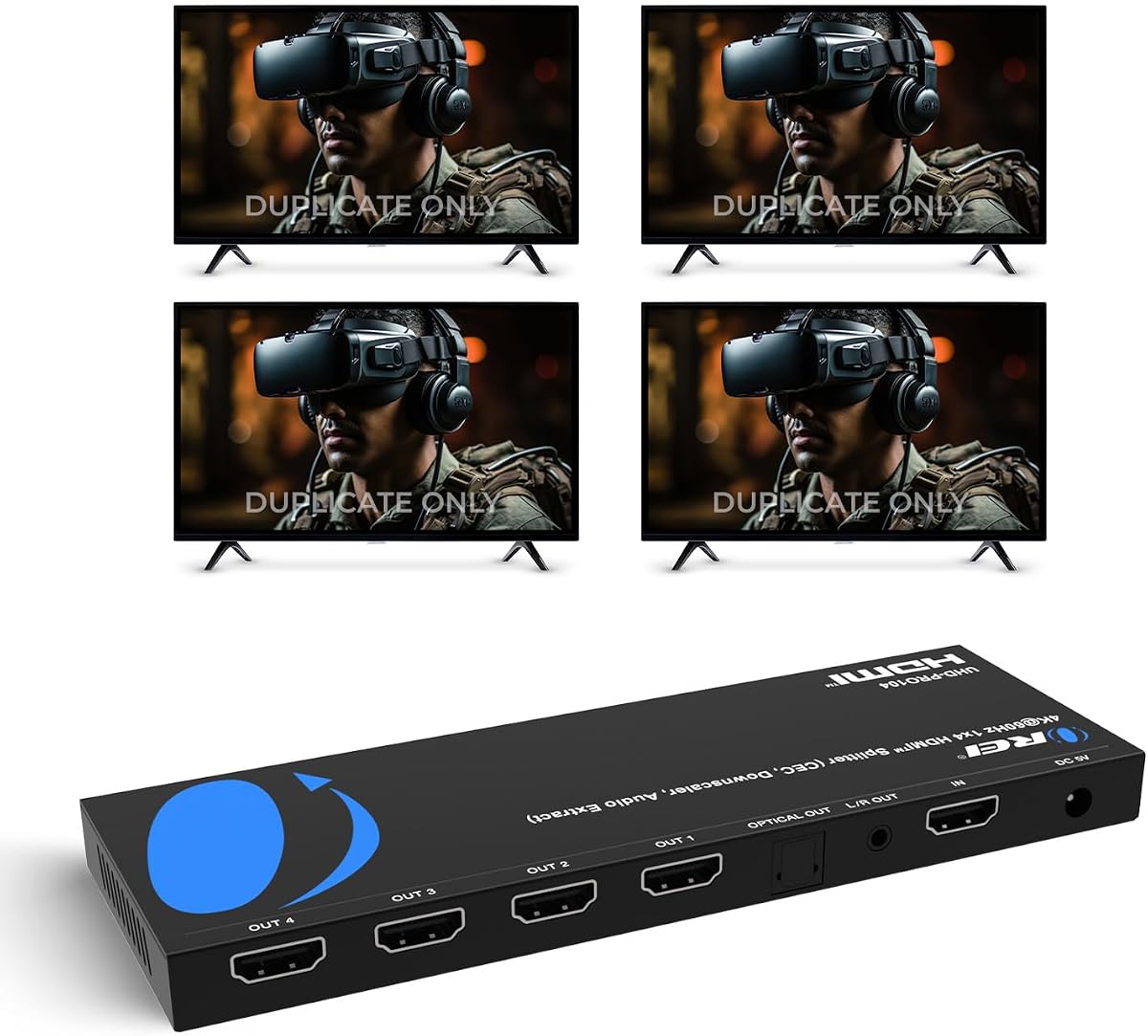
This splitter distributes one HDMI source to four synchronized displays with advanced features. Rated 4.3 stars, it supports HDR10+, Dolby Vision, and audio extraction via optical and analog outputs. Built-in downscaling ensures compatibility with mixed-resolution setups.
We may earn a commission when you buy through this link, at no additional cost to you.
Advanced EDID management provides stable signal communication. It works well with gaming consoles and streaming devices. The device handles 18Gbps bandwidth for crystal-clear video. It requires external power for optimal performance.
Ideal for setups needing audio extraction without separate boxes. If you need to connect speakers or home theater systems, this is useful. The price is higher, but the functionality justifies it for AV enthusiasts.
Best for home theater or conference rooms. It offers more than basic splitting. If you need audio output control, consider this model. Its downscaling ensures every screen receives compatible signals seamlessly.
Optical and analog outputs allow connecting external speakers without extra hardware.
Automatic conversion to 1080p ensures compatibility with older or lower-resolution displays.
We may earn a commission when you buy through this link, at no additional cost to you.
UGREEN splitter sends one source signal to four TVs simultaneously. Rated 4.4 stars, it supports 4K@60Hz with 18Gbps bandwidth. EDID control helps avoid black screens by choosing proper settings. CEC support allows for better device control.
We may earn a commission when you buy through this link, at no additional cost to you.
USB-powered design ensures stable transmission without flickering. Compatible with most devices including consoles and laptops. It requires constant power connection. The unit is designed for simplicity and plug-and-play ease.
Ideal for home or office setups needing identical displays. The EDID setting is useful for mixed resolutions. If you need four outputs rather than three, this fits well. It is reliable and easy to use.
Great for users prioritizing stability and ease. The high rating reflects consistent performance. For synchronized viewing across multiple rooms or displays, this splitter offers excellent value. Its compatibility with various devices is a plus.
Allows better control over connected devices through HDMI CEC commands.
Avoids black screens and flickering by managing display capabilities automatically.
We may earn a commission when you buy through this link, at no additional cost to you.
This splitter splits one HDMI input into four identical outputs reliably. Rated 4.4 stars, it supports up to 4K@30Hz and 1080P@60Hz. The built-in amplifier allows long-distance transmission up to 100ft for larger setups.
We may earn a commission when you buy through this link, at no additional cost to you.
Includes a 5V/2A power adapter preventing signal drops. Compatible with gaming systems and streaming media players. Metal housing ensures heat dissipation and EMI protection. Cascading support helps connect even more screens if needed.
Best for budget-conscious users needing four screens. If you require extended mode, this won't work. It is ideal for retail or home theater mirror displays. Setup is plug-and-play with no software needed.
A solid choice for basic distribution. Its 4K@30Hz fits many needs. The amplifier is great for long cables. If you need four outputs under a budget, this model delivers consistent performance.
Built-in amplifier supports long-distance transmission up to 100ft total cable length.
Low price point makes it accessible for those needing multiple displays.
We may earn a commission when you buy through this link, at no additional cost to you.
Choosing the right splitter involves understanding resolution, input types, and features. This guide helps you evaluate key factors.
Ensure the splitter supports your target resolution and refresh rate. 4K@60Hz requires at least 18Gbps bandwidth, while 8K needs 48Gbps. Higher bandwidth ensures smooth video without lag.
Check device specs to match resolution needs for gaming or design work.
Verify whether you need HDMI or DisplayPort input. Some splitters accept DP for MST, others are HDMI-only. Ensure output ports match your monitor connections.
Select based on your source device port availability.
Most splitters duplicate content only. If you need different screens, ensure MST support. Extended mode is rare and requires GPU compatibility.
Decide if you need identical or distinct displays.
Powered splitters offer stable signals without flickering. USB or AC power ensures consistent performance with high resolutions.
Always use the recommended power source.
Look for metal casings and braided cables. These improve heat dissipation and signal protection against interference.
Durable materials extend device lifespan.
Some splitters extract audio for external speakers. If you need separate audio, choose models with optical or analog outputs.
Check audio capabilities if sound is critical.
Ensure compatibility with your operating system. Some MST hubs do not support macOS. Verify GPU requirements for multi-screen.
Read product notes on OS support carefully.
Compare value features against cost. Higher prices may offer better support or advanced tech. Look for warranties of at least one year.
Invest in reliable brands with customer support.
Connect the power adapter first before attaching HDMI cables. This ensures stable signal and prevents flickering. Connect the source device last.
Use high-quality HDMI cables rated for your resolution. Cables shorter than 30ft work best without signal loss. Check ports for damage regularly.
Keep the splitter in a well-ventilated area to avoid overheating. Clean dust from the metal casing occasionally. Restart devices if issues occur.
Most standard HDMI splitters duplicate or mirror content. Extended displays require MST support via DisplayPort. Check product specs for MST capability.
Yes, powered splitters prevent signal degradation. USB or AC adapters ensure stable performance at high resolutions. Always connect power.
4K@60Hz provides crisp visuals for productivity. Higher refresh rates benefit gaming. Match your GPU output to splitter specs.
Yes, most splitters work with PS5 and Xbox. Ensure HDMI 2.1 support for VRR. Mirroring works well for streaming.
Basic models transmit audio through monitors. Extractor models provide optical or analog outputs. Choose based on your sound needs.
Flickering often comes from insufficient power or poor cables. Use high-quality cables and connect the power adapter. Restart devices to reset.
Many splitters do not support macOS MST. Some require specific GPUs. Check product compatibility before purchase.
Splitters typically support up to four screens. Each adds signal load. Higher output counts may need better bandwidth.
The top picks balance performance and value across different needs. UANTIN offers solid DP input while budget models provide cost-effective syncing.
Prioritize resolution and input type. Ensure power and audio needs are met for reliable operation. Extended displays require careful GPU checks.
Prices change frequently so verify current deals before purchasing. Our guide ensures you find a stable multi-monitor solution today.