
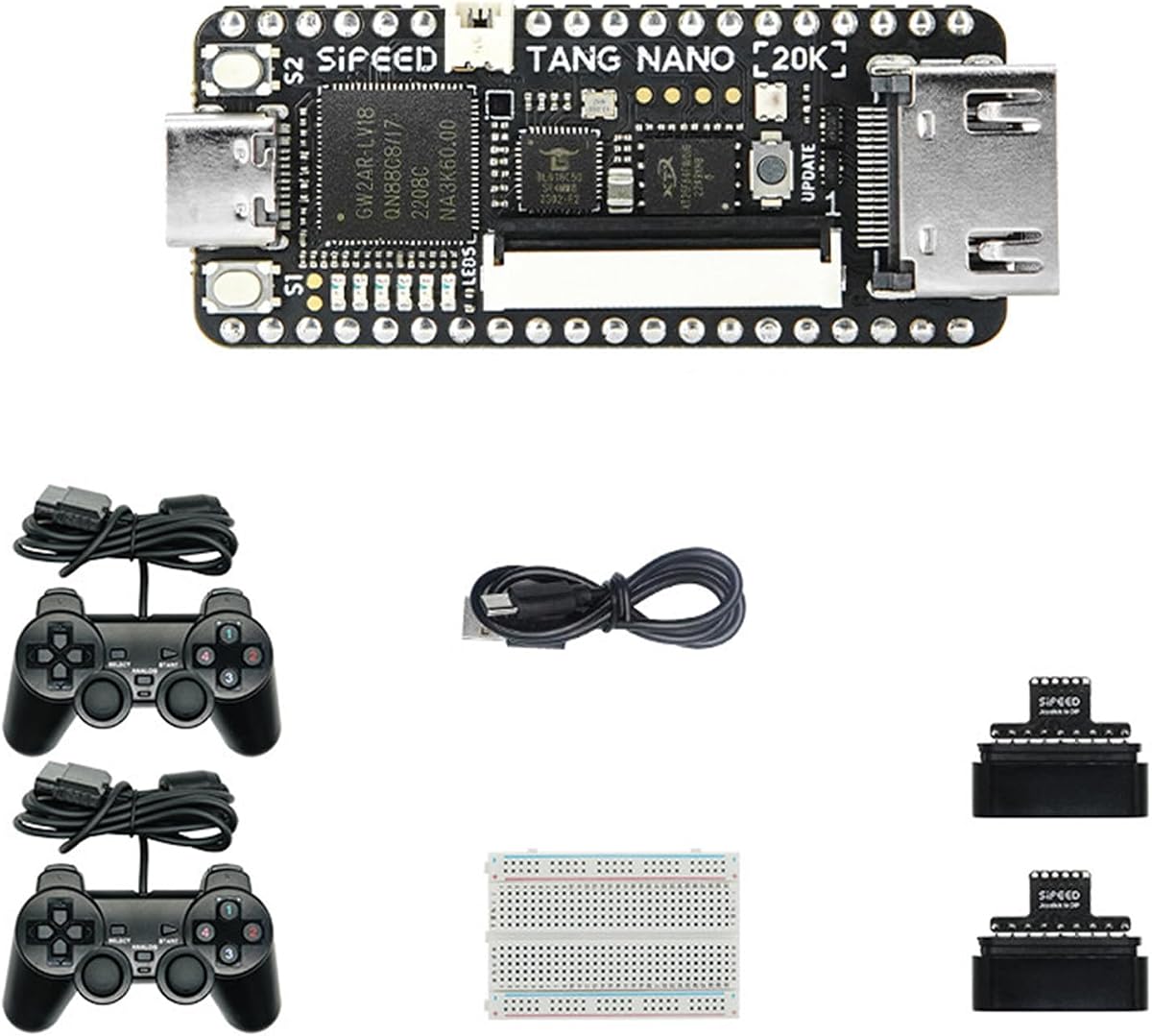
Sipeed Tang Nano 20K
4.5Editor score
20K LUT4 Logic Cells
Open Source RISC-V Linux
HDMI and RGB LCD Support
This guide compares the top ten Fpga Retro Consoles available in 2026, evaluating FPGA capacity, HDMI output, and developer support for enthusiasts and makers.
Fpga Retro Consoles offer a unique blend of hardware accuracy and modern connectivity for classic gaming enthusiasts. Unlike software emulators, these devices use field-programmable gate arrays to replicate original console behavior at the silicon level. This ensures precise timing and authentic graphics without the lag often found in standard emulation solutions.
We evaluated ten distinct models ranging from compact handhelds to powerful development boards. Our analysis focused on FPGA logic capacity, video output options, expansion interfaces, and community support. Each product was assessed for its ability to run retro cores accurately while providing modern features like HDMI and USB connectivity.
Each pick below highlights specific strengths for different user needs, from budget builders to premium seekers. While ratings reflect current feedback, availability and pricing fluctuate frequently. Always verify the latest details on the official product pages before making a final purchase decision for your setup.
4.5Editor score
4.8Editor score

4.8Editor score
The following table provides a side-by-side comparison of the top ten Fpga Retro Consoles available this month. We highlight key specifications such as logic capacity, memory options, and video interfaces to help you identify the right fit for your retro gaming or development project.



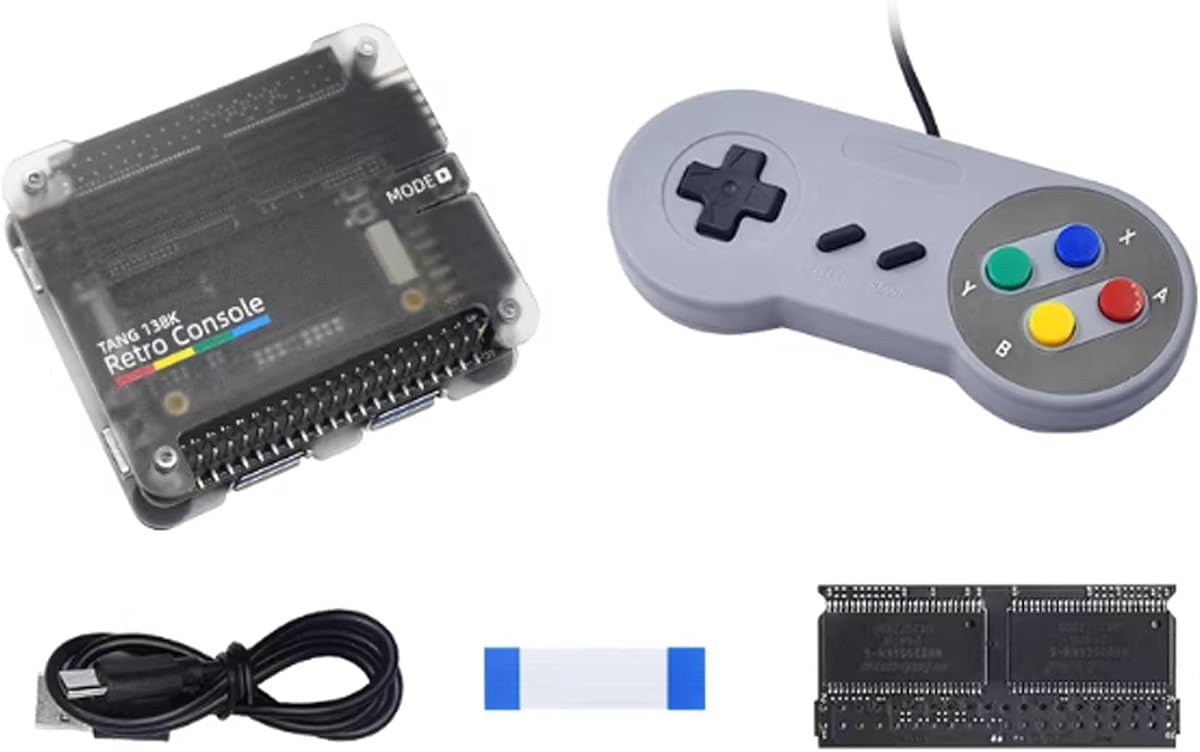
The Sipeed Tang Console 138K stands out as a top-tier option for serious FPGA enthusiasts. It combines high logic density with modern connectivity to create a versatile retro gaming and development platform. Users appreciate its ability to run complex cores while maintaining a compact footprint.
We may earn a commission when you buy through this link, at no additional cost to you.
Its 138K LUT4 architecture allows for the emulation of challenging systems like Amiga or Sega CD without significant overhead. The inclusion of HDMI output ensures crisp visuals on modern displays. Furthermore, the PCIe HAT compatibility opens unique integration possibilities with single-board computers.
While the board lacks pre-loaded software, this flexibility allows advanced users to customize the firmware extensively. The learning curve is steeper than plug-and-play consoles, but the rewards in performance and customization are substantial. It is best suited for those comfortable with development environments.
If you need a robust FPGA board for both retro gaming and hardware prototyping, this model is the clear recommendation. Its expandability and performance ensure it remains relevant as new cores are developed. Verify current stock levels before ordering to avoid delays.
The 138K LUT4 capacity enables complex system emulation that lower-end FPGAs cannot handle efficiently.
This unique feature allows the console to function as a powerful peripheral for Raspberry Pi 5 projects.
We may earn a commission when you buy through this link, at no additional cost to you.
The Sipeed Tang Console offers an impressive balance of power and portability for FPGA retro gaming. It supports multiple SOM configurations and comes with a BL616 MCU for debugging. This makes it a favorite among developers who want to test cores directly on hardware.
We may earn a commission when you buy through this link, at no additional cost to you.
Key strengths include its USB3.0 ports which allow for faster data transfer when managing ROMs. The HDMI output supports 1080P resolution ensuring games look sharp on modern TVs. Additionally, the Linux development board aspect means you can run scripts and tools directly on the unit.
The main trade-off is the complexity of setting up the initial software environment. Unlike standard consoles, this requires some familiarity with development kits. However, once configured, it offers a smooth and highly customizable gaming experience that rivals dedicated hardware.
We recommend this kit for anyone serious about FPGA development or high-quality retro emulation. Its versatility makes it a long-term asset in any hobbyist collection. Check the wiki documentation before purchasing to ensure you have the necessary tools ready.
Multiple USB and HDMI ports ensure you can connect various controllers and displays without adapters.
The included MCU and Linux support allow for deep customization and debugging of FPGA cores.
We may earn a commission when you buy through this link, at no additional cost to you.
This variant of the Tang Console integrates a powerful RISC-V core directly into the design. This integration enhances its ability to handle complex tasks and custom applications beyond simple emulation. The 138K LUT4 capacity provides ample room for advanced core implementations.
We may earn a commission when you buy through this link, at no additional cost to you.
Its fanless operation ensures silent use during gameplay or development sessions. The HDMI output delivers high-quality visuals suitable for any modern monitor. The compact size makes it easy to fit into various setups without taking up much desk space.
The main challenge lies in the configuration process which requires technical knowledge to optimize fully. While this may deter casual users, it appeals to enthusiasts who want full control over their hardware. The performance gains justify the extra effort for most power users.
If you seek a premium FPGA experience with advanced processing capabilities, this board is an excellent choice. It bridges the gap between development tools and retro gaming consoles effectively. Verify the specific SOM requirements to ensure compatibility with your needs.
Fanless design keeps noise levels low making it perfect for quiet environments or recording setups.
The integrated AE350 core provides a powerful CPU for running complex software alongside FPGA tasks.
We may earn a commission when you buy through this link, at no additional cost to you.
The Tang Nano 20K is an ideal entry point for those exploring FPGA retro gaming. It offers a cost-effective solution with decent logic capacity for common 8-bit and 16-bit systems. Users value its open-source nature which encourages community contributions and development.
We may earn a commission when you buy through this link, at no additional cost to you.
Key features include support for RGB LCD displays which makes it suitable for handheld projects. The HDMI output ensures compatibility with standard monitors for easy testing. Its small size allows it to be integrated into custom enclosures or portable cases.
While it lacks the power for very complex systems, it handles many classic games with ease. The main limitation is the smaller logic count compared to high-end models. However, for learning and basic emulation, it provides excellent value for the price.
We suggest this board for beginners or hobbyists looking to start their FPGA journey. It is affordable enough to experiment with without a significant financial risk. Review the datasheet to confirm it meets your specific project requirements.
Community contributions ensure constant updates and improvements to software support for this board.
Its compact form factor makes it easy to build into portable handheld consoles or small devices.
We may earn a commission when you buy through this link, at no additional cost to you.
This kit provides a complete package for users wanting to experiment with FPGA and Linux integration. It features the GW2AR-18 chip which supports a variety of applications beyond gaming. The inclusion of 64Mbits SDRAM enhances performance for demanding tasks.
We may earn a commission when you buy through this link, at no additional cost to you.
Its ability to run a RISC-V Linux system opens up possibilities for running apps directly on the board. This makes it versatile for both gaming and general computing experiments. The HDMI port ensures you can easily view outputs on a standard screen.
While the logic count is moderate, it is sufficient for a wide range of retro cores. The main limitation is the need for technical knowledge to utilize all features fully. However, the community support helps mitigate this for new users.
If you want a versatile board that supports both gaming and general computing, this kit is a strong candidate. It balances performance and affordability well for its price class. Ensure you have the necessary tools before starting your first project.
Running a Linux system on FPGA provides a unique experience for running complex applications and tools.
The 64Mbits SDRAM provides enough memory for running multiple cores or complex game logic simultaneously.
We may earn a commission when you buy through this link, at no additional cost to you.
This version of the Tang Nano 20K emphasizes its role as a Linux Single Board Computer. It is designed to support both retro gaming cores and general computing tasks. The BL616 debugger simplifies the process of loading and testing firmware on the FPGA.
We may earn a commission when you buy through this link, at no additional cost to you.
Its support for multiple display outputs makes it flexible for various setups including RGB screens. The NES emulator support ensures immediate usability for classic gaming. This balance of features makes it a versatile tool for hobbyists and educators.
However, users should be aware that running Linux on this hardware requires specific software configurations. The logic capacity is limited to 20K so high-end systems may not be feasible. Despite this, it remains a powerful tool for learning and development.
We recommend this board for those interested in exploring Linux on FPGA platforms. It offers a unique opportunity to bridge the gap between embedded systems and retro gaming. Check the wiki for the latest setup guides to get started quickly.
The integrated debugger simplifies the process of flashing and testing custom FPGA firmware.
Support for various display types allows for creative builds like custom handhelds or arcade cabinets.
We may earn a commission when you buy through this link, at no additional cost to you.
The Arduboy FX-C is a unique device that bridges the gap between gaming and programming education. It comes preloaded with hundreds of classic games and offers a platform for creating your own. Its credit card size makes it easy to carry anywhere.
We may earn a commission when you buy through this link, at no additional cost to you.
Key strengths include its USB-C connectivity which allows for multiplayer battles with another unit. The ATmega32u4 chip supports custom code development using the Arduino IDE. This makes it an excellent tool for STEM education and hobbyists interested in coding.
While it is not an FPGA device like others on this list, its programmable nature appeals to developers. The OLED screen is bright and clear though small by modern standards. It is best suited for those interested in creation rather than complex emulation.
If you want a pocket-sized device for gaming and learning to code, this is an ideal choice. It is fun for all ages and encourages creativity through software development. Check the community resources for endless game ideas.
Designed to teach coding skills it provides a hands-on way to learn software development basics.
USB-C connectivity enables head-to-head battles with friends using the link cable feature.
We may earn a commission when you buy through this link, at no additional cost to you.
The Trimui Brick Pro distinguishes itself with a large 3.95-inch IPS display offering sharp visuals. This makes it ideal for games that benefit from larger screen real estate. Its Allwinner A133P processor ensures smooth performance across many retro systems.
We may earn a commission when you buy through this link, at no additional cost to you.
Hall joysticks provide precise control and prevent the drift issues common in older hardware. The 5000mAh battery offers hours of playtime making it suitable for travel. Vibration feedback adds an immersive layer to the gaming experience.
However, the console does not come with a memory card so you must provide your own SD card. This may be a minor hurdle for some but ensures you only have the games you want. The open-source OS allows for easy updates and customization.
If you prioritize screen size and build quality in a portable console, this model is strong. It handles many retro systems well but is best for users comfortable with setting up ROMs. Verify the card requirements to ensure you have the necessary storage.
Magnetic hall effect joysticks provide durable drift-free control essential for precise gaming.
1024×768 resolution makes UI text readable and graphics crisp compared to smaller screens.
We may earn a commission when you buy through this link, at no additional cost to you.
The RG40XXV is a straightforward option for retro gaming on Linux systems. It includes games out of the box allowing immediate play without complex setup. This makes it a convenient choice for casual players who want a handheld device.
We may earn a commission when you buy through this link, at no additional cost to you.
Its Linux system allows for customization and access to a variety of emulators. The hardware quality reflects Ambernic's reputation for solid build standards in the retro community. It is lightweight and easy to hold during long gaming sessions.
While it lacks detailed public documentation, the community support is generally helpful. The main limitation is potential variation in hardware batches which can affect software compatibility. Users should check recent reviews to ensure the model meets their needs.
If you want a simple handheld with pre-installed games and Linux flexibility, this is a good pick. It balances ease of use with open-source potential. Verify the current firmware details to ensure a smooth experience.
The inclusion of games out of the box saves time and effort for new owners.
Running Linux allows for advanced users to install custom emulators or tools easily.
We may earn a commission when you buy through this link, at no additional cost to you.
The TRIMUI Brick PRO offers a premium handheld experience with a fully laminated screen that reduces glare. This enhances the visual clarity of classic games making them look sharp and vibrant. The design supports high-end retro systems effectively.
We may earn a commission when you buy through this link, at no additional cost to you.
Hall effect joysticks ensure precise control without drift which is critical for accurate gameplay. Dual USB-C ports allow for versatile connectivity with controllers or charging while playing. RGB mood lighting adds a modern touch to the retro design.
However, like other models in this class, it does not come with pre-installed games. You will need to prepare a TF card with your own ROMs. This gives full control over your library but adds an initial setup step.
If you value screen quality and premium build features in a handheld console, this is a top choice. It is built to last and offers a comfortable experience for long sessions. Ensure you have a TF card and ROMs ready before using.
This technology reduces glare and improves contrast for a clearer view in any lighting.
Supports charging and external controllers simultaneously without sacrificing performance or convenience.
We may earn a commission when you buy through this link, at no additional cost to you.
Selecting the right Fpga Retro Consoles requires understanding your technical needs and preferred gaming experience. This guide covers essential factors to consider before making a purchase.
Logic capacity determines how complex a game system you can emulate. Higher LUT counts allow for systems like PS1 or Amiga while lower counts are best for NES or SNES. Consider which consoles you plan to play before choosing a board.
Always check the specific LUT4 count to ensure it meets your target systems requirements.
Modern Fpga Retro Consoles typically offer HDMI for direct connection to TVs. Some also support RGB or VGA for authentic vintage displays. Ensure the output resolution matches your monitor to avoid scaling issues.
Prioritize HDMI if you want convenience and high resolution on modern screens.
RAM size impacts how many cores can run simultaneously and how large games load. DDR3 or SDRAM provides better performance than internal SRAM for complex tasks. More memory allows for smoother emulation of demanding systems.
Choose boards with at least 64Mbits of SDRAM for comfortable performance.
Interfaces like USB, PMOD, and PCIe allow you to connect controllers and sensors. USB3.0 provides faster data transfer for SD cards or storage. PMOD ports enable custom hardware extensions for advanced projects.
Look for multiple ports if you plan to use many controllers or custom add-ons.
Community software determines the variety of cores and features available. Check if a wiki or forum exists for troubleshooting and core updates. Linux-based systems offer more flexibility for automation and custom scripts.
Opt for models with active communities to ensure long-term software support.
Efficiency affects battery life in handhelds and heat generation in stationary boards. Fanless designs are quieter but may throttle under load. Consider if you need a portable solution or a dedicated desktop unit.
For portable use, check battery specs and power draw carefully.
Size impacts where you can place the console and how easy it is to transport. Compact boards are easier to integrate into custom enclosures. Larger boards may have better cooling but take up more space.
Measure your available space to ensure the board fits comfortably.
Developer kits require technical knowledge to configure. Some consoles come pre-installed which simplifies setup. If you are new to FPGA, look for beginner-friendly documentation or kits.
If you prefer plug and play, choose a console with pre-loaded games.
Start by connecting the console to your display via HDMI. Ensure your TV or monitor is set to the correct input source. Most units require a USB power source which should be stable and clean to avoid issues.
Install the necessary software or firmware using the provided tools or wiki links. For boards without pre-loaded games you will need to prepare an SD card with ROMs. Organize files according to the core requirements for best results.
Keep the device in a cool dry environment to prevent overheating. Avoid bending the cables excessively during setup. Regularly update your firmware to benefit from new features and bug fixes.
FPGA consoles use hardware logic to replicate original behavior for lower latency. Emulators use software to mimic hardware which can be less precise. FPGA generally offers more authentic gameplay timing and visuals.
For development boards yes some knowledge is needed to load cores. Ready-made consoles require minimal skill mostly just managing files. Consider your comfort level before purchasing a developer kit.
Yes most boards support USB controllers via USB3.0 or USB2.0 ports. Check compatibility with specific controller types to ensure full functionality. Some boards also support custom controllers via PMOD.
Most support up to PS1 or simpler systems depending on logic capacity. Switch and PS2 are generally too complex for these boards. Focus on 8-bit or 16-bit era systems for best results.
Most boards support microSD or TF cards for game storage and system files. Use high-quality cards to avoid data corruption. Some models also support USB storage for expanded options.
With proper care FPGAs can last many years without degradation. Mechanical parts like ports or buttons may wear over time. Ensure proper cooling to extend the hardware lifespan.
Yes each system requires a specific FPGA core to emulate correctly. These cores are often community developed and shared via wikis. Ensure you download the right core for your target console.
Most boards support firmware updates via USB or SD card. Check the manufacturer wiki for the latest release notes. Regular updates bring new cores and performance improvements.
We covered ten unique options ranging from entry-level Nano boards to high-capacity Tang systems. Each model offers distinct advantages depending on your goals and technical skills. The Tang Console variants stand out for their powerful logic and expandability.
Prioritize logic capacity if you want complex emulation or development flexibility. For simple portable gaming handhelds like the Trimui or RG series may serve you better. Consider your specific needs when comparing features.
Always check current prices and availability as market conditions change often. Verify warranty details and return policies before buying. We hope this guide helps you find the perfect FPGA console for your setup.