
Kayoubi LCD Writing Tablet
4.6Editor score
14.5 inch screen
One-click erase lock
No blue light glare
This guide compares the top electronic sketch pads for artists and students, covering features like pressure sensitivity and screen quality to help you choose.
Electronic sketch pads have transformed how artists and students create digital art. These devices offer a tactile experience that mimics traditional paper while providing the convenience of digital storage and editing tools for modern workflows.
We evaluated ten leading models based on screen quality, pressure sensitivity, portability, and software compatibility. Our analysis ensures you find a device that matches your specific creative needs and budget without compromising on performance or durability.
Each pick highlights key features and potential trade-offs to help you make an informed decision. Prices and availability can change frequently, so please verify the current details on the retailer site before making your final purchase today.
4.6Editor score

4.2Editor score

4.4Editor score
Explore the side-by-side comparison of the top ten electronic sketch pads. This table highlights key specifications to help you quickly identify the best model for your creative or educational needs.



The HUION Note Digital Notebook bridges the gap between traditional paper and digital tools. With a 4.2 rating, it stands out for offering real-time sync while preserving the feel of writing on actual paper.
We may earn a commission when you buy through this link, at no additional cost to you.
Its key strength lies in the battery-free pen and seamless vector line capture via Bluetooth 5.0. You can record audio alongside your notes and share them instantly as images or PDFs.
Trade-offs include dependence on the mobile app for full functionality. This limits standalone use but ensures powerful organization and editing capabilities within the dedicated software environment.
Ideal for students and professionals who need portable note-taking with digital backup. Its versatility makes it a top choice for anyone wanting the best of both worlds.
The app allows you to organize notes into groups and edit them easily with tools like highlighters.
It functions as a drawing tablet too when you replace the inner pages with the provided panel.
We may earn a commission when you buy through this link, at no additional cost to you.
The XPPen 10.95 Standalone delivers a premium experience with its X-Paper display and high refresh rate. It is perfect for users needing a full computer-free drawing environment with advanced color capabilities.
We may earn a commission when you buy through this link, at no additional cost to you.
Its 16K pressure sensitivity and tilt support offer precise control for shading and drawing. The 90Hz refresh rate ensures smooth line transitions without lag during intensive sessions.
While costly, the included Android 14 system allows app downloads for versatile workflows. It supports three color modes for different tasks like annotating or reading comfortably.
Best for professional artists seeking a standalone device with high fidelity. Its combination of hardware and software makes it a robust investment for serious creators.
The anti-glare screen and TÜV-certified low blue light reduce eye strain during long use.
Pre-installed apps and access to Google Play make it a complete creative tool out of the box.
We may earn a commission when you buy through this link, at no additional cost to you.
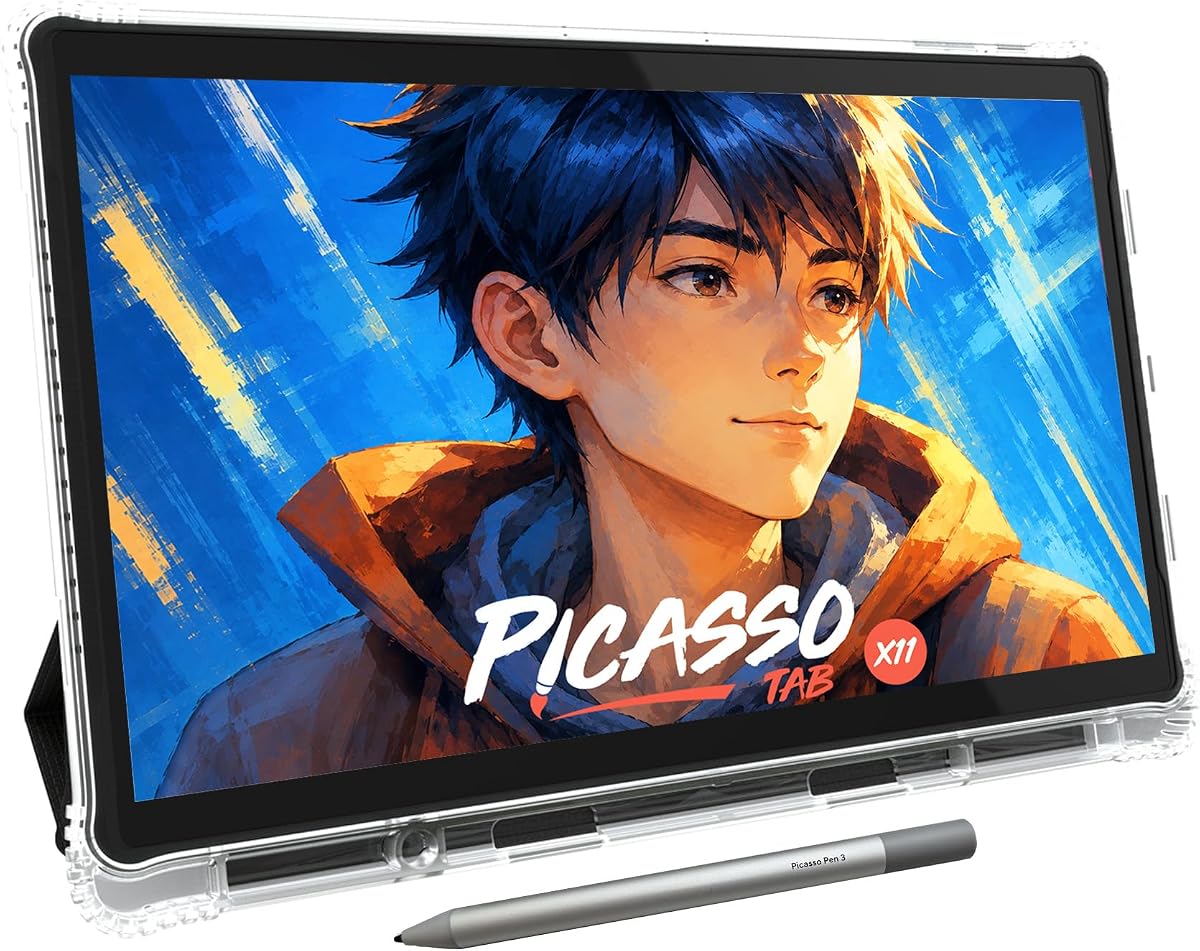
The PicassoTab X11 offers a standalone solution with a large laminated screen for realistic drawing. It includes preloaded apps and tutorials making it ideal for beginners learning digital art.
We may earn a commission when you buy through this link, at no additional cost to you.
With an octa-core processor and 6GB RAM, it handles multitasking and drawing apps smoothly. The 4096 pressure levels provide accurate strokes for sketching and shading tasks.
Its expandable storage up to 1TB ensures ample space for projects. The lifetime VIP tutorials support learning step-by-step exercises designed for new users.
Suitable for students and hobbyists needing a full tablet experience. It balances performance with educational resources to help users grow their skills effectively.
Lifetime VIP tutorials offer guided practice and instant help via the Xplore app.
Fast performance allows you to run schoolwork and streaming alongside creative apps easily.
We may earn a commission when you buy through this link, at no additional cost to you.
The Kayoubi LCD Writing Tablet offers a massive 14.5 inch screen at an affordable price. It is designed for young artists to explore creativity without the mess of paper and ink.
We may earn a commission when you buy through this link, at no additional cost to you.
Its zero blue light display makes it safer for long use. The one-click erase and lock features ensure easy management of drawings and prevent accidental deletions.
While it lacks digital storage capabilities its simplicity is a strength. It serves perfectly as a travel toy or classroom aid for quick doodling and learning activities.
Perfect for parents seeking an affordable creative outlet. Its large canvas and durable design make it a practical gift for boys and girls of all ages.
Enjoy endless drawing and erasing without paper waste or cleanup requirements.
Zero harsh blue light protects vision making it a safe alternative to digital toys.
We may earn a commission when you buy through this link, at no additional cost to you.
The Bravokids 10 Inch LCD provides a colorful screen for engaging creative play. It is lightweight and durable making it easy for children to carry anywhere.
We may earn a commission when you buy through this link, at no additional cost to you.
Its pressure-sensitive technology allows lines of different thickness depending on touch pressure. The lock key saves content and the erase button clears it quickly for reuse.
Designed to protect the environment by saving paper this tablet offers over 100,000 rewrites. It keeps children quiet and focused during long trips or downtime.
Ideal for young kids needing a portable drawing tool. Its educational value and ease of use make it a trusted choice for parents.
At only 150 grams this tablet fits easily in bags for school or travel.
Perfect for learning letters or numbers while having fun with colors and shapes.
We may earn a commission when you buy through this link, at no additional cost to you.
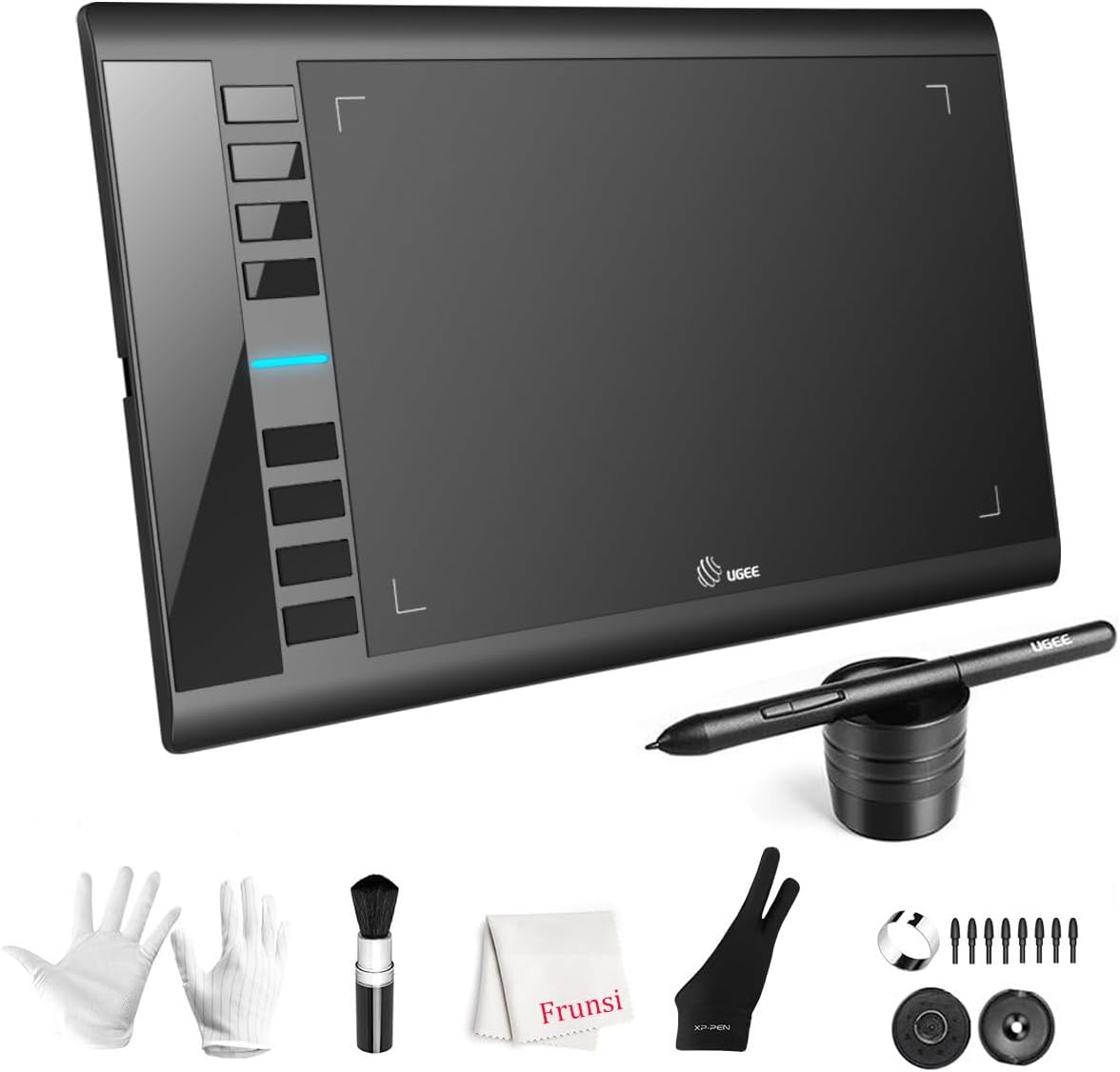
The UGEE M708 offers a large 10×6 inch active area for digital creation. It is designed to provide smooth lines and accurate shading for artists working on a computer.
We may earn a commission when you buy through this link, at no additional cost to you.
Its 16384 pressure levels ensure precise control for any style. The eight express keys speed up workflow by allowing quick access to common tools.
While it requires a computer connection its compatibility with major systems is excellent. It works with popular creative software making it a versatile tool for beginners.
Perfect for hobbyists starting digital art on a budget. Its ergonomic design and performance support learning without breaking the bank.
Eight customizable keys reduce mouse use and improve workflow efficiency during creation.
It works with Photoshop and other industry tools so your projects can be professional.
We may earn a commission when you buy through this link, at no additional cost to you.
The Mafiti LCD Writing Tablet is a slim 8.5 inch tool for quick notes and sketches. Its updated version offers thicker writing lines making content easier to view clearly.
We may earn a commission when you buy through this link, at no additional cost to you.
It features a kick-stand function for displaying messages to others. The lock-protection switch ensures your content stays safe from accidental erasure.
With a replaceable coin-cell battery it offers long-term reliability. The ultra-light design makes it easy to carry anywhere for on-the-go creativity.
Ideal for office memos or children's quick doodles. Its simplicity and portability make it a practical choice for everyday use.
At 1/8 inch thin this tablet slips easily into pockets or small bags.
Thicker writing lines ensure messages are clear and easy to read.
We may earn a commission when you buy through this link, at no additional cost to you.
The TEKFUN LCD Writing Tablet offers a 10 inch colorful screen for creative play. It provides a mess-free experience that is safe for children's eyes over long periods.
We may earn a commission when you buy through this link, at no additional cost to you.
Its lightweight and durable build makes it ideal for travel. The lock key prevents accidental erasure so you can save masterpieces safely before clearing the board.
The built-in battery lasts for 100,000 writes and can be replaced. This eco-friendly design reduces waste while keeping kids engaged during trips.
Best for young kids needing a portable toy. Its reliability and ease of use make it a favorite gift for birthdays and holidays.
Waterproof and anti-fall design ensures it survives rough handling during road trips.
The color screen protects children from long-term eye strain during use.
We may earn a commission when you buy through this link, at no additional cost to you.
The Wacom Intuos Small delivers industry-leading control with its battery-free pen technology. It offers a superior pen on paper feel that professionals trust for digital work.
We may earn a commission when you buy through this link, at no additional cost to you.
Its small format is perfect for limited desks. The included software and training resources help new users get started quickly with creative projects.
Despite the need for a computer connection it performs seamlessly across platforms. Its wired connection ensures stable performance without charging concerns.
Ideal for professionals or students needing reliable precision. Its reputation and software support make it a dependable choice for serious creators.
Wacom's pen technology is preferred by designers for its natural control and precision.
Register your tablet to access top creative software and online training resources.
We may earn a commission when you buy through this link, at no additional cost to you.
The XP-PEN Artist12 features a 11.6 inch FHD display for detailed digital art. Its anti-reflective screen protector ensures vibrant colors and clear viewing during long sessions.
We may earn a commission when you buy through this link, at no additional cost to you.
With 8192 pressure levels it offers precise control for sketching and editing. The programmable touch bar and shortcut keys streamline workflow for efficient creativity.
It serves as an extended display for online work making it perfect for remote teaching. The slim design and multi-function pen holder add convenience to any setup.
Ideal for students and professionals needing a visual drawing experience. Its color gamut and support make it a strong tool for digital work.
1920×1080 HD display presents vivid colors for accurate artwork presentation.
Teachers can write equations directly on screen for Zoom and Teams classes.
We may earn a commission when you buy through this link, at no additional cost to you.
Selecting the right electronic sketch pad depends on several factors ranging from screen technology to software needs.
Decide between standalone tablets with built-in screens and graphic tablets that require a computer connection. Standalone tablets offer flexibility while connected ones provide more processing power.
Look for laminated displays to reduce parallax and anti-glare screens to protect your eyes during long use.
Pressure levels determine how well the pen responds to your touch. Higher levels like 16K allow for finer control over line thickness and opacity.
Choose at least 4096 levels for professional work and basic levels for simple note-taking or doodling.
Check how long the device lasts on a single charge especially for standalone tablets. Some styluses are battery-free which removes the need for recharging.
Prioritize models with long battery life if you plan to work on the go without access to power outlets.
Consider the weight and thickness if you need to carry your device in a bag. Lightweight options are easier to handle for long periods.
Look for durable build quality with rounded corners to withstand travel bumps and drops.
Ensure the device works with the software you already use like Photoshop or Illustrator. Standalone tablets should have a good selection of pre-installed apps.
Check for operating system support if you plan to connect to a specific computer or mobile device.
The screen size affects your workspace. Larger screens provide more room for details but are harder to carry.
Select a size that fits your desk and usage habits whether it is for detailed art or quick sketches.
Look for USB-C or Bluetooth options to ensure easy setup with your devices. Wireless connection offers more flexibility but requires pairing.
Wired connections are reliable and stable for professional environments where speed is critical.
Features like express keys or touch bars can improve your workflow by reducing mouse usage.
Check if the device includes extra accessories like gloves or screen protectors to enhance comfort.
Set up your device by following the manufacturer instructions for pairing or installing drivers. Calibrate the pen sensitivity to match your writing style and comfort level.
Keep the screen clean with a soft microfiber cloth to avoid scratches. Store the stylus in the provided holder or case when not in use.
Charge the battery fully before first use and monitor it regularly to maintain longevity. Avoid leaving the device in extreme temperatures or direct sunlight.
Some models like standalone tablets operate independently while others require a computer connection. Always check the specifications to ensure it fits your workflow requirements before buying.
Beginners generally benefit from 4096 levels which provide smooth control without overwhelming complexity. This allows for natural strokes and helps build confidence in digital drawing.
Battery-free styluses offer convenience as they never need recharging. They provide a consistent experience over time without worrying about power levels during important sessions.
No electronic sketch pads require specific styluses designed for their sensors. Using a regular pen may damage the screen or fail to register strokes correctly.
Use a soft dry microfiber cloth to remove dust and smudges. Avoid harsh chemicals or paper towels that could scratch the anti-glare coating.
Many models are designed specifically for kids with durable cases and simple interfaces. They help develop fine motor skills and creativity without paper waste.
We reviewed ten top electronic sketch pads covering everything from portable note-taking tools to professional standalone tablets. Each option offers unique strengths to match various needs.
Consider what matters most to you whether it is portability screen quality or software support. Picking the right device ensures a smooth transition into digital creativity.
Prices and availability change frequently so check current details before purchasing. We hope this guide helps you find the perfect tool for your artistic journey.