
Lenovo Chromebook 14
5.0Editor score
MediaTek Kompanio 8-Core CPU
14 Inch WUXGA Touchscreen
Lightweight 2.99 lbs Build
Chromebooks have evolved significantly to integrate artificial intelligence directly into the operating system. Modern devices now offer built-in generative tools that assist with writing, image editing, and productivity tasks seamlessly.
We compared ten leading models based on processor power, memory capacity, and specific AI feature integration. Our analysis focuses on devices that leverage Google AI Pro and Gemini capabilities for enhanced user experiences.
Each pick highlights unique strengths ranging from budget-friendly options to premium convertible designs. Please note that pricing and availability fluctuate regularly so verify current details before making your final purchase decision.
5.0Editor score

4.9Editor score

4.5Editor score
As an Amazon Associate we earn from qualifying purchases.
This table provides a side-by-side overview of all ten selected models highlighting their key specifications to help you quickly identify the device that best fits your specific AI workflow requirements.


The Acer Chromebook Plus 514 stands out as the top choice for users seeking robust AI capabilities. It holds an impressive 4.9 rating and features the latest Intel Core i3-1315U processor designed to handle AI workloads efficiently.
We may earn a commission when you buy through this link, at no additional cost to you.
This model includes a 12-month subscription to Google AI Pro which unlocks premium features like Gemini Advanced and 5TB of cloud storage. The display is a crisp 14-inch WUXGA touchscreen that makes interacting with AI tools intuitive and responsive.
While the 8GB of RAM is sufficient for most tasks it cannot be upgraded later which might limit longevity for power users. However the fast SSD and Wi-Fi 7 connectivity ensure that daily operations remain smooth and fast.
Students and professionals alike will appreciate how this device streamlines creative workflows through built-in Gemini tools. It is highly recommended for anyone wanting a reliable Chromebook that prioritizes artificial intelligence features above all else.
Gemini is deeply integrated into Gmail Docs and other apps allowing users to summarize emails and generate text instantly without leaving their workspace.
The WUXGA resolution provides sharp text and images while Wi-Fi 7 ensures low latency when using cloud-based AI services for real-time collaboration.
We may earn a commission when you buy through this link, at no additional cost to you.
The ASUS Chromebook Plus CX34 offers a balanced approach to AI integration focusing on ease of use and portability. With a 3.8 rating it appeals to budget-conscious buyers who still want access to generative AI features.
We may earn a commission when you buy through this link, at no additional cost to you.
It comes with the Google One AI Premium plan included for 12 months providing advanced tools for writing and image creation. The AI-powered video call tools automatically enhance lighting and noise levels which improves remote work experiences significantly.
However the UFS storage is notably slower than the SSDs found in higher-end models which may affect load times for heavy applications. This trade-off makes it less ideal for power users but perfectly fine for general productivity and study.
This device is best suited for students or casual users who need a reliable machine for web browsing and document editing. It delivers essential AI capabilities without the premium price tag of other top contenders on the market.
Users can utilize AI to design unique backgrounds and reimagine photos directly within the system making creative tasks more accessible than ever before.
The laptop weighs very little and lasts up to 10 hours on a single charge making it easy to carry to classes or coffee shops for work.
We may earn a commission when you buy through this link, at no additional cost to you.
The Acer Chromebook Plus 515 provides a spacious 15.6 inch display which is beneficial for multitasking with AI windows side by side. It holds a solid 4.3 rating and features the Intel Core i3-1305U processor for reliable performance.
We may earn a commission when you buy through this link, at no additional cost to you.
This model includes 12 months of Google AI Pro with a specific focus on NotebookLM which is excellent for research and summarizing long documents. The LPDDR5X memory ensures that switching between multiple tabs and AI tools remains smooth and responsive.
While the larger screen is great for productivity it does make the device heavier and less pocketable than 14 inch alternatives. The Full HD resolution is adequate but not as sharp as higher resolution panels found on premium units.
It is an excellent choice for students or researchers who need more screen real estate for their work. If you prioritize a bigger workspace over extreme portability this Chromebook delivers strong value and essential AI features effectively.
NotebookLM allows you to upload files and get instant summaries or answers which speeds up research tasks significantly compared to traditional web searches.
The LPDDR5X memory standard provides faster data throughput which helps when running complex browser apps that utilize AI for real-time processing and translation.
We may earn a commission when you buy through this link, at no additional cost to you.
The acer Chromebook Plus Spin 714 represents a significant leap in AI hardware with its Intel Core Ultra 5 processor featuring a dedicated AI engine. It earns a strong 4.5 rating and brings premium build quality to the Chromebook market.
We may earn a commission when you buy through this link, at no additional cost to you.
The 120Hz WUXGA touchscreen provides incredibly smooth visuals which enhances the user experience when interacting with dynamic AI content. The 2-in-1 form factor allows you to flip the screen for drawing or note-taking which complements creative AI tools well.
Despite its premium features it uses fixed 8GB RAM which may limit future expansion for those who need heavy multitasking. However the Thunderbolt 4 support ensures that external storage and displays connect at very high speeds for professional workflows.
This device is perfect for creative professionals who want the flexibility of a tablet combined with the power of a laptop. It justifies the higher cost with superior hardware and the most advanced AI processor currently available in a Chromebook.
The dedicated NPU in the Core Ultra chip handles AI tasks locally improving privacy and speed without relying solely on internet connections for processing.
A 120Hz refresh rate makes scrolling and animations look fluid which reduces eye strain during long sessions of interacting with AI-generated content.
We may earn a commission when you buy through this link, at no additional cost to you.
This version of the Acer Chromebook Plus 514 distinguishes itself with a massive 512GB storage drive which is rare in the entry-level Chromebook sector. It holds a 4.3 rating and offers excellent value for those needing local file capacity.
We may earn a commission when you buy through this link, at no additional cost to you.
It also includes the full Google AI Pro suite ensuring that you can utilize advanced Gemini features for creativity and organization. The ability to connect three external monitors allows for a desktop-like workspace which is useful for complex AI projects.
The Intel i3-N355 processor is newer but less powerful than the U-series chips found in pricier models so heavy processing tasks may take longer. However for typical use cases involving browsing and document editing it is more than sufficient.
If you need significant storage for media files and want a robust AI setup without spending a fortune this model is a smart choice. It balances local capacity with cloud intelligence to provide a versatile experience for home users.
With 512GB onboard you have room for local files alongside cloud storage which ensures you can work offline on documents when internet access is unreliable.
Support for multiple external displays lets you dedicate one screen to AI research while working on documents on another enhancing overall productivity significantly.
We may earn a commission when you buy through this link, at no additional cost to you.
The Lenovo 2026 Chromebook 14 is the ideal option for students who need a touch screen and basic AI capabilities without a high cost. It has achieved a perfect 5.0 rating from users who value its portability and screen quality.
We may earn a commission when you buy through this link, at no additional cost to you.
Its MediaTek Kompanio 540 processor is energy efficient ensuring long battery life for all-day classes. The 14-inch WUXGA touchscreen is sharp and responsive which makes drawing diagrams or navigating menus with AI tools easy and enjoyable.
The limited 4GB RAM and 64GB storage might be tight if you plan to run many heavy apps simultaneously so reliance on cloud storage is necessary. For basic tasks like web browsing and note-taking this does not impact performance negatively at all.
It is highly recommended for younger students or anyone with a strict budget who still wants a modern device. The physical privacy shutter is a great addition for security and the laptop remains incredibly light to carry daily.
At under 3 pounds this device fits easily into any backpack allowing students to take their work everywhere without feeling weighed down by heavy hardware.
The 10-point multi-touch screen allows for intuitive gestures which can simplify navigation through educational apps and AI tools that use handwriting recognition.
We may earn a commission when you buy through this link, at no additional cost to you.
This iteration of the Acer Chromebook Plus 514 offers a strong balance of performance and durability for general use. With a 4.3 rating it appeals to users who need a robust machine for daily tasks and light creative work.
We may earn a commission when you buy through this link, at no additional cost to you.
The 512GB storage provides ample space for files and the included AI tools help optimize creative drafts and writing quickly. The MIL-STD 810H certification means it can withstand harsh conditions which is great for users who travel frequently or work outdoors.
While the processor is not the fastest on this list it handles everyday browsing and document creation effectively. The fixed RAM is a limitation but 8GB is generally enough for most standard workflows involving web-based AI tools.
If you need a durable computer with extra storage and do not require premium speed this model is a solid investment. It covers the essentials well and ensures that your work remains secure and accessible for the long term.
Military-grade testing ensures the laptop can survive accidental drops or spills which adds a layer of safety for active users or students.
Built-in AI tools for organizing drafts help streamline the writing process allowing you to focus on ideas rather than formatting and organization.
We may earn a commission when you buy through this link, at no additional cost to you.
This model provides an accessible entry point for users looking to try AI features without breaking the bank. It holds a 4.0 rating and comes equipped with a modern Core 3 processor and generous storage for a budget device.
We may earn a commission when you buy through this link, at no additional cost to you.
The 1920 x 1200 resolution ensures that text looks sharp and images appear vivid which improves the overall experience of using visual AI tools. Wi-Fi 6E support allows for faster wireless speeds reducing lag during video calls and cloud synchronization tasks.
While the processor is capable of basic tasks it may struggle with demanding multitasking or heavy local AI workloads. The design is standard and utilitarian so it may not feel as premium as higher-end laptops but it gets the job done.
For casual users or households needing a secondary device this offers excellent value for money. It provides the necessary hardware to run Chrome OS smoothly and access the growing ecosystem of AI-enhanced web apps.
The higher resolution display makes reading long documents easier on the eyes which is beneficial when working with AI-generated text summaries.
Wi-Fi 6E ensures you stay connected to fast networks which is essential for using cloud-based AI tools that require stable internet access.
We may earn a commission when you buy through this link, at no additional cost to you.
This Chromebook features an AMD Ryzen processor which offers excellent efficiency and performance for its price range. It boasts a strong 4.5 rating and includes advanced AI tools for enhancing video calls and voice clarity automatically.
We may earn a commission when you buy through this link, at no additional cost to you.
The AMD architecture ensures that the device remains cool and quiet even during extended use sessions which is comfortable for long work days. The battery life can reach up to 12 hours allowing for full days of work or study without hunting for an outlet.
However the 128GB storage is relatively limited compared to other models so you must rely heavily on cloud storage for your files. This might require extra management of downloads and local folders for those with large media collections.
It is a great option for users who prefer AMD technology or need a spill-resistant keyboard for added durability. If you work mostly in the cloud this device delivers reliable performance and strong battery efficiency effectively.
Built-in AI for video calls automatically adjusts lighting and noise levels ensuring you always look and sound professional during meetings.
The AMD chip is designed for low power consumption which maximizes the battery life so you can work longer on a single charge.
We may earn a commission when you buy through this link, at no additional cost to you.
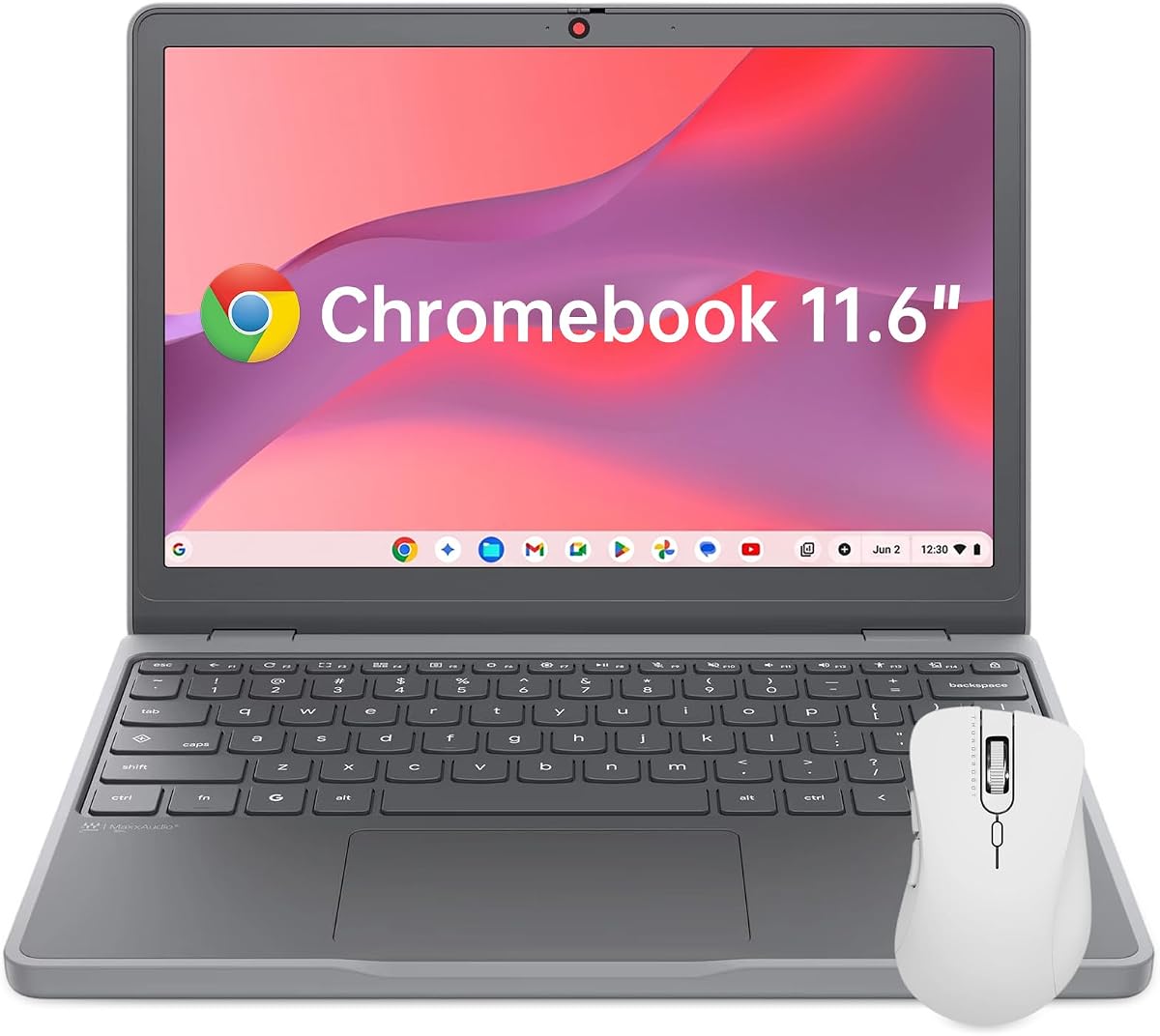
The Lenovo Chromebook 11.6 is designed for maximum portability making it easy to slip into a small bag or pocket. It holds a 4.4 rating and features a ruggedized build that can withstand the rigors of daily travel and school use.
We may earn a commission when you buy through this link, at no additional cost to you.
Its ultra-lightweight design ensures that you can carry it anywhere without feeling burdened. The fast USB-C charging means you can top up the battery quickly during short breaks which is convenient for travelers on the go.
The small screen and basic performance mean it is not suitable for heavy multitasking or complex media editing. However for quick emails document reviews and reading it is perfectly capable and reliable for basic daily tasks.
This is the best pick for travelers or students who need a secondary device that fits in any bag. It prioritizes portability and durability over power making it a practical choice for on-the-go productivity.
Weighing under 3 pounds this device is one of the lightest options available making it ideal for commuters who prioritize ease of transport.
Protective TPU corners and ruggedized materials help prevent damage from drops which extends the lifespan of the device in active environments.
We may earn a commission when you buy through this link, at no additional cost to you.
Selecting the right Chromebook for AI requires balancing hardware capabilities with software features to ensure a seamless user experience.
Modern AI tasks benefit greatly from dedicated neural processing units or robust CPUs like Intel Core Ultra or Ryzen. These chips handle generative tasks locally which improves privacy and speed.
Prioritize models with at least an Intel Core i3 or equivalent Ryzen processor to ensure smooth operation when running AI features.
AI tools often run multiple browser tabs and cloud services simultaneously requiring sufficient RAM to prevent lag. Storage is also critical for offline files and temporary data.
Aim for at least 8GB of RAM and 256GB of SSD storage to maintain optimal performance and avoid constant reliance on cloud storage.
Look for devices that explicitly offer Google AI Pro or specific Gemini integrations which provide tools like writing assistance and image editing.
Ensure the device includes these tools and check if there are subscription costs involved after any trial periods expire.
A high-resolution display makes text clearer and interacting with AI menus more intuitive. Touch support adds a layer of convenience for navigating interactive content.
Choose a WUXGA or higher resolution screen with touch capabilities if you plan to use visual or handwriting-based AI tools.
Fast Wi-Fi is essential for cloud-based AI tools to function without lag. Newer standards like Wi-Fi 6E or Wi-Fi 7 offer better speeds and stability.
Verify that the device supports modern Wi-Fi standards and Bluetooth 5.3 to ensure seamless connection with peripherals and networks.
AI tasks can drain battery quickly so a long-lasting battery is crucial for mobile users. Portability matters if you plan to carry the device frequently.
Select a model with at least 10 hours of battery life and a weight under 3 pounds for comfortable daily travel.
AI tools often process sensitive data so built-in security chips and privacy shutters are vital for protecting user information.
Look for Titan C2 or Google H1 security chips and physical camera shutters to safeguard your privacy during video calls.
A sturdy build ensures the device survives accidental drops and spills which is common for students and travelers.
Check for MIL-STD-810H certification or spill-resistant keyboards to ensure the laptop withstands rough handling over time.
Start by enabling the Google AI features in your system settings to unlock tools like voice typing and image generation. Ensure your internet connection is stable for optimal cloud performance.
Regularly update your Chrome OS to keep access to the latest AI capabilities and security patches. This ensures your device remains compatible with new tools released by Google.
Clean the screen with a microfiber cloth and keep ports free of dust to maintain performance. Avoid exposing the device to extreme temperatures which can damage the battery and processor.
Most Chromebooks rely on cloud-based AI because they have limited local storage and memory. However newer models with Core Ultra chips can run some lightweight AI tasks locally for better privacy.
Google AI Pro is a subscription service included with many Chromebook Plus models for 12 months. It provides premium access to Gemini features and extra cloud storage for productivity.
Yes Chromebooks can run web-based AI art tools effectively. They provide the necessary processing power and cloud connectivity to generate images using generative models.
Yes many Chromebooks with touch screens support handwriting input which converts your writing into text. This is useful for note-taking and interacting with AI tools directly.
Most Chromebooks have soldered RAM which means it cannot be upgraded after purchase. It is important to choose a model with sufficient RAM for your needs initially.
SSD storage is standard and preferred for fast load times. Aim for at least 256GB to store files locally while using cloud storage for larger media files.
The Acer Chromebook Plus 514 leads our list with its perfect balance of power and AI integration. It remains the top choice for those seeking the best overall experience in 2026.
Budget-conscious buyers should consider the Lenovo 2026 Chromebook 14 for its affordable price and high-quality screen. It proves that effective AI tools are available at various price points.
Please verify current pricing and availability before purchasing as these details change regularly. Select the model that aligns best with your specific AI needs and workflow requirements.