
BUFFALO LinkStation 210
3.9Editor score
6TB storage included
Subscription-free personal cloud
Easy router connection setup
This expert guide compares ten top Buffalo NAS models for home and business use, evaluating performance, security, and capacity to help you choose the right
Network attached storage offers a reliable way to centralize data across multiple devices without relying on public cloud services. A good NAS provides automated backups, file sharing, and robust security features for protecting your digital assets.
We evaluated ten Buffalo NAS models based on capacity, drive configuration, network connectivity, and included software features. Our analysis focuses on real-world usability, warranty coverage, and compatibility with common operating systems.
Each product entry highlights key specifications, standout features, and potential trade-offs to guide your purchasing decision. Keep in mind that stock availability and pricing can fluctuate regularly on retail platforms.
3.9Editor score

4.8Editor score
4.3Editor score
The following table provides a side-by-side overview of all ten Buffalo NAS models evaluated in this guide, highlighting their core specifications and unique capabilities.




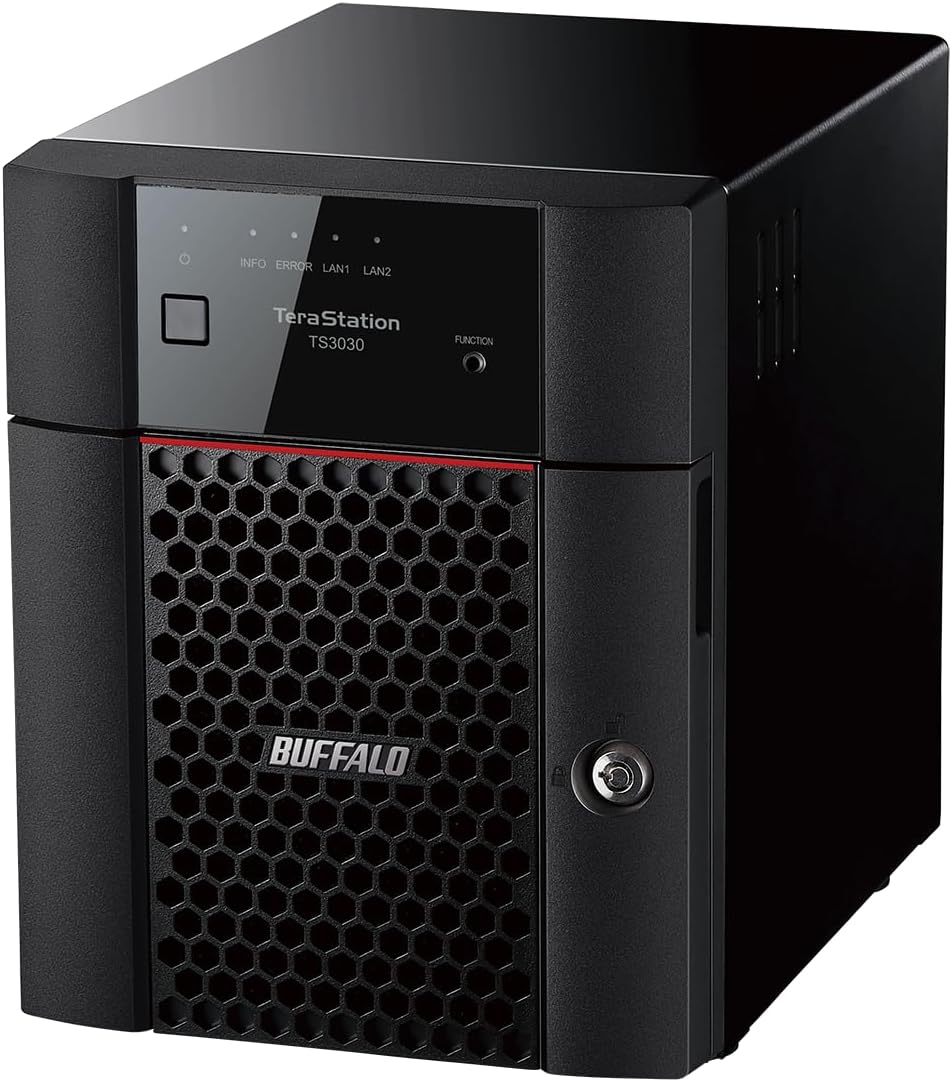
The TeraStation 5420DN stands out as the premier choice for professional environments requiring robust storage and fast data transfer speeds. Its high rating reflects strong performance in handling heavy workloads and critical business data reliably.
We may earn a commission when you buy through this link, at no additional cost to you.
Key strengths include the native 10GbE port which eliminates cable upgrades for high-speed transfers and the inclusion of four 8TB NAS-grade drives pre-configured for RAID 5. Advanced features like snapshots protect against ransomware by enabling near-instant data recovery with minimal disruption.
Trade-offs involve the significant cost and the need for compatible 10GbE network infrastructure to fully utilize its speed. These requirements are acceptable for organizations prioritizing performance and data security over budget constraints.
Small to medium businesses needing centralized, secure storage with enterprise-grade features should strongly consider this model. It represents the top recommendation for users seeking reliability and scalability in a Buffalo NAS solution.
Snapshots allow instant recovery from ransomware or accidental deletions, ensuring business continuity without lengthy downtime.
The 10GbE port delivers faster file transfers for large media files or databases without requiring additional network hardware upgrades.
We may earn a commission when you buy through this link, at no additional cost to you.
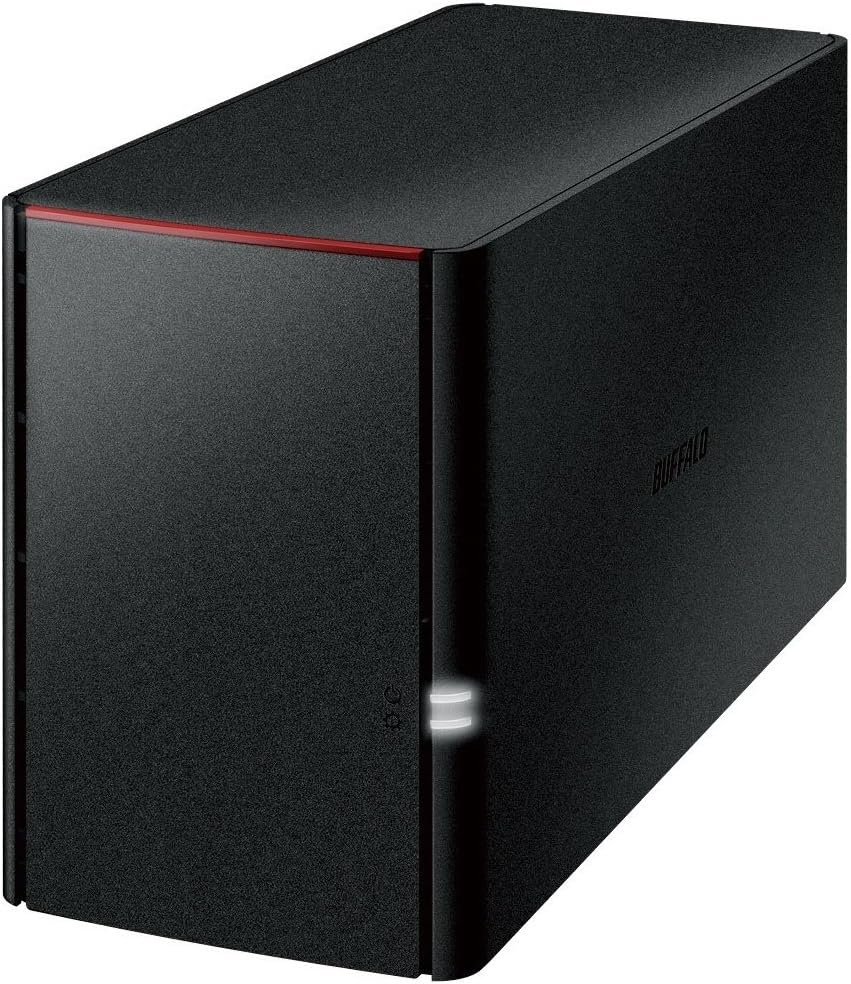
The LinkStation 210 offers an accessible entry point into network attached storage for home users seeking centralized backups without recurring cloud fees. Its solid rating highlights value and straightforward functionality for basic home storage needs.
We may earn a commission when you buy through this link, at no additional cost to you.
Strengths include the 6TB capacity pre-installed with hard drives and a subscription-free personal cloud model that lets you store and share files anytime. The closed system design reduces vulnerabilities by limiting third-party app access while maintaining secure SSL file transfers.
Trade-offs involve the single bay design which prevents future storage expansion and lower performance compared to multi-bay models. These limitations are acceptable for users needing simple centralized storage without complex configuration or growth requirements.
Home users and small families looking for cost-effective automated backups should choose this model. It provides a reliable foundation for securing digital assets without the complexity or cost of advanced business features.
Store and retrieve media and documents from anywhere without paying monthly cloud storage fees or subscription plans.
Connect directly to your router to enable shared network storage for all connected Windows or macOS devices immediately.
We may earn a commission when you buy through this link, at no additional cost to you.
The TeraStation Essentials 2025 combines professional-grade reliability with substantial storage capacity ideal for growing businesses or media archives. Its rating reflects strong performance in data protection and ease of setup with included drives.
We may earn a commission when you buy through this link, at no additional cost to you.
Key strengths include 24TB total capacity with four pre-tested drives pre-configured for RAID 5 and a native 2.5GbE port for faster transfers. Hybrid cloud integration with services like Dropbox and Azure adds an extra layer of security and flexible scalability.
Trade-offs involve the price point and potential need for upgraded cabling to utilize the 2.5GbE port fully. These are acceptable for users prioritizing long-term reliability, large storage, and enterprise features over initial savings.
Businesses and power users needing scalable, secure storage with hybrid cloud options should choose this model. It delivers premium performance and peace of mind with robust warranty and support coverage.
Sync with Amazon S3 Dropbox or Azure for extra redundancy and flexible data access across multiple secure environments.
Pre-tested drives and RAID pre-configuration simplify deployment so you can start storing data immediately after plugging in.
We may earn a commission when you buy through this link, at no additional cost to you.
The LinkStation SoHo 220 is optimized for small office environments needing shared storage with built-in redundancy and cloud access. Its rating reflects solid value for organizations wanting secure and accessible file storage.
We may earn a commission when you buy through this link, at no additional cost to you.
Key strengths include 4TB total capacity with RAID 1 default for automatic data mirroring and a Direct Copy USB port for device backups without a PC. The cloud access allows remote file retrieval without monthly subscription fees while maintaining individual folder access restrictions.
Trade-offs involve reduced usable capacity due to RAID 1 mirroring and standard gigabit speeds. These are acceptable for small teams prioritizing data safety and ease of access over maximum speed or capacity.
Small businesses needing a reliable office server should choose this model. It balances security functionality and affordability for teams requiring shared storage and automated backups.
Connect phones or cameras via USB to copy files instantly without needing a computer or complex software setup.
Configure individual folder permissions so team members access only their designated files while keeping data secure.
We may earn a commission when you buy through this link, at no additional cost to you.
The TeraStation Essentials Rackmount provides professional storage in a space-efficient design ideal for server rooms or network closets. Its rating indicates strong value for businesses needing rack-ready solutions with built-in redundancy.
We may earn a commission when you buy through this link, at no additional cost to you.
Key strengths include 8TB total capacity with four pre-tested drives configured for RAID 5 and native 2.5GbE port for faster file transfers. Cloud integration enables hybrid backups with services like Dropbox and S3 for added data security and scalability.
Trade-offs involve reduced usable capacity when using RAID 5 and the need for compatible rack mounting. These are acceptable for IT administrators prioritizing physical space efficiency and robust networking capabilities.
Organizations with existing server infrastructure seeking expandable storage should choose this model. It delivers professional reliability with minimal setup effort and strong support coverage.
Mount securely in standard server racks to save desk space while maintaining easy access to drives and connections.
Sync data with major cloud platforms to create redundant backups that protect against local hardware failures.
We may earn a commission when you buy through this link, at no additional cost to you.
The TeraStation WS5220DN offers native Windows Server IoT 2025 integration tailored for small businesses relying on Microsoft ecosystems. Its unique OS enables enhanced data management and security features familiar to Windows administrators.
We may earn a commission when you buy through this link, at no additional cost to you.
Key strengths include NovaBACKUP software for versatile server and PC backups plus Azure and OneDrive integration for hybrid cloud flexibility. The absence of Client-Access License requirements reduces costs compared to traditional Windows Server setups.
Trade-offs involve dependency on Microsoft environments which may limit cross-platform flexibility and increased configuration complexity. These are acceptable for teams already invested in Windows infrastructure needing seamless integration.
Small businesses using Windows Server environments should choose this model. It simplifies storage management with professional tools designed for Microsoft-centric workflows.
NovaBACKUP licenses included provide professional-level server and PC backups without purchasing additional third-party tools.
No CAL licenses needed lowers total cost of ownership compared to standard Windows Server deployments for small workgroups.
We may earn a commission when you buy through this link, at no additional cost to you.
The LinkStation 220 provides straightforward network storage with DLNA capabilities for media streaming across compatible home devices. Its reliable rating reflects steady performance for basic file sharing and media server tasks.
We may earn a commission when you buy through this link, at no additional cost to you.
Key strengths include Gigabit LAN for solid transfer speeds and DLNA support enabling media playback on TVs and consoles. USB 2.0 allows direct backups though speed is limited compared to newer standards.
Trade-offs involve older hardware limitations and slower USB connectivity affecting large file transfers. These are acceptable for users seeking basic media streaming and storage without advanced features.
Home users wanting simple media server capabilities should choose this model. It offers essential networking and storage functions at an accessible price.
DLNA compatibility allows seamless streaming of music and video to smart TVs and game consoles on your network.
Standard Gigabit Ethernet ensures fast local file transfers suitable for typical home and small office usage.
We may earn a commission when you buy through this link, at no additional cost to you.
The TeraStation 1200D offers reliable desktop storage with bundled business-grade backup tools and RAID 1 protection out of the box. Its rating reflects solid dependability for small office environments needing consistent data security.
We may earn a commission when you buy through this link, at no additional cost to you.
Key strengths include RAID 1 default configuration for automatic redundancy and bundled PC backup software for automated server protection. Easy setup allows plug-in to router for instant network accessibility from any connected device.
Trade-offs involve limited total capacity and standard network ports unsuitable for high-speed needs. These are acceptable for smaller teams prioritizing ease of use and basic security features.
Small offices needing straightforward automated backups should choose this model. It provides essential storage protection without complex configuration or ongoing costs.
Included PC backup software enables automated server protection to prevent data loss from hardware failures.
Plug directly into your router to enable instant shared storage across Windows or macOS devices without complex wiring.
We may earn a commission when you buy through this link, at no additional cost to you.
The LinkStation ls220dg emphasizes mobile device protection with robust mirroring and accessible backups for smartphones and tablets. Its rating reflects effective performance for safeguarding personal media against hardware failures.
We may earn a commission when you buy through this link, at no additional cost to you.
Key strengths include mirroring functions protecting photos and files across two drives and USB ports for direct device backups without a PC. Gigabit Ethernet ensures stable network connectivity for consistent access and transfer speeds.
Trade-offs involve usable capacity reduction due to mirroring and limited USB speeds for large transfers. These are acceptable for users prioritizing data security and mobile accessibility over maximum speed.
Individuals needing mobile-centric storage and backup should choose this model. It provides peace of mind through automated mirroring and easy device access.
Automatic drive mirroring safeguards important files and photos from loss due to hardware failures or accidental deletions.
Direct backups for mobile devices allow you to secure media without relying on public cloud subscriptions.
We may earn a commission when you buy through this link, at no additional cost to you.
The DriveStation Duo delivers high-capacity direct-attach storage with RAID protection ideal for workstations needing local redundancy. Its rating indicates reliable performance for users prioritizing speed over network accessibility.
We may earn a commission when you buy through this link, at no additional cost to you.
Key strengths include USB 3.2 Gen 1 for fast transfers and RAID 1 configuration protecting data through automatic mirroring. Hot swap support allows drive replacement without powering down which is valuable for critical workflows.
Trade-offs involve lack of network connectivity limiting access to directly connected devices only. These are acceptable for creative professionals needing localized storage without network setup complexity.
Users needing fast local backups should choose this model. It offers robust protection and speed for workstations requiring immediate data access.
USB 3.2 Gen 1 provides universal connectivity for quick file transfers across PCs and Macs without network configuration.
Replace failed drives without powering down the device ensuring minimal disruption to ongoing work processes.
We may earn a commission when you buy through this link, at no additional cost to you.
Selecting the right Buffalo NAS requires understanding capacity needs, network features, and security capabilities. The following factors will help you evaluate options effectively.
Capacity is a primary consideration when choosing a NAS. Models vary from 4TB to 32TB total storage with some including pre-installed drives. Consider current needs and potential growth to avoid frequent upgrades. Larger capacities support more users and media files without space constraints.
Prioritize models with enough total storage for your data plus future expansion needs.
Drive configuration determines redundancy and usable space. RAID 1 mirrors data across drives for safety while RAID 0 maximizes capacity without protection. Some models offer flexible RAID switching. Evaluate whether data safety or maximum storage is more critical for your use case.
Choose RAID 1 for backups and RAID 0 for temporary high-capacity storage.
Network port speeds affect file transfer rates. Gigabit Ethernet works for most home uses while 2.5GbE or 10GbE suits professional workloads. Check your router capabilities to avoid bottlenecks. Faster ports reduce wait times when transferring large video files or databases.
Match network port speed to your router and typical transfer workloads.
Data protection features include drive encryption, closed system designs, and SSL file transfers. Some models support two-factor authentication for remote access. Security is essential for protecting sensitive business or personal data from unauthorized access or cyber threats.
Ensure your NAS includes encryption and secure transfer protocols by default.
Cloud integration allows hybrid backups with services like Dropbox or Azure. This adds redundancy and remote access capabilities. Some models support syncing automatically or scheduling uploads. Hybrid solutions protect data against local hardware failures while maintaining accessibility.
Look for sync features that match your existing cloud service subscriptions.
Buffalo typically provides 2 to 3-year warranties including hard drive coverage. Some offer extended options or data recovery services. US-based support helps resolve setup issues quickly. Warranty terms vary by series so check details before purchase.
Prioritize models with longer warranty coverage and included drive protection.
Ensure NAS software supports your primary operating system. Many models work with Windows and macOS but versions vary. Some models like the WS5220DN require Windows Server environments. Check compatibility notes to avoid setup complications or missing features.
Verify compatibility with your current OS version before purchasing.
Form factors include desktop and rackmount designs. Desktop units fit on desks while rackmounts suit server closets. Size affects placement and cooling. Consider available space and whether physical mounting is required for your setup.
Choose a form factor that matches your available physical space.
Begin by connecting your NAS to a power source and your router using an Ethernet cable. Power on the device and allow it to boot completely. Download the NAS Navigator utility from the official website to manage initial settings.
Configure user accounts and shared folders through the management interface. Set up automated backups using included software to protect your data regularly. Enable encryption and password protection for enhanced security.
Monitor drive health periodically using the dashboard tools to detect early warning signs of failure. Keep firmware updated to ensure security patches and performance improvements are applied. Replace drives as needed while following hot-swap guidelines.
Most Buffalo NAS models support both Windows and macOS operating systems. However verify compatibility with your specific macOS version since some features may be limited on newer releases. Always check product specifications before purchasing.
No most Buffalo NAS devices do not require monthly subscription fees for storage or cloud access. They offer subscription-free personal cloud functionality allowing you to access files remotely without ongoing costs.
TeraStation models are built for business use with advanced features like snapshots and higher network speeds. LinkStation models target home users with simpler setup and basic storage capabilities at lower price points.
Capacity expansion depends on your model and drive configuration. Some units allow adding drives to unused bays while others require replacement. Check specific model specifications for expansion options before buying.
Use RAID configurations like RAID 1 or RAID 6 to mirror or distribute data across drives. Enable drive encryption and regular automated backups to protect against hardware failures or unauthorized access.
Yes all models listed in this guide include pre-installed hard drives. This simplifies setup by allowing immediate use without purchasing separate storage components.
The Buffalo TeraStation 5420DN remains our top recommendation for professionals requiring high-speed transfers and enterprise-grade security. Its combination of 10GbE networking and snapshot recovery delivers unmatched performance for business environments.
For budget-conscious users the LinkStation 210 offers solid value with six terabytes of storage and no subscription fees. It suits home users prioritizing simplicity and centralized backups over advanced features.
Remember to review current specifications and availability before purchasing as features may change over time. Verify warranty terms and compatibility with your existing network setup to ensure a smooth installation experience.