
LG 24U411A-B
4.5Editor score
120Hz refresh rate
Full HD IPS panel
Slim bezel design
Finding a display that remains visible in direct sunlight is crucial for field professionals and outdoor enthusiasts. Standard screens often fail under glare, making specialized high brightness monitors essential for accurate viewing.
We compared ten top rated models focusing on brightness, color accuracy, and portability. Our analysis includes portable travel screens and robust desktop displays designed to handle challenging lighting conditions effectively.
Each selection highlights key strengths and limitations to help you decide. Prices and availability fluctuate frequently, so verify current details on the product pages before making your final purchase decision today.
4.5Editor score
4.8Editor score

5.0Editor score
As an Amazon Associate we earn from qualifying purchases.
The following table provides a side-by-side overview of specifications and features for each selected monitor to help you quickly identify the model that fits your specific needs.




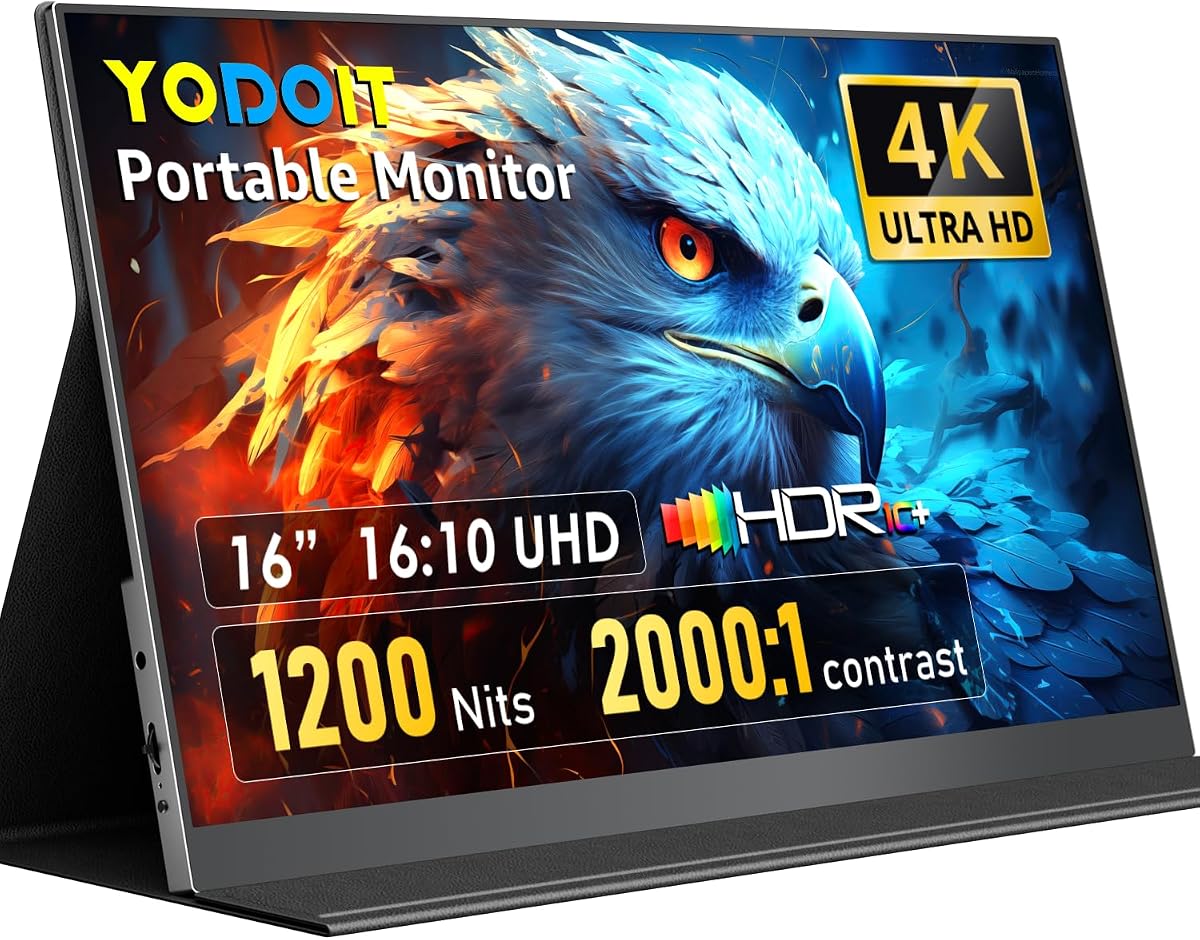
This portable monitor stands out with its 1200nit peak brightness, making it uniquely suitable for direct sunlight conditions where standard screens fail.
We may earn a commission when you buy through this link, at no additional cost to you.
The 4K resolution and 145% sRGB coverage deliver professional-grade color accuracy essential for photo editing and field work.
While the brightness is outstanding, achieving peak performance requires an external power connection which can be slightly limiting in remote locations.
Photographers and digital nomads will find this display invaluable for maintaining productivity outdoors without compromising on visual fidelity.
The 1200nit peak brightness allows for clear viewing even under direct sunlight, solving a major pain point for portable displays.
With 145% sRGB coverage and 178° viewing angles, this monitor ensures colors remain accurate for critical editing tasks anywhere.
We may earn a commission when you buy through this link, at no additional cost to you.
This Dell monitor offers a high refresh rate and eye comfort features that make it a solid choice for general indoor office and gaming tasks.
We may earn a commission when you buy through this link, at no additional cost to you.
The IPS technology ensures consistent colors across wide viewing angles which is helpful for collaborative work environments.
While it is not designed specifically for sunlight, its brightness is sufficient for well-lit indoor offices where glare control is needed.
Users looking for a budget friendly option with fast refresh rates will appreciate the performance and comfort features included here.
The 144Hz refresh rate and 1ms response time ensure fluid motion making it great for gaming and video playback tasks.
TÜV Rheinland certification reduces blue light to help minimize eye strain during long work sessions.
We may earn a commission when you buy through this link, at no additional cost to you.
This 27 inch model brings true 4K resolution to the mix offering excellent detail for creative work and media consumption.
We may earn a commission when you buy through this link, at no additional cost to you.
The combination of high resolution and high refresh rate creates a smooth and sharp experience for both gaming and productivity.
ComfortView Plus technology helps reduce blue light emissions which is beneficial for users who work late into the evening hours.
It serves as a high quality desktop solution for those who prioritize sharpness and color accuracy in a larger viewing area.
The 4K UHD panel provides stunning detail that is perfect for photo editing and detailed spreadsheet work.
ComfortView Plus reduces harmful blue light without compromising color accuracy ensuring eye comfort during long sessions.
We may earn a commission when you buy through this link, at no additional cost to you.
This monitor excels with its highly adjustable stand allowing for ergonomic setups that reduce physical strain during long workdays.
We may earn a commission when you buy through this link, at no additional cost to you.
The inclusion of integrated speakers adds convenience for meetings and media playback without needing extra audio hardware.
While it lacks sunlight specific features, its high brightness and eye care certification make it reliable for bright indoor offices.
It is an excellent choice for users who value ergonomics and convenience features in a standard desktop monitor package.
Adjustments for height tilt pivot and swivel help you find a comfortable position that supports good posture.
Dual 3W speakers provide decent sound output for video calls and casual entertainment directly from the monitor.
We may earn a commission when you buy through this link, at no additional cost to you.
This LG monitor offers exceptional value with a high refresh rate and IPS panel at a very competitive price point.
We may earn a commission when you buy through this link, at no additional cost to you.
The slim bezel design creates a clean look for dual setups and the HDR10 support enhances contrast for media viewing.
While not a sunlight specific unit, its brightness is adequate for standard office environments with controlled lighting.
Budget conscious buyers will find this model hard to beat for a balance of speed and visual quality.
The 120Hz refresh rate delivers smoother motion which is a significant benefit for gaming and fluid window scrolling.
Ultra-slim bezels give the monitor a modern feel and make it easy to integrate into multi-monitor setups.
We may earn a commission when you buy through this link, at no additional cost to you.
This model provides a large 27 inch viewing area which is great for multitasking even at the Full HD resolution.
We may earn a commission when you buy through this link, at no additional cost to you.
The 120Hz refresh rate ensures smooth motion making it suitable for light gaming and fast scrolling tasks.
While the resolution is standard the sheer screen real estate offers plenty of room for windows and application panels.
It is a practical choice for users who need a large desktop workspace without spending a premium on higher resolutions.
The 27 inch screen allows for side by side window usage which boosts productivity for general office tasks.
Adaptive-Sync support and 120Hz refresh rate minimize screen tearing and ghosting for a cleaner visual experience.
We may earn a commission when you buy through this link, at no additional cost to you.
This premium model combines a large 32 inch screen with QHD resolution and USB-C connectivity for a seamless modern setup.
We may earn a commission when you buy through this link, at no additional cost to you.
The high color accuracy and HDR10 support make it a fantastic tool for creators and media consumers.
While it is not portable the high resolution makes for crisp text and excellent detail for complex tasks.
Users who need a top tier desktop experience will find this monitor delivers on performance and comfort.
USB-C input allows for single cable connection which includes power delivery to simplify desktop organization.
With 99% sRGB coverage the monitor ensures colors are vibrant and accurate for design and content creation work.
We may earn a commission when you buy through this link, at no additional cost to you.
This monitor delivers a powerful combination of QHD resolution and a high refresh rate perfect for productivity and gaming.
We may earn a commission when you buy through this link, at no additional cost to you.
The fully adjustable stand ensures you can set the screen exactly where you need it for optimal posture.
Integrated speakers and eye comfort certifications add layers of convenience and well-being to the daily workflow.
It is a strong choice for power users who demand high performance and ergonomic flexibility.
The 144Hz refresh rate and 1ms response time ensure fast moving content remains sharp and fluid.
4-star TÜV certification and adjustable ergonomics help reduce strain during extended periods of use.
We may earn a commission when you buy through this link, at no additional cost to you.
This compact monitor is ideal for smaller desks and offers a fast refresh rate that makes general use smoother.
We may earn a commission when you buy through this link, at no additional cost to you.
The zero-frame design provides a modern aesthetic that keeps the visual focus on the content itself.
While it lacks advanced features it offers reliable performance for everyday office tasks and media viewing.
It is a practical budget friendly option for users needing a quick upgrade for a standard workstation.
The 23.8 inch size fits well in tight spaces without sacrificing visual clarity or usability.
120Hz refresh rate and FreeSync compatibility reduce screen tearing for a fluid visual experience.
We may earn a commission when you buy through this link, at no additional cost to you.
This portable monitor rivals the top pick with its high brightness and matte screen which greatly reduces reflections outdoors.
We may earn a commission when you buy through this link, at no additional cost to you.
The 16 inch 4K display offers sharp visuals and a durable aluminum alloy shell protects the screen during travel.
While the peak brightness requires external power the matte finish ensures the screen remains usable in bright indoor or outdoor settings.
Travelers and field professionals seeking a reliable portable display will find this model offers great performance at a competitive price.
The matte screen finish effectively cuts down on reflections making it easier to see content in bright conditions.
Constructed from aluminum alloy this monitor is robust enough for frequent travel and field use.
We may earn a commission when you buy through this link, at no additional cost to you.
Choosing the right monitor for bright sunlight conditions requires attention to specific technical factors that ensure visibility and usability.
Brightness measured in nits is the most critical factor for sunlight visibility. Standard monitors typically range from 250 to 350 nits which often wash out in bright rooms. Look for models that exceed 400 nits for indoor use or over 1000 nits for direct outdoor exposure.
Prioritize brightness specifications that match your specific lighting environment to ensure content remains readable.
The surface finish determines how much light reflects off the screen. Glossy screens provide deeper colors but suffer significantly from glare. Matte anti-glare coatings diffuse light making them far superior for bright environments.
Select a matte finish to minimize reflections and maintain visibility.
Larger screens often require higher resolutions to maintain pixel density and text sharpness. A 4K resolution on a 16 inch portable monitor offers excellent detail while 27 inch desktop models benefit from QHD or 4K.
Match resolution to screen size to ensure clarity during long work sessions.
High brightness does not always mean good color. Look for wide color gamut coverage like sRGB or DCI-P3 to ensure colors remain vibrant and accurate even at high brightness.
Check color gamut percentages to verify performance for creative work.
If you need a monitor for fieldwork prioritize lightweight and slim designs. Portable monitors often include protective cases and stand covers to reduce bulk during travel.
Consider weight and included accessories if you move frequently.
Modern monitors should offer USB-C and HDMI options for compatibility with laptops and consoles. USB-C can also provide power delivery which simplifies cabling for portable units.
Ensure the ports match your devices to avoid adapters.
Desktop monitors should offer tilt and height adjustments to find a glare-free angle. This helps reduce eye strain and improves posture over time.
Look for stands that allow multi-angle positioning.
Features like eye care certifications and built-in speakers add comfort and convenience. High refresh rates improve fluidity for gaming and video playback.
Balance essential display features with optional comforts for your use case.
Position your monitor away from direct sunlight to reduce heat stress on the panel. Angling the screen slightly can help minimize glare without sacrificing visibility.
Clean the surface with a soft microfiber cloth to avoid scratching the matte coating. Avoid harsh chemicals that can damage the anti-glare layer.
Allow the monitor to cool down if it becomes hot during extended use in direct sunlight. This protects internal components and extends overall lifespan.
Standard monitors lack sufficient brightness to compete with ambient light. When the display brightness is too low compared to the room the image appears washed out and difficult to read.
For direct sunlight you generally need a monitor with at least 1000 nits of brightness. Standard indoor screens usually fall short and become unreadable without shade.
Yes matte screens significantly reduce reflections by scattering light rather than reflecting it directly. This makes them much easier to view in bright or changing lighting conditions.
Yes but only if it has high brightness and a matte finish. Standard portable screens will struggle outdoors unless shaded or used indoors with bright lighting.
Use a dry or slightly damp microfiber cloth to gently wipe the screen. Avoid paper towels or sprays that might leave residue or damage the coating.
13 to 16 inch monitors are ideal for travel as they are lightweight and fit easily into camera or laptop bags. Larger screens are better suited for stationary setups.
The Yodoit 4K Portable Monitor stands out for outdoor work due to its exceptional brightness and color accuracy. For desktop needs the LG 32 inch QHD model offers premium performance and connectivity.
Prioritize brightness levels and surface finish when comparing options to ensure visibility in your intended environment. Balancing size and features will help you find the right match.
Remember to check current prices and availability before buying as stock levels vary by region.