
Canon PIXMA TR4720
3.9Editor score
Built in fax capability
Auto document feeder included
Affordable price point
This guide compares ten all in one printer for MacBook Air options to help you choose the best model for your home or office needs.
Finding the right all in one printer for MacBook Air can significantly enhance your workflow by enabling seamless printing scanning and copying from your device. We evaluate key features such as wireless connectivity speed and ink costs to ensure you find a reliable solution that fits your budget and workspace.
Our team analyzed ten top-rated models based on user feedback expert reviews and technical specifications. We focused on compatibility with macOS AirPrint support and overall performance to create a comprehensive list that highlights the strengths and weaknesses of each option available in the current market.
Each pick in this guide offers a detailed overview of what makes it stand out including pros cons and key specifications. Keep in mind that prices and availability can change frequently so verify the latest details before making your final purchase decision for your specific printing requirements.
3.9Editor score

3.9Editor score

4.0Editor score
The following comparison table provides a side-by-side overview of the key specifications and features for each of the ten models selected for this guide to help you make an informed decision.



The HP OfficeJet Pro 8125 stands out as a top choice for home office users seeking professional quality output with smart features. It holds a rating of 3.9 stars and is recognized for its reliable performance and comprehensive feature set that includes printing scanning and copying.
We may earn a commission when you buy through this link, at no additional cost to you.
Its standout qualities include fast color printing speeds and HP AI which optimizes print formatting to reduce wasted pages. The dual-band Wi-Fi ensures a stable connection which is critical for seamless integration with a MacBook Air for remote printing tasks from any location.
While the printer offers a 3-month Instant Ink trial the ongoing subscription model may be a consideration for some users. Additionally the reliance on original HP chips for cartridges ensures quality but limits third-party options which is a trade-off to accept for consistent performance.
This model is ideal for users who need a balanced mix of speed quality and smart home office features. If you value reliable connectivity and want to minimize paper waste through intelligent formatting the HP OfficeJet Pro 8125 is a strong recommendation for your setup.
HP AI scans web pages and emails to remove unnecessary content ensuring your prints look professional and save paper.
The printer is made with more than 45% recycled plastic content supporting eco-friendly manufacturing practices.
We may earn a commission when you buy through this link, at no additional cost to you.
The Epson EcoTank ET-2903 is designed for users who want to reduce long-term ink costs with a refillable tank system. It has earned a strong rating of 4.3 stars and provides up to 3 years of ink in the box which minimizes interruptions for frequent printing.
We may earn a commission when you buy through this link, at no additional cost to you.
Its key strengths include the Supertank technology that eliminates cartridge waste and delivers high-quality photographic prints. The Heat-Free technology ensures reliability and the wireless capabilities allow for easy printing from a MacBook Air using AirPrint or the Epson app.
Print speeds are modest compared to laser models which might be a limitation for high-volume document needs. The higher initial price point is offset by the savings from not buying cartridges regularly making it a smart investment for many users.
This printer is best for those who prioritize cost efficiency and environmental impact over raw speed. If you need a reliable printer for home or small office use with minimal maintenance the Epson EcoTank ET-2903 is an excellent choice.
Supersized ink tanks and uniquely keyed bottles make refilling simple without mess or confusion.
High resolution print settings deliver stunning photographic results ideal for creative projects.
We may earn a commission when you buy through this link, at no additional cost to you.
The Canon PIXMA TR7120 is an ideal choice for small spaces offering versatile printing in a compact form factor. It has a rating of 4.3 stars and is known for its crisp vibrant prints and easy setup process that works well with macOS systems.
We may earn a commission when you buy through this link, at no additional cost to you.
Its standout features include the Auto Document Feeder which simplifies scanning multi-page documents and the OLED display that makes monitoring status effortless. The hybrid ink system ensures sharp text and vivid colors making it suitable for both documents and photos.
The limited paper tray capacity might require frequent refills for heavier workloads. While it supports mobile printing the features are not as advanced as some competitors which is acceptable for casual home use.
This printer is perfect for users who need a reliable all-in-one solution without taking up much desk space. If you value ease of use and good print quality in a small package the Canon PIXMA TR7120 is a solid option.
Handle multi-page documents with ease using the ADF for quick scanning and copying tasks.
The small footprint complements any workspace without sacrificing functionality or style.
We may earn a commission when you buy through this link, at no additional cost to you.
The Canon PIXMA TS6520 offers straightforward printing solutions for home users needing basic scanning and copying features. It holds a rating of 4.2 stars and is appreciated for its crisp vibrant prints and user-friendly OLED display that simplifies navigation.
We may earn a commission when you buy through this link, at no additional cost to you.
Its strengths include automatic duplex printing to save paper and dual-band Wi-Fi for stable connections. The hybrid ink system delivers sharp text and vivid colors which meets the needs of everyday document and photo printing tasks efficiently.
Lacking an automatic document feeder means manual scanning for multi-page tasks which might slow you down. The paper tray size is also limited so frequent refills may be necessary for high-volume users.
This model is best for individuals who want a simple budget-friendly printer without extra complications. If you prioritize ease of use and good print quality in a compact design the Canon PIXMA TS6520 is a great fit.
Get started quickly with simple setup for your smartphone or computer for immediate use.
Optimize your printing with automatic two-sided printing to reduce paper consumption.
We may earn a commission when you buy through this link, at no additional cost to you.
The Brother Work Smart 1360 is designed for home offices needing cloud integration and simple everyday printing tasks. It has a rating of 3.8 stars and offers reliable performance with features like automatic duplex printing and a compact design that fits well in small spaces.
We may earn a commission when you buy through this link, at no additional cost to you.
Its standout qualities include seamless integration with popular cloud apps such as Google Drive and Dropbox for easy file access. The 1.8-inch color display makes navigation intuitive and the wireless capabilities support mobile printing for flexibility on the go.
The lower overall rating might indicate occasional connectivity issues or slower color speeds compared to others. However the benefits of cloud connectivity and ease of use outweigh these trade-offs for many users focused on productivity.
This printer is ideal for users who need quick access to cloud files without complex setups. If you value convenience and cloud features for a home office environment the Brother Work Smart 1360 is a practical choice.
Print from and scan to popular cloud apps easily from the color display on your printer.
Full-size features in a compact design make it perfect for small home offices.
We may earn a commission when you buy through this link, at no additional cost to you.
The HP Envy 6155 is perfect for home users printing everyday documents and photos with vibrant colors. It has a rating of 4.2 stars and features HP's True-to-screen technology which ensures prints look as good as they do on your screen.
We may earn a commission when you buy through this link, at no additional cost to you.
Its key strengths include an intuitive color touchscreen for easy navigation and HP AI for optimized print formatting. The dual-band Wi-Fi maintains a stable connection and the 3-month Instant Ink trial offers convenience for ink delivery and savings.
Color print speeds are moderate which might be a limitation for high-volume needs. The subscription model for ink is another consideration but the convenience often justifies the cost for home users.
This model is best for those who want stylish design and reliable home printing features. If you value accurate color reproduction and smart features the HP Envy 6155 is a great fit for your needs.
Print documents and photos that look vibrant and accurate to your display with P3 tech.
HP AI optimizes print formatting to remove unwanted content and save pages.
We may earn a commission when you buy through this link, at no additional cost to you.
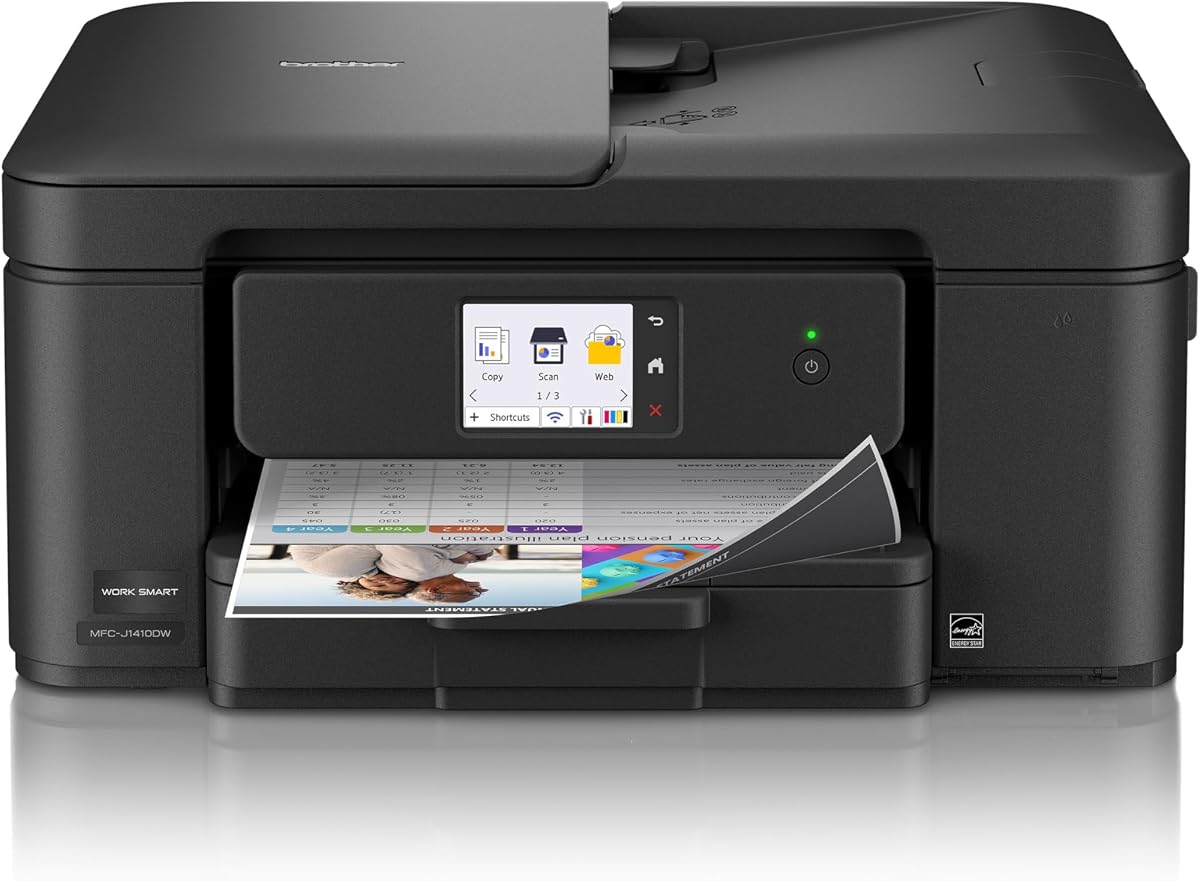
The Brother Work Smart 1410 is a multifunction printer designed for home and small offices needing quick setup. It holds a rating of 4.0 stars and features a large 2.7-inch touchscreen that simplifies navigation and operation for all users.
We may earn a commission when you buy through this link, at no additional cost to you.
Its standout features include automatic duplex printing and cloud app connections for efficient workflow. The 16 pages per minute black speed ensures productivity and the compact design fits well in limited spaces without sacrificing functionality.
The subscription trial may require ongoing decisions after the initial period which can be inconvenient. However the reliability and ease of use make it a solid option for many home office environments.
This printer is best for users who want a balance of performance and ease of use. If you value a large touchscreen and cloud features the Brother Work Smart 1410 is a practical choice.
Clear display allows for seamless integration with cloud apps and easy navigation.
Automatic duplex and fast speeds help you get work done efficiently.
We may earn a commission when you buy through this link, at no additional cost to you.
The HP OfficeJet 3830 offers essential all-in-one functionality with voice-enabled convenience for smart homes. It has a rating of 4.3 stars and is known for its compatibility with Alexa allowing users to manage printing tasks hands-free.
We may earn a commission when you buy through this link, at no additional cost to you.
Its key strengths include mobile printing via the HP ePrint app and support for Apple AirPrint for seamless integration with Mac devices. The touchscreen and Instant Ink readiness ensure you never run out of ink unexpectedly.
Being an older model it may lack some advanced features found in newer printers like large touchscreens or smart paper handling. However its reliability and voice control make it a strong contender for basic home needs.
This printer is ideal for users who want smart home integration without breaking the bank. If you value convenience and simplicity the HP OfficeJet 3830 is a reliable option for your setup.
Works with Alexa to manage printing tasks and receive notifications hands-free.
Print from anywhere using your smartphone or tablet with the free app.
We may earn a commission when you buy through this link, at no additional cost to you.
The Canon PIXMA TR8620a is a robust 4-in-1 printer designed for home offices with higher volume needs. It holds a rating of 4.0 stars and features Alexa smart reorders to ensure you never run out of ink supplies unexpectedly.
We may earn a commission when you buy through this link, at no additional cost to you.
Its standout qualities include a 200-sheet capacity which reduces frequent paper refills and support for multiple media types. The automatic duplex printing and fax capability make it versatile for various document workflows.
The speed is moderate which might be a limitation for very high throughput. Setup can also be slightly more involved compared to basic models but the features justify the effort.
This model is best for users needing higher capacity and smart management features. If you want convenience and reliability for a home office the Canon PIXMA TR8620a is a great choice.
Alexa notifies you when running low and can place smart reorders automatically.
Large paper capacity ensures you spend less time refilling trays.
We may earn a commission when you buy through this link, at no additional cost to you.
The Canon PIXMA TR4720 is an affordable all-in-one printer offering essential features for home use. It has a rating of 3.9 stars and includes a built-in fax capability which adds versatility for those who still need fax functionality.
We may earn a commission when you buy through this link, at no additional cost to you.
Its key strengths include auto 2-sided printing to save paper and Alexa smart reorders to manage ink levels effortlessly. The compact design and easy setup make it accessible for casual users without technical expertise.
Print speeds are modest and it lacks advanced screen features which might limit heavy workflow needs. However for budget-conscious users who need basic functions it offers great value.
This printer is best for those seeking a simple cost-effective solution with fax options. If you need reliable basic printing and fax support the Canon PIXMA TR4720 is a solid recommendation.
Send and receive faxes directly from the printer for added business utility.
Alexa helps ensure you never run out of ink with automated notifications.
We may earn a commission when you buy through this link, at no additional cost to you.
Selecting the right printer involves considering several key factors that affect compatibility performance and cost over time.
Ensure the printer supports wireless standards like AirPrint or has dedicated apps for macOS. Check for dual-band Wi-Fi support to maintain stable connections without interference from other devices.
Look for models that explicitly mention AirPrint support for seamless integration with your MacBook Air without needing extra drivers.
Consider how quickly you need your documents printed and choose a model with appropriate pages per minute ratings. Faster speeds are better for frequent use but might increase the overall cost of the printer.
Prioritize models with at least 10 ppm for black text to keep your workflow efficient during busy periods.
Decide between traditional cartridge systems and tank systems based on your budget and printing volume. Tank systems offer lower costs per page but higher upfront costs whereas cartridges are cheaper initially but cost more over time.
Evaluate the ink costs and subscription options like Instant Ink to understand the long-term financial commitment.
Assess the input tray capacity and whether it supports multiple paper sizes. This affects how often you need to reload paper and whether you can print on specialized media like photos.
Look for models with at least 100 sheet capacity to minimize interruptions during heavy printing tasks.
Determine if you need scanning copying and fax capabilities to justify an all-in-one model. Some users may only need printing while others require comprehensive document handling features for office tasks.
Ensure the scanner quality is sufficient for your needs especially if you digitize important documents frequently.
Measure your available desk space and choose a printer with a compact footprint to avoid clutter. Consider whether you need an Automatic Document Feeder which adds to the size but increases convenience.
Prioritize models that balance functionality with space efficiency especially for small home offices.
Look for smart features like AI formatting mobile apps or cloud integration that enhance usability. These tools can save time and ensure your printed documents look professional without manual adjustments.
Check if the printer offers intuitive interfaces like touchscreens that make navigation and setup easier.
Set a budget that includes the printer cost and potential ongoing expenses like ink or subscriptions. Balancing upfront cost with long-term value helps avoid unexpected financial burdens after the purchase.
Consider total cost of ownership by factoring in ink cartridge prices and replacement frequency.
Start by connecting the printer to your Wi-Fi network and downloading the necessary driver or app on your MacBook Air to ensure smooth communication between the devices.
Regularly run cleaning cycles and align printheads to maintain optimal print quality and prevent clogs especially if you do not print frequently.
Keep the printer in a cool dry place away from direct sunlight and dust to extend its lifespan and prevent internal damage to sensitive components.
Yes all the printers listed in this guide support Apple AirPrint and macOS drivers making them compatible with MacBook Air. You can print directly from your Mac without needing to install additional software on most models.
Cartridge printers use replaceable ink cartridges which are cheap initially but cost more over time. Tank printers use refillable ink reservoirs that last longer and cost less per page but require a higher upfront investment.
Wireless capability is highly recommended for convenience allowing you to print from anywhere in your home. Most models offer Wi-Fi or AirPrint support for seamless integration without needing USB cables.
You should run cleaning cycles every few months or if you notice print quality issues like streaks. Regular maintenance ensures the printer remains reliable and produces sharp clear documents.
Yes most of these all-in-one printers support borderless photo printing with high resolution. Check the specific model for photo paper compatibility and recommended settings for best results.
Instant Ink is HP's subscription service that delivers ink to your door automatically based on usage. It can save money but requires a monthly fee after the trial period ends.
We have reviewed ten models offering various features from cloud connectivity to tank ink systems to meet different user needs effectively.
Prioritize connectivity features and ink costs based on your specific printing habits to ensure the best value for your setup.
Always check current prices and availability before purchasing as these details can change frequently in the market.