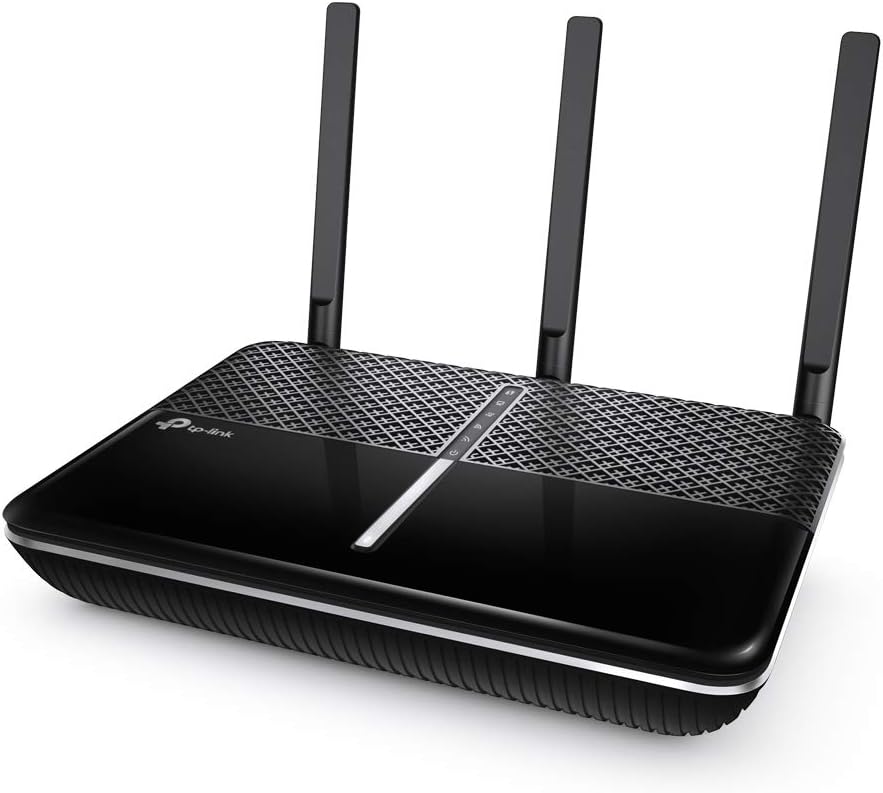
TP-Link Archer A10
4.5Editor score
High speed dual band WiFi
Long range coverage
Secure remote access
This guide compares the top AC2600 WiFi routers for performance, range, and security to help you choose the best model for your home network needs.
Finding the right router can transform your home internet experience. AC2600 WiFi routers offer high speeds and strong signals for streaming and gaming.
We evaluated ten top models based on coverage, speed, security, and ease of use. Our team analyzed technical specs and user feedback to compile this list.
Each pick highlights key strengths and potential trade-offs. Prices and availability change often so check current listings before buying your new network gear.
4.5Editor score
4.4Editor score

4.3Editor score
Here is a side-by-side look at all ten routers. We compare key specs and features to help you decide which model fits your home setup best.


The TP-Link Archer A10 is a top choice for budget conscious buyers. It offers solid AC2600 speeds and covers most homes with ease. Users appreciate its reliability and simple setup.
We may earn a commission when you buy through this link, at no additional cost to you.
This router handles multiple devices well thanks to MU-MIMO. The dual band setup ensures streaming and gaming get priority. Remote access via VPN adds extra security for travelers.
While it lacks some pro features found in pricier models the performance is impressive for the cost. It may not support the latest WiFi 6 standards but works well for current needs.
If you want fast WiFi without spending too much this is a great pick. It balances speed and range effectively for most family setups.
You get AC2600 speeds for a price that fits most budgets. This makes it ideal for households needing reliable internet without premium costs.
Built in VPN server lets you access your home network safely from anywhere. This is useful for checking files or cameras while away.
We may earn a commission when you buy through this link, at no additional cost to you.
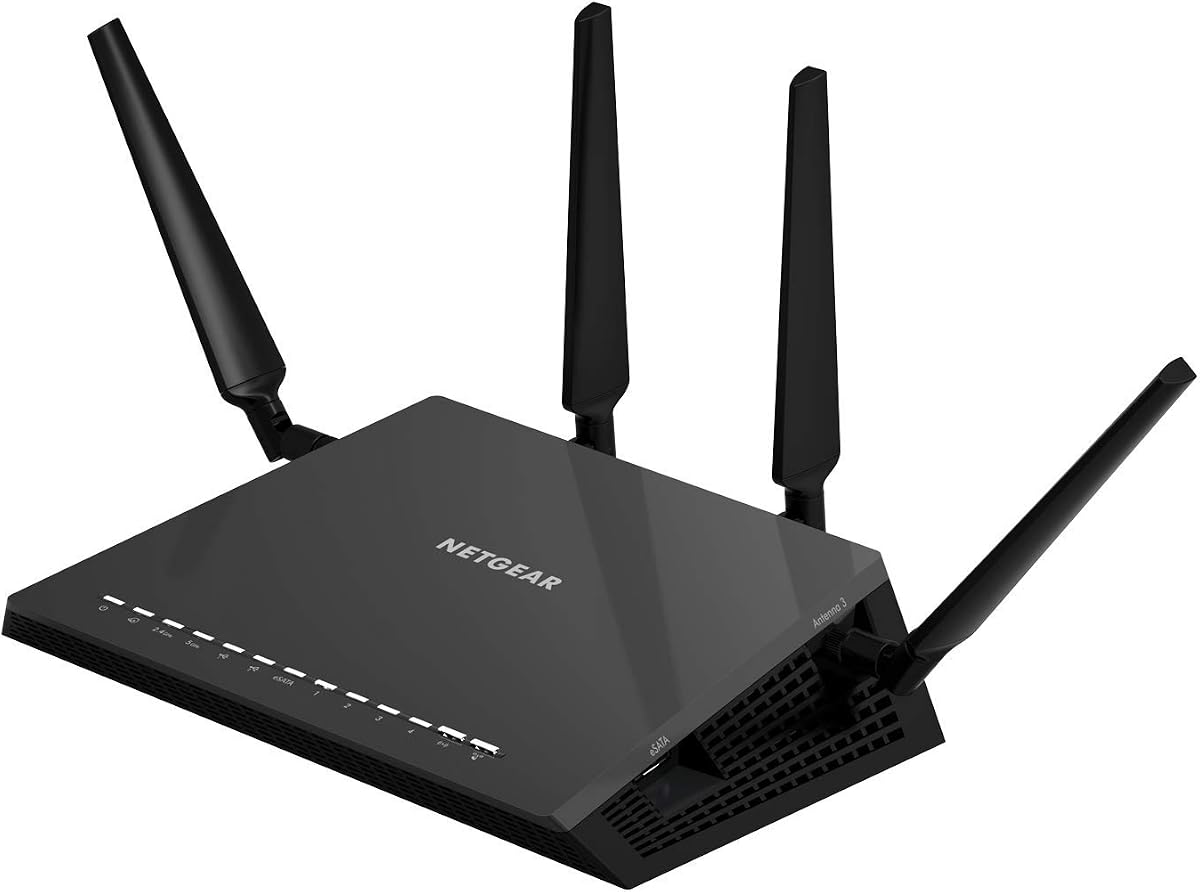
The NETGEAR Nighthawk X4S stands out for its coverage and speed. It supports up to 45 devices making it great for busy homes. The dual core processor keeps things running smoothly.
We may earn a commission when you buy through this link, at no additional cost to you.
Streamers and gamers benefit from Advanced QoS which prioritizes traffic. The router handles heavy loads without lag. USB ports allow sharing drives or printers easily.
Some may find the size large for small spaces. The price is higher than budget models but the performance justifies it for power users.
This router is perfect for large homes needing consistent WiFi everywhere. Its advanced features make it a top recommendation for families.
With up to 2500 square feet of range this router reaches every room. It reduces dead zones and keeps connections strong throughout.
The 1.7GHz dual core chip handles many tasks at once. This ensures quick responses and smooth data transfer for all devices.
We may earn a commission when you buy through this link, at no additional cost to you.
The XR500 is built specifically for gaming needs. It minimizes lag and maximizes performance with special tools. Users love the geo-filtering feature that connects to close servers.
We may earn a commission when you buy through this link, at no additional cost to you.
Advanced QoS creates express lanes for gaming traffic. This reduces spikes and jitter during matches. The dual core processor keeps everything efficient.
Non-gamers might not need all these features. The learning curve is steeper than standard routers. However serious players will value the control.
For competitive gaming this router delivers a clear edge. It prioritizes speed and stability above all else for an advantage.
QoS settings let you mark games as high priority. This ensures your gameplay gets bandwidth first when the network is busy.
Choose specific regions to play on to lower ping. This helps avoid distant servers and keeps response times fast.
We may earn a commission when you buy through this link, at no additional cost to you.
The D-Link DIR-2640 brings mesh capabilities to a lower cost. It handles multiple devices with dual core power. Parents find the controls useful for managing kids usage.
We may earn a commission when you buy through this link, at no additional cost to you.
Setup is quick via the free app. You can set profiles and limit times easily. Wired ports ensure stable links for consoles or TVs.
It may not match high end models in raw speed but covers well. The mesh option lets you expand later if needed.
This is a smart choice for families wanting control. It balances features and cost for typical home use.
You can add more units to cover larger areas. This helps eliminate dead spots as your home needs grow over time.
Profiles let you set rules for each person. You can pause internet or set time limits on shared devices easily.
We may earn a commission when you buy through this link, at no additional cost to you.
The R7450 delivers consistent AC2600 speeds for daily tasks. It handles streaming and browsing with ease. The dual core CPU boosts performance across wired and wireless.
We may earn a commission when you buy through this link, at no additional cost to you.
Advanced QoS helps reduce lag during video calls. Three amplifiers extend range for better coverage. MU-MIMO allows simultaneous data to many devices.
Missing USB ports limits storage sharing options. The app is functional but could use more features. Still it performs well for standard use.
This router fits well in mid size homes. It offers reliable performance without needing the most advanced features.
Speeds reach up to 2.6Gbps for quick downloads. This supports 4K streaming and large file transfers without delay.
MU-MIMO sends data to several devices at once. This prevents bottlenecks when everyone is online at the same time.
We may earn a commission when you buy through this link, at no additional cost to you.
The ASUS Blue Cave offers lifetime security out of the box. This protects devices from threats automatically. Intel WiFi tech ensures strong data throughput.
We may earn a commission when you buy through this link, at no additional cost to you.
Alexa integration allows voice commands for network control. Parental controls help manage app usage and schedules. Mesh support lets you add nodes later.
Some users find the initial setup complex. The app interface could be more user friendly. Yet the security benefits are a strong plus.
This router is great for those prioritizing safety. It blends protection with solid performance for most homes.
AiProtection blocks threats without extra fees. This keeps your home network safe from malware and hackers automatically.
Use Alexa to toggle guest WiFi with commands. This adds convenience for managing network access hands free.
We may earn a commission when you buy through this link, at no additional cost to you.
The AXE75 brings tri-band WiFi 6E for future ready speeds. It supports more devices with OFDMA. This is ideal for households with many smart gadgets.
We may earn a commission when you buy through this link, at no additional cost to you.
The 6 GHz band offers near-zero latency. This improves gaming and video chat response. Unique housing design helps with heat dissipation.
Older devices might not use all bands. The price reflects new technology. Still it prepares your network for coming years.
If you want cutting edge WiFi this is a top pick. It handles heavy usage with ease for all users.
The 6 GHz band adds more bandwidth for faster data. This reduces congestion and improves response times for tasks.
True tri-band increases capacity to connect more devices. You can stream and browse simultaneously without slowdowns.
We may earn a commission when you buy through this link, at no additional cost to you.
The RS90 supports WiFi 7 for top tier performance. It offers speeds up to 3.6 Gbps. This router is built for busy homes with high demands.
We may earn a commission when you buy through this link, at no additional cost to you.
A 2.5 Gig WAN port unlocks fast internet plans. Armor security adds extra protection by default. Setup via app is guided and simple.
Many users have 6E devices not 7 yet. The cost is high compared to older models. It is an investment for speed.
For those wanting the fastest WiFi now this works well. It ensures your home stays ahead of tech trends.
This standard keeps up when everyone is online. It handles streaming and calls smoothly without slowing others down.
The WAN port supports plans over 1 Gbps. You can plug in modems to get full speed from your provider.
We may earn a commission when you buy through this link, at no additional cost to you.
The R6700AX brings WiFi 6 to smaller spaces. It covers up to 1500 sq ft easily. Speeds reach 1.8 Gbps for daily tasks.
We may earn a commission when you buy through this link, at no additional cost to you.
WPA3 keeps connections secure from threats. You can manage settings from any device via app. Backward compatibility works with older gear.
Coverage may be tight for large homes. Port count is basic for wired needs. Still it is solid for apartments.
This router fits well in small to medium homes. It offers modern speeds and security at a fair price.
Faster speeds up to 1.8 Gbps handle multiple streams. This prevents slowdowns when devices compete for bandwidth.
WPA3 encryption protects data from hackers automatically. Security is enabled out of the box with no subscriptions.
We may earn a commission when you buy through this link, at no additional cost to you.
The Archer C2600 offers great value for AC2600 needs. Four streams provide high performance Wi-Fi. It works well for streaming and gaming at home.
We may earn a commission when you buy through this link, at no additional cost to you.
Beamforming targets signals to devices better. This boosts range and reliability. Parental controls let you set time limits safely.
It lacks newer WiFi 6 features found in others. The interface is functional but not flashy. Support remains a strong point.
If you need a reliable router on a budget this works. It handles daily use well without breaking the bank.
Four streams give faster speeds for heavy usage. This ensures smooth video calls and gaming even during peak times.
Beamforming sends signals directly to connected devices. This reduces interference and improves connection strength in rooms.
We may earn a commission when you buy through this link, at no additional cost to you.
Picking the right router depends on your home size and needs. Here are key factors to consider for the best AC2600 WiFi router.
Look at the square footage each router supports. Larger homes need stronger signals and multiple antennas to avoid dead zones.
Choose a model that covers all rooms without weak spots.
AC2600 routers use dual bands of 2.4 GHz and 5 GHz. This split helps manage traffic between old and new devices.
Ensure the router offers both bands for balanced performance.
Check the total Mbps speed to match your internet plan. Higher speeds help when multiple people stream or game at once.
Match the router speed to your ISP subscription for full use.
Security features like WPA3 or built-in antivirus protect data. Some models include free lifetime protection for extra peace of mind.
Prioritize routers with strong security to keep hackers out.
Count the Ethernet ports for wired devices like TVs. USB ports allow sharing drives or printers across the network.
Make sure the ports fit your wired gadget needs.
Families may want tools to limit time or block content. Some apps let you manage usage by profile easily.
Look for simple parental options to control kids access.
Mobile apps with guided steps make setup faster for anyone. Check if the interface is intuitive for daily changes.
Choose a user friendly system to avoid frustration.
A good warranty protects you if issues arise early. Look for companies offering technical support to resolve problems.
Check terms to ensure help is available when needed.
Place the router in a central spot to maximize range. Keep it away from thick walls or metal objects that block signals.
Update firmware regularly to fix bugs and improve security. Use the app or web interface to check for new versions.
Restart the router once a month to clear cache. This helps maintain speed and prevents slowdowns over time.
AC2600 refers to the combined wireless speed across both bands. It shows the theoretical maximum data rate for AC WiFi standards.
Yes but the devices will work at the slower AC speeds. WiFi 6 offers better performance but AC2600 remains compatible.
Most home setups need a modem for internet access. The router connects to the modem to share the connection wirelessly.
MU-MIMO lets the router send data to multiple devices at once. This reduces wait times and improves performance for busy networks.
Use the router app or a speed test site to check. This shows real world performance compared to your plan.
Some support mesh or range extender connections. Check if the model allows adding extra units for larger areas.
Basic encryption is standard but extra tools vary. Some models include antivirus or parental controls by default.
Most last around five years with proper care. Updates and restarts help keep performance stable over time.
The picks here cover options for every home need. From budget friendly to pro models each offers strong AC2600 performance.
Consider your home size and device count when choosing. Security and speed should both match your lifestyle needs.
Prices and stock change often so review current listings before buying. This ensures you get the best deal available now.