
HP LaserJet M207dw
4.0Editor score
Compact office design
Self-reset Wi-Fi
Affordable entry price
This guide compares the top Ethernet laser printers for 2026. We analyze speed, connectivity, security, and value to help you choose the best monochrome
Ethernet laser printers remain the backbone of reliable office printing. They offer stable connectivity, fast speeds, and secure data transmission that Wi-Fi cannot always guarantee. Choosing the right model ensures your team stays productive without interruption.
We evaluated ten top-rated monochrome laser printers with built-in Ethernet ports. Our analysis covers print quality, network features, security protocols, and long-term value. Each product was selected based on real-world performance and user feedback.
Each review highlights specific strengths and trade-offs to guide your decision. Look for specs that match your workflow needs and budget. Remember that prices fluctuate frequently so verify current offers before purchasing your new device.
4.0Editor score

4.4Editor score

4.2Editor score
This side-by-side comparison outlines the core specifications of all ten selected printers. Review the table to quickly identify which models offer the fastest speeds, highest capacities, and most robust network features.



The HP LaserJet Pro 4001dn stands out as a top performer for small teams needing reliable network printing. With a 4.4 rating it delivers professional quality documents at impressive speeds. Its Ethernet focus ensures stable connections without wireless interference.
We may earn a commission when you buy through this link, at no additional cost to you.
This model features blazing fast speeds up to 42 pages per minute which boosts productivity significantly. The built-in HP Wolf Pro Security protects sensitive data from cyber threats effectively. It works seamlessly with various devices via Ethernet and USB interfaces.
While the lack of wireless is a trade-off it guarantees a secure and stable environment for offices. The setup is straightforward and the mobile printing support is flexible for modern workflows. This balance of speed and security justifies the investment.
Ideal for small teams up to 10 people this printer handles high-volume tasks with ease. It is the best choice for those prioritizing speed and data protection over wireless convenience. We highly recommend it for professional environments.
The 42ppm speed ensures large documents are printed quickly keeping your workflow uninterrupted.
HP Wolf Pro Security provides customizable settings to keep your printer and data safe.
We may earn a commission when you buy through this link, at no additional cost to you.
The HP LaserJet M207dw offers an excellent entry point for offices needing Ethernet capabilities on a budget. Rated 4.0 stars it balances cost and functionality well for small teams. The duplex printing feature saves paper and enhances efficiency.
We may earn a commission when you buy through this link, at no additional cost to you.
It features the fastest two-sided printing in its class which reduces wait times significantly. The dual-band Wi-Fi with self-reset maintains connectivity without constant manual intervention. It supports printing from any mobile device or PC easily.
Security features are strong for this price range protecting against common attacks. The compact design fits easily into shared workspaces without taking up too much room. It is a solid choice for businesses needing reliable daily printing.
Perfect for 1 to 5 people this printer delivers consistent quality and connectivity. It is the best value option for those who need Ethernet and wireless flexibility. We recommend it for cost-conscious buyers.
This model provides essential office features at a price point that fits most budgets.
Automatic two-sided printing helps reduce paper waste and speed up document production.
We may earn a commission when you buy through this link, at no additional cost to you.
The Brother HL-6210DW dominates high-volume office printing with its impressive 50ppm output speed. Rated 4.2 stars it is built to handle demanding tasks with exceptional precision. The Gigabit Ethernet ensures fast and stable network performance.
We may earn a commission when you buy through this link, at no additional cost to you.
Its robust 520-sheet main tray reduces the need for frequent refills during busy shifts. The advanced Triple Layer Security features safeguard your network and documents during transmission. It supports seamless integration across your entire business network easily.
The higher price reflects its professional-grade capabilities and durability. The larger footprint is a trade-off for the significant capacity and speed improvements. It is designed for offices where downtime is not an option.
Ideal for high-volume printing needs this model offers the best premium features available. We recommend it for businesses that prioritize speed and capacity above all else. It is a top choice for professional environments.
At 50ppm this printer completes large jobs in minutes reducing wait times significantly.
Gigabit Ethernet provides faster data transfer for quick and reliable network printing.
We may earn a commission when you buy through this link, at no additional cost to you.
The Brother HL-L2460DW is engineered for consistent premium print quality in a small space. Rated 4.0 stars it fits perfectly in home offices or small teams. The compact design saves room without compromising on speed or connectivity.
We may earn a commission when you buy through this link, at no additional cost to you.
It prints at speeds up to 36 pages per minute which is fast enough for most daily tasks. Built-in dual-band wireless and Ethernet provide flexible connection options for various setups. Alexa compatibility allows voice commands for added convenience.
The Brother Mobile Connect app makes management and printing from mobile devices simple. Toner tracking and supply ordering help prevent unexpected outages. The refresh subscription trial offers savings on genuine toner initially.
Best for home offices this model delivers reliability in a small footprint. It is the ideal choice for those needing speed and connectivity in limited space. We recommend it for small professional setups.
Designed to fit easily into tight spaces without sacrificing print quality or speed.
Works with Alexa allowing you to manage print tasks with simple voice commands.
We may earn a commission when you buy through this link, at no additional cost to you.
The Brother DCP-L2640DW combines a laser printer scanner and copier in one compact footprint. Rated 4.1 stars it is best for small businesses needing all-in-one productivity. It handles high-quality black and white prints efficiently and quickly.
We may earn a commission when you buy through this link, at no additional cost to you.
Print speeds up to 36 ppm and scan speeds up to 23.6 ipm ensure fast document handling. The 50-page auto document feeder saves time on multi-page scanning and copying tasks. Secure multi-device connectivity via Ethernet and wireless makes it versatile.
The Brother Mobile Connect app allows you to print and scan remotely from anywhere. Tracking toner usage helps manage costs effectively over time. This model maximizes office productivity by consolidating multiple devices into one.
Perfect for businesses needing a central device for all document tasks. It is the best choice for those wanting to save space without losing features. We recommend it for growing small teams.
This unit replaces three separate devices saving space and reducing clutter on your desk.
The 50-page feeder allows effortless scanning of multi-page documents without manual handling.
We may earn a commission when you buy through this link, at no additional cost to you.
The HP Laserjet Pro 3001dw is perfect for small teams up to 7 people needing reliable office printing. Rated 4.1 stars it delivers professional quality documents with auto 2-sided printing. The super-fast print speeds keep workflows moving smoothly.
We may earn a commission when you buy through this link, at no additional cost to you.
Intelligent Wi-Fi looks for the best connection to stay online and ready to print. It includes both Ethernet and Bluetooth for flexible device connectivity options. The built-in Wolf Pro Security protects your data from potential attacks.
Works with Microsoft Mac AirPrint and more for broad compatibility across devices. Setup is straightforward with HP Smart app support for quick configuration. It is designed to stay connected even when network conditions change.
Ideal for offices requiring robust security and flexible connectivity. We recommend it for teams needing Bluetooth and Wi-Fi alongside Ethernet. It is a solid choice for modern work environments.
Intelligent Wi-Fi ensures your printer finds the best signal to minimize downtime.
Bluetooth and Ethernet provide multiple ways to connect your devices securely.
We may earn a commission when you buy through this link, at no additional cost to you.
The Brother HL-L2405W delivers sharp crisp prints at an affordable price for home users. Rated 4.1 stars it is engineered for consistent quality in homes and home offices. Prints one-sided documents at speeds up to 30ppm.
We may earn a commission when you buy through this link, at no additional cost to you.
Securely connect to multiple devices with built-in dual-band wireless or locally via USB. The Brother Mobile Connect app helps manage the printer remotely for convenience. Toner tracking and supply ordering ensure you never run out unexpectedly.
The 250-sheet paper tray handles everyday printing needs smoothly and reliably. Manual feed slot enables printing on envelopes and specialty paper easily. Alexa support allows voice commands to save time on simple tasks.
Best for homes and small home offices needing simple reliable printing. It is the top choice for those valuing affordability and compact design. We recommend it for basic office tasks.
Voice control lets you manage printing tasks hands-free for added convenience.
This model balances cost and performance perfectly for home office budgets.
We may earn a commission when you buy through this link, at no additional cost to you.
The HP LaserJet Pro M404dn is designed to let you focus on growing your business. Rated 4.4 stars it delivers consistently high-quality documents with built-in Ethernet capabilities. Print speeds of up to 40 pages a minute ensure productivity.
We may earn a commission when you buy through this link, at no additional cost to you.
HP Wolf Pro Security protects company data against cyberattacks with built-in firmware protection. Automatic 2-sided printing helps reduce paper waste and save money on supplies. The compact size fits into shared work areas easily.
Enhanced energy efficiency saves up to 18 percent energy over prior products effectively. One-year limited hardware warranty gives peace of mind for business operations. It is built to keep your business moving forward reliably.
Best for small businesses needing fast secure network printing. We recommend it for offices valuing reliability and speed. It is a top choice for professional use.
Designed with the environment in mind to save energy and reduce operating costs.
Built-in hardware and firmware protection keeps your data safe from threats.
We may earn a commission when you buy through this link, at no additional cost to you.
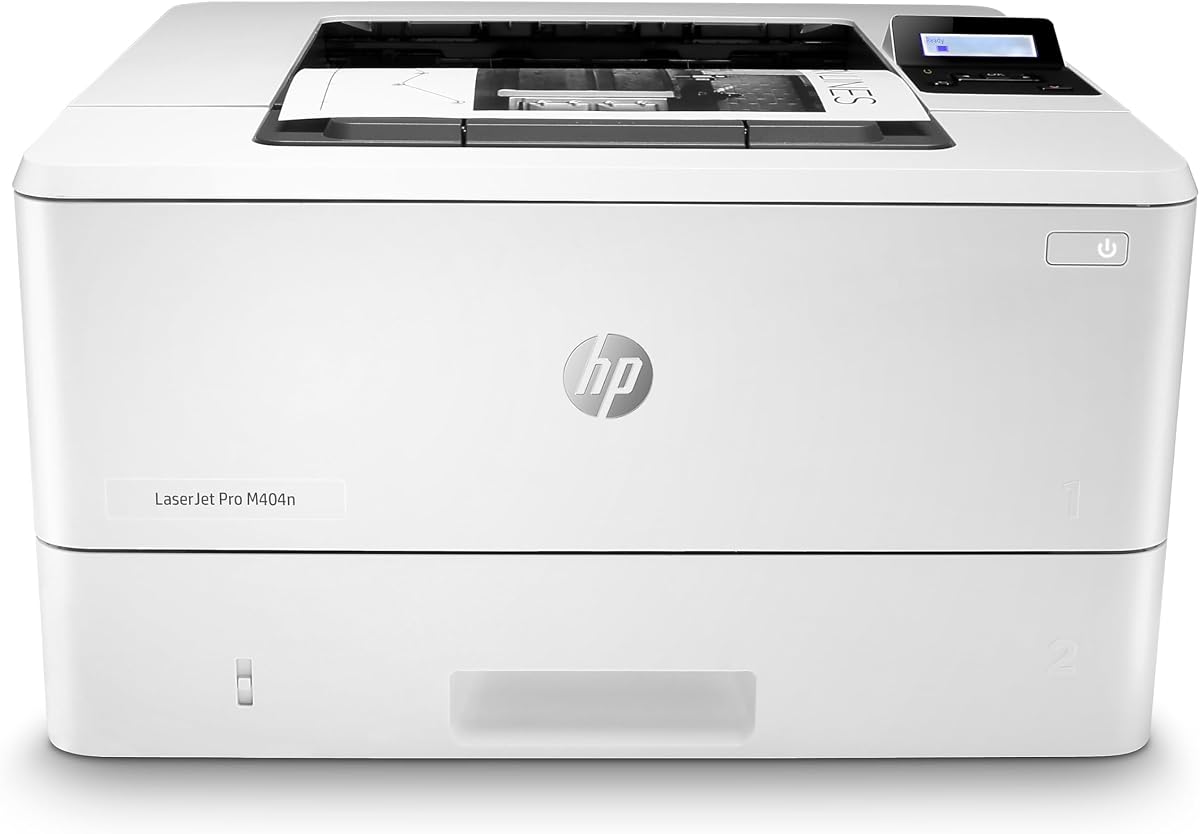
The HP LaserJet Pro M404n is a monochrome printer designed to let you focus on your business. Rated 4.3 stars it keeps business moving forward with reliable built-in Ethernet. Print speeds of up to 40 pages per minute stay productive.
We may earn a commission when you buy through this link, at no additional cost to you.
HP Wolf Pro Security protects data and prevents cyberattacks with hardware-level defense. Access and share resources easily on your network with Ethernet capabilities. The compact size fits into shared work areas effectively.
Original HP 58A/58X toner cartridges ensure high-quality prints without issues. One-year limited hardware warranty covers repairs and support. It is designed with the environment in mind to save energy.
Best for businesses needing fast Ethernet printing without wireless. We recommend it for secure network environments. It is a solid professional choice.
Built-in Ethernet allows easy access and resource sharing across your office network.
Hardware and firmware protection keeps your data secure from external threats.
We may earn a commission when you buy through this link, at no additional cost to you.
The Brother HL-L5100DN helps increase your productivity with a black print speed up to 42ppm. Rated 4.4 stars it is designed for high-volume tasks with duplex printing. The built-in Ethernet networking allows easy sharing with others.
We may earn a commission when you buy through this link, at no additional cost to you.
The 250-Sheet capacity paper tray is adjustable for letter or legal paper sizes. Restrict unauthorized printing and protect sensitive documents with advanced security features like Secure Print. Amazon Dash Replenishment makes ordering toner simple.
Compatible with Air Print Google cloud Print and more for flexible connectivity. The total capacity is expandable to 1340 sheets with optional trays. It handles demanding office needs with ease and precision.
Best for businesses needing high speed and secure printing. We recommend it for heavy-duty office workflows. It is a top choice for large volume.
Expandable trays allow uninterrupted printing for large batches of documents.
Advanced security features protect sensitive documents from unauthorized access.
We may earn a commission when you buy through this link, at no additional cost to you.
Selecting the right Ethernet laser printer requires understanding your office needs. Here are key factors to consider for an informed purchase.
Print speed determines how quickly documents are produced. For small offices 30 to 40 pages per minute is usually sufficient. High-volume environments may need 50ppm to avoid bottlenecks during busy times. Faster speeds improve productivity significantly.
Choose a speed that matches your daily output needs.
Ethernet provides stable network connections essential for office security. Look for dual-band wireless if you need mobile flexibility too. Gigabit Ethernet offers faster data transfer for large files. Ensure the printer supports your existing network protocols.
Verify that the printer offers the necessary ports and wireless options.
Paper capacity affects how often you need to refill trays. Standard 250-sheet trays work for light to moderate use. High-volume needs may require expandable trays totaling over 1000 sheets. Larger capacities reduce interruptions in workflows.
Select a capacity that minimizes downtime.
Security is vital for protecting sensitive business data. Look for built-in firmware protection and secure print options. Features like Wolf Pro Security encrypt data during transmission. Ensure compliance with your organization's security policies.
Prioritize models with robust security protocols.
Consider the cost of toner and maintenance. High-yield cartridges reduce the cost per page significantly. Some models offer subscription services for convenient supply delivery. Energy-efficient models save money on electricity bills.
Evaluate the total cost of ownership.
Automatic duplex printing saves paper and reduces waste. It allows two-sided printing without manual intervention. This feature is essential for environmentally conscious businesses. It also speeds up document preparation for reports.
Choose a printer with automatic two-sided printing.
Ensure the printer supports your operating systems and devices. Look for AirPrint for iOS and Google Cloud Print for Android. Mobile apps allow remote management and printing. Compatibility ensures smooth integration into your workflow.
Check that the printer works with your current devices.
A good warranty protects your investment against defects. Look for options with at least one year of coverage. Reliable customer support via phone or chat is valuable. Check if extended warranties are available for peace of mind.
Verify the warranty terms before buying.
Start by connecting the printer to your network using an Ethernet cable. Ensure the cable is securely plugged into the port and your router. This provides a stable connection for all network printing tasks.
Keep the toner cartridges clean and properly installed. Replace them when the printer indicates low levels to avoid print quality issues. Use genuine toner for best performance and longevity.
Update the firmware regularly to ensure security and performance. Manufacturers release updates to fix bugs and add features. Schedule regular updates during off-hours to prevent workflow disruptions.
An Ethernet laser printer connects to a network via a physical Ethernet cable. This connection ensures stability and security compared to wireless options. It is ideal for office environments where reliable network access is critical.
Not all laser printers include built-in Ethernet ports. Many modern models do but some budget or wireless-only models may not. Always check the specifications to confirm Ethernet connectivity before purchasing.
To connect a printer to Ethernet plug one end of a network cable into the printer port and the other into your router. Power on the printer and it should detect the connection automatically. Check the status panel for confirmation.
Ethernet offers a more stable and secure connection than Wi-Fi. It is less prone to interference and provides consistent speed. For offices handling sensitive data Ethernet is generally the preferred choice.
Many Ethernet printers also include wireless capabilities. These hybrid models allow both wired and wireless printing options. Check the model specs to see if Wi-Fi is included if you need wireless.
Ensure your printer has the latest firmware and is connected via Ethernet. Avoid using low-quality paper which can cause jams and slowdowns. Close unnecessary background apps on your computer to reduce processing time.
A duplex printer can print on both sides of a sheet automatically. This feature saves paper and time. It is highly recommended for offices looking to reduce costs and improve efficiency.
Check the manufacturer website for updates or use the printer software. Connect the printer to your network and run the update tool. Keep the device powered on during the process to prevent corruption.
We have reviewed the top 10 Ethernet laser printers for 2026 offering speed and reliability. Our top picks include the HP LaserJet Pro 4001dn for speed and Brother HL-6210DW for volume. Each model delivers professional quality and secure connectivity.
Prioritize speed and security features based on your specific business needs. Consider paper capacity and duplexing to ensure efficient workflows. Choose models that fit your budget while meeting your performance requirements.
Remember that prices may change so check the latest offers before buying. Verify compatibility with your current network setup. Investing in the right printer ensures long-term productivity and reliability.