Gimbal Stabilizer for Smartphone
4.7Editor score
One button operation
Folds to seven inches
Wireless remote included
This guide compares the top 10 gimbals for beginners in October 2026, evaluating stability, battery life, ease of use, and compatibility for smooth smartphone
Creating smooth video footage has never been more accessible for content creators of all levels. A quality gimbal stabilizer removes shaky hands and allows you to focus on framing your subject. Whether you are vlogging, traveling, or recording family events, the right tool makes a significant difference in production quality.
We analyzed the latest models available on the market, focusing on ease of setup, stabilization performance, and battery endurance. Our selection includes options ranging from ultra-budget-friendly choices to advanced systems with AI tracking and built-in lighting. Each product was evaluated based on real-world use cases for new users.
Each pick in this list highlights specific strengths such as portability, app integration, or extended recording time. Note that product availability and pricing can change frequently across different retailers. Always check the current details before making a purchase to ensure you get the best value for your specific needs and device.
4.7Editor score

4.4Editor score

4.4Editor score
This side by side comparison breaks down the key specifications and features of every model on our list. Use this table to quickly identify which stabilizer matches your device type and shooting style without scrolling through long descriptions.



The DJI Osmo Mobile 8 stands out as a top-tier option for beginners who want professional features without the complexity of camera gimbals. With a rating of 4.4 stars, users praise its seamless 360-degree pan rotation and robust stabilization that keeps footage smooth even during movement.
We may earn a commission when you buy through this link, at no additional cost to you.
Key strengths include native tracking with audio and lighting capabilities which simplify setup for vloggers. The direct phone connection allows for quick setup while the intelligent tracking follows subjects freely. The ultra-comfortable grip and built-in tripod offer flexibility for low-angle shots without wrist strain.
While the price is higher than budget options, the included multifunctional module and extensive battery life justify the cost for serious creators. The one-tap editing tutorials help new users get started fast. However, note that the DJI Mimo app has been removed from Google Play requiring manual download for Android users.
Buy this gimbal if you want a reliable tool for festivals travel or daily recording where lighting and audio matter. It is ideal for vlogging or live streaming where you need hands-free filming. The long-lasting battery ensures you can shoot for hours at events without interruptions.
The multifunctional module combines tracking audio reception and lighting into one compact unit for ideal shots every time.
With a 10-hour battery life the gimbal can also charge your phone via USB-C ensuring uninterrupted operation during long shoots.
We may earn a commission when you buy through this link, at no additional cost to you.
The hohem iSteady X3 SE offers an accessible entry point for beginners looking to stabilize smartphone footage without breaking the bank. Rated 4.2 stars it features advanced iSteady 8.0 technology that ensures ultra-smooth footage even when jogging or jumping.
We may earn a commission when you buy through this link, at no additional cost to you.
Its standout feature is the detachable magnetic remote allowing control from up to 32.81 feet away which is perfect for solo travel moments. The gimbal weighs only 0.79 lbs and folds into a pocket-sized tool making it a must-have for travelers. The Hohem Joy App provides multiple shooting modes like AI tracking and gesture control.
While the payload is limited to 0.66 lbs it handles most standard smartphones well. The 11-hour battery life lets you film all day without interruptions. The quick horizontal and vertical screen switching makes it ideal for creating social media content effortlessly even for first-time users.
Choose this stabilizer if you prioritize portability and ease of use on a budget. It is designed for anyone looking to create professional-grade content without a steep learning curve. The lightweight design ensures you can carry it anywhere for vlogging or family gatherings.
The 11-hour continuous operation on a 2-hour charge makes it perfect for live streaming and day-long shoots without running out of power.
The detachable magnetic remote allows you to effortlessly control selfies and videos from up to 32.81 feet away.
We may earn a commission when you buy through this link, at no additional cost to you.
The DJI Osmo Mobile 7 delivers seamless stability that makes it a vital part of any content creator's essentials. With a 4.4 rating users appreciate its robust 3-axis gimbal stabilization which ensures lossless stability for stunning cinema-quality masterpieces.
We may earn a commission when you buy through this link, at no additional cost to you.
Key strengths include an integrated foldable design with a built-in tripod that makes solo creation effortless. DJI Mimo's ActiveTrack 7.0 tracks subjects with more diversity allowing you to enjoy smooth tracking every step of the way. It pairs with DJI Mimo for ShotGuides and One-Tap Edit to save time on storytelling.
Weighing just 300 grams it boasts an ergonomic design and anti-slip handle ideal for extended use. It offers a max operating time of 10 hours and can charge your phone via USB-C. Dual-lens enhanced tracking allows fast close-up action to stay in sharp focus.
Buy this if you want a balance of advanced tracking features and lightweight portability. It is perfect for solo creators who need reliable tracking without extra gear. Note that the DJI Mimo app has been removed from Google Play so download from the official website for best experience.
ActiveTrack 7.0 tracks subjects with your gimbal in more diverse scenarios ensuring smooth tracking even with bold moves.
At just 300 grams the gimbal features an ergonomic design and anti-slip handle making it ideal for extended handheld use.
We may earn a commission when you buy through this link, at no additional cost to you.
The DJI Osmo Mobile 7P elevates content creation with its multifunctional module that packs intelligent tracking DJI Mic 2 reception and lighting features. Rated 4.5 stars it ensures lossless stability for crafting cinematic-quality masterpieces with ease for creators who demand precision.
We may earn a commission when you buy through this link, at no additional cost to you.
Its standout features include a built-in extension rod and tripod that let you capture wide selfies and steady vlogs without extra gear. Pair it with DJI Mimo for ShotGuides and One-Tap Edit to film and edit like a pro. The gimbal also delivers extra power to your phone when acting as a mic receiver.
While the price is higher than the base model the all-in-one design saves money on accessories. The dual-lens enhanced tracking ensures fast close-up action stays in sharp focus. Unfolding the gimbal powers it on immediately allowing for instant filming without complex setup steps.
Buy this if you want precise tracking with audio capabilities without buying separate equipment. It is a great choice for content creators who value convenience and integrated features. Always download the latest DJI Mimo from the official site for best compatibility.
The multifunctional module allows reception of DJI Mic 2/DJI Mic Mini enabling high-quality audio for your videos.
The built-in extension rod and tripod let you capture wide selfies and steady vlogs with ease offering creative freedom.
We may earn a commission when you buy through this link, at no additional cost to you.
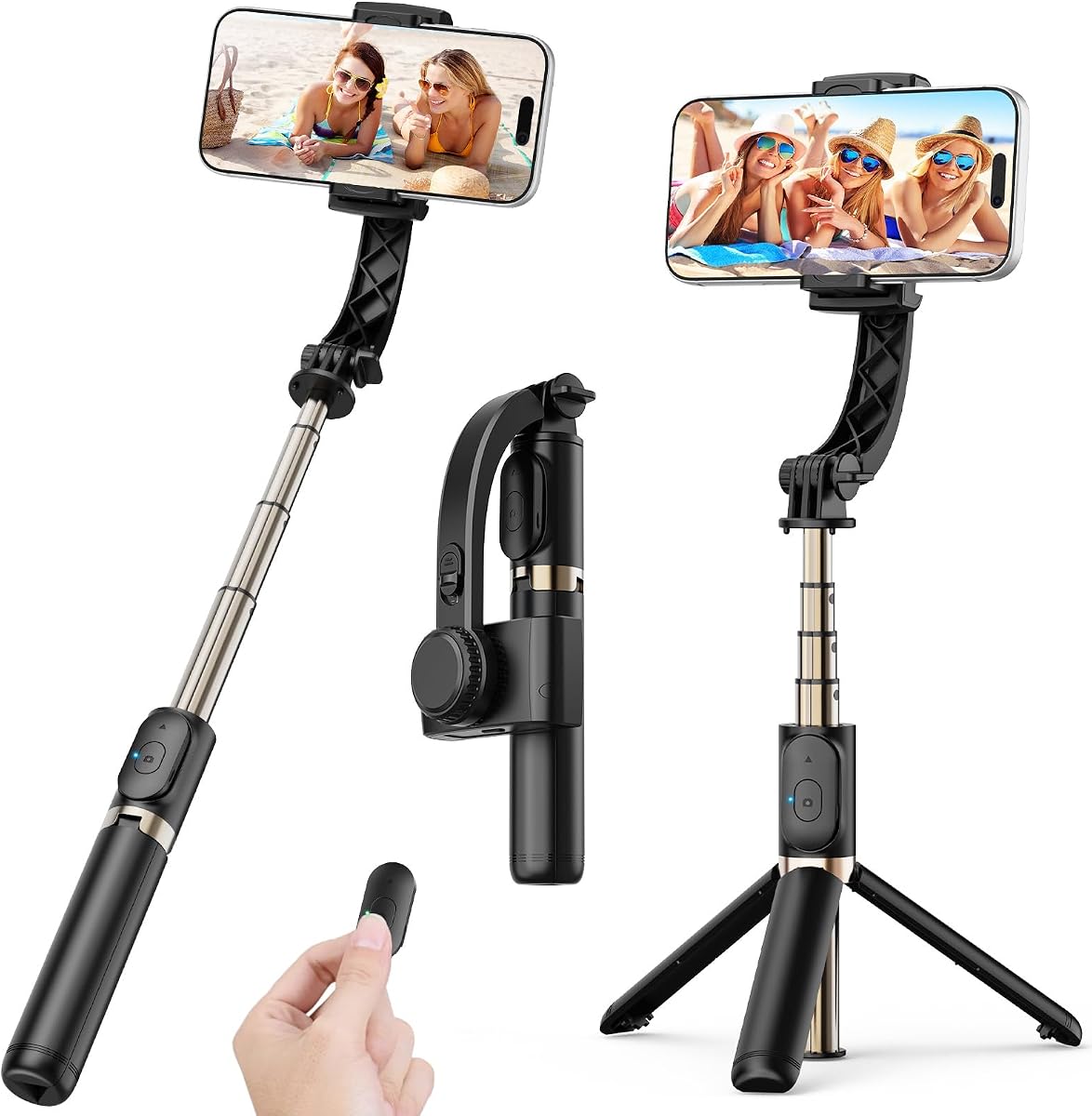
This gimbal stabilizer offers a simple solution for beginners needing basic stabilization without complex setup. With a 4.7 rating it reduces hand shake and delivers smooth stable video footage for vlogging live streaming and action shots.
We may earn a commission when you buy through this link, at no additional cost to you.
Its key strength is app-free operation with one-button control to switch between horizontal and vertical shooting saving time on manual adjustments. It weighs only 0.49 lb and folds down to 7.5 inches fitting easily into a bag. The extendable 31.5-inch aluminum alloy rod allows for wide group shots and creative angles.
While it only offers 1-axis stabilization it is sufficient for casual TikTok and YouTube users. The 450mAh battery lasts up to 2 hours on a full charge. You can instantly convert it into a tripod by opening the grip for hands-free calls or recording.
Choose this if you want the most accessible option for quick social media clips. It is ideal for travelers and first-time users who prefer simplicity over advanced features. The wireless remote works up to 32 ft away for easy group photos.
No complicated apps required features this gimbal features simple one-button control to switch between horizontal and vertical shooting instantly.
The extendable 31.5-inch aluminum alloy rod and 360 rotating phone holder allow you to capture selfies and wide shots effortlessly.
We may earn a commission when you buy through this link, at no additional cost to you.
The AOCHUAN Smart XE is designed specifically for vertical content creators on platforms like TikTok and YouTube Shorts. With a 4.1 rating it features 3-axis stabilization and a versatile compatibility with most Android phones and iPhones for reliable performance.
We may earn a commission when you buy through this link, at no additional cost to you.
Its unique focus wheel and zoom slide empower you to shoot like a professional filmmaker without complicated skills. The one-click video button effortlessly switches between horizontal and vertical portrait mode for quick social media content. AI Face Track 4.0 in the AOCHUAN APP optimizes native camera settings automatically.
The 2600mAh big-capacity battery enables up to 10 hours of continuous shooting which is perfect for food photography or live streaming. Enhanced 7.0 anti-shake algorithm ensures smooth steady video output. The package includes a tripod and USB-C charging cable to support your workflow.
Buy this if you focus on social media videos and need reliable vertical tracking. It is born for filmmakers vloggers TikTokers and YouTubers who want professional videography tools. The lightweight design makes it easy to carry for all-day video creation.
Innovative focus wheel and zoom slide empower you to shoot like a professional filmmaker even without complicated filmmaking skills.
The 2600mAh big-capacity battery enables up to 10 hours of continuous shooting making it perfect for live streaming.
We may earn a commission when you buy through this link, at no additional cost to you.
The DJI RS 3 Mini is an ultra-compact gimbal stabilizer for cameras rather than phones offering professional stability for travel. Rated 4.3 stars it weighs only 795g making it easy to hold for extended shooting sessions.
We may earn a commission when you buy through this link, at no additional cost to you.
With strong high-torque motors it possesses a load capacity of up to 2 kg enabling a wide range of camera and lens combinations. Bluetooth shutter control allows your camera to automatically reconnect after initial pairing. The 1.4-inch full-color touchscreen displays an intuitive UI design for easy settings access.
It supports native vertical shooting for social media content by mounting the quick-release plate to the vertical arm. The 3rd-Gen RS Stabilization Algorithm provides pro-level image stabilization even when shooting low-angle shots. Note that the DJI Ronin app must be downloaded from the official website.
Buy this if you use mirrorless or DSLR cameras and want portable stabilization. It is convenient for travel and shooting with Canon Sony Nikon or Fujifilm systems. Always log in to the DJI official website to download the latest version of the app.
Weighing only 795g the DJI RS 3 Mini is an ultra-compact gimbal stabilizer convenient for travel and extended holding.
With strong high-torque motors the stabilizer possesses a load capacity of up to 2 kg enabling a wide range of camera combos.
We may earn a commission when you buy through this link, at no additional cost to you.
The hohem iSteady Mobile Plus is designed to eliminate motor interference with its unique ultra-wide-angle feature. With a 4.2 rating it achieves cinematic-grade video with iSteady 7.0 Stabilization technology for uninterrupted and sleek video.
We may earn a commission when you buy through this link, at no additional cost to you.
Its standout modes include the 3D fantasy auto-rotation that vertically rotates your phone 360 degrees spontaneously for master-like shots. The Hohem Joy app offers Moment video templates Inception CloneMe and Dolly Zoom with one click. It has a 13-hour battery life and can act as a power bank to charge your phone.
Note that you must manually balance your phone especially for iPhone Pro Max models to avoid interference with the lens. The motor torque has been increased by 20% to handle big smartphones like the iPhone 15 Pro Max effortlessly. The upgraded app supports face/object tracking and beauty touch-up.
Buy this if you want creative tools like Inception mode and long battery life. It is ideal for daily travel recording or short video creation. Ensure you use the updated Mobile Plus Kit for an improved experience with larger devices.
The 3D fantasy auto-rotation mode allows you to vertically rotate your phone 360 degrees spontaneously when filming.
The 13-hour battery life ensures longer shooting time when shooting outdoors and the gimbal can act as a power bank to charge your phone.
We may earn a commission when you buy through this link, at no additional cost to you.
The FeiyuTech SCORP Mini 2 Kit offers powerful compatibility with mirrorless cameras smartphones and DSLR cameras in one package. With a 4.2 rating it reaches a payload of 1.2 kg making it suitable for diverse shooting devices.
We may earn a commission when you buy through this link, at no additional cost to you.
It features a built-in AI tracker that tracks faces and objects without connecting to an app which simplifies the workflow. The new control panel design with five-way joysticks and a 1.3-inch touch screen interface allows you to film more easily at low angles. Bluetooth and cable control allow easy focus adjustment.
The kit includes a carrying case and extension rod to support various shooting scenarios. The gimbal weighs only 852g making it easy to carry for travel. While more complex than phone-only gimbals it provides professional tools for videographers looking to expand their capabilities.
Buy this if you plan to use both phones and interchangeable lens cameras. It is suitable for those who want a dedicated AI tracker and full control via touchscreen. The lightweight design ensures it is portable for diverse shooting environments.
The stabilizer comes with independent AI tracking function built into the body so it can track faces and objects without connecting to the app.
The 1.3-inch touch screen interface allows you to film more easily at low angles with less effort and comfort.
We may earn a commission when you buy through this link, at no additional cost to you.
The Hohem iSteady M6 Kit stands out for its integrated lighting solutions that help creators shoot in lower light conditions. Rated 4.3 stars it uses AI tracking in all mobile apps for full camera control for social media video creation.
We may earn a commission when you buy through this link, at no additional cost to you.
Its key feature is the magnetic fill light allowing you to use cold warm and RGB light with a color temperature range of 2700K to 6500K. The OLED display visualizes almost all gimbal statuses so you can check battery level and mode. The gimbal can be powered on whether your phone is in front of or behind the roll motor.
It supports roll axis rotation focus control and light adjustment via a versatile control wheel. The iSteady 7.0 stabilization helps capture on-the-move and shake-free creations that wow even if you are walking or running. The heavy payload of up to 400g works with most smartphones.
Buy this if you need reliable lighting and tracking for social media. It is ideal for creators who shoot in varied lighting and want to monitor settings on the OLED display. The ultra-wide-angle shots are made easy with its unique roll motor design.
With the magnetic Fill Light you can use different lighting for your shooting including cold light warm light and RGB light.
The OLED display visualizes almost all gimbal statuses and you can conveniently check various parameters battery level and mode.
We may earn a commission when you buy through this link, at no additional cost to you.
Choosing the right gimbal depends on your specific needs and the devices you already own. Here are the key factors to consider before making your purchase.
Gimbals typically offer 1-axis 2-axis or 3-axis stabilization. A 3-axis gimbal provides the most comprehensive stabilization by controlling tilt pan and roll which eliminates shake in all directions. Beginners should look for 3-axis models for the smoothest results especially when moving while recording.
For casual users a 1-axis model might suffice if you only need basic correction. However most serious vloggers prefer 3-axis systems for professional-looking footage.
Battery life determines how long you can shoot before needing a recharge. Most modern gimbals offer between 10 to 13 hours of continuous use. Look for models that support charging your phone while recording to extend your session time during live events.
If you travel frequently check for quick charging capabilities. A gimbal that charges fully in under two hours is more convenient for daily use than those that take longer.
The payload is the maximum weight the gimbal can support. Ensure the gimbal can handle your phone's weight especially if you use larger models like iPhone Pro Max or Samsung Ultra series. Exceeding the payload can cause motor strain and unstable footage.
Check the product specs for the supported weight limit. Most phone gimbals support up to 600 grams which covers most standard smartphones with cases.
Dedicated apps often unlock advanced features like AI tracking gesture control and time-lapse modes. Some apps offer one-tap editing templates which save time for beginners. Ensure the app is updated and compatible with your operating system to avoid crashes.
If you dislike using apps look for models with onboard controls or physical buttons. However most creative features still require software integration for best results.
Portability matters if you travel or shoot on the go. Look for foldable designs that allow the gimbal to fit in your pocket or small bag. A lightweight model reduces wrist fatigue during long recording sessions.
Consider the included accessories like a carrying case or tripod. A compact gimbal with a built-in tripod saves you from carrying extra gear for hands-free shots.
Active tracking allows the gimbal to follow your face or an object automatically. This is crucial for solo creators who need to keep themselves in frame while moving. Higher-end models offer more sophisticated tracking algorithms that stay smooth even during fast movements.
Test the tracking sensitivity. Some models allow you to adjust how aggressively the gimbal follows subjects which helps reduce unwanted jitter.
Beginner-friendly gimbals simplify setup with magnetic clamps and quick-balancing features. Look for products that offer tutorials or intuitive interfaces to reduce the learning curve. Physical buttons for common actions like switching modes are helpful when wearing gloves.
Read user reviews for insights into how easy the product is to set up. A gimbal that takes minutes to configure is better than one requiring complex calibration.
Gimbals range from affordable options under 50 dollars to premium models over 200 dollars. Higher prices usually correlate with better build quality and advanced features. Determine your budget and prioritize features that matter most to your style.
Remember that investing in a durable gimbal can last years. Sometimes spending more upfront saves money compared to replacing cheaper units frequently.
Start by balancing your device on the gimbal arms. Slide the phone clamp until the phone is centered and secure. Turn on the gimbal and let the motors find their position. If the phone shakes adjust the weights or position until it sits level.
Use the app or buttons to select your desired mode such as follow or lock mode. Keep your movements smooth and slow to maximize stabilization. For selfie shots utilize the built-in selfie stick or extension rod to capture wider angles without straining your wrist.
After use store the gimbal in a dry place to protect the electronics from humidity. Clean the motors occasionally with a soft cloth to remove dust. Avoid dropping the gimbal as the internal components are sensitive to impact which can cause long-term mechanical issues.
Yes most gimbals listed in this guide are compatible with both iOS and Android devices. Always check the payload limit and phone size specifications. Some models offer magnetic clamps that fit phones ranging from 4 inches to 6.7 inches wide. Make sure your phone is balanced properly for best results.
Basic stabilization works without an app but advanced features like AI tracking and editing templates often require the companion app. Most manufacturers provide free apps on the App Store and Google Play. Note that some apps may need manual download from the official website due to platform restrictions.
Most modern gimbals last between 10 to 13 hours on a single charge. This allows for full-day shooting sessions without interruption. Higher-end models often support charging your phone while recording which extends the total usage time significantly.
A 1-axis gimbal stabilizes tilt only while a 3-axis gimbal controls tilt pan and roll. A 3-axis gimbal provides smoother footage especially when walking or turning. Beginners typically prefer 3-axis gimbals for professional-looking results.
Slide the phone clamp along the horizontal axis until the phone stays level without motors spinning. Then adjust the vertical arm to center the phone vertically. The goal is to ensure the phone is neutral before turning the gimbal on.
Most standard phone gimbals are not waterproof and should be used in dry conditions. If you plan to shoot in rain or near water look for models specifically rated for weather resistance. Generally it is safer to keep the gimbal dry to protect the internal electronics.
Some advanced gimbals feature accessory ports or cold shoe mounts for lights and microphones. Basic models may not support extra gear due to weight limits. Always check the payload capacity and available ports before purchasing accessories.
This guide has explored ten top options for beginners ranging from budget-friendly essentials to advanced tools with AI tracking. The DJI Osmo Mobile 8 and hohem iSteady X3 SE offer strong choices depending on your priorities. Each model brings unique benefits to help you capture smooth and creative content.
Prioritize features like battery life and app compatibility to match your workflow. If you want simple setup look for magnetic clamps and foldable designs. If you need advanced tracking consider models with dedicated tracking modules or robust software support.
Always verify the current specifications and availability before purchasing as products change frequently. Check current pricing and read user reviews to ensure the gimbal meets your expectations. Investing in the right tool today will improve your video quality for years to come.