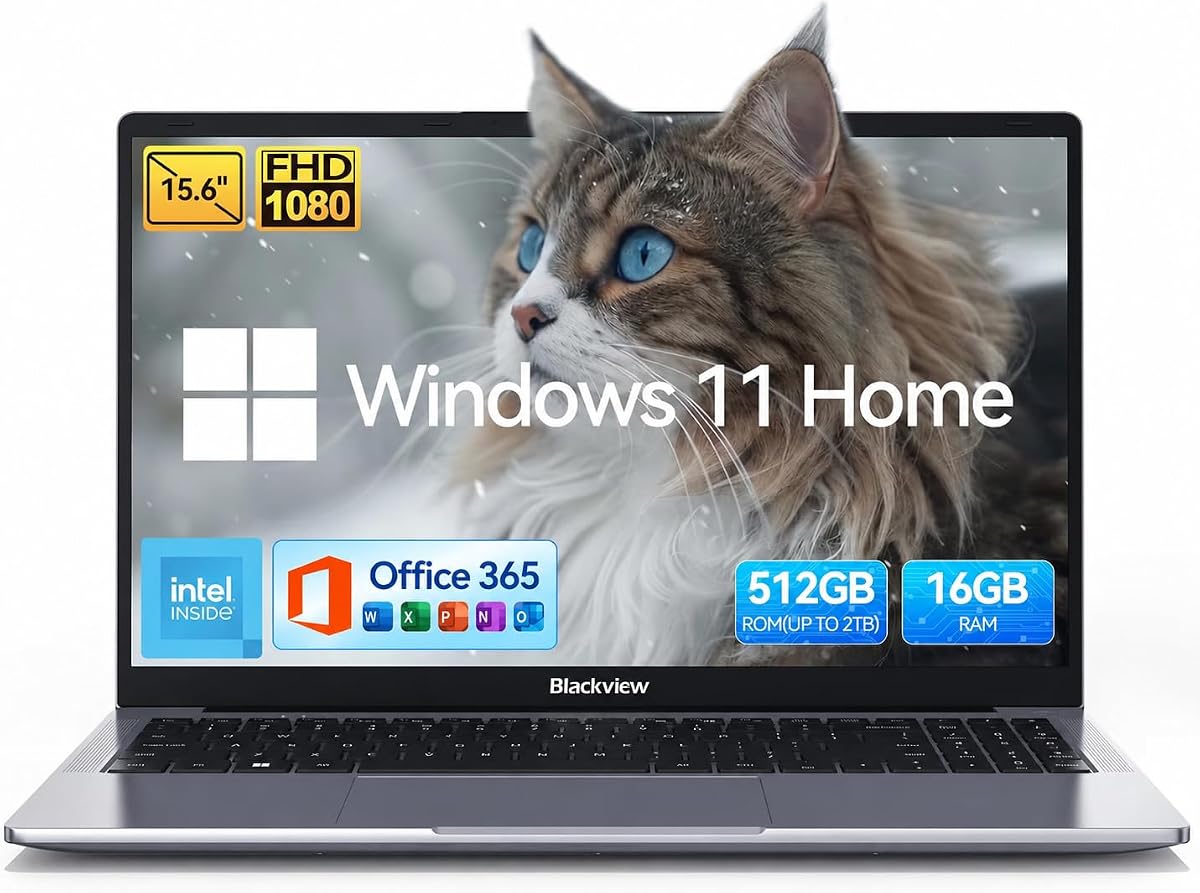
BlackView Acebook 6
4.6Editor score
Triple display support
Affordable pricing
Student friendly design
Find the best laptop with 2 HDMI ports for productivity. This guide compares top models featuring dual display connectivity for work and entertainment in 2026.
Finding a laptop with 2 HDMI ports can transform your workflow by enabling seamless multi-monitor setups without extra adapters. This guide reviews top models designed for professionals and students needing expanded display options.
We evaluated each device based on connectivity options, performance capabilities, and display quality to ensure they meet diverse computing needs. Our selection includes versatile laptops that support multiple external screens effectively.
Each pick highlights key strengths and ideal use cases to help you choose the right machine for your setup. Please note that availability and pricing may change frequently across retailers.
4.6Editor score

4.4Editor score

4.6Editor score
This comparison table outlines key specifications across all ten selected models to help you quickly identify the device that best fits your connectivity and performance requirements.


The Dell Inspiron 16 Plus 7640 stands out as a top contender for users seeking robust connectivity and performance. With a rating of 4.4, it delivers reliable performance for demanding workflows and multi-monitor setups.
We may earn a commission when you buy through this link, at no additional cost to you.
Its spacious 16-inch 2.5K display provides ample screen real estate for productivity tasks. The Intel Core i7 processor ensures smooth multitasking across multiple applications and browser tabs without lag.
While it carries a premium price, the inclusion of military-grade testing and onsite support justifies the investment. The ComfortView Plus feature reduces blue light, making long sessions more comfortable for eyes.
This laptop is ideal for professionals needing a reliable machine for business and creative work. It offers a balanced mix of performance and durability that meets rigorous daily demands.
The 2.5K resolution with a 16:10 aspect ratio allows you to view more vertical content, reducing the need for scrolling during document editing and coding.
Dell provides a 1 year onsite service and 6 months migrate tool, ensuring minimal downtime and easy data transfer to your new device.
We may earn a commission when you buy through this link, at no additional cost to you.
The HP 17 Laptop offers a spacious 17.3-inch touchscreen experience ideal for users who prioritize screen real estate and touch interaction. Its 64GB RAM ensures that heavy multitasking remains smooth without any slowdown.
We may earn a commission when you buy through this link, at no additional cost to you.
Equipped with a 2TB SSD, this model provides extensive storage for files and applications. The Intel Core i7 processor handles daily tasks efficiently while supporting multiple external displays via HDMI.
The touchscreen feature adds versatility for presentations and interactive content. However, the lower HD+ resolution might be a trade-off for those needing crisp pixel density on larger displays.
This device suits home office setups where portability is less critical than performance and display size. It delivers powerful specs for users requiring significant memory and storage.
With 64GB of RAM, you can run dozens of browser tabs and heavy software simultaneously without experiencing stutter or performance drops.
The 17.3-inch HD+ touchscreen allows intuitive navigation and interaction, making it easier to manage windows and touch-based applications.
We may earn a commission when you buy through this link, at no additional cost to you.
This HP 15.6-inch Touch Laptop excels with its premium features tailored for business and students. It received a high rating of 4.6, reflecting its strong performance and versatile design.
We may earn a commission when you buy through this link, at no additional cost to you.
The AMD Ryzen 5 processor paired with 32GB RAM handles complex spreadsheets and multi-tab browsing effortlessly. The IPS display offers wide viewing angles and accurate colors for professional work.
Windows 11 Pro includes advanced security features and AI integration for optimized workflows. The numpad and backlit keyboard enhance productivity in various lighting conditions and data entry tasks.
Ideal for office environments, this laptop balances power and usability effectively. Its connectivity options support multiple monitors for an expanded workspace experience.
The highly sensitive touchscreen supports precise tap and swipe operations, creating an intuitive experience compared to traditional non-touch laptops.
Built-in Copilot AI assistant simplifies complex steps and optimizes daily workflows, saving time on routine administrative tasks.
We may earn a commission when you buy through this link, at no additional cost to you.
The BlackView Acebook 6 is an exceptional budget option for students needing multiple display connectivity. It supports up to two external monitors alongside its built-in screen for a true three-screen setup.
We may earn a commission when you buy through this link, at no additional cost to you.
With 16GB RAM and 512GB SSD, it manages daily multitasking tasks efficiently. The Intel N150 processor provides sufficient power for web browsing and document editing without breaking the bank.
Its lightweight design makes it easy to carry for campus use. The inclusion of 2-year after-sales support adds peace of mind for buyers seeking value and reliability.
This laptop is perfect for budget-conscious users requiring expanded workspace capabilities. It delivers essential features for study and casual productivity at an accessible price.
Connect via USB-C and HDMI 2.0 to expand your workspace into three screens for spreadsheets and research materials simultaneously.
Includes MS 365 and essential tools ready out of the box, ensuring you can start productive work immediately upon purchase.
We may earn a commission when you buy through this link, at no additional cost to you.
This DELL Business Inspiron 15 3530 combines robust specifications with professional operating system features. It offers 32GB RAM and 2TB SSD, ensuring plenty of memory and storage for extensive workloads.
We may earn a commission when you buy through this link, at no additional cost to you.
The Intel Core i7 processor handles demanding applications smoothly. Its HDMI port allows for easy connection to external monitors for a larger viewing experience.
Windows 11 Pro provides advanced management tools like group policy and dynamic provisioning. The anti-glare touchscreen improves visibility in various lighting conditions.
It is suitable for business users needing reliable performance and security features. The device delivers powerful capabilities for those prioritizing storage and memory.
Windows 11 Pro includes device management and enterprise roaming for secure and efficient organizational computing environments.
The 2TB PCIe NVMe SSD ensures fast boot times and quick data transfers, enhancing overall workflow speed significantly.
We may earn a commission when you buy through this link, at no additional cost to you.
The HP New Core i7 Laptop boasts a perfect 5.0 rating, reflecting its high-quality build and performance. It is powered by a 12th Gen Intel Core i7 processor suitable for intensive tasks.
We may earn a commission when you buy through this link, at no additional cost to you.
With 16GB RAM and large SSD storage, it offers seamless app switching and plenty of space. The anti-glare display provides comfortable viewing during long work sessions.
Privacy features like a camera shutter and mic mute key enhance security during online meetings. The sleek design weighs just 3.52 lbs for good portability.
This device fits academic and business needs perfectly with strong connectivity. It delivers a reliable experience for users who value performance and privacy.
The 10-core processor with Turbo Boost up to 4.7GHz delivers elite performance for multitasking and content creation without slowdown.
Built-in privacy features such as camera shutter keep you secure during video conferences and online meetings.
We may earn a commission when you buy through this link, at no additional cost to you.
The Dell Pro 15.6 Laptop offers dependable performance for everyday computing. It features a responsive Intel Core 3 processor paired with fast DDR5 memory for fluid multitasking.
We may earn a commission when you buy through this link, at no additional cost to you.
The 15.6-inch FHD display with 120Hz refresh rate ensures smooth visuals during browsing and video calls. Ports include USB-C and HDMI for flexible connectivity options.
Durability is a key focus with a carbon black design that is robust. The lightweight chassis allows for easy portability for students and home users.
Ideal for daily tasks, this laptop combines speed and reliability effectively. It supports external displays for expanded workspace utility.
The 120Hz refresh rate provides comfortable and fluid everyday viewing, reducing eye strain during extended use.
Multiple ports including USB 3.2 and HDMI offer flexible options for peripherals and storage expansion in any setting.
We may earn a commission when you buy through this link, at no additional cost to you.
The Lenovo V15 Gen 4 focuses on security and reliable connectivity for business use. It features TPM 2.0 encryption and a webcam shutter to protect sensitive data and privacy.
We may earn a commission when you buy through this link, at no additional cost to you.
With 16GB LPDDR5 RAM, it manages multitasking tasks efficiently. The Ethernet port provides stable wired internet options for reliable work environments.
Windows 11 Pro includes enterprise security enhancements and service hot keys. The anti-glare display reduces reflections for clear visibility during long work hours.
It is a great choice for professionals prioritizing data security. The device delivers stable performance and essential connectivity features.
Trusted Platform Module encrypts critical information while webcam shutters let you control your privacy during meetings.
Built-in Ethernet RJ-45 port ensures faster and more stable network transmission even in crowded wireless environments.
We may earn a commission when you buy through this link, at no additional cost to you.
This Lenovo V-Series V15 stands out with an impressive 40GB RAM capacity for intensive workflows. It handles heavy applications and browser tabs smoothly without performance drops.
We may earn a commission when you buy through this link, at no additional cost to you.
The AMD Ryzen 7 processor supports multi-threaded tasks efficiently. With a 2TB SSD, you have massive storage space for files and media.
Business features include Windows 11 Pro and numeric keypad for quick data entry. Connectivity options support multiple displays for better productivity.
It suits users needing substantial memory and processing power. The device delivers robust performance for complex office tasks.
With 40GB RAM, you can run multiple applications simultaneously without any lag during heavy multitasking scenarios.
The numeric keypad allows faster number crunching and accounting calculations, perfect for finance and office workers.
We may earn a commission when you buy through this link, at no additional cost to you.
The Lenovo Essential 15.6 offers a compact and lightweight design ideal for students and basic users. It features an Intel N150 processor and 8GB DDR5 RAM for smooth everyday computing.
We may earn a commission when you buy through this link, at no additional cost to you.
With HDMI and USB-C with DisplayPort, it supports external displays effectively. The anti-glare FHD display provides comfortable viewing with good brightness.
Its slim profile and durability testing make it easy to carry daily. Battery life and power efficiency are emphasized for on-the-go usage.
This model fits users needing essential features and portability. It delivers a balanced experience for daily browsing and document editing.
Weighing just 3.42 lbs with a slim profile, this laptop is easy to carry anywhere for daily commuting or study.
The built-in privacy shutter on the HD camera protects your privacy during video conferencing and online learning.
We may earn a commission when you buy through this link, at no additional cost to you.
Selecting the right laptop for multi-monitor work requires considering several key factors to ensure performance and connectivity match your needs.
When choosing a laptop with multiple display outputs, prioritize screen resolution and size for your primary tasks. A high-resolution IPS panel ensures accurate colors and wide viewing angles which are essential for creative work and data analysis.
Look for displays with at least Full HD resolution to maintain clarity across multiple windows and external monitors.
Running multiple applications and external screens demands significant processing power and RAM. Aim for a multi-core processor like Intel Core i7 or AMD Ryzen 7 to handle multitasking without lag.
Ensure the laptop has at least 16GB of RAM to support smooth operation across browser tabs and productivity software simultaneously.
Verify the number and type of ports available for connecting monitors and peripherals. HDMI ports are standard but check for DisplayPort or USB-C with video output to support dual external displays if needed.
Adequate USB ports and Wi-Fi 6 connectivity ensure stable data transfer and network performance during critical work sessions.
Large storage capacities allow you to keep multiple project files and media locally without relying on external drives. NVMe SSDs provide faster boot times and application loading compared to traditional hard drives.
Prioritize models with at least 512GB SSD storage to accommodate operating systems and essential software comfortably.
Windows 11 Pro offers advanced management tools and security features suitable for business users. Home editions support most consumer needs but lack enterprise policies.
Choose the operating system edition that matches your professional requirements and software compatibility needs.
For users moving between locations, weight and durability are key considerations. Lightweight chassis with military-grade testing withstand physical stress and daily wear.
Ensure the build quality supports extended usage and protects internal components during transport.
Longer battery life allows productive work away from power outlets. Energy-efficient processors and optimized power management contribute to extended usage times.
Look for laptops promising at least 6 to 8 hours of real-world battery performance.
Business and personal data protection requires hardware-based security such as TPM chips and privacy shutters for webcams. These features help prevent unauthorized access and physical spying.
Select models that include fingerprint sensors or facial recognition for secure login options.
To set up multiple monitors, connect your external displays via HDMI cables and enable extended display modes in your operating system settings. Adjust resolution and scaling for optimal clarity on each screen.
Maintain your laptop by regularly cleaning ports from dust and debris using compressed air. Avoid excessive force when plugging and unplugging HDMI cables to prevent port damage.
Use a surge protector to safeguard your laptop and monitors from power fluctuations. Regularly update drivers to ensure compatibility with external display hardware and performance improvements.
Most models support two external monitors via HDMI and USB-C or DisplayPort combinations. Check specific port specifications for each device to confirm simultaneous display support.
Yes, Windows 11 allows individual resolution settings for each connected display. You can customize resolution per monitor for optimal clarity based on screen size.
Many laptops include built-in HDMI ports but some may require a USB-C to HDMI adapter. Verify port availability on the device before purchasing external cables.
The supported resolution varies by model but typically ranges from 1080p to 4K at 60Hz. Consult the product manual for detailed video output capabilities.
Use the keyboard shortcut Windows key plus P to access display options. You can choose between duplicate, extend, or second screen only modes easily.
Yes models with IPS panels and high resolution are well-suited for creative tasks. However consider color accuracy specifications before starting professional design work.
Integrated graphics support basic multi-monitor gaming but dedicated GPUs provide better performance. Check graphics specifications to ensure compatibility with your desired games.
High-speed HDMI cables support better refresh rates and resolutions. Ensure your cables match the HDMI version of your laptop for optimal signal quality.
This guide highlights ten versatile laptops offering robust connectivity and performance for multi-monitor setups. Whether you need premium business features or budget-friendly options, there is a suitable choice.
Prioritize display quality and memory capacity to match your daily workflow demands. Ensure ports support your specific external monitor configurations for seamless integration.
Remember to check current pricing and availability before purchasing as they may vary over time. Select the model that best balances your budget with essential productivity features.