
15.6 Laptop Computer 12GB RAM
5.0Editor score
12GB RAM for multitasking
FHD IPS display clarity
Upgradeable M.2 SSD slot
This guide compares the best cheap laptops for recording music, focusing on performance, RAM, and ports to help you choose the right affordable device for your
Finding a cheap laptop for recording music requires balancing budget constraints with the technical demands of digital audio workstations. You need sufficient RAM and processing power to handle multiple tracks without lag or audio dropouts during critical recording sessions.
We evaluated ten affordable laptops based on processor speed, memory capacity, storage options, and connectivity ports essential for audio interfaces. Each device was assessed for its ability to run music software smoothly while remaining accessible to beginners and hobbyists.
Every pick includes detailed specifications and practical insights into real-world performance for music creation. Keep in mind that prices and availability change frequently, so verify current details before purchasing to ensure you get the best value for your investment.
5.0Editor score
4.3Editor score

4.2Editor score
The following table provides a side-by-side comparison of all ten affordable laptops selected for music recording capabilities. Review the key specifications to identify which model offers the best balance of performance and price for your specific audio production requirements.



This laptop stands out as a top contender for those seeking a cheap laptop for recording music without breaking the bank. With a strong rating and solid specs, it handles basic digital audio workstation tasks effectively for beginners entering the world of home recording.
We may earn a commission when you buy through this link, at no additional cost to you.
The 12GB RAM configuration provides a significant advantage over standard entry-level models, allowing smoother switching between audio software and other applications. The 128GB SSD ensures quick system startups, which is crucial when you need to start a session immediately without waiting for boot processes.
While the Pentium Gold processor is not built for heavy mixing with dozens of tracks, it suffices for recording single instruments or vocals. The M.2 SSD slot allows you to expand storage later, ensuring your audio files and sample libraries have room to grow over time.
Ideal for students or hobbyists, this device offers a reliable foundation for learning music production. Its lightweight design and versatile connectivity make it easy to transport to practice sessions or small studios where budget constraints are a primary concern for gear selection.
The generous RAM allocation allows users to run a digital audio workstation alongside web browsers or reference materials without immediate slowdowns or crashes.
Users can upgrade the internal storage easily via the M.2 slot, accommodating larger sample libraries and project files as their music production skills advance.
We may earn a commission when you buy through this link, at no additional cost to you.
This Chromebook offers a unique perspective for music creation, primarily for those using web-based recording tools. While it is a cheap laptop for recording music, its operating system restricts the use of traditional desktop audio interfaces often preferred by professional producers.
We may earn a commission when you buy through this link, at no additional cost to you.
The integrated dual array digital microphones provide decent audio capture for voice notes or simple ideas on the go. Combined with an impressive battery life, this device allows for creative inspiration anywhere, though it lacks the raw power for intensive local audio processing.
However, the 4GB RAM and 32GB storage are significant bottlenecks for serious recording work. You may find yourself relying heavily on cloud storage, which requires a stable internet connection and limits offline editing capabilities during travel or remote sessions.
Best suited for sketching melodies or capturing ideas quickly, this device serves more as a creative companion than a primary production hub. Users should verify that their preferred recording apps are compatible with Chrome OS before making a purchase decision.
The lightweight chassis and long battery life enable musicians to record vocal ideas or lyrics immediately after inspiration strikes without worrying about power outlets.
Built-in dual array microphones reduce the need for external input devices when recording voice memos or simple tracks directly within browser-based applications.
We may earn a commission when you buy through this link, at no additional cost to you.
This model distinguishes itself with an anti-glare display, a valuable feature for long recording sessions where visual comfort is paramount. As a cheap laptop for recording music, it balances essential performance specs with user-friendly design elements that support extended use.
We may earn a commission when you buy through this link, at no additional cost to you.
The 12GB RAM ensures that the system can handle multiple processes, such as running an audio interface driver while monitoring tracks. The Full HD IPS screen offers accurate color representation, which is helpful if you also plan to edit album art or video content alongside your audio.
Performance is adequate for basic recording tasks, though complex productions with many tracks may require optimizations to avoid latency. The inclusion of a physical camera privacy slider adds a layer of security for those who frequently engage in video calls or online music lessons.
Ideal for students or remote workers needing a versatile device, this laptop provides a solid mix of portability and utility. It is an excellent choice for those who prioritize visual comfort and security alongside their music production needs without a significant financial investment.
The anti-glare coating minimizes screen reflections, reducing eye fatigue during late-night mixing or recording marathons in varied lighting conditions.
A built-in privacy slider protects user data by physically covering the webcam, ensuring peace of mind during video consultations or casual usage.
We may earn a commission when you buy through this link, at no additional cost to you.
This device offers a balanced package for beginners looking for a cheap laptop for recording music that includes modern connectivity features. With an IPS display and solid storage options, it provides a visual and operational experience that exceeds typical budget expectations in its class.
We may earn a commission when you buy through this link, at no additional cost to you.
The 8GB RAM is a standard entry-level configuration that handles light audio tasks well. Users can connect external audio interfaces via USB, and the Bluetooth 5.2 support ensures stable wireless connections for headphones or mice, enhancing the overall workflow during composition and editing phases.
While it is not designed for high-end audio production, it is sufficient for basic recording, mixing, and mastering projects. The expandable storage allows for additional sample libraries, ensuring you have the space needed for growing collections of sounds and presets.
With its lightweight design and privacy slider, this laptop is ideal for musicians who travel or work in shared spaces. It delivers reliable performance for everyday tasks and creative work, making it a practical addition to any home studio setup on a budget.
Bluetooth 5.2 enables stable low-latency connections for wireless headphones or mice, streamlining the user interface without cluttering your desk with cables.
The FHD IPS display provides vibrant colors and wide viewing angles, making it suitable for checking video content alongside audio waveform visualization.
We may earn a commission when you buy through this link, at no additional cost to you.
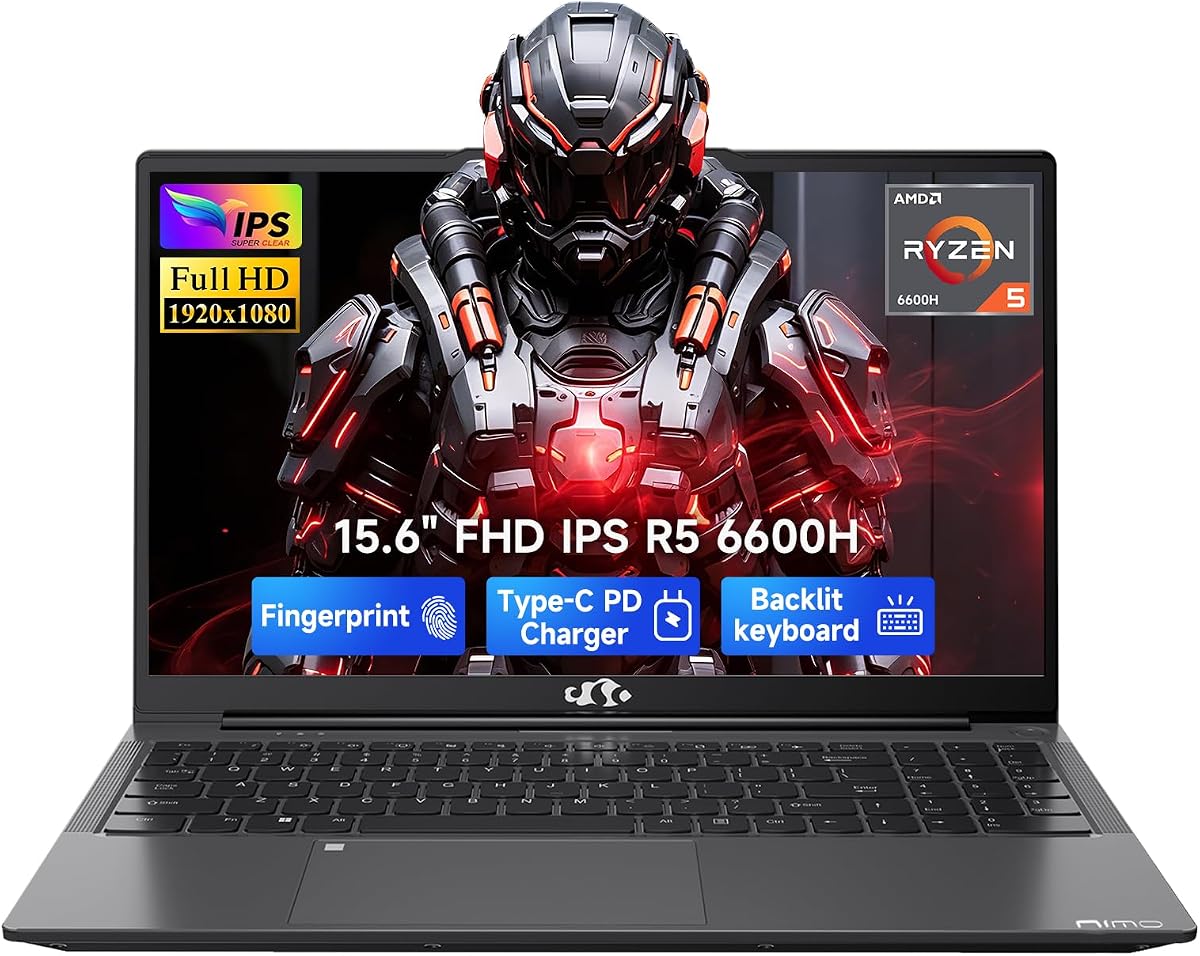
This laptop is a top recommendation for serious hobbyists seeking a cheap laptop for recording music that delivers professional-grade performance. The AMD Ryzen 5 processor and 16GB DDR5 RAM provide the speed necessary for handling complex projects with multiple audio tracks and effects.
We may earn a commission when you buy through this link, at no additional cost to you.
The large 512GB SSD ensures ample space for your operating system, audio software, and extensive sample libraries. With upgrade room for even more RAM and storage, this device is future-proof, allowing you to grow your production capabilities without replacing the hardware soon.
Performance is robust enough for recording, editing, and mixing simultaneously. The presence of multiple USB-C ports simplifies connecting high-speed audio interfaces and external drives, reducing the need for extra dongles and keeping your workspace organized and efficient.
Ideal for creators who need reliability and power, this laptop supports demanding daily workloads effectively. It strikes an excellent balance between price and capability, making it the best choice for those who want a high-quality recording environment without the cost of a premium workstation.
The Ryzen 5 6600H delivers significant processing power, allowing complex audio effects and multiple tracks to run smoothly without causing system lag or crashes.
A 512GB PCIe SSD provides rapid access to large audio files and sample libraries, ensuring quick loading times for projects and software applications.
We may earn a commission when you buy through this link, at no additional cost to you.
This model offers a compelling combination of memory and storage that suits mid-level music recording tasks well. As a cheap laptop for recording music, it provides the extra room needed for audio files while maintaining a responsive system for everyday workflow activities.
We may earn a commission when you buy through this link, at no additional cost to you.
The 12GB RAM supports efficient multitasking, allowing you to keep your DAW open alongside other applications like web browsers or communication tools. The 256GB SSD offers more than double the storage of basic models, reducing the need for immediate external drives or cloud backups for early projects.
Connectivity is robust, with numerous ports allowing for the connection of audio interfaces, external monitors, and storage devices. The privacy slider adds a security touch, which is beneficial for users who conduct business calls or online lessons alongside their creative work.
Best for users needing a balance of speed and space, this laptop ensures you can store and access your work without constraints. Its ergonomic keyboard and detailed design contribute to a comfortable user experience during long creative sessions or daily office tasks.
With 256GB of fast SSD storage, users can store a substantial library of audio projects and samples locally without immediately running out of critical space.
Multiple USB and HDMI ports facilitate easy connection of audio interfaces and external displays, creating a versatile workstation without the need for adapters.
We may earn a commission when you buy through this link, at no additional cost to you.
This laptop is designed with quiet operation in mind, which is crucial for recording environments where fan noise can interfere with audio capture. It serves as a reliable cheap laptop for recording music, offering the essential performance needed for basic audio production and editing tasks.
We may earn a commission when you buy through this link, at no additional cost to you.
The 12GB RAM and 256GB SSD provide a solid foundation for handling multiple tracks and software applications. The FHD IPS display ensures clear visuals for waveform editing, while the lightweight design makes it easy to carry between home and studio locations for collaborative work.
Connectivity is comprehensive, including dual Type-C ports that support modern peripherals and accessories. The built-in webcam cover adds a layer of privacy, ensuring that your device is secure whether you are recording at home or working in public spaces.
Ideal for students and professionals alike, this device balances portability with performance effectively. It is a practical choice for those who need a quiet, capable machine for daily creative work without the expense of high-end hardware.
The quiet performance ensures that internal fans do not pick up during critical recording sessions, maintaining high audio quality for vocals and instruments.
Dual Type-C ports allow for versatile connections to modern audio interfaces and monitors, reducing reliance on legacy ports and adapters.
We may earn a commission when you buy through this link, at no additional cost to you.
This device provides a reliable entry point for those seeking a cheap laptop for recording music. The combination of 256GB storage and a full HD screen makes it suitable for both creative work and general daily productivity tasks seamlessly.
We may earn a commission when you buy through this link, at no additional cost to you.
The 8GB RAM is sufficient for basic recording and light editing, though users may experience slowdowns with many simultaneous applications. The SSD ensures fast boot times and quick access to your music software, which is essential for maintaining workflow efficiency during sessions.
Bluetooth 5.0 and extensive ports allow for easy connection of external devices. The privacy slider is a thoughtful inclusion, adding security to your device without compromising on essential functionality for daily use or creative work.
Best for beginners or students, this laptop offers a dependable platform for learning music production. Its mix of storage and display quality ensures you can handle your projects comfortably while staying within a reasonable budget for new creators.
Extensive connection options enable seamless integration with audio gear and external storage, supporting a versatile workspace setup for various tasks.
The 1080p FHD IPS display offers vibrant colors and clarity, making it easy to read interfaces and visualize audio waveforms accurately.
We may earn a commission when you buy through this link, at no additional cost to you.
This ultra-lightweight device is an ideal companion for musicians on the move who need a cheap laptop for recording music ideas quickly. Its fanless design ensures silent operation, which is beneficial for recording quiet acoustic instruments without background noise interference.
We may earn a commission when you buy through this link, at no additional cost to you.
While the 4GB RAM and 128GB eMMC are limiting for heavy production, they are adequate for basic word processing or light editing tasks. The Windows 11 OS provides a familiar interface, and the Type-C PD fast charging ensures you stay powered up during travel without bulky adapters.
The expandable storage slot allows for future upgrades, providing flexibility as your file needs grow. This feature adds longevity to the device, ensuring it remains useful even as your project files become larger over time.
Best for sketching melodies or managing files while traveling, this laptop is not for intensive mixing but serves well as a secondary device. Its portability and quiet operation make it a great addition to a musician's toolkit for capturing inspiration anywhere.
The solid-state design ensures the laptop runs without any fan noise, making it perfect for recording quiet acoustic instruments in noise-sensitive environments.
Type-C PD charging allows for fast power-ups with compact adapters, reducing the need to carry multiple chargers when traveling for performances or work.
We may earn a commission when you buy through this link, at no additional cost to you.
This laptop delivers a lightweight and functional experience for basic music recording needs. As a cheap laptop for recording music, it offers the essential processing power and storage flexibility to handle entry-level projects effectively.
We may earn a commission when you buy through this link, at no additional cost to you.
The 6GB RAM supports basic multitasking, suitable for light audio work and web browsing. The expandable storage slot is a key feature, allowing users to increase capacity to 512GB without replacing the entire drive, which is vital for storing growing libraries of audio assets.
The presence of multiple USB 3.0 ports ensures compatibility with a wide range of peripherals. The Kensington lock slot adds physical security, making it safe to leave the device at a desk or studio while focusing on creative work.
Ideal for users prioritizing portability and ease of use, this device is a practical choice for students or casual creators. It balances cost and performance well, ensuring you can manage your creative needs without unnecessary bulk or expense.
The TF card slot supports expansion up to 512GB, allowing users to store extensive audio libraries and projects locally without replacing the internal SSD.
A built-in Kensington lock slot provides physical security for your device, essential for shared workspaces or when leaving the laptop unattended during breaks.
We may earn a commission when you buy through this link, at no additional cost to you.
Choosing the right laptop for music production involves evaluating several key technical aspects. Below are the most critical factors to consider when selecting a device for audio work.
The processor is the brain of your recording setup, determining how smoothly your audio software runs. For music production, you want a CPU that can handle real-time processing of multiple audio tracks and effects without introducing latency or dropouts.
Look for processors with at least four cores and high clock speeds to ensure reliable performance during recording and mixing sessions.
Random Access Memory (RAM) is essential for storing active data that your DAW needs to access quickly. Insufficient RAM can lead to system crashes when loading large sample libraries or running multiple virtual instruments simultaneously.
Aim for at least 8GB of RAM for basic recording, but 16GB is recommended if you plan to use complex projects or extensive plugins.
Solid State Drives (SSDs) are preferred over traditional hard drives for their speed and reliability. They drastically reduce boot times and the loading time of audio software, improving your overall workflow efficiency.
Ensure the laptop has at least 256GB of storage or supports easy expansion to accommodate growing libraries of samples and project files.
Audio interfaces require specific ports to connect to your computer. USB ports, particularly USB 3.0 or USB-C, are standard for modern interfaces and ensure stable data transfer rates during recording.
Check that the laptop has enough ports to connect your interface, headphones, and possibly an external monitor without needing excessive dongles.
Different audio software is built for specific operating systems. Ensure that your chosen laptop runs an OS compatible with your preferred DAW and plugin collection.
Windows and macOS are the most common choices, with Windows offering broader hardware variety and macOS providing consistent performance for creative apps.
If you plan to record on the go, battery life and weight are critical. Heavy laptops can hinder mobility, while short battery life forces you to stay near power outlets during creative sessions.
Select a model with a lightweight chassis and sufficient battery capacity to last through a typical recording or writing session without interruption.
A clear and sharp display helps in accurately editing waveforms and navigating complex software interfaces. High-resolution screens reduce eye strain during long production hours.
Look for Full HD (1920×1080) displays with good color accuracy to ensure you can see your work clearly without squinting or excessive scrolling.
Laptops with upgradeable RAM and storage slots offer better long-term value. As your needs grow, the ability to add more memory or storage extends the lifespan of your device.
Verify if the laptop allows user upgrades before purchasing to avoid being stuck with limited hardware in the near future.
Start by installing your preferred digital audio workstation (DAW) from the official developer site to ensure you have the latest security updates and features. This step guarantees that your software runs optimally on your new hardware configuration.
Keep your laptop clean by wiping the screen and keyboard with a soft, dry cloth regularly. Avoid using harsh chemicals or liquids directly on the device to prevent damage to the sensitive electronics and screen coating.
Protect your investment by using a cooling pad if you engage in long recording sessions. Laptops can overheat during heavy processing, and adequate ventilation will extend the lifespan of the internal components.
Yes, you can record music on a Chromebook using web-based DAWs like Soundtrap or BandLab. However, desktop software like Ableton or Pro Tools will not run. For serious production, a laptop with Windows or macOS is recommended.
For basic recording with a few tracks, 8GB of RAM is sufficient. However, if you plan to use complex plugins or work with many tracks simultaneously, 16GB of RAM is recommended to ensure smooth performance and prevent crashes.
No, a dedicated graphics card is generally not necessary for music recording. Integrated graphics are usually sufficient for handling audio workloads, and resources can be better allocated to RAM and processor performance instead.
USB 3.0, USB-C, or Thunderbolt ports are ideal for connecting audio interfaces as they provide fast data transfer rates. Avoid older USB 2.0 ports if possible, as they may introduce latency during high-quality recording sessions.
Many budget laptops allow storage upgrades via SD card slots or M.2 slots. Check the specific model's specs to see if the SSD is soldered or replaceable. Upgrading storage is a cost-effective way to expand capacity without buying a new device.
A larger screen, such as 15.6 inches, allows for better multitasking and easier navigation of complex DAW interfaces. It reduces the need to constantly switch between windows, improving workflow efficiency during recording and mixing.
Yes, battery life is important if you record in locations without easy access to power outlets. Look for laptops offering at least 6 to 8 hours of battery life to ensure you can work uninterrupted throughout your sessions.
Both Windows and macOS are excellent for music production. Windows offers a wider range of hardware options and price points, while macOS is known for its stability and optimized performance for creative applications.
In this guide, we reviewed ten top options for affordable laptops suitable for music recording. Whether you need a basic device for sketching ideas or a more powerful machine for mixing, each pick offers a unique balance of performance and price.
When choosing your laptop, prioritize RAM and processor speed to ensure your audio software runs smoothly. Don't overlook connectivity options, as having the right ports simplifies your setup and improves your overall creative workflow.
Prices and availability for these models change frequently. Be sure to check current listings and read recent reviews before purchasing to confirm you are getting the best value and the latest features for your music production needs.