
ASUS RT-AX1800S
4.3Editor score
WiFi 6 Standard
AiProtection Security
Gigabit Ports
This guide compares the top ten ASUS WiFi routers including gaming mesh and business models to help you find the best network hardware for your needs.
Finding the right networking hardware is essential for modern homes and businesses. ASUS offers a wide range of WiFi routers designed to handle everything from basic browsing to high demand gaming and streaming without drops or delays.
We analyzed ten top models from the ASUS lineup comparing their specifications features and performance capabilities. Our focus was on connectivity standards security options and ease of use to ensure you get a reliable network solution.
Each pick highlights key strengths and ideal use cases so you can choose confidently. Keep in mind that availability and promotional offers may change over time so check current listings before making your final decision.
4.3Editor score

4.5Editor score

4.3Editor score
Below is a detailed side-by-side comparison of all ten models. This table highlights core specifications and unique features to help you quickly identify which router fits your specific network requirements and budget constraints.
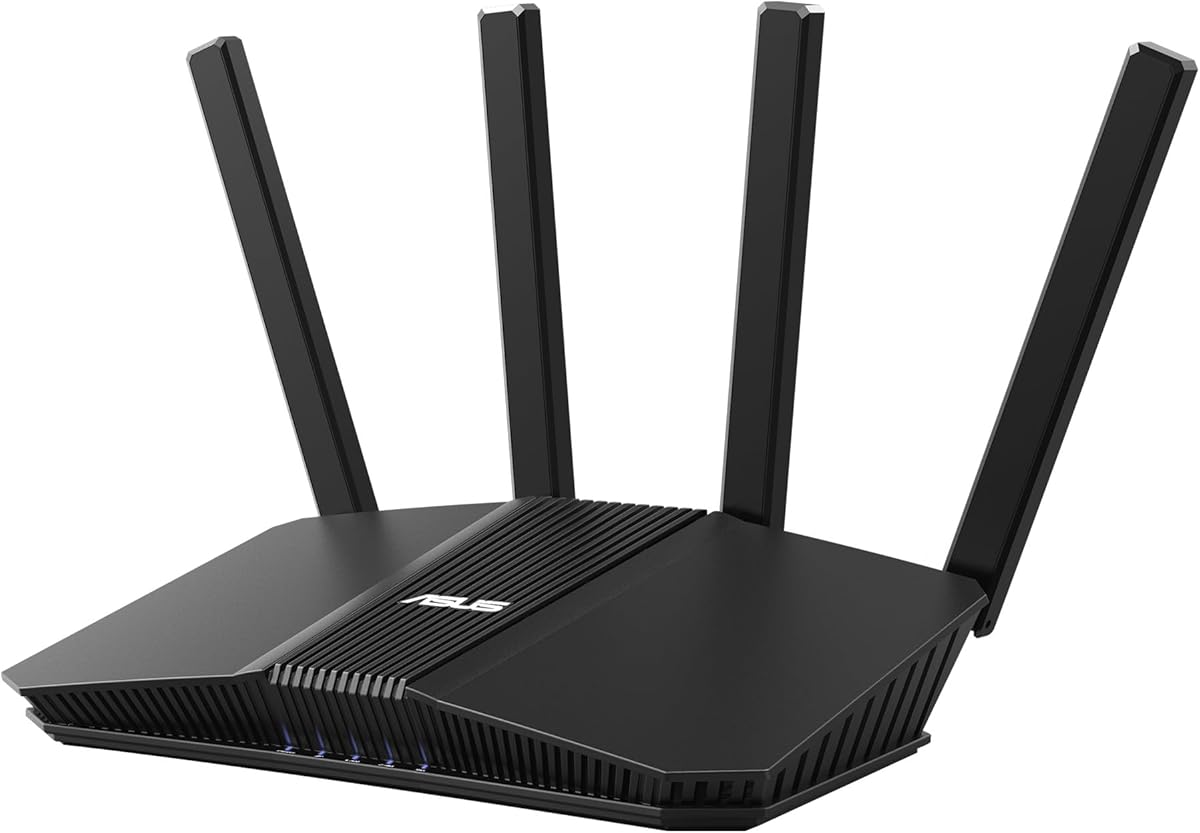

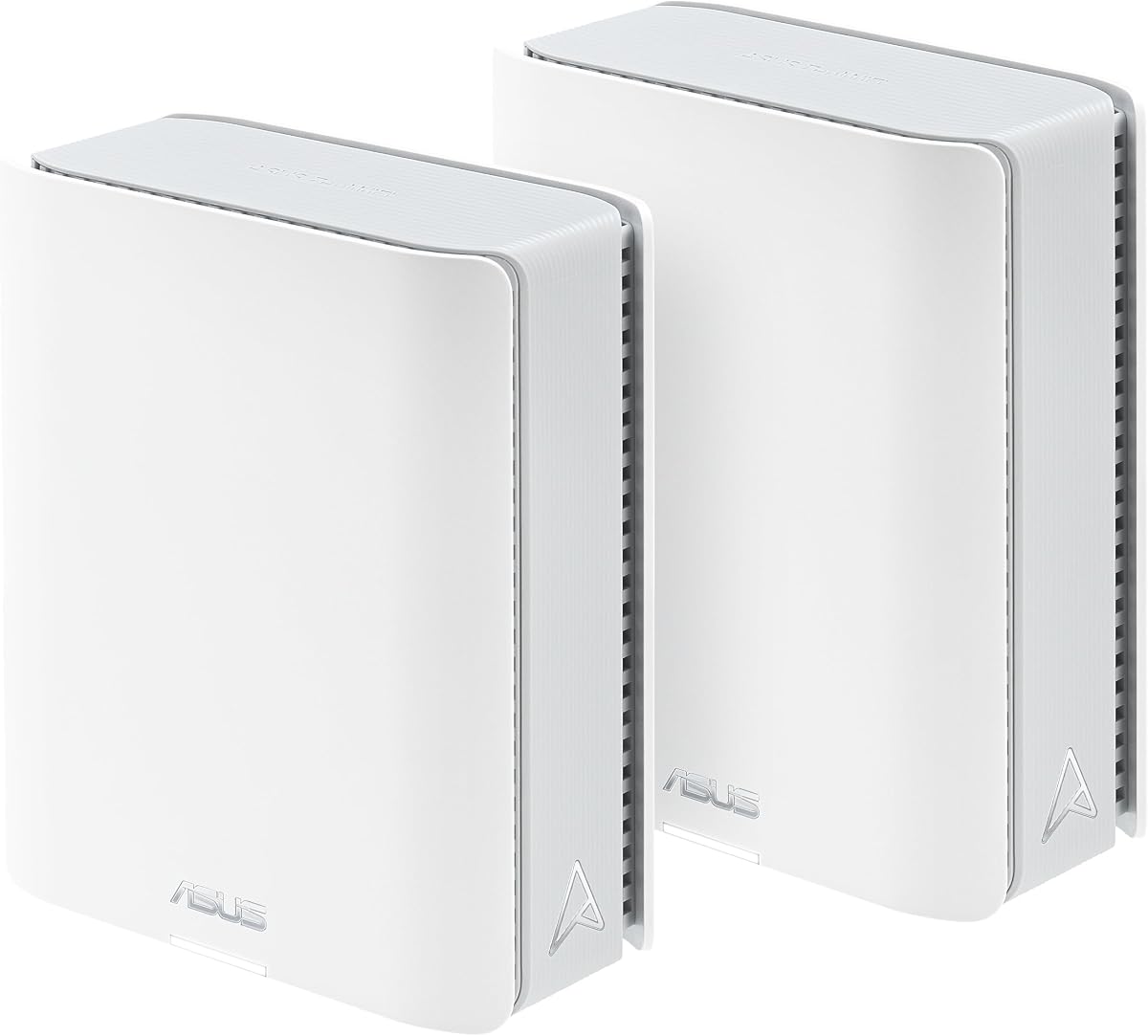



The ASUS RT-AX1800S stands out as a highly accessible option for users seeking modern WiFi 6 capabilities without a steep price tag. With a solid rating from users it delivers reliable connectivity for everyday tasks and supports multiple devices simultaneously through MU-MIMO and OFDMA technologies.
We may earn a commission when you buy through this link, at no additional cost to you.
Its inclusion of AiProtection Classic powered by Trend Micro ensures that your home network remains secure from external threats and malicious sites. The router supports a total of five Gigabit ports allowing you to connect wired devices efficiently which is crucial for stationary setups like desktop PCs or smart TVs.
While it may lack the raw speed of higher-end models it offers a balanced package for standard households. The only significant trade-off is that it does not support the faster 2.5G Ethernet speeds found on premium units but this is acceptable for most cable or fiber plans under 1 Gbps.
This model is ideal for first-time upgradeers or those looking to expand an existing network with AiMesh. If you need reliable coverage and solid security without overspending this router provides excellent value and performance for standard internet usage scenarios.
Built-in security features protect your network without requiring additional monthly subscriptions.
Compatible with other AiMesh routers allowing you to expand coverage as needed.
We may earn a commission when you buy through this link, at no additional cost to you.
The ASUS RT-BE58U brings the next generation of wireless technology to your home with its support for WiFi 7 standards. It offers enhanced speed and efficiency through 4096-QAM and Multi-link Operation ensuring smoother connections for data transfers and streaming.
We may earn a commission when you buy through this link, at no additional cost to you.
Users appreciate the versatile WAN configuration options which include AI detection for primary internet and USB ports for 4G or 5G tethering. This flexibility makes it a robust choice for environments where connection stability is critical and backup internet is necessary.
Although it operates at a lower speed tier compared to flagship models it still provides ample bandwidth for most smart home setups. The main consideration is that not all devices currently support WiFi 7 so full benefits may be realized as you upgrade your gadgets over time.
This router is perfect for tech enthusiasts looking to future-proof their network. With built-in commercial-grade security and easy management tools it offers a forward looking solution that balances innovation with practical daily use requirements.
Support for mobile tethering ensures you stay online even if the main line fails.
Smart Home Master simplifies IoT setup and device management across your network.
We may earn a commission when you buy through this link, at no additional cost to you.
The ASUS ROG Rapture GT-BE98 Pro is a powerhouse designed for serious gamers and power users who demand the absolute best performance available. It leverages the full potential of WiFi 7 with support for 320MHz channels and speeds reaching up to 30 Gbps.
We may earn a commission when you buy through this link, at no additional cost to you.
Its unique Triple-Level Game Acceleration ensures that traffic from your PC gaming port gets prioritized all the way to the game server. The external dual feeding antennas provide exceptional signal strength and coverage which is vital for large homes or competitive play environments.
While the price is significantly higher than average models the hardware justifies the cost with dual 10G ports and quad 2.5G ports for wired devices. The only downside is the investment required but for those who value low latency and high throughput it is unmatched.
If you are looking for top-tier hardware that supports heavy bandwidth and low latency gaming this router is the definitive choice. It combines cutting edge speed with robust build quality to deliver a premium networking experience.
Advanced features prioritize gaming data to reduce lag and improve responsiveness.
320MHz channels and high capacity throughput handle multiple high speed devices.
We may earn a commission when you buy through this link, at no additional cost to you.
The ASUS RT-BE92U offers a compelling mix of speed and versatility with its support for WiFi 7 tri-band technology. It delivers up to 9.7 Gbps which is more than enough for high definition streaming and large file transfers across a household.
We may earn a commission when you buy through this link, at no additional cost to you.
Its dual WAN capability allows for always-on internet through flexible configuration options including mobile tethering. This makes it suitable for users who require uninterrupted connectivity for work or critical applications. The router also includes commercial grade security to keep your data safe.
One trade-off is the physical size and power requirements which are greater than smaller units. However the performance gain and future proofing make it a wise investment. It serves as a strong central node for larger networks needing robust throughput.
For those seeking high end WiFi 7 performance without the extreme price of gaming models this router is a balanced option. It offers reliable connectivity and advanced features that support modern smart home needs effectively.
Multiple input methods ensure your connection stays up even if one line fails.
AiProtection Pro with Trend Micro keeps your home network secure from threats.
We may earn a commission when you buy through this link, at no additional cost to you.
The ASUS ZenWiFi BT10 is designed to provide whole home coverage for larger properties with its two pack mesh system. With speeds up to 18 Gbps and coverage extending to 6,000 square feet it ensures that no room is left with poor signal.
We may earn a commission when you buy through this link, at no additional cost to you.
It features powerful hardware including dual 10 Gigabit Ethernet ports and ten high power front end modules. These components work together to eliminate dead zones and maintain robust heat dissipation for reliability. The AI powered mesh delivers seamless connectivity for all devices.
While the price is on the higher side the value comes from the comprehensive coverage and future proofing. The trade-off is the initial investment but for large homes that standard routers cannot cover effectively this system is a strong solution.
This kit is ideal for users who need to blanket a large area with high speed internet. It simplifies network management and provides a professional grade solution for residential needs without needing a third party managed service.
Designed specifically to cover large spaces with consistent signal strength everywhere.
10G ports allow for fast wired connections to NAS or gaming PCs.
We may earn a commission when you buy through this link, at no additional cost to you.
The ASUS RT-AX82U combines high performance with a stylish design that appeals to gamers and tech enthusiasts. It supports WiFi 6 speeds up to 5400 Mbps and features Aura RGB lighting effects that you can customize to match your setup.
We may earn a commission when you buy through this link, at no additional cost to you.
Users appreciate the Mobile Game Mode which minimizes lag for gaming via apps. The router includes commercial grade security and parental controls to protect your home network. It also supports AiMesh allowing for flexible network expansion as your needs grow.
Since this unit is renewed the cosmetic condition may vary though performance should be consistent. The main trade-off is relying on a renewed unit but the value and features make it an attractive choice for budget conscious gamers.
If you want a router that looks good and performs well for gaming this model is a great fit. It offers solid connectivity and useful app features that enhance the user experience without compromising security.
RGB lighting lets you align your router with your gaming room theme.
Mobile Boost ensures better speeds and lower latency for handheld devices.
We may earn a commission when you buy through this link, at no additional cost to you.
The ASUS ZenWiFi BT8 provides efficient whole home coverage with its tri-band WiFi 7 capabilities in a single pack. It supports speeds up to 14 Gbps and uses AI powered Smart AiMesh to boost coverage up to 3,000 square feet seamlessly.
We may earn a commission when you buy through this link, at no additional cost to you.
It includes advanced security features such as commercial grade AiProtection Pro and easy setup for IoT networks via Smart Home Master. The internal antennas and high power modules help eliminate dead zones effectively ensuring reliable connections everywhere.
While the coverage is limited to 3,000 square feet it is sufficient for many households. The main consideration is that if you need more range you may need to add nodes. This makes it a flexible but focused solution.
For standard homes seeking the latest tech in a compact form factor this router is highly recommended. It balances speed and coverage well and offers easy management tools that simplify daily network operations.
Smart Home Master helps you manage IoT devices securely with SSID separation.
Compatible with other ASUS extendable routers for scalable whole home setups.
We may earn a commission when you buy through this link, at no additional cost to you.
The ASUS RT-AX3000 stands as a best overall choice for homeowners needing reliable next gen WiFi 6 technology. It delivers up to 3000 Mbps speeds with 160MHz bandwidth and includes AiProtection to secure your devices effectively.
We may earn a commission when you buy through this link, at no additional cost to you.
Its compatibility with AiMesh allows for flexible whole home network upgrades without replacing the entire system. The router also includes a USB 3.0 port for simple sharing of files across your network. This versatility makes it a favorite for many users.
The main limitation is that it uses standard Gigabit ports which may limit wired speeds for super fast connections. However for most wireless needs it performs exceptionally well. The value and reliability it offers are unmatched in its class.
If you want a robust network solution that balances cost and performance this model is the clear winner. It offers a stable platform for modern internet usage and future proofing through its support and ecosystem.
Intelligent bandwidth management ensures your critical apps get priority when needed.
Easy to add more nodes to expand coverage across your entire house.
We may earn a commission when you buy through this link, at no additional cost to you.
The ASUS RT-AC68U is a proven model that continues to deliver stable connectivity for many users. It supports WiFi 5 standards and offers a combined speed of up to 1900 Mbps with five Gigabit LAN ports for wired devices.
We may earn a commission when you buy through this link, at no additional cost to you.
Its dual core CPU allows for smart multitasking ensuring that Wi-Fi and USB data flows are handled efficiently. The router includes AiProtection security to protect connected devices and allows for simple setup via the web interface or app.
While it lacks modern WiFi 6 or 7 features it remains a solid choice for smaller homes or budgets. The trade-off is speed compared to newer models but its reliability and port selection make it useful for specific wired needs.
If you need a dependable router with extra wired ports this model serves well. It provides a stable platform for basic internet needs and security without requiring the latest standards.
Dedicated lanes for Wi-Fi and USB data ensure smooth multitasking.
Five Gigabit LAN ports offer flexibility for stationary wired devices.
We may earn a commission when you buy through this link, at no additional cost to you.
The ASUS ExpertWiFi EBR63 is a specialized router designed to meet the demands of business environments. It supports WiFi 6 speeds and includes a custom guest portal to brand your network for clients. The router also supports VLANs for network segmentation.
We may earn a commission when you buy through this link, at no additional cost to you.
Its remote management capabilities allow for easy setup and hassle-free administration via the app. Free commercial grade security ensures that your business environment remains secure without extra costs. It is scalable with ExpertWiFi AIMesh for growing needs.
While powerful for business use it may offer features that are not needed for simple home setups. The trade-off is that it focuses heavily on administration tools which may be complex for casual users. However it provides great value for offices.
If you manage a small business or need advanced segmentation features this router is ideal. It balances ease of use with enterprise level capabilities to help maintain a secure and professional network.
VLAN support helps isolate devices for better security and traffic management.
Custom guest portals enhance the professional image for your clients.
We may earn a commission when you buy through this link, at no additional cost to you.
Selecting the right router requires understanding your specific needs and the technical capabilities available. This guide outlines the key factors to consider when evaluating models from the ASUS lineup.
WiFi standards define the maximum speed and efficiency of your network. WiFi 6 and 7 models offer faster speeds and better handling of multiple devices compared to older WiFi 5 routers. For high speed internet plans consider models supporting the latest standards to future proof your setup.
Look for models with high Mbps ratings and modern standards like WiFi 6 or 7 for best performance.
If you have a large home a mesh system or a router with mesh support is essential. ASUS AiMesh allows you to combine multiple routers to create a seamless network. This eliminates dead zones and ensures consistent connectivity throughout your property.
Choose models that support AiMesh if you need to expand coverage beyond a single router.
Wired connections are still vital for stationary devices like gaming consoles or PCs. Check the number of Gigabit or 2.5G Ethernet ports available. Higher end models may offer 10G ports for ultra fast wired transfers.
Ensure the router has enough ports for your wired devices to avoid needing extra switches.
Security is a critical aspect of any network. Most ASUS routers include AiProtection powered by Trend Micro which blocks malicious sites and secures data. Premium models may include advanced features like a one-tap security scan.
Prioritize models with built-in security tools to keep your family and data safe online.
The internal processor affects how well the router handles multiple connections and data transfers. Dual core or quad core CPUs allow for better multitasking and faster speeds. Higher RAM allows for more stable connections and better device management.
Look for specs mentioning processor cores and RAM capacity for reliable performance.
Consider your primary needs such as gaming business or general home use. Gaming routers offer features like prioritization and low latency while business models offer VLANs and guest portals. General routers provide balanced performance for standard tasks.
Select a model that aligns with your specific usage scenario to get the best value.
When setting up your new router place it in a central location away from obstructions to maximize signal strength. Avoid placing it near metal objects or thick walls that can interfere with wireless transmission. Ensure it is elevated and not on the floor for better coverage.
Regularly update the firmware to access the latest security patches and performance improvements. Use the ASUS Router app to check for updates or enable automatic updates if available. This keeps your network safe and running smoothly over time.
Maintain your hardware by ensuring it has adequate ventilation to prevent overheating. Dust can accumulate in vents so clean it gently with compressed air every few months. Keep the power supply connected and avoid frequent power cycling to extend hardware life.
WiFi 7 offers significantly higher speeds and lower latency than WiFi 6 by utilizing wider channels and improved modulation. It also supports multi-link operation which allows devices to connect to multiple bands simultaneously for more stable connections.
Yes many modern ASUS routers support AiMesh which allows you to connect older compatible routers to create a mesh network. This helps extend coverage without buying entirely new hardware. Check the compatibility list on the ASUS website first.
Most models include AiProtection which is free and powered by Trend Micro. This provides standard security features like malware protection and parental controls without a subscription. Some advanced features may require a paid plan but basics are included.
Improving range often involves placing the router in a central open spot and upgrading to a router with better antennas. Using a mesh system or adding extenders can also help eliminate dead zones in larger homes effectively.
Gaming routers are worth it if you prioritize low latency and consistent connection stability. They often include features like dedicated ports and traffic prioritization which reduce lag. For casual users a standard model may be sufficient but serious gamers benefit.
It is good practice to change your password every six months or if you suspect unauthorized access. Strong unique passwords protect your network from unauthorized entry and keep your data secure. Regular changes are a basic security habit.
Choosing the right router depends on your specific needs and budget. The top picks offer a range of options from budget friendly WiFi 6 models to powerful WiFi 7 systems for demanding tasks. Each model has unique strengths that cater to different home or business scenarios.
Prioritize features like speed coverage and security based on your daily usage. A well chosen router will ensure a reliable and fast connection for all your devices. Consider future needs to avoid upgrading too soon as technology advances.
Keep in mind that availability and pricing may vary over time so check current listings before buying. Reviewing the full list of models helps you make an informed decision tailored to your situation.