
Frameo 10.1 Inch WiFi
4.7Editor score
32GB large storage capacity
Easy app sharing for family
HD IPS touch screen display
Digital frames have evolved into smart canvases that blend technology with home decor. Modern options offer AI art generation, wireless sharing, and e-ink displays that mimic paper. Choosing the right one depends on your need for battery life, resolution, or creative tools.
We analyzed ten leading models to find the best performers across categories. Our comparison covers connectivity, storage limits, screen types, and unique AI capabilities. This list helps you identify which frame fits your budget and lifestyle without overwhelming technical details.
Each pick highlights specific strengths like long battery life or high-definition touchscreens. Prices and availability change frequently so check current listings before buying. Use this guide to find a frame that keeps memories alive and adds modern style to any room.
4.7Editor score
4.4Editor score

5.0Editor score
As an Amazon Associate we earn from qualifying purchases.
This side-by-side comparison highlights key specifications for all ten selected models. Use it to quickly identify differences in screen type, storage, and unique features like AI art generation or battery longevity.


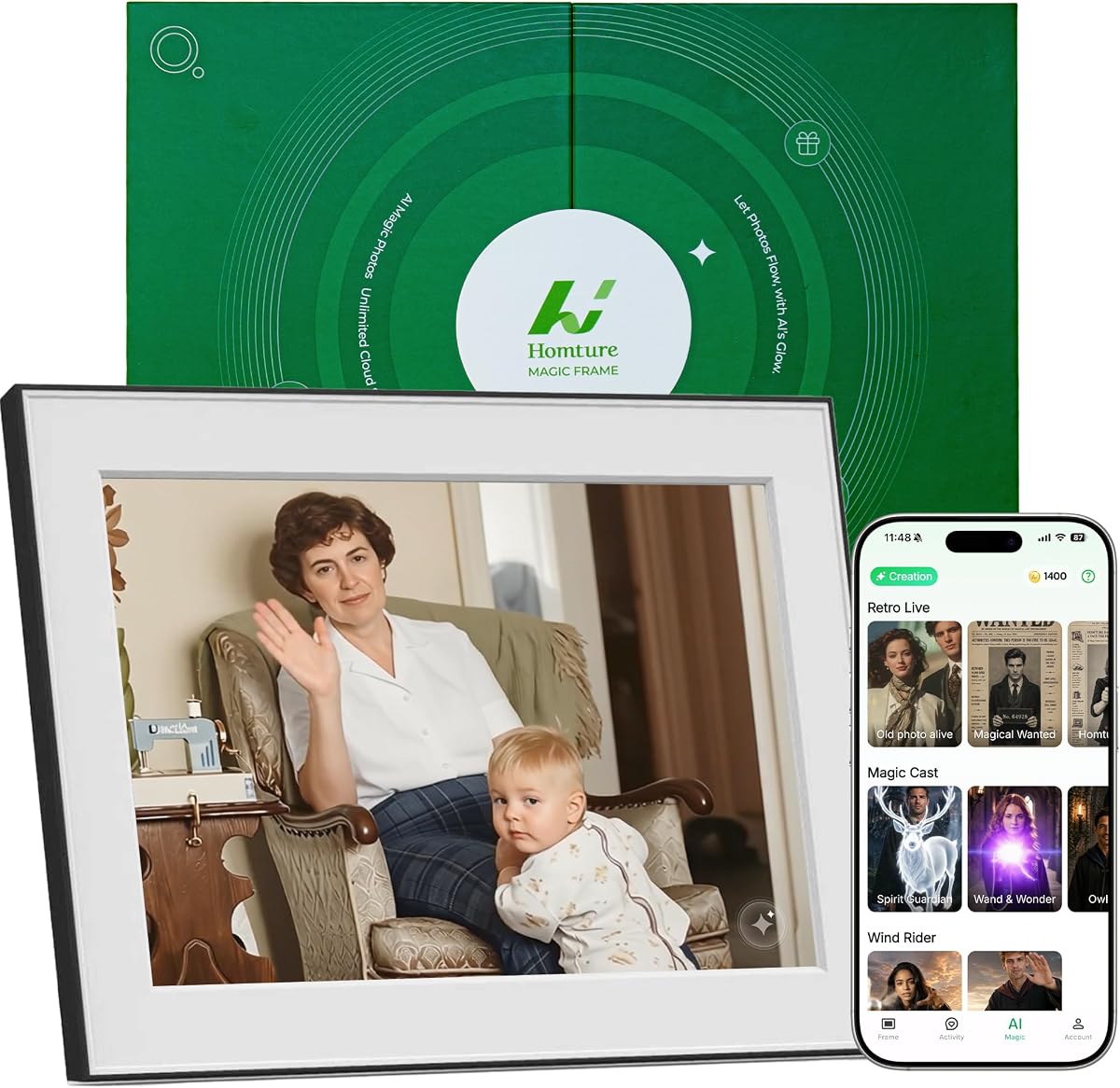
This frame stands out by turning static photos into dynamic videos using artificial intelligence. It scores well for its ability to relive old memories by adding motion to portraits and landscapes. The 10.1 inch IPS screen ensures vibrant colors and sharp details for every image displayed.
We may earn a commission when you buy through this link, at no additional cost to you.
The unlimited cloud storage feature is a major plus for families who want to share without worrying about space. You can invite any number of friends to send photos and videos directly to the frame. The included AI credits allow you to restore up to twenty old photos right out of the box.
While the AI magic moments require credits beyond the initial package, the quality of the motion effects justifies the small cost. Video sharing via the app has a fifteen-second limit, but longer videos work if uploaded via SD card. This balance keeps the experience engaging without excessive costs.
Choose this if you want a gift that does more than just display static images. It is perfect for parents or grandparents who love seeing memories come alive. The setup is straightforward and the app makes sharing effortless for everyone in the family.
The frame uses AI to animate faces and scenery, making old photos feel alive again. This feature adds an emotional layer to digital displays that static screens lack.
With free unlimited cloud storage, you never need to delete old photos to make room for new ones. This ensures your digital archive grows without restriction.
We may earn a commission when you buy through this link, at no additional cost to you.
The Frameo 10.1 Inch WiFi frame offers excellent value with a high rating from users. It focuses on simplicity, making it ideal for grandparents who might struggle with complex tech. The HD IPS touch screen provides clear images and easy navigation for all ages.
We may earn a commission when you buy through this link, at no additional cost to you.
It includes 32GB of internal memory which holds over eighty thousand photos. This generous storage means you do not need to constantly manage space on the device. The Frameo app allows secure sharing so only invited family and friends can send content to the frame.
Video sharing via the app is limited to fifteen seconds which may feel restrictive for longer clips. However, you can bypass this by using a microSD card for longer videos. The included calendar sync adds functionality by showing daily plans alongside your photo slideshow.
This model is the best choice for those seeking a reliable and affordable option. It balances price with useful features like large storage and an easy-to-use interface. The lifetime support and warranty also provide peace of mind for long-term use.
The interface is designed for simplicity with large icons and intuitive touch controls. This reduces frustration for older users who are new to digital frames.
Privacy is prioritized through the Frameo app which only allows invites to authorized users. This keeps family memories private and safe from public access.
We may earn a commission when you buy through this link, at no additional cost to you.
This premium frame delivers a unique paper-like experience using advanced six-color E Ink technology. It eliminates glare and blue light making it comfortable for bedrooms or offices. The device is rated five stars indicating exceptional user satisfaction with its performance and design.
We may earn a commission when you buy through this link, at no additional cost to you.
Battery life is a standout feature with the potential to last up to three years on a single charge. This removes the need for constant plugging and allows flexible placement anywhere in the home. Unlimited cloud storage is included without requiring any additional subscription fees.
The AI artwork creation allows you to turn text prompts or drawings into custom art for the display. This feature transforms the frame into a dynamic gallery that reflects your personal style. While the resolution is lower than LCD screens the contrast and color depth are impressive for E Ink.
If you prefer a natural look and long battery life this is the top choice. It fits well in decor-focused spaces where a traditional screen might feel too modern. The wood finish adds a touch of elegance that complements various interior styles perfectly.
E Ink screens use ambient light to display images similar to paper books. This reduces eye strain and allows the frame to look like a real picture frame even when off.
The low power consumption of E Ink allows the battery to last years with minimal use. This convenience means you can mount it on a wall without worrying about power outlets.
We may earn a commission when you buy through this link, at no additional cost to you.
The SwitchBot frame focuses on wireless freedom and AI-generated art capabilities. It uses electronic ink so images stay visible even if the battery runs out. This makes it a reliable choice for wall decorations where power access is limited.
We may earn a commission when you buy through this link, at no additional cost to you.
It features a built-in rechargeable battery that can last up to two years with infrequent updates. You can generate personalized artworks using AI prompts within the app and display them instantly. The frame integrates with Alexa for convenient voice control over your display settings.
Due to the nature of electronic ink the pixels are larger and the resolution is lower than LCDs. It is best viewed from a distance to avoid noticing the pixel structure. This characteristic gives it a paper-like quality but limits its use for high-detail photo displays.
This model is best for art lovers who want to display digital art without clutter. The ability to create unique AI art on demand adds a creative dimension to your home decor. Just be aware of the viewing distance needs to enjoy the paper-like appearance fully.
The battery powered design allows you to place the frame anywhere without needing an outlet. This flexibility makes it ideal for desks or walls far from power sources.
You can generate custom art using text prompts and rotate them regularly. This keeps your space feeling fresh and dynamic with minimal effort from your side.
We may earn a commission when you buy through this link, at no additional cost to you.
This frame offers a massive 15.6 inch display that turns your wall into a digital gallery. The Full HD IPS screen delivers vivid colors and lifelike details for photos and videos. It includes a built-in speaker which enhances the experience when playing video clips.
We may earn a commission when you buy through this link, at no additional cost to you.
With 64GB of internal storage you can keep around one hundred thousand photos on the device. This is significantly higher than many competitors and reduces the need for external storage options. The touchscreen interface makes navigation easy even with such a large screen.
Video playback is supported via SD card or USB which removes the app time limit for sound clips. The Frameo app allows up to fifteen seconds for uploads so use local media for longer stories. The size means it needs a dedicated spot but it commands attention in a living room.
Choose this if you want a premium centerpiece for your home entertainment area. The large screen and speaker make it versatile for showing both photos and video memories. It is also a great gift for those who appreciate high quality visual displays.
The 15.6 inch size provides a cinematic feel that smaller frames cannot match. It is perfect for main living areas where a focal point is desired.
You can play video with sound via USB or SD card without time restrictions. This allows for longer video messages and family event replays easily.
We may earn a commission when you buy through this link, at no additional cost to you.
Another option in the Frameo family this model offers a large 15.6 inch display with high resolution. It supports non-WiFi transmission which is useful for users who find apps too complex. You can upload photos via SD card or USB drive without needing a network connection.
We may earn a commission when you buy through this link, at no additional cost to you.
The React feature lets you send emojis back to loved ones who share photos with you. This adds a layer of two-way interaction that standard frames often lack. The auto-rotate function ensures photos look correct whether the frame is on a desk or mounted on a wall.
Storage is limited to 32GB internally but you can expand this with external SD cards. Videos are limited to fifteen seconds on the app but longer files work via USB. The sleep mode helps save energy and ensures the device turns off automatically when not in use.
This is a solid choice for those who want a large screen without relying on cloud services. The ability to transfer files directly via USB makes it accessible for all technical levels. It remains a thoughtful gift option for family members who prefer physical media.
The option to upload via USB or SD card removes barriers for non-tech savvy users. This makes setting up photos much simpler than managing Wi-Fi passwords.
Sending emojis to others who share photos adds a fun interactive element. It creates a small connection loop between family members using the app.
We may earn a commission when you buy through this link, at no additional cost to you.
This compact frame uses E-Paper technology to offer a viewing experience that mimics printed photos. It relies on ambient light so there is no backlight glare even in bright rooms. The AI image optimization enhances colors and contrast to make photos look more realistic.
We may earn a commission when you buy through this link, at no additional cost to you.
Battery life is excellent as the display uses almost zero power for static images. After a full charge it can run for several weeks on a single charge. The design includes a handmade wooden frame that blends well with traditional home decor styles.
It is very simple to operate with no physical buttons on the body itself. You control settings via the dedicated app which makes it easy to manage from your phone. The adhesive mount options mean you can hang it easily without drilling holes into walls.
This is ideal for a bedside table or desk where a small elegant frame is needed. The lack of glare makes it easy to view at night without disturbing sleep. While it is small the quality of the display and build is a major advantage.
The built-in AI optimizes uploaded photos automatically to improve contrast and color. This ensures every image looks its best without manual editing on your part.
The frame has no buttons or lights on the body which keeps the look clean. This reduces visual clutter and maintains a focus on the displayed photo.
We may earn a commission when you buy through this link, at no additional cost to you.
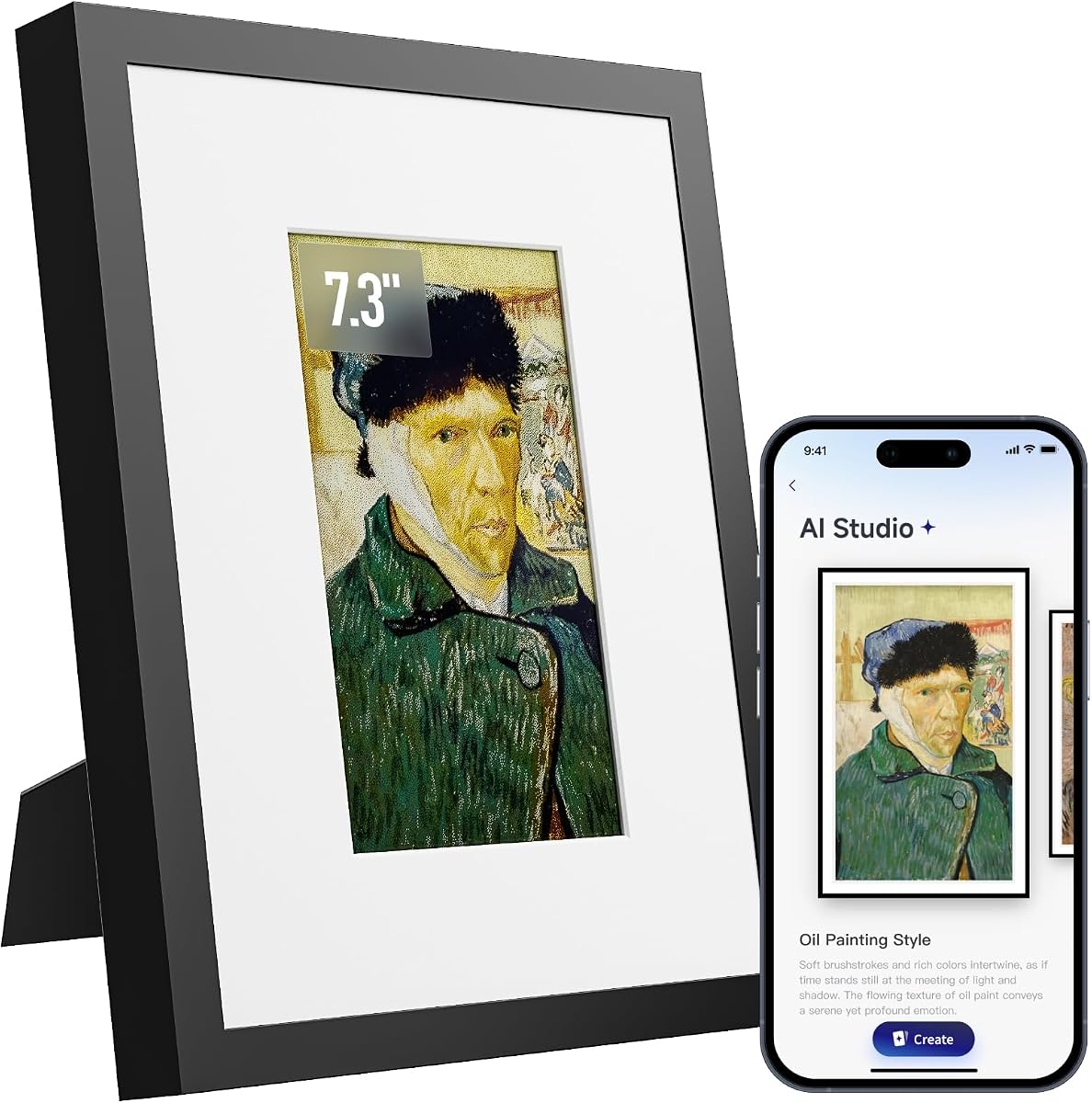
The Magic AI Frame stands out with its four special templates that add cinematic motion to photos. You can turn a static portrait into a moving oil painting or a spellcasting scene. This adds a layer of storytelling to your digital memories beyond simple slideshows.
We may earn a commission when you buy through this link, at no additional cost to you.
It comes with 64GB of local storage alongside free unlimited cloud storage options. This ensures you have plenty of space for both current and past photos without paying fees. The Full HD touchscreen provides smooth navigation and sharp image quality for detailed views.
AI video creation uses a credit system but allows returns if the result is not expected. This flexibility lets you experiment with magic effects without risking a bad purchase. The ability to invite unlimited family members to share makes it a great social device.
This frame is perfect for those who want creative tools to enhance their photo collection. The templates are fun for holidays and special occasions. It is a strong choice for gift giving because it offers a unique way to engage with old photos.
The four templates include styles like moving oil paintings and sky riding. These turn simple photos into animated stories that surprise and delight viewers.
You can get credits back if you are unhappy with an AI video generation. This policy encourages exploration of the creative features without fear of loss.
We may earn a commission when you buy through this link, at no additional cost to you.
This model focuses on safety and simplicity making it a great option for family use. The interface is designed to be easy to use with large fonts and a sensitive touch. It prioritizes privacy by allowing you to control exactly who can view your shared memories.
We may earn a commission when you buy through this link, at no additional cost to you.
It includes 32GB of built-in memory which supports over forty thousand photos for your collection. The auto-brightness feature adjusts the screen based on ambient light to reduce glare. Auto-rotate ensures that the images are always displayed in the correct orientation.
Sharing is done via the AiMOR app which is trusted by millions of global users. You can send up to nine photos at a time for free which is efficient for regular updates. The lifetime support helps resolve any issues quickly to ensure smooth long-term use.
This is an excellent choice for those who value privacy and ease of use. The design considers older users by removing complex menus and technical jargon. It is a reliable device for keeping distant family connected without complicated technology.
You control who can access your memories ensuring no one else sees them. This security is vital for families who want to keep photos within a trusted circle.
Large fonts and simple gestures make the frame accessible for older family members. This removes the barrier of complex settings that usually frustrate users.
We may earn a commission when you buy through this link, at no additional cost to you.
This frame introduces motion sensors that detect your approach and light up automatically. It turns the device into a living portrait that greets you when you enter the room. This feature adds a smart home feel that most standard frames lack entirely.
We may earn a commission when you buy through this link, at no additional cost to you.
It provides 64GB of local storage plus unlimited cloud storage for extensive photo archives. The AI video generation is supported with a starter card that includes twenty high-quality videos. This gives you immediate access to creating magic moments without waiting.
The cloud service is GDPR and CCPA compliant ensuring your data remains secure and private. You can connect anyone who has the unique invitation code to share photos easily. This flexibility makes it easy to grow the sharing circle as you wish.
Choose this if you want a modern smart frame that interacts with your environment. The motion sensor adds a delightful surprise element every time you walk by. It is a great option for tech savvy users who want the latest features.
The sensor detects movement to wake the screen up when someone walks by. This saves power and creates a dynamic interaction when you pass the frame.
You can preload photos and a six-digit unlock code for a surprise gift experience. This adds an element of anticipation for the recipient opening the frame.
We may earn a commission when you buy through this link, at no additional cost to you.
Selecting the right digital frame involves understanding screen technology and storage needs. This guide breaks down the key factors to help you make a confident decision.
Digital frames generally come in two main types: LCD and Electronic Ink. LCD screens offer vibrant colors and high resolution which is great for detailed photos and videos. Electronic Ink displays mimic paper and are easy on the eyes with no glare making them ideal for long viewing sessions.
Consider your environment when choosing. If you place the frame in a bright room LCD might reflect too much light. E Ink is better for low light areas or desks where you want to reduce eye strain.
Most modern frames rely on Wi-Fi to receive photos from family members. Look for an app that supports both iOS and Android and allows multiple invitees. Some models also support physical uploads via SD cards if you prefer not to use the cloud.
Security is important when sharing photos. Ensure the frame uses private invites so only authorized people can send content. This keeps your family memories safe from public access.
Internal storage determines how many photos the frame can hold offline. Models range from 32GB to 64GB allowing tens of thousands of images. Unlimited cloud storage is often a bonus feature that ensures you never run out of space online.
If you have a massive library of photos check if the frame supports expandable storage via SD cards. This flexibility helps you keep old memories without constantly managing new content.
If you plan to mount the frame on a wall without power access battery life is key. E Ink models typically last much longer than LCDs due to lower power consumption. Some battery frames can last years while others need monthly charging.
Decide if you want a wired or wireless setup. Wired frames offer unlimited usage without charging but limit placement options. Battery frames offer freedom but require occasional maintenance to keep running.
Some advanced frames offer AI tools to generate art or animate photos. These features allow you to bring still images to life with motion or transform them into digital art. This adds a creative element beyond simple photo display.
Check if these features are free or require subscriptions. Some models include free credits for AI video creation while others ask for recurring fees. Understanding the cost structure helps avoid unexpected charges.
Frames come in sizes from 7 inches to 15 inches or more. A larger screen makes a better centerpiece for a living room while smaller ones suit bedside tables. Higher resolution like Full HD ensures photos look sharp even on bigger displays.
Consider where the frame will sit to determine the right size. If it sits on a desk a 10-inch frame is usually perfect. For wall decor a 15-inch option might be more visually impactful.
A simple interface is essential especially if the frame is for older family members. Look for touch screens with intuitive menus and large fonts. Some models support voice control which adds another layer of convenience for daily use.
Check if the setup process is straightforward. Frames that pair quickly and have clear instructions reduce frustration. Avoid models that require complex technical steps for basic operations.
The physical design of the frame should match your home decor. Options include sleek modern styles and traditional wooden frames. Build quality affects durability so consider frames with sturdy construction and protective corners.
Some frames come with wall mounts or stands included. Having these accessories ready out of the box simplifies installation. Check the package contents to ensure you have what you need to display it right away.
Start by connecting your frame to your home Wi-Fi network using the setup instructions. Download the recommended app on your smartphone and create an account to manage the device. This step is crucial for enabling remote sharing and cloud synchronization features.
Invite family members or friends to send photos and videos to your frame via the app. Set up privacy settings so only invited users can share content. This ensures your display remains personal and safe from unwanted uploads.
Clean the screen with a soft dry cloth to avoid scratching the surface. Avoid harsh chemicals that could damage the display or bezel. Regular maintenance helps keep the frame looking new for years of use.
Most basic models work without a subscription as long as you have Wi-Fi. However some premium AI features like advanced video creation may require credits or a monthly plan. Check the specific model details before purchasing to know what is included.
Yes most frames support video playback either via local storage or app uploads. Videos uploaded via apps are often limited in time while local files play fully. Always check the supported video formats to ensure compatibility with your media.
Many frames allow you to insert an SD card or USB drive to load photos directly. This is a great option for those who prefer physical media over digital sharing. Ensure the storage is formatted correctly to work with the frame.
Compatibility varies by model but some frames work with smart home systems like Alexa. HomeKit support is less common so check the device specs if you need integration. Most rely on their own apps for control and sharing.
Photos stored in the cloud remain safe even if the physical frame is damaged. Always ensure your cloud sync is enabled to keep backups. Local storage photos might be lost if you do not export them regularly.
Many frames have sleep modes that allow you to set schedules for on and off times. This helps save energy and ensures the frame is only on when you need it. Check the settings menu for timer options on your specific model.
Yes almost all digital frames come with internal memory ranging from 32GB to 64GB. This allows you to store photos locally without needing constant Wi-Fi connection. It is a useful feature for displaying curated albums.
Some advanced frames allow custom music for slideshows while others stick to default sounds. Check the settings for audio customization options before setting up your display. Local file playback usually offers more control over audio.
We have reviewed the top ten digital frames that offer unique features like AI art and motion. The Magic Frame stands out for its dynamic video capabilities while the KoKonna offers superior battery life with E Ink.
Choose a model based on where you plan to place it and how you intend to share photos. If you want a premium long-term solution consider E Ink frames for their efficiency and display quality.
Prices and availability can change so always check the current listings before making a purchase. Use this guide to find the perfect frame that brings your memories to life in style.