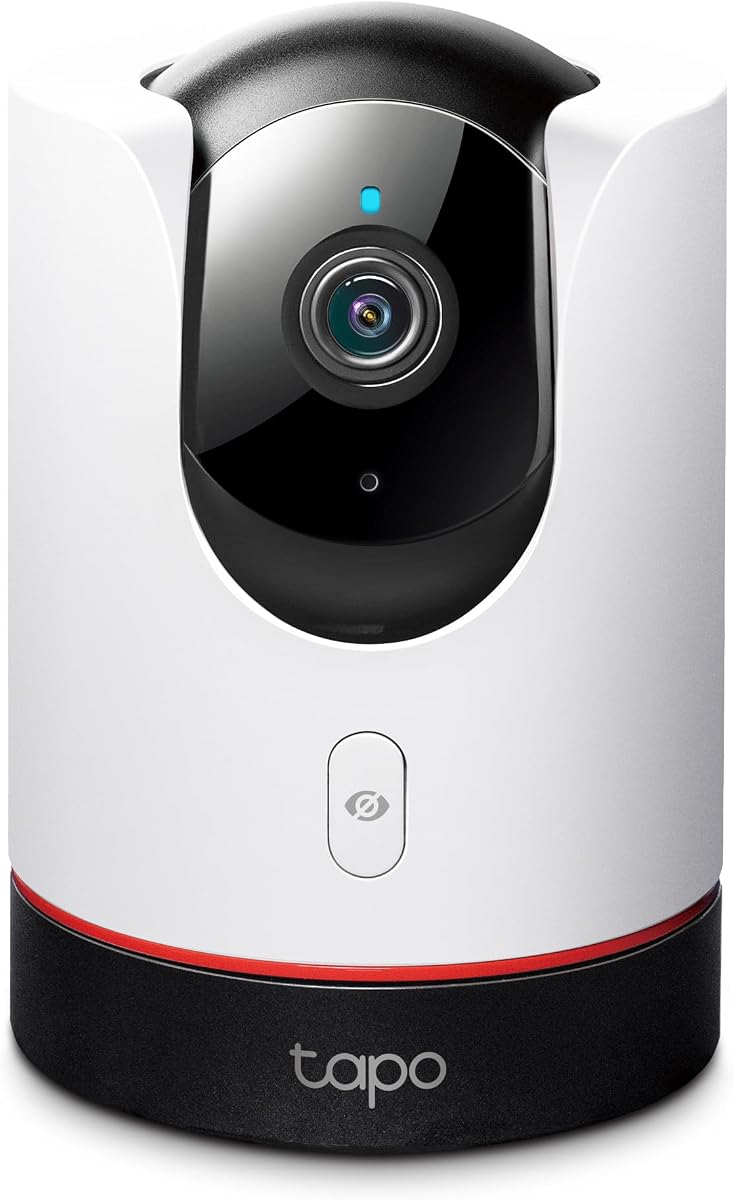
TP-Link Tapo 2K+ Pan/Tilt Security Camera Apple HomeKit, C225
4.5Editor score
2K QHD Live View
360 Degree Pan Tilt
Physical Privacy Mode
This guide compares the top Apple Homekit Security Cameras available in October 2026 for resolution privacy features storage options and seamless smart home
Securing your home with Apple Homekit Security Cameras ensures privacy and seamless integration with your ecosystem. These devices offer local processing encryption and reliable motion detection for peace of mind around the clock.
We evaluated ten leading models based on video quality night vision capabilities smart detection accuracy and ease of setup. Each option supports Homekit Secure Video to keep your footage safe and accessible only to you.
Every pick highlights standout strengths weaknesses and ideal use cases to help you choose wisely. Prices and availability may change so verify current details before purchasing to ensure you get the best value.
4.5Editor score
4.2Editor score
4.3Editor score
The following table provides a side-by-side comparison of all ten models to help you evaluate key specifications and features quickly.



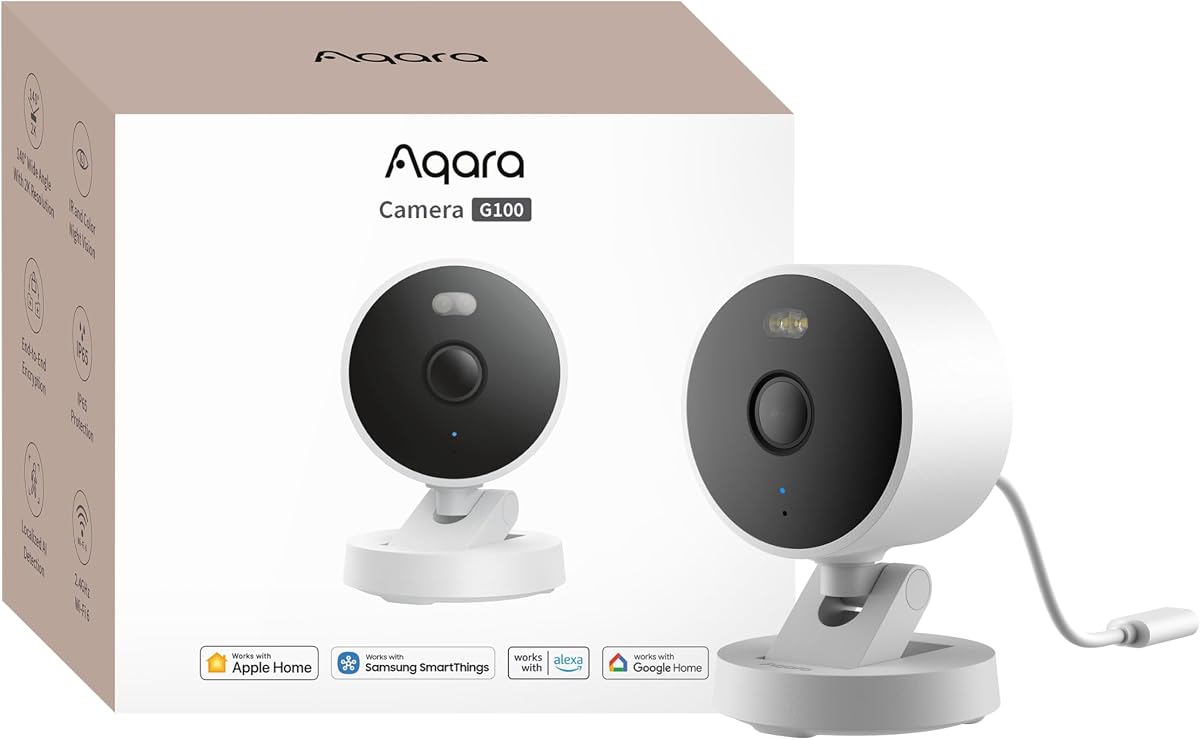
The Aqara G100 stands out as a robust choice for homeowners seeking a versatile indoor and outdoor camera. With a 2K resolution and IP65 rating it delivers clear footage in varied environments. Its support for Homekit Secure Video ensures privacy through end-to-end encryption.
We may earn a commission when you buy through this link, at no additional cost to you.
This camera offers advanced features like local motion detection and night vision modes that include spotlight and IR options. The dual connectivity allows streaming to Google Alexa and Home Assistant. Users can choose between microSD NAS or encrypted cloud storage via HomeGuardian subscription.
While Homekit Secure Video caps resolution at 1080p the camera retains 1296p in the Aqara app. Night vision modes need manual activation which may be inconvenient. However the trade-off provides greater control over when illumination occurs.
Ideal for those needing flexible placement and strong app integration this camera balances performance and privacy. Whether monitoring a backyard or living room it provides reliable alerts. Choose the G100 for comprehensive protection without excessive complexity.
The 2K resolution combined with f/1.8 lens ensures detailed footage even in low light. Two night vision modes offer flexibility for visibility or discretion.
Wi-Fi 6 and WPA3 enhance network performance. Choose from local microSD NAS or cloud storage to suit your privacy needs.
We may earn a commission when you buy through this link, at no additional cost to you.
The Eve Cam is designed exclusively for Apple Homekit Secure Video prioritizing privacy above all else. Its local processing ensures video analysis happens inside your home. This camera delivers instant notifications on your Apple devices.
We may earn a commission when you buy through this link, at no additional cost to you.
Built from the ground up for Homekit it supports end-to-end encryption for all footage. Motion detection can distinguish between people and pets to reduce false alerts. It deactivates automatically when someone is home for efficiency.
However it requires an iCloud plus subscription and home hub to function fully. The indoor-only limitation restricts outdoor use. These requirements ensure security but add costs.
Best for Apple users prioritizing privacy the Eve Cam offers reliable monitoring. Its tight integration ensures smooth automation. Consider your subscription needs before purchasing.
Exclusively supports Homekit Secure Video with end-to-end encryption. All video analysis occurs locally in your home.
Distinguishes people and pets. Automatically deactivates when someone is home for energy efficiency.
We may earn a commission when you buy through this link, at no additional cost to you.
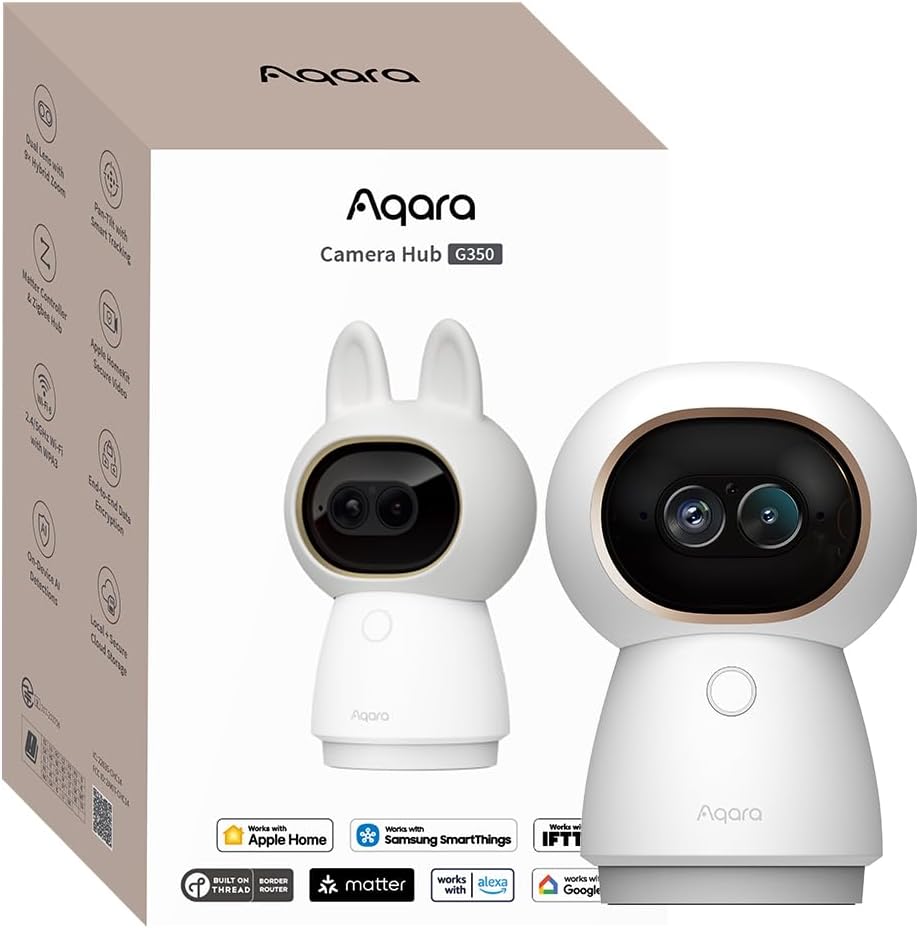
The Aqara G350 delivers exceptional quality with its 4K dual-lens design. It combines wide-angle and telephoto lenses for clear panoramic and zoomed views. This camera supports Homekit Secure Video for local secure monitoring.
We may earn a commission when you buy through this link, at no additional cost to you.
AI auto-tracking follows subjects closely with stable framing. Local AI detects faces pets and sounds without cloud upload. It also acts as a hub for Zigbee Thread and Matter devices.
The high price and advanced features may overwhelm casual users. However its capabilities suit tech enthusiasts. The physical privacy mode offers peace of mind.
Best for smart home power users the G350 offers top-tier performance. Its hub role centralizes automation. Consider your smart home needs for value.
Combines wide-angle and telephoto lenses for comprehensive 4K coverage. 9X hybrid zoom captures details clearly.
Bridges Zigbee Thread and Matter devices. Controls up to 80 sub-devices seamlessly.
We may earn a commission when you buy through this link, at no additional cost to you.
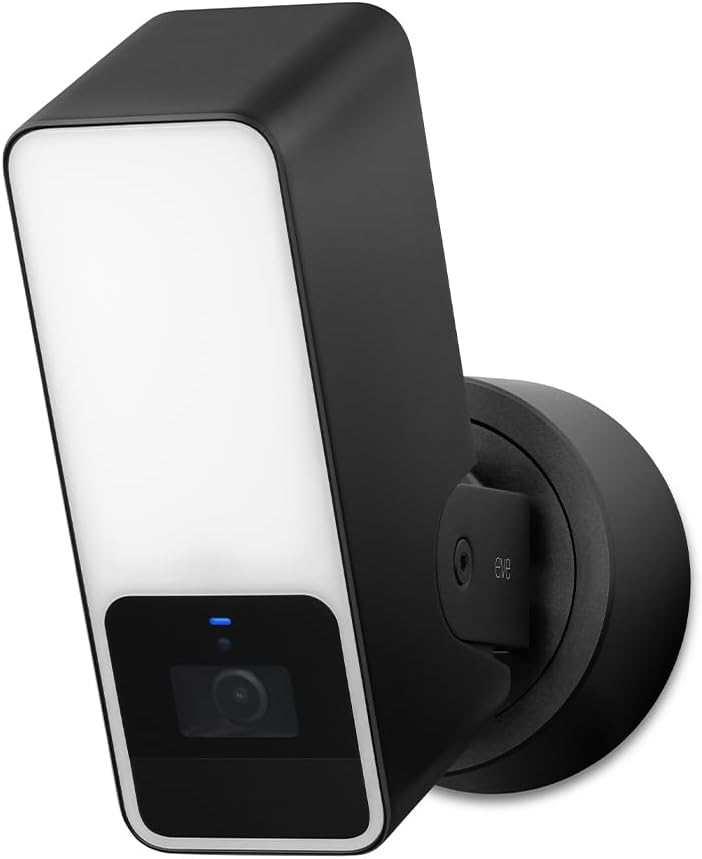
The Eve Outdoor Cam combines a floodlight with a security camera for enhanced deterrence. It offers clear HD video and motion detection. The design ensures all data stays local without cloud dependencies.
We may earn a commission when you buy through this link, at no additional cost to you.
Powered by Homekit Secure Video it encrypts footage end-to-end. It identifies people pets and vehicles accurately. Two-way audio allows instant communication.
Installation requires a neutral wire and ground which limits options. The price reflects its premium build. Consider wiring compatibility before purchase.
Best for driveways or porches it adds light and security. Its privacy focus is ideal for sensitive areas. Verify wiring needs first.
Built-in dimmable floodlight deters intruders. Light boost enhances visibility at night.
No Eve cloud or registration. Direct communication ensures data security.
We may earn a commission when you buy through this link, at no additional cost to you.
The Tapo C225 offers excellent value with 2K QHD video and pan tilt. It supports Homekit Secure Video for encrypted viewing. The design includes a physical privacy mode for confidence.
We may earn a commission when you buy through this link, at no additional cost to you.
AI detection identifies people pets and vehicles accurately. Starlight sensors improve low-light performance. Local storage options reduce subscription costs.
Homekit caps resolution at 1080p requiring Tapo app for full quality. App reliance may be inconvenient. However performance remains high for the price.
Ideal for budget-conscious buyers the C225 delivers privacy and clarity. Its physical privacy feature is standout. Consider app needs for best use.
Captures details clearly with 2K QHD. 360 coverage ensures no blind spots.
Physical privacy mode blocks the lens. Advanced AI detects unusual sounds or movements.
We may earn a commission when you buy through this link, at no additional cost to you.
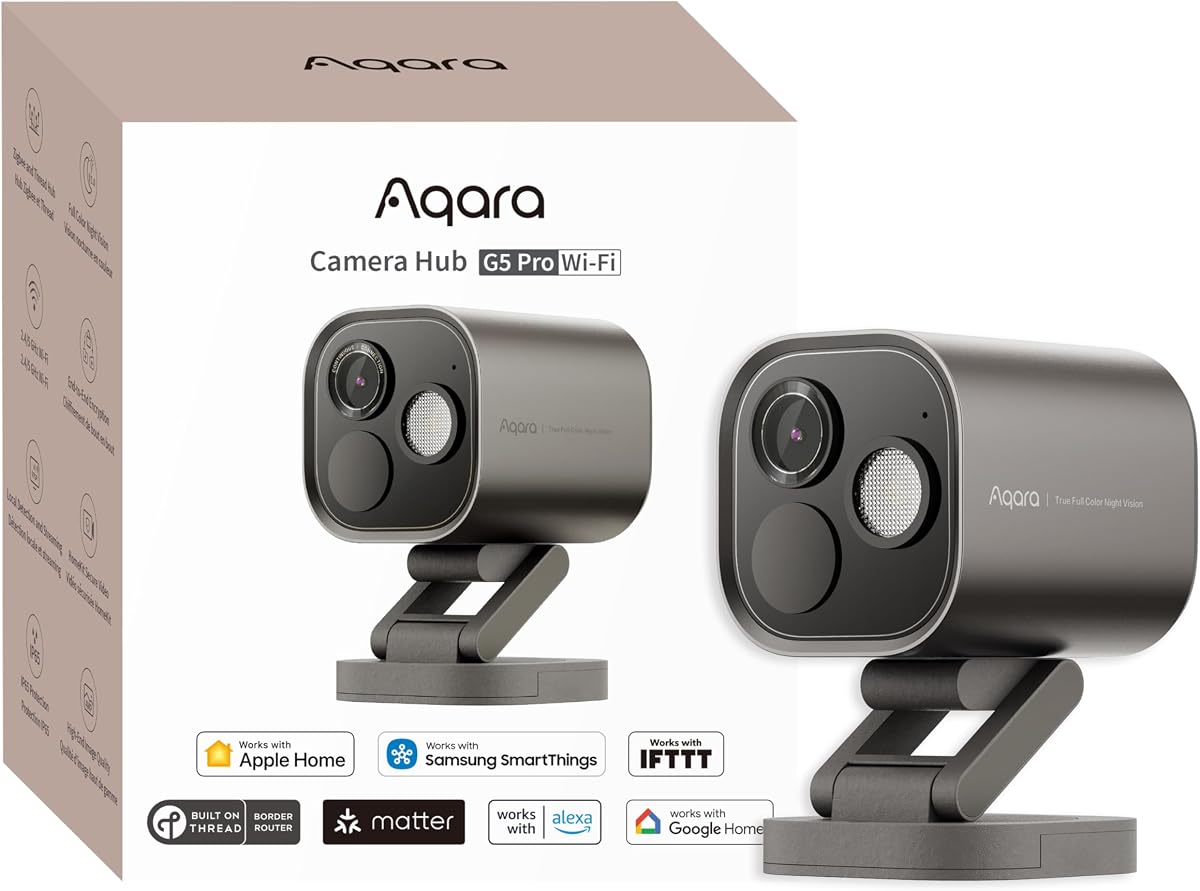
The Aqara G5 Pro WiFi combines surveillance with hub functionality. It uses True Color Night Vision with a built-in spotlight. Local AI detects sounds and visuals accurately even offline.
We may earn a commission when you buy through this link, at no additional cost to you.
It bridges Zigbee Thread devices to Homekit or other platforms. Storage includes encrypted eMMC or NAS. Dual-band Wi-Fi ensures stable connections.
Lack of IR limits visibility in total darkness. The spotlight may alert intruders. However color detail outweighs this trade-off.
Best for smart homes the G5 Pro centralizes devices and security. Consider lighting conditions for performance. It is ideal for privacy-focused setups.
Built-in spotlight illuminates dark areas for color footage. Identifies intruders clearly in low light.
Detects abnormal sounds and visuals locally. Connects up to 80 Zigbee sub-devices.
We may earn a commission when you buy through this link, at no additional cost to you.
The Logitech Circle View offers reliable weatherproof outdoor protection. It uses TrueView video for sharp detail in varied light. Its integration with Homekit ensures encrypted viewing.
We may earn a commission when you buy through this link, at no additional cost to you.
Designed exclusively for Homekit it provides 180 FOV coverage. Tilt camera down for privacy. Motion detection triggers clips without subscription.
However continuous recording is unavailable. Indoor use isn't supported. These limits simplify usage but reduce flexibility.
Best for outdoor entrances it provides simple secure monitoring. Its privacy design ensures control. Verify recording needs before buying.
Captures high contrast scenes clearly. 180 degree optics cover wide areas.
Tilt down for instant privacy. IP64 body withstands rain and dust.
We may earn a commission when you buy through this link, at no additional cost to you.
The Aqara E1 offers comprehensive indoor coverage with 360 pan tilt. Its 2K resolution ensures clear detail. Homekit Secure Video protects footage via encryption.
We may earn a commission when you buy through this link, at no additional cost to you.
On-device detection triggers automations for actions or sounds. Privacy mode pivots the lens for visual assurance. Storage options include microSD and cloud.
The USB power adapter is not included. It requires 2.4GHz Wi-Fi only. These details affect setup simplicity.
Best for living rooms or nurseries it provides reliable monitoring. Consider power requirements before purchase. Its flexibility suits many indoor needs.
Motorized pan tilt covers entire room. Automated privacy mode pivots lens when needed.
Built-in NPU triggers scenes locally. Detects motion audio and people accurately.
We may earn a commission when you buy through this link, at no additional cost to you.
The eufy E30 delivers true 4K video for exceptional indoor detail. AI tracking follows pets and people. Homekit Secure Video ensures encrypted access.
We may earn a commission when you buy through this link, at no additional cost to you.
Local storage allows 24/7 recording without subscriptions. Color night vision enhances visibility at night. Two-way audio enables communication.
Homekit limits resolution to 1080p requiring app for full quality. Indoor-only limits outdoor use. These factors suit indoor security.
Best for pet owners it offers reliable high-res monitoring. Consider app reliance for settings. Its clarity is unmatched in indoor options.
Captures every detail day and night. AI tracking follows movement automatically.
Store footage locally on SD card. Homekit integration ensures privacy and control.
We may earn a commission when you buy through this link, at no additional cost to you.
The Aqara G5 Pro PoE simplifies installation with Power over Ethernet. It delivers 4MP resolution with True Color Night Vision. Local AI detects events reliably.
We may earn a commission when you buy through this link, at no additional cost to you.
Support for Homekit Secure Video and RTSP ensures encrypted storage. Hub capabilities connect Zigbee Thread devices. Dual-band Wi-Fi maintains stable connections.
Requires PoE switch which adds cost. Indoor use isn't supported. These needs suit structured networks.
Best for offices or outdoor setups it offers centralized control. Consider network requirements. Its PoE feature reduces wiring complexity.
Power and data via one cable. Requires PoE switch for connection.
Detects visuals and sounds locally. Bridges Zigbee Thread to Matter platforms.
We may earn a commission when you buy through this link, at no additional cost to you.
Selecting the right camera requires understanding key features and compatibility. This section details factors ensuring optimal performance.
Higher resolution ensures clearer footage for identifying details. 2K or 4K cameras offer superior clarity over 1080p. However Homekit Secure Video often limits streaming to 1080p for compatibility.
Look for cameras that maintain high resolution in native apps even when using Homekit.
Outdoor cameras require weatherproof ratings like IP65. Indoor models lack this and may fail in rain or heat. Consider placement needs before purchasing.
Choose weather-resistant housing if mounting outside.
Night vision varies from IR to True Color with spotlights. IR provides covert monitoring while color aids identification. Check activation requirements for best use.
Opt for models offering both IR and color modes.
Homekit Secure Video provides end-to-end encryption for footage. Requires iCloud plus subscription and home hub. Ensure your setup supports this for privacy.
Verify subscription needs before choosing.
Local storage via microSD reduces monthly fees. Cloud options offer remote access but cost more. Some models include built-in eMMC for convenience.
Choose storage type based on privacy and budget.
AI detection reduces false alerts by identifying people and pets. Abnormal sound detection alerts for alarms or cries. Local processing improves response times.
Prioritize models with robust local AI.
Wi-Fi 6 and dual-band support enhance stability. Avoid congestion by using 5GHz where possible. Stable connectivity is key for real-time alerts.
Check router compatibility before installation.
Physical privacy mode blocks the lens visually. Some models pivot lens or disable audio. These ensure privacy when not in use.
Choose cameras with clear privacy indicators.
Begin by downloading the required app and scanning the QR code on the device. Follow on-screen instructions to connect your camera to Wi-Fi. Ensure your home hub is active for Homekit integration.
Position cameras at eye level to maximize coverage. Avoid placing them near bright lights or direct sunlight to prevent glare. Use physical privacy settings when entering rooms.
Regularly clean lenses with a soft cloth to maintain clarity. Update firmware via the app to patch security vulnerabilities. Monitor storage space and adjust recording settings.
Most Homekit Secure Video models require iCloud plus to store encrypted footage. This ensures end-to-end encryption and unlimited camera support. Without subscription footage is only available on device locally.
Homekit Secure Video caps streaming resolution for consistency and privacy. The app or native interface often allows higher resolution access. This balances storage efficiency with secure viewing.
Non-Homekit cameras cannot join Homekit Secure Video directly. Third-party bridges may enable basic viewing but not full security integration. True Homekit requires official certification.
Indoor cameras lack weatherproof ratings like IP65. Using them outdoors risks damage from moisture or dust. Choose outdoor-rated models for exterior installations.
Local storage uses microSD cards or NAS devices for recording. This avoids subscription costs and keeps data private. Ensure cards are compatible with the camera specs.
A Matter Bridge allows non-Matter devices to work with Matter ecosystems. Some cameras act as hubs for this feature. It simplifies smart home integration and automation.
The top picks like G100 Tapo C225 and G350 offer diverse solutions for various needs. Each provides strong Homekit Secure Video integration for privacy.
Consider resolution placement and storage when making your decision. Prioritize models matching your budget and smart home requirements.
Verify current prices and availability before purchasing as deals change often. Your ideal camera ensures peace of mind and seamless control.