
Comulytic Note Pro
4.4Editor score
Unlimited free transcription
Fast Wi-Fi sync
Triple-mic array
This guide compares the top AI meeting transcription devices for professionals, covering accuracy, battery life, and privacy features to help you choose.
Modern professionals need reliable tools to capture every detail during important meetings. AI transcription devices offer a seamless way to record, transcribe, and summarize conversations instantly without manual effort.
We evaluated ten leading models based on audio quality, transcription accuracy, battery life, and privacy standards. Each device was assessed for its ability to handle diverse recording environments effectively.
Each pick highlights specific strengths to help you find the right fit for your workflow. Note that product features and availability may change over time as manufacturers release updates.
4.4Editor score

4.5Editor score

4.8Editor score
The following table provides a side-by-side comparison of the top ten AI meeting transcription devices available on the market today. We highlight key specifications and unique capabilities for each model.



The Plaud Note Pro stands out as a top-tier AI transcription device for professionals who demand reliability and advanced features. It offers exceptional audio clarity through its directional microphones and supports rich multimodal inputs like photos and notes.
We may earn a commission when you buy through this link, at no additional cost to you.
Its ability to highlight key moments during recording and ask questions directly to your transcripts makes it a powerful tool for active learning and review. The device maintains high security standards ensuring your data remains private and encrypted.
While it is priced higher than some competitors, the inclusion of a magnetic case and robust battery life offers good value for heavy users. The need to use the app for advanced features might be a minor inconvenience for some.
This device is ideal for business professionals and legal experts who handle sensitive conversations daily. If you need a trustworthy, high-quality recorder that integrates seamlessly into your workflow, this is a strong choice.
You can capture audio along with typed notes and images to create a richer context for future reference.
Local data encryption and compliance with global security standards ensure your recordings remain confidential.
We may earn a commission when you buy through this link, at no additional cost to you.
The Pocket AI Voice Recorder is designed to attach effortlessly to your iPhone via MagSafe making it incredibly convenient for on-the-go recording. It functions as a personal assistant helping you capture meetings and ideas instantly with minimal interruption.
We may earn a commission when you buy through this link, at no additional cost to you.
Its long-lasting battery ensures you can rely on it for several days without needing a charge which is perfect for travel. The device automatically organizes recordings into clear summaries and action items saving you significant review time.
While it is limited to devices that support MagSafe this can be a constraint for some Android users. Additionally certain advanced productivity tools are available only through an optional subscription model.
This recorder is best suited for iPhone users who prioritize convenience and hands-free recording. If you want a device that integrates naturally with your phone workflow this is a compelling option.
The magnetic attachment allows you to secure the device to your phone easily for hands-free use.
Recordings are automatically transformed into structured conversation maps and summaries.
We may earn a commission when you buy through this link, at no additional cost to you.
The Comulytic Note Pro offers an impressive value proposition with unlimited free transcription included right out of the box. This makes it a highly attractive choice for students and professionals who need extensive transcription without monthly fees.
We may earn a commission when you buy through this link, at no additional cost to you.
Its Wi-Fi sync feature allows you to transfer files much faster than traditional Bluetooth methods which keeps your workflow moving smoothly. The device supports a wide range of languages and provides accurate summaries for various industries.
While the device is functional and effective the body is made of materials that might feel less premium than aluminum alternatives. Some advanced analysis features require a subscription which might limit power users on a strict budget.
If you are looking for a budget-friendly device that still delivers high-quality transcription and useful AI features this is a top contender. It is ideal for those who want core functionality without hidden costs.
The free Starter Plan includes unlimited transcription so you can record without worrying about minutes.
Specialized knowledge bases help capture industry-specific terms accurately for sectors like law and finance.
We may earn a commission when you buy through this link, at no additional cost to you.
The EurekaMind Lite is designed for extreme portability measuring only 3mm thin and fitting easily into any card holder or pocket. It provides unlimited transcription in its free plan making it accessible for everyday use without financial commitment.
We may earn a commission when you buy through this link, at no additional cost to you.
It includes built-in Ask AI which can search the web for deeper insights beyond your recordings. This feature allows you to get instant follow-up answers and enhance your understanding of meeting topics immediately.
Because the device is so small and light it might be easy to misplace if not used with the included magnetic attachment. The speaker recognition is functional but may not be as detailed as in higher-end models.
This recorder is perfect for anyone who needs a discreet and always-ready device for quick meetings. If you want a lightweight tool that keeps your pockets empty while capturing everything this is a great choice.
You can use the Ask AI feature to search the web for additional context on your meeting topics.
The device is designed to adhere magnetically to your phone or slide into a wallet easily.
We may earn a commission when you buy through this link, at no additional cost to you.
The Comu Action Pro distinguishes itself by turning conversations into editable documents like slides and email drafts without any prompts. This automation feature saves significant time for users who need to produce follow-up materials quickly.
We may earn a commission when you buy through this link, at no additional cost to you.
Its battery life is exceptional providing up to 70 hours of recording which covers multiple days of meetings on a single charge. The adaptive six-mic setup ensures you capture clear audio even in noisy environments.
The device comes with a higher price point which might be a barrier for some users. Additionally to get the most out of its connectivity features you need access to a reliable Wi-Fi network.
This recorder is best for professionals who need to generate professional documents directly from their conversations. If you want a device that acts as a virtual secretary for your meetings this is a premium choice.
The AI decides on a suitable model to turn your talks into editable slides or reminders instantly.
With up to 70 hours of recording you can go long stretches between charges for uninterrupted work.
We may earn a commission when you buy through this link, at no additional cost to you.
The RECPOINT Note AI leverages the advanced GPT-5.5 engine to deliver industry-leading transcription accuracy and deep conversation analysis. This makes it a powerful tool for dissecting academic lectures or business negotiations where precision is key.
We may earn a commission when you buy through this link, at no additional cost to you.
It supports an impressive 150 languages ensuring you can work internationally without worrying about missing nuances in communication. The package includes dedicated desktop software that gives you greater control over your audio management and editing.
The device is built with a rugged unibody aluminum alloy which adds durability but may feel heavier than other models. While the monthly AI package is generous you may find the limits restrictive if you record constantly.
This device is ideal for academic and professional users who need high accuracy across many languages. If you want a durable recorder with robust software support this is a reliable option.
The GPT-5.5 engine drives precise transcriptions and actionable to-do lists from your recordings.
You get full access to desktop software for advanced editing and exporting options.
We may earn a commission when you buy through this link, at no additional cost to you.
The Plaud Note Non-Pro offers a more accessible entry point into the Plaud ecosystem while maintaining the core features that make the brand popular. It captures conversations accurately and provides structured insights through its advanced app integration.
We may earn a commission when you buy through this link, at no additional cost to you.
Its dual-mode recording allows you to switch seamlessly between calls and meetings ensuring optimal audio capture in each scenario. The device supports multimodal inputs so you can add notes and photos for richer context.
While it retains many strengths of the Pro version it lacks the vivid AMOLED display and offers fewer free transcription minutes. This trade-off makes it less ideal for heavy users who rely on unlimited free minutes.
This device is a great choice for those who want a premium experience without the top-tier price tag. If you need a reliable recorder for occasional meetings this model is a strong candidate.
You can switch between call and meeting modes to capture high-quality ambient sounds or phone audio.
Data processing only occurs with your explicit authorization ensuring your conversations remain private.
We may earn a commission when you buy through this link, at no additional cost to you.
The 8-Mic AI Recorder is engineered for situations where an internet connection is unreliable or forbidden such as secure business environments. It supports offline transcription and translation ensuring you can still capture data without connectivity.
We may earn a commission when you buy through this link, at no additional cost to you.
Its 8-microphone array can capture clear audio from up to 20 meters away making it ideal for large conference halls or lectures. The device includes hardware-level encryption to safeguard sensitive data effectively.
The device is priced higher than many competitors and the offline language support is limited to five languages. While it includes a five-year Pro membership the high cost may not justify the features for everyone.
This device is best for professionals who need privacy and offline capabilities for international business. If you require a recorder that works anywhere without network dependency this is a specialized tool.
Process transcription and translation locally without needing an internet connection.
Three-tier hardware encryption locks your data to prevent unauthorized access.
We may earn a commission when you buy through this link, at no additional cost to you.
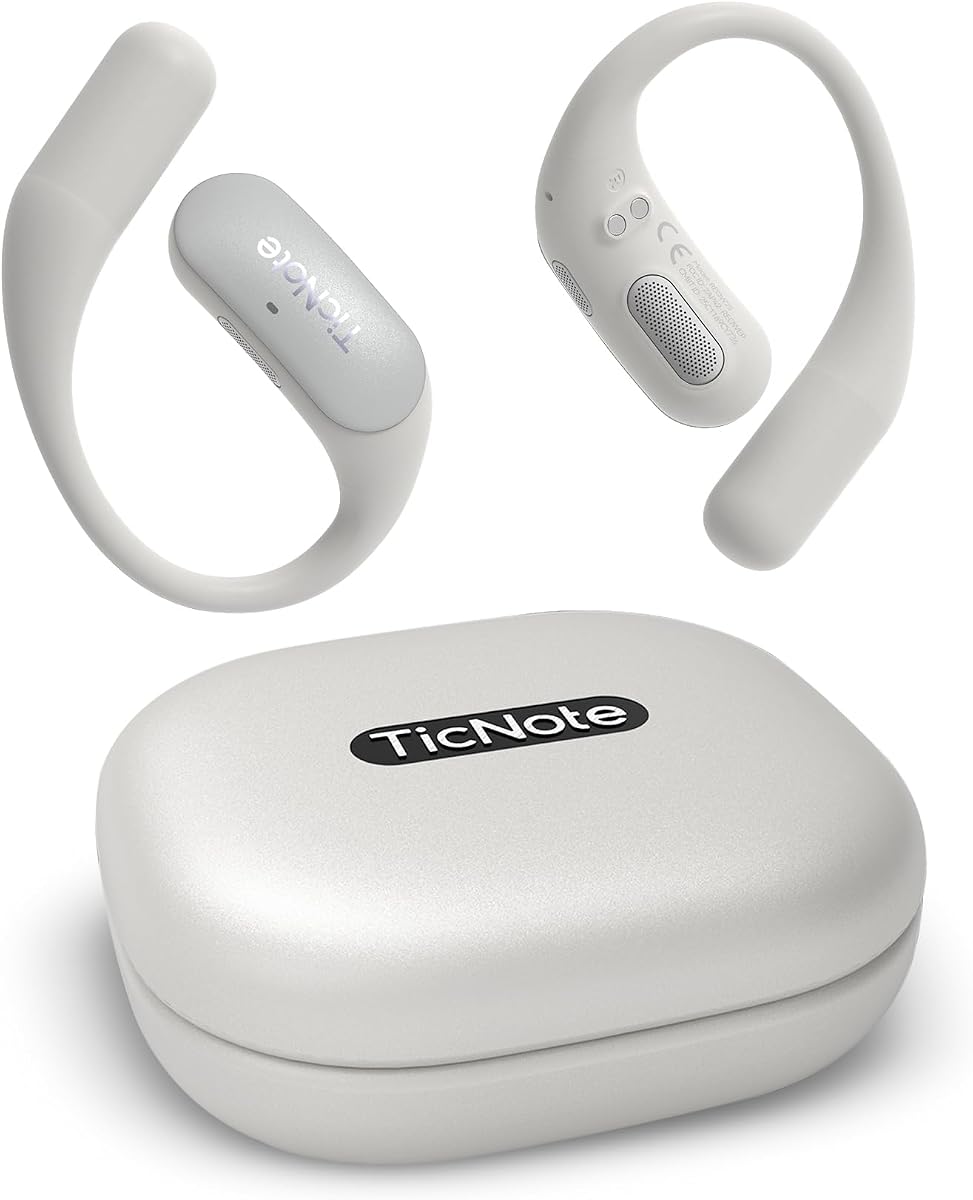
The Mobvoi TicNote Pods are designed as a wearable voice recorder that focuses on letting you stay engaged in conversations while AI handles the notes. It provides structured summaries and highlights to help you review decisions quickly.
We may earn a commission when you buy through this link, at no additional cost to you.
It offers excellent support for over 120 languages making it a versatile tool for multilingual teams. The Shadow AI support helps organize information into useful outputs for collaboration and follow-up tasks.
The battery life is relatively short at five hours which may require frequent recharging for all-day events. Additionally the device is optimized for Wi-Fi environments which limits its use in disconnected settings.
This device is ideal for office workers who need a light and collaborative tool for daily meetings. If you want a wearable that keeps your notes organized without cluttering your desk this is a good fit.
Your team can share and edit notes and transcripts through the secure TicNote Cloud system.
The device is built to be worn discreetly so you do not have to hold a device.
We may earn a commission when you buy through this link, at no additional cost to you.
The Comulytic Note Pro 2 continues the legacy of offering unlimited free transcription and basic summaries for all users. It ensures your data remains secure with strong encryption and compliance with privacy regulations like CCPA.
We may earn a commission when you buy through this link, at no additional cost to you.
Its blazing-fast Wi-Fi sync allows you to transfer files much faster than Bluetooth which speeds up your workflow significantly. The triple-mic array ensures clear audio capture up to five meters away in various environments.
The device is slightly heavier than some ultra-slim competitors which might affect portability for some users. While the core features are excellent you may find the lack of advanced analysis tools limiting for complex tasks.
This is a solid budget choice for those who want unlimited transcription without extra costs. If you need a reliable recorder for everyday meetings this model delivers good performance.
Transfers files ten times faster than Bluetooth so you can access notes quickly.
Your data is encrypted and protected under strict privacy laws for peace of mind.
We may earn a commission when you buy through this link, at no additional cost to you.
Selecting the right transcription device depends on your specific workflow needs and privacy concerns. We analyze key factors to help you find a device that offers accuracy and reliability.
Accuracy is critical because errors can lead to misunderstandings in professional settings. Look for devices that promise high accuracy rates and use advanced models like GPT or similar engines.
Prioritize models with high accuracy percentages to ensure your notes are reliable.
Long meetings often require long recording times so battery life is a key consideration. Devices offering 30 hours or more are ideal for full-day events without needing a charge.
Choose a device with enough battery to cover your longest typical recording sessions.
Clear audio capture ensures that the transcription engine has clean data to work with. Devices with multiple microphones and noise cancellation perform better in busy or loud environments.
Look for devices with advanced mic arrays to capture clear audio in noisy spaces.
If you handle sensitive business or legal data security is a major factor. Ensure the device complies with standards like ISO 27001 and offers end-to-end encryption.
Select devices that adhere to strict security standards to protect your sensitive data.
Connectivity affects how quickly you can access your recordings and share them. Wi-Fi sync is generally faster than Bluetooth and offers better real-time backup capabilities.
Opt for Wi-Fi connectivity to transfer your recordings faster than standard Bluetooth.
A slim and lightweight design ensures the device fits easily in your pocket or bag. Ultra-slim credit card sizes are convenient for professionals who travel frequently.
Consider a slim design that allows you to carry the device discreetly anywhere.
Features like summarization and translation add value beyond simple recording. Tools that generate action items or translate languages help you get more from your data.
Look for devices that offer summaries and translation to maximize your productivity.
Start by downloading the associated app and syncing your device before your first meeting. This ensures your settings are configured correctly for optimal performance.
Place the device in a central location or attach it to your phone for the best audio capture. Avoid covering microphones with fabric or placing it too far from speakers.
Regularly update your device software to benefit from new AI improvements and bug fixes. Clean the exterior with a soft cloth to prevent dust from affecting sensors.
Modern devices use advanced language models to achieve high accuracy rates often above 90 percent. However accuracy can vary based on audio quality and speaker accents.
Some devices work offline while others require internet for transcription and syncing. Check the specs to see if offline modes are available for your needs.
Many devices offer free starter plans but advanced features may require subscriptions. Always review the pricing models before committing to a specific brand.
Most modern apps allow you to share transcripts and notes securely with your team. Look for features like cloud storage or shared workspaces for collaboration.
Many professional models comply with security standards like ISO 27001 and offer encryption. Ensure the device meets your industry's privacy requirements before use.
Yes most top devices support transcription and translation in over 100 languages. This makes them useful for international meetings and multilingual teams.
We reviewed ten powerful AI transcription devices that cater to different professional needs and budgets. The Plaud Note Pro offers premium features while the Comulytic Note Pro provides great value.
When choosing consider factors like battery life and privacy standards alongside audio quality. Your specific workflow needs will determine which model offers the best support for your meetings.
Prices and features can change over time so check current listings before making your final decision. We hope this guide helps you find the perfect tool to capture your professional conversations.