
Vansuny 128GB USB C Flash Drive
4.3Editor score
Dual USB C and 3.0 connectors
Compatible with Android and Windows devices
Compact design with keychain loop
This guide compares the top ten extra storage solutions for tablets to help you choose the right expansion option for your needs.
Modern tablets are powerful tools but often suffer from limited internal storage. Expanding your capacity ensures you never run out of space for essential files.
We evaluated ten top-rated storage options based on speed, compatibility, durability, and ease of use. Our analysis covers microSD cards, USB drives, and portable SSDs.
Each pick highlights specific strengths for different users. Note that availability and pricing may change over time, so verify details before purchasing.
4.3Editor score
4.7Editor score

4.5Editor score
The following table provides a side-by-side overview of key specifications to help you compare options quickly.


This memory card is uniquely designed for Fire tablets and Fire TV devices. It holds a strong rating from users who value seamless integration with Amazon hardware. The exclusive certification ensures it meets specific performance standards for these devices.
We may earn a commission when you buy through this link, at no additional cost to you.
Users can load their tablets with more fun by adding space for photos, music, and movies. Apps and games download directly to the card, freeing up internal memory. Class 10 performance supports Full HD video recording and playback efficiently.
The main trade-off is that it is optimized for Amazon devices. While standard microSD cards might work, this one is tested specifically for stability. For Fire owners, this specificity is a benefit that justifies choosing this card.
If you own a Fire tablet and need reliable extra storage, this card is a top recommendation. It removes the guesswork of compatibility and ensures smooth performance for media and apps.
Being tested and certified for Fire devices means fewer compatibility issues and a smoother user experience.
Directly download apps and games to the card to manage internal storage limits effectively.
We may earn a commission when you buy through this link, at no additional cost to you.
This dual drive is built for transferring files between smartphones, tablets, and computers. It features both USB-C and traditional USB connectors for wide compatibility. Users appreciate its ability to free up space on mobile devices quickly.
We may earn a commission when you buy through this link, at no additional cost to you.
The flash drive supports high-speed USB 3.1 performance with read speeds up to 150MB/s. The reversible USB-C connector simplifies usage on modern tablets. Its retractable design protects ports when not in use.
Speed may vary depending on the host device and its USB port version. Also, the retractable mechanism requires careful handling to avoid breaking. These are minor inconveniences for the convenience it offers.
For users needing a versatile drive to move data between different systems, this option is excellent. It bridges the gap between modern USB-C tablets and older USB-A computers efficiently.
The dual connector design ensures you can connect to both new and old devices without adapters.
High read speeds allow you to move large media files quickly between your tablet and PC.
We may earn a commission when you buy through this link, at no additional cost to you.
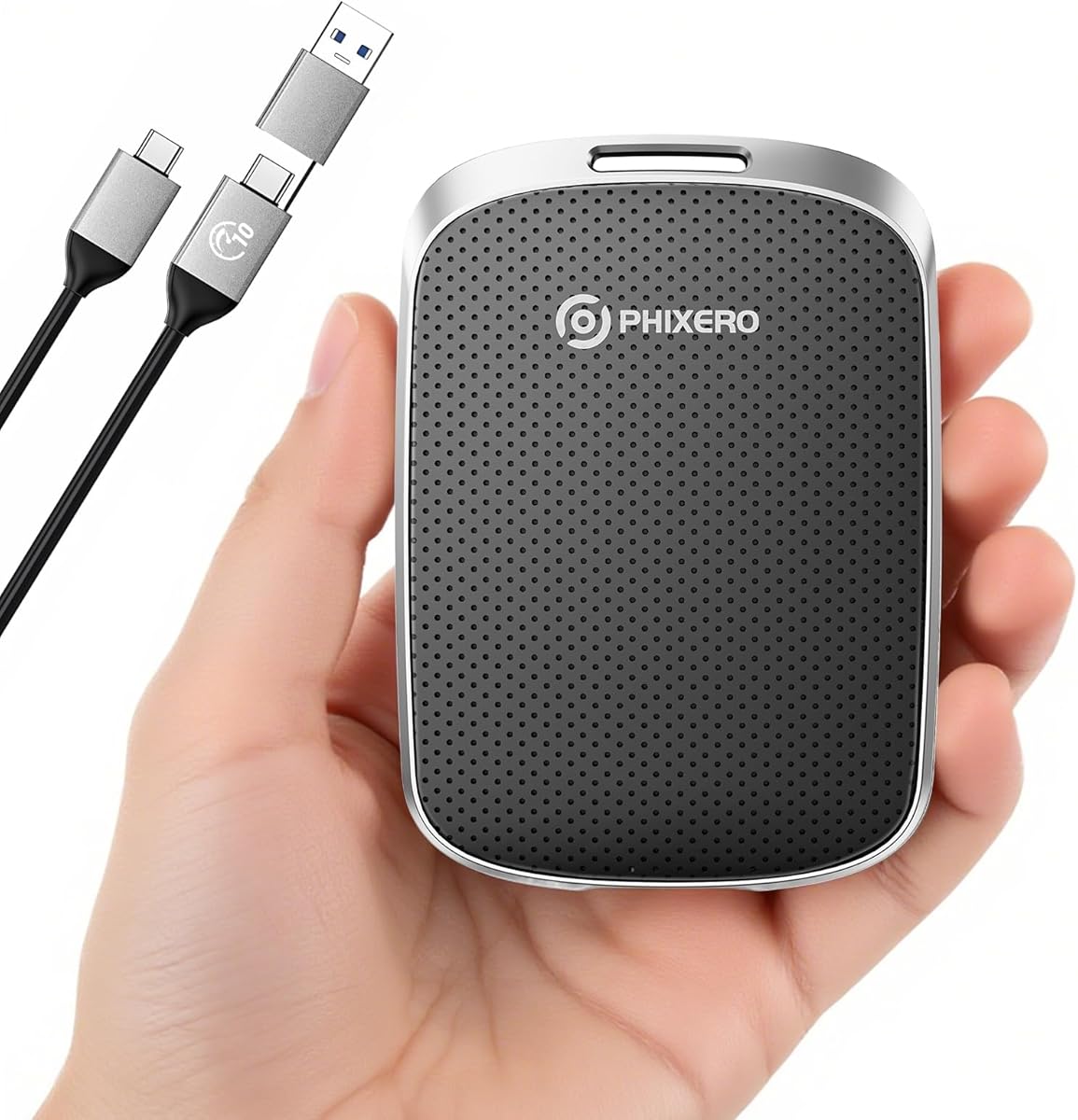
This portable SSD offers immense capacity and speed for users who need to store large amounts of data. It reads files at up to 1050MB/s and writes at up to 1000MB/s. An LED light indicates activity so you know when transfers are happening.
We may earn a commission when you buy through this link, at no additional cost to you.
The aluminum alloy case is only 2mm thick yet provides superior heat dissipation. It includes both USB-C and USB-A cables for seamless cross-platform transfers. S.M.A.R.T. health diagnostics ensure data security and drive longevity.
The main downside is the cost compared to standard flash drives. It is heavier than tiny thumb drives, though still very lightweight. For professional workloads, the performance and capacity make up for these factors.
If you need high performance for video editing or large backups on your tablet, this SSD is ideal. It delivers steady speeds without slowdowns even with large file transfers.
With read speeds over 1000MB/s, this drive handles 4K video editing and large backups efficiently.
The thin aluminum case keeps the drive cool and protected while adding minimal bulk to your gear.
We may earn a commission when you buy through this link, at no additional cost to you.
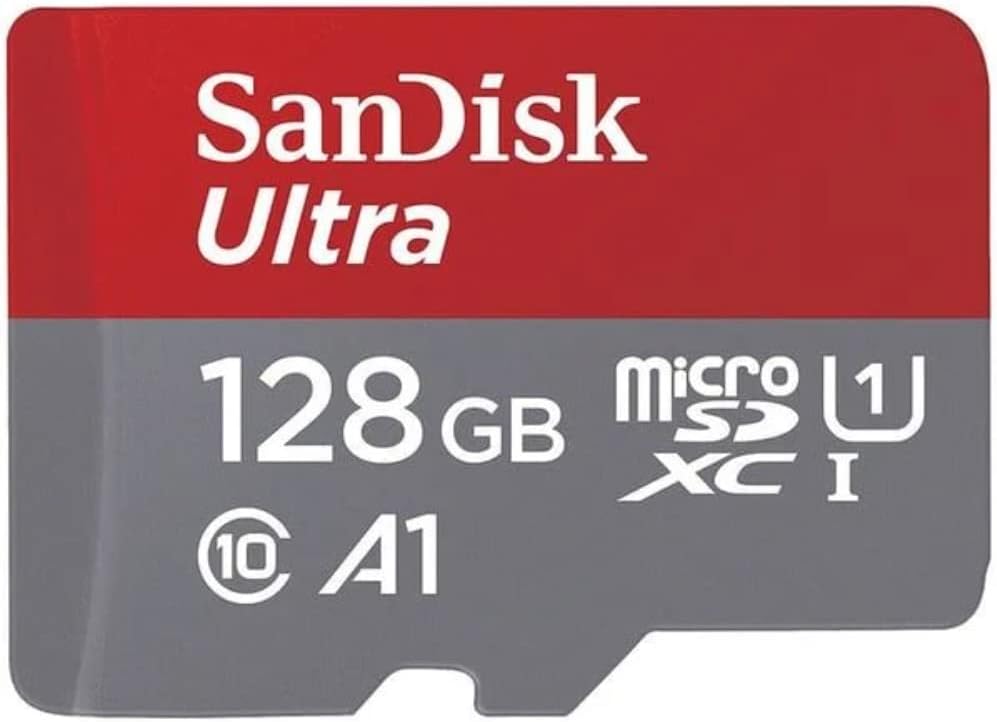
This microSD card is ideal for Android smartphones, tablets, and laptops. It offers up to 140MB/s transfer speeds to move photos quickly. The A1 rating ensures apps load faster when stored on the card.
We may earn a commission when you buy through this link, at no additional cost to you.
Users can view access and back up files in one location using the SanDisk Memory Zone app. The card is backed by a 10-year limited warranty for peace of mind. It is also compatible with SanDisk MobileMate USB card readers.
While it is excellent for general storage, you will need a card reader to access it on computers without SD slots. The card itself is tiny and easy to lose if not handled carefully.
For anyone needing a reliable high-speed card for app storage and media, this is a solid choice. The warranty and app optimization make it stand out among standard microSD options.
The A1 rating specifically improves random read/write performance for smoother app execution.
A 10-year warranty shows the manufacturer's confidence in the card's durability and endurance.
We may earn a commission when you buy through this link, at no additional cost to you.
This 2-in-1 flash drive has a Type-C plug on one end and a USB-A plug on the other. It works across Type-C phones, tablets, Macs, and USB-A computers. Users value its wide compatibility with Android and Apple devices.
We may earn a commission when you buy through this link, at no additional cost to you.
Optimized USB 3.0 technology allows read speeds up to 130MB/s. It is 10 times faster than USB 2.0 drives. The premium plastic enclosure offers excellent heat dissipation and durability.
Write speeds are slower than read speeds at up to 35MB/s. Also note it is not for Lightning iPhones which require different adapters. Still it is a robust choice for most modern devices.
For those who often transfer data between tablets and computers, this drive offers great convenience. Its compact size means it can easily fit into your pocket or bag.
Compatible with Windows, Android, Linux, and Mac OS for broad usability.
High read speeds ensure quick access to photos and videos stored on the drive.
We may earn a commission when you buy through this link, at no additional cost to you.
This flash drive features a reversible USB Type-C and a traditional Type-A connector. It is designed to seamlessly move content between USB Type-C smartphones, tablets, and Macs. Free up space on your USB Type-C smartphone easily.
We may earn a commission when you buy through this link, at no additional cost to you.
High-performance USB 3.1 Gen 1 drive offers read speeds up to 150MB/s. The SanDisk Memory Zone app can automatically back up photos for extra convenience. Compatible devices include tablets and mobile units.
To use on mobile, the device must support USB Type-C port and On-The-Go. Write speeds may vary by capacity and conditions. Still it is a reliable option for regular backups.
If you use Android or Type-C tablets and want automatic photo backups, this drive is a great fit. It simplifies storage management across your ecosystem.
The SanDisk Memory Zone app allows scheduled backups to keep your memories safe.
The reversible Type-C plug ensures you never struggle to insert it correctly.
We may earn a commission when you buy through this link, at no additional cost to you.
This sleek drive is supported by Samsung NAND flash and is compact. It transfers 4GB files in about 11 seconds with up to 400MB/s read speeds. The reversible plug inserts into devices seamlessly every time.
We may earn a commission when you buy through this link, at no additional cost to you.
Files stay secure no matter the terrain with waterproof, shock-proof, magnet-proof, and temperature-proof body. It holds space for 63730 photos or 12 hours of 4K video. Backed by a 5-year limited warranty.
The ruggedness adds some cost, but it protects data in harsh environments. It is strictly USB-C which may limit use with older ports. For modern tablets it is an excellent choice.
If durability is a priority for your travels or outdoor work, this drive is highly reliable. It combines speed and toughness in a small form factor.
Waterproof, shock-proof, magnet-proof, temperature-proof, and X-ray-proof design ensures data safety.
With 400MB/s speeds, large files transfer quickly without waiting.
We may earn a commission when you buy through this link, at no additional cost to you.
Unlock endless storage with this SSD perfect for photographers and videographers. It offers blazing fast data transfer speeds of up to 460MB/s. This ensures less time waiting and more time enjoying content.
We may earn a commission when you buy through this link, at no additional cost to you.
It is designed for ultimate portability at 2.44 by 2.72 by 0.5 inches. The 2 in 1 USB C and A cable simplifies connections. You can choose from vibrant colors to match your style.
While it is lightweight, you must keep the cable handy for use. It is a compact alternative to traditional heavy hard drives. The speed makes it practical for on-the-go work.
For creatives needing fast reliable storage that is easy to carry, this SSD fits well. It simplifies your workflow with quick file sharing capabilities.
Fast transfer speeds reduce downtime during photo or video shoots.
Its small size and light weight make it easy to slip into any bag.
We may earn a commission when you buy through this link, at no additional cost to you.
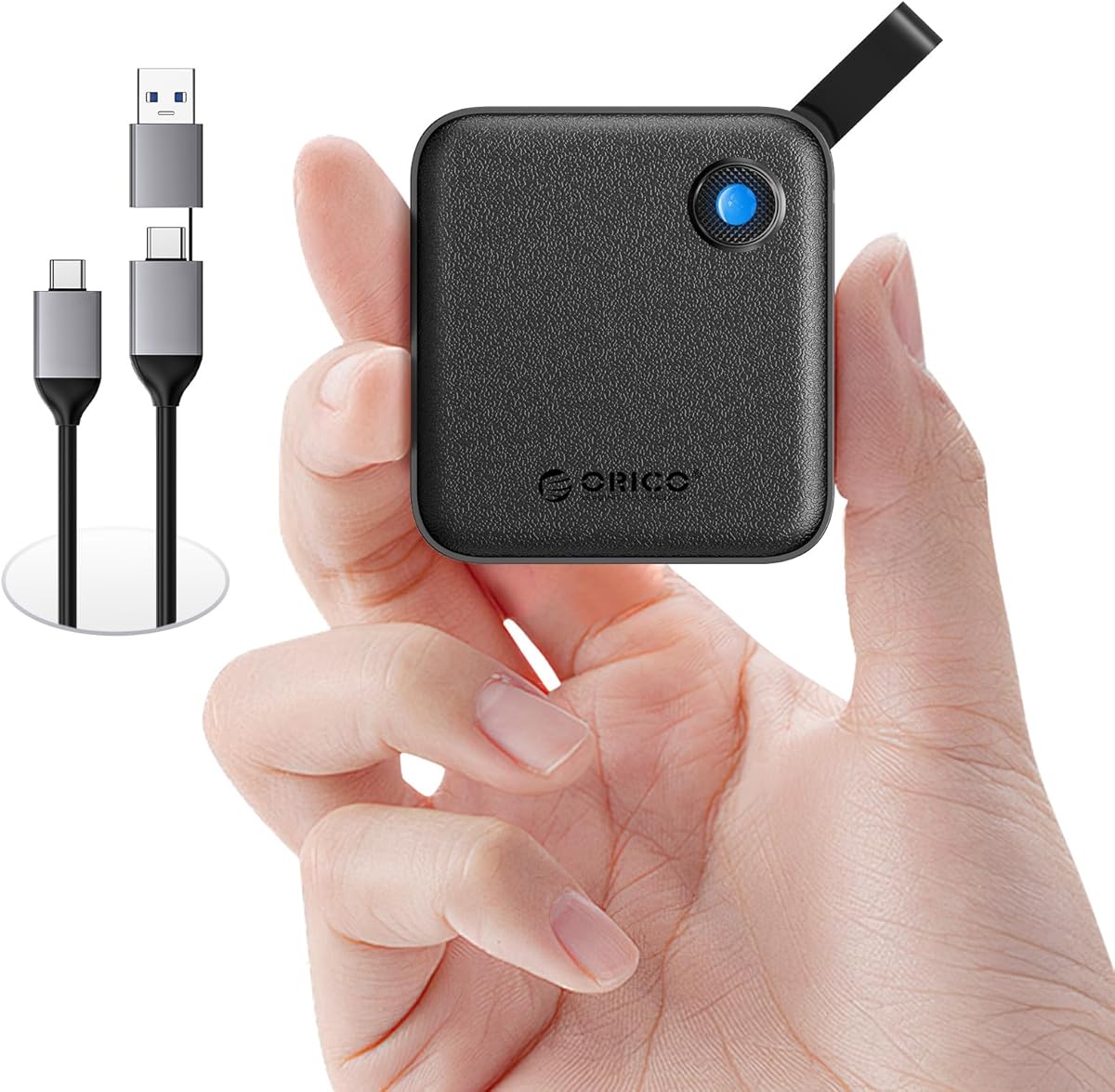
This external SSD supports continuous read speed of 550MB/s and write speed of 500MB/s. It adopts anti-drop and anti-vibration design with a solid one-piece aluminum alloy frame. The mini design makes it convenient to carry and use.
We may earn a commission when you buy through this link, at no additional cost to you.
Seamless cross-device use lets you control content on smartphones, PCs and tablets via USB C&A cable. It records 4K 60fps videos directly to the SSD. Comes with a hanging loop and 3-year worry-free warranty.
It is heavier than a tiny flash drive but still pocketable. The frame adds durability that plastic drives lack. For the price, the performance is highly competitive.
If you want SSD performance without paying top dollar, this model is a strong contender. It delivers high-speed access and durability for everyday storage needs.
Record 4K video directly to the drive for massive storage flexibility.
The aluminum frame and anti-drop design protect data during travel.
We may earn a commission when you buy through this link, at no additional cost to you.
This 2-in-1 USB flash drive works with computers and mobile phones. High-speed USB 3.0 allows you to transfer a 4G movie in about 40 seconds to your smartphone. It is easy to recognize by PC, car audio and smart TVs.
We may earn a commission when you buy through this link, at no additional cost to you.
Supports Windows, Linux and Mac OS with backward compatibility to USB 2.0. It supports many video and audio formats out of the box. The OTG function supports nearly all mobile phones with OTG.
The default format is exFAT which works for most phones but check before use. Write times may be longer for massive files. Still it is a cost-effective way to expand capacity.
For budget-conscious users who need a dual connector drive, this is an ideal choice. It provides essential functionality without breaking the bank.
This drive provides ample storage at a very accessible price point.
Supports a wide range of audio and video formats for easy playback.
We may earn a commission when you buy through this link, at no additional cost to you.
Choosing the right storage requires considering capacity, interface, speed, and durability.
Determine how much space you require based on your typical usage. For media storage and app backups, 128GB to 256GB is common. For professional video work, 1TB drives provide ample room.
Choose a capacity that accommodates your growth without exceeding your budget.
Check your tablet ports for USB-C or USB-A support. USB-C drives are becoming standard on modern devices. MicroSD cards require a card slot which is less common now.
Pick a drive with the correct port or use compatible adapters to ensure connection.
Look for USB 3.0 or higher specifications for fast file transfers. Read speeds matter for accessing files quickly. Write speeds determine how fast data is saved.
Prioritize high speeds if you move large media files frequently.
For on-the-go use, choose rugged designs with water and shock resistance. Aluminum alloy cases dissipate heat better than plastic. Retractable or cabled options protect connectors from damage.
Invest in a sturdy drive if your tablet travels often.
Ensure the drive works with your tablet's operating system like Android or iOS. Some drives include software for easy file management on PCs. Universal file formats like exFAT help avoid compatibility issues.
Select a drive that supports all your devices without extra software.
MicroSD cards are often the most affordable option for internal expansion. Flash drives offer good value for moderate needs. SSDs cost more but deliver faster performance and durability.
Balance your spending based on how critical performance is for your workflow.
Check for limited warranties ranging from 1 to 10 years. Reputable brands offer better customer support and reliability. Data security features like encryption may also be included.
A longer warranty indicates confidence in the drive's longevity.
Consider the physical dimensions if you want something pocket-sized. Small thumb drives are easier to carry than larger external SSDs. However, larger drives may offer more capacity.
Choose a size that fits comfortably in your travel bag or pocket.
To start using your drive, plug it into your tablet's USB port. Some drives require OTG support on mobile devices. Once connected, your tablet may show a notification to browse files.
Transfer files by selecting media or documents and choosing move or copy. Always eject the drive safely before unplugging to prevent data corruption. Avoid pulling it out during transfers.
Keep the drive in a dry place when not in use. Protect connectors from dust with caps. Regularly format the drive if you use it across different operating systems.
Not all tablets have SD slots. You need to check if your model supports USB-C OTG or microSD. Most modern Android and iPad models do, but some older devices may not.
It depends on your tablet's settings. Some devices allow moving apps to SD cards or USB drives. Check your storage settings for an option to change default install location.
SSDs generally offer faster speeds and higher capacities. Flash drives are smaller and cheaper. SSDs are better for heavy workloads while flash drives suit occasional file swaps.
Most drives are plug and play. Some brands offer optional apps for better file management. Basic file transfer is usually supported by the tablet's system without extra software.
Look for activity lights or system notifications when connected. Open your file manager to see if the drive appears. If not, try a different port or adapter.
Stick to reputable brands for data safety. Unknown brands may fail sooner or have slower speeds. Established manufacturers offer warranties and reliable support if issues arise.
You can format drives to exFAT for compatibility with most devices. iOS may not allow formatting directly but you can do it on a computer. Then reconnect to the tablet for use.
We explored ten reliable options ranging from microSD cards to high-speed SSDs. Each product offers unique benefits for different storage needs. Choosing the right one depends on your specific device and usage patterns.
Prioritize speed and capacity if you handle large media files regularly. For simple app expansion, microSD cards provide an easy solution. Always check compatibility before purchasing to avoid extra costs.
Remember that storage options evolve quickly so verify current availability. These picks represent top-rated solutions for tablet users seeking expansion.