
Epson LQ-590II Dot Matrix Printer – Monochrome
4.3Editor score
24-pin impact technology
584 characters per second
USB and Parallel ports
Dot matrix computer printers remain essential for businesses requiring multipart forms and high durability. These impact printers deliver consistent performance in demanding environments where other technologies fail to meet operational standards.
We evaluated ten leading models based on print speed, connectivity options, duty cycle, and build quality. Our analysis focuses on real-world performance metrics that matter most to office managers and IT professionals managing daily operations.
Each pick highlights key strengths and potential limitations to guide your decision. Prices fluctuate frequently, so verify current listings before purchasing. This guide ensures you select a printer that aligns with your specific workflow requirements.
4.3Editor score

4.7Editor score
4.2Editor score
As an Amazon Associate we earn from qualifying purchases.
This side-by-side comparison highlights key specifications across all ten models to help you quickly identify which printer best matches your volume requirements and connectivity needs.


The Epson LQ-590II delivers reliable 24-pin impact printing at 584 characters per second. Rated 4.3 stars, it offers excellent value for users needing consistent monochrome output for invoices and multipart forms.
We may earn a commission when you buy through this link, at no additional cost to you.
Its high speed and robust construction make it suitable for moderate to high-volume environments. The inclusion of both USB and parallel ports ensures compatibility with legacy systems and modern computers alike.
While it lacks color capabilities and operates noisily, these are acceptable trade-offs for impact printing. The focus remains on durability and cost-effective operation rather than aesthetic presentation.
Businesses requiring cost-efficient multipart form printing should consider this model. It balances performance and affordability well for standard office workflows involving carbon copies and continuous feed paper.
With 584 characters per second, this printer minimizes wait times for batch processing tasks.
Parallel port support ensures seamless integration with older hardware and specialized software systems.
We may earn a commission when you buy through this link, at no additional cost to you.
The Epson LQ-590II NT adds Energy Star certification to the proven LQ-590II platform. Rated 4.2 stars, it combines speed with reduced power consumption, ideal for environmentally conscious enterprises.
We may earn a commission when you buy through this link, at no additional cost to you.
Its 584 cps speed and dual port options provide versatility across various office setups. The NT designation signifies optimized power management without compromising print quality or throughput capabilities.
Pricing is higher than standard models, reflecting advanced power features. This investment pays off in reduced operational costs over time for facilities prioritizing sustainability goals alongside performance.
Organizations seeking green technology within impact printing should prioritize this version. It maintains the reliability expected from Epson while meeting modern energy efficiency standards for long-term value.
Energy Star certification ensures lower power draw during standby and active printing cycles.
Both parallel and serial interfaces allow flexible integration with diverse legacy and modern devices.
We may earn a commission when you buy through this link, at no additional cost to you.
The Oki Microline 320 Turbo/N stands out with a 4.7-star rating for reliability. This 9-pin impact printer excels in high-demand scenarios where consistent output matters more than color capabilities.
We may earn a commission when you buy through this link, at no additional cost to you.
Its reputation for durability and high duty cycles makes it a trusted choice for warehouses and financial offices. The Turbo designation indicates optimized speed for draft mode printing without sacrificing quality.
Though priced at a premium, the longevity and minimal maintenance justify the cost. Users report fewer paper jams and mechanical issues compared to competing models in the same segment.
Select this printer if uptime and reliability are non-negotiable. It represents a solid investment for businesses prioritizing consistent performance over upfront savings or advanced features.
Industry users consistently praise the 320 Turbo/N for uninterrupted operation in demanding environments.
Enhanced print mechanisms deliver faster throughput in draft modes for urgent document needs.
We may earn a commission when you buy through this link, at no additional cost to you.
The OKI MICROLINE 320 Turbo Mono offers solid 9-pin impact performance at 435 cps. Rated 4.5 stars, it serves well for environments needing consistent text output with multipart form capabilities.
We may earn a commission when you buy through this link, at no additional cost to you.
Its 20,000-page duty cycle ensures longevity under regular business use. USB and parallel connectivity options provide flexibility for integrating with various workstation configurations and legacy servers.
Design elements feel dated compared to modern peripherals, but functionality remains strong. Users appreciate the straightforward operation and minimal learning curve for daily printing tasks and maintenance.
This model suits departments needing dependable text printing without advanced features. It provides a balance of performance and cost for standard administrative workflows involving invoices and shipping labels.
A 20,000-page monthly cycle supports sustained usage without overheating or degradation.
Support for USB and parallel interfaces eases migration from older system architectures.
We may earn a commission when you buy through this link, at no additional cost to you.
The OKI MICROLINE 420 boosts speed to 570 cps with a 24,000-page duty cycle. Rated 4.5 stars, it handles high-volume tasks efficiently while maintaining Energy Star efficiency standards.
We may earn a commission when you buy through this link, at no additional cost to you.
Its higher throughput reduces bottlenecks in busy offices processing large batches of documents. The combination of speed and capacity makes it ideal for logistics, finance, and shipping departments.
Physical size and noise levels are considerations for open-plan offices. However, dedicated print rooms or enclosed spaces mitigate these issues while leveraging its robust performance capabilities.
Choose this printer for departments where volume and speed are critical. Its efficient design supports continuous operation with minimal interruptions during peak business hours.
At 570 characters per second, it accelerates batch processing significantly compared to standard models.
Energy Star compliance reduces power costs without sacrificing the performance needed for heavy workloads.
We may earn a commission when you buy through this link, at no additional cost to you.
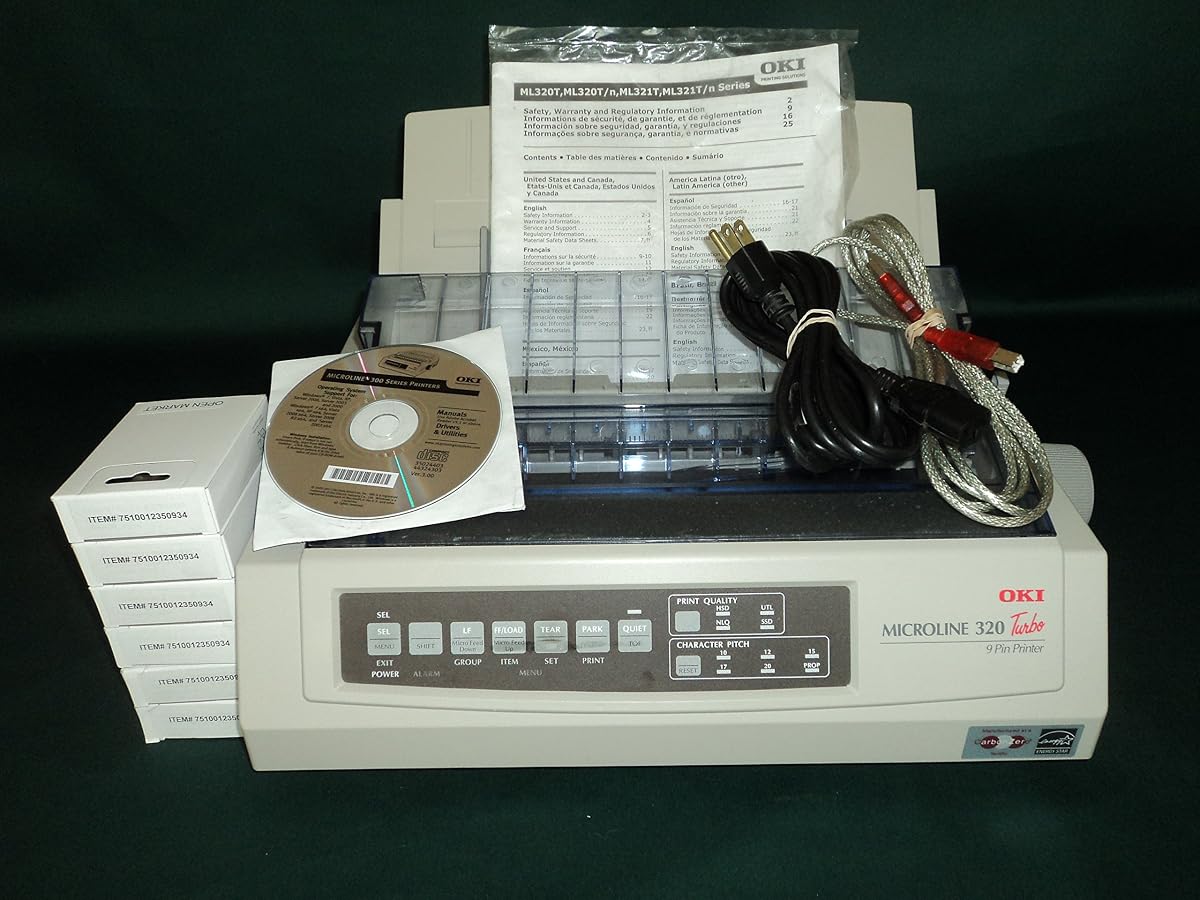
The Oki MICROLINE 320 Turbo achieves a rare 5.0-star rating for flawless performance. This 9-pin impact printer excels in versatility with serial, USB, and parallel connectivity options.
We may earn a commission when you buy through this link, at no additional cost to you.
Its 435 cps speed provides quick turnaround for standard text documents and forms. Users highlight its robust construction and consistent output quality as major advantages over similar devices.
Graphics capabilities remain limited due to impact technology constraints. However, for text-based workflows requiring carbon copies, this limitation is negligible compared to its reliability benefits.
Ideal for users needing maximum connectivity flexibility in a compact unit. This printer ensures smooth integration into diverse IT environments while maintaining high operational dependability.
Serial, USB, and parallel ports ensure compatibility with virtually any legacy or modern workstation.
Customer feedback emphasizes consistent operation with minimal technical interruptions or service needs.
We may earn a commission when you buy through this link, at no additional cost to you.
The Epson LQ-2090II offers 24-pin impact quality at 550 cps with Energy Star efficiency. Rated 3.7 stars, it delivers strong performance but faces criticism for outdated connectivity options.
We may earn a commission when you buy through this link, at no additional cost to you.
Its parallel-only interface limits flexibility for modern networks relying on USB or Ethernet connections. Users must consider adapter requirements if existing infrastructure does not support legacy ports.
Print quality and speed remain competitive for text and form processing. The durability of 24-pin heads ensures crisp output that lasts, suitable for long-term archival needs.
Best for environments retaining legacy systems with parallel infrastructure. If modern connectivity is essential, this model may require additional investments in interface conversion hardware.
24-pin technology produces sharper text and graphics than 9-pin alternatives for professional documents.
Designed primarily for organizations with established parallel port ecosystems needing stable impact printing.
We may earn a commission when you buy through this link, at no additional cost to you.
The OKI MICROLINE 320 Turbo supports up to six copies with 435 cps speed. Rated 4.2 stars, it excels in multipart form printing while offering USB and parallel interface options.
We may earn a commission when you buy through this link, at no additional cost to you.
Zero-tear and auto-park technology streamline media handling, reducing waste during high-volume operations. This feature enhances usability for operators managing continuous feed paper trays.
Noise levels and lack of color remain standard limitations for impact technology. However, these are outweighed by the convenience of generating carbonless copies instantly without separate hardware.
Ideal for departments processing invoices, delivery receipts, or legal documents. Its multi-copy feature eliminates manual duplication steps, saving time in critical administrative workflows.
Generates up to six carbonless copies simultaneously, eliminating manual duplication workflows.
Zero-tear technology prevents paper damage during feed cycles, reducing maintenance requirements.
We may earn a commission when you buy through this link, at no additional cost to you.
The Oki Microline 620 earns a 4.8-star rating for high-volume precision printing. It delivers sharp output with simplified media loading, making it ideal for demanding operational environments.
We may earn a commission when you buy through this link, at no additional cost to you.
Its reliability ensures minimal downtime during peak periods. Users appreciate the straightforward design that reduces training time for new operators handling daily print tasks consistently.
Higher costs reflect its robust construction and specialized performance capabilities. Organizations prioritizing throughput and quality over budget find this investment worthwhile for critical document processing.
Select this printer for high-volume tasks requiring consistent, precise results. Its user-friendly design supports efficient workflows where speed and accuracy are paramount for service delivery.
Sharp printing ensures clear text and barcodes for accurate scanning and record-keeping.
Reduced setup steps allow operators to load paper quickly without compromising alignment.
We may earn a commission when you buy through this link, at no additional cost to you.
The Epson LQ-590 offers 24-pin impact quality with USB connectivity. Rated 3.7 stars, it provides foundational features for users needing reliable text output with standard emulation support.
We may earn a commission when you buy through this link, at no additional cost to you.
USB integration simplifies connections for modern workstations. Its ESC/P and PPDS emulation ensures compatibility with older software without requiring driver updates or complex configuration steps.
Specs are less detailed than higher-end models, focusing on core impact printing needs. This simplicity benefits users avoiding unnecessary features while maintaining essential performance reliability.
Suitable for small offices needing straightforward 24-pin impact printing. If advanced connectivity is not required, this model delivers dependable output for essential business documentation.
USB interface ensures quick setup with current operating systems and network environments.
Support for ESC/P and PPDS simplifies driver requirements for legacy application compatibility.
We may earn a commission when you buy through this link, at no additional cost to you.
Selecting the right impact printer involves evaluating speed, duty cycle, connectivity, and paper handling. This guide outlines essential factors to consider for matching printer capabilities with your operational requirements.
Impact printers vary significantly in characters per second (cps) and pin configuration. 24-pin models produce higher quality text and graphics than 9-pin options, while higher cps ratings reduce wait times for large jobs.
Prioritize 24-pin heads for professional documents and higher cps for volume-driven workflows. Balance speed requirements with acceptable noise levels in your office environment.
The monthly duty cycle indicates how many pages a printer can handle without overheating or mechanical strain. Models range from 20,000 to 24,000 pages monthly depending on the manufacturer and configuration.
Choose a printer with a duty cycle exceeding your average monthly volume to prevent wear. Higher-rated units justify upfront costs through reduced downtime and maintenance expenses.
Modern businesses need flexible interfaces like USB and Ethernet, while legacy systems may require parallel or serial ports. Verify available connections match your current network infrastructure and workstation setups.
Prioritize models with USB support for easy setup unless legacy compatibility is essential. Multiple interface options future-proof your investment against hardware transitions.
Impact printers excel at handling continuous feed paper, multipart forms, and carbonless stock. Evaluate feed mechanisms, tractor feed types, and support for varying paper thicknesses in your specific applications.
Ensure the printer supports your typical document formats. Look for auto-park and zero-tear features to minimize paper waste and operator intervention during high-volume runs.
Energy Star certification indicates optimized power consumption, reducing operational costs over time. Impact printers vary in energy draw, especially when idle versus actively printing documents.
Select Energy Star models for environments prioritizing sustainability and lower utility bills. This feature adds long-term value without sacrificing core print performance.
Check compatibility with your operating system and applications. Manufacturers like Epson and OKI provide emulation modes like ESC/P and IBM PPDS to simplify integration with legacy software systems.
Verify available drivers for your current OS versions before purchasing. Strong support ensures smooth setup and avoids configuration delays in IT-deployed environments.
Impact printers generate noticeable noise due to the physical striking mechanism. Models with sound-dampening features help maintain comfortable working environments, especially in shared spaces.
Consider location placement for noisy units. If open-office use is required, look for designs emphasizing acoustic optimization alongside performance specs.
Beyond purchase price, consider ribbon costs, replacement parts, and maintenance needs. High-volume printers with lower consumable costs offer better long-term value than cheaper units needing frequent service.
Calculate ribbon lifespan and replacement pricing before buying. Durable units with longer maintenance intervals reduce administrative workload and downtime over the device lifespan.
Install printer drivers and test connectivity before regular use. Ensure the USB or parallel cable is securely connected and the network settings align with your workstation requirements for stable communication.
Load paper carefully to avoid jams, aligning tractor feeds with paper holes. Use continuous feed stock compatible with the printer's paper path, ensuring no creases or misalignments disrupt output quality.
Clean the print head and platen regularly to maintain sharp output. Follow manufacturer guidelines for ribbon replacement and routine maintenance to extend operational life and prevent unexpected downtime during critical tasks.
Dot matrix printers remain essential for businesses needing multipart forms, carbon copies, and extreme durability. They handle continuous feed paper and harsh environments where laser or inkjet printers fail. Their reliability in logistics, finance, and government workflows ensures uninterrupted operations with minimal maintenance.
24-pin impact heads produce sharper text and better graphics than 9-pin heads due to more dots per character. While 9-pin models are faster and quieter, 24-pin options deliver professional-quality output suitable for invoices and legal documents.
Yes, many models support USB interfaces alongside legacy parallel and serial ports. Check specific connectivity options before purchasing to ensure compatibility with your current workstation setup without needing expensive adapters.
Ribbon lifespan depends on print volume and density. Typically, replace it every 3 to 6 months for moderate usage, or when text begins fading. Monitor print quality closely to avoid output degradation over time.
Yes, impact printing generates noticeable noise due to mechanical striking. However, modern models include sound-dampening features. Place them in dedicated print rooms or enclosed areas to minimize disruption in open workspaces.
These printers handle continuous feed paper, single sheets, and multipart forms with carbonless layers. Ensure paper thickness aligns with the printer's maximum capacity to prevent jams and maintain consistent feed performance.
Yes, specific drivers match your operating system. Most manufacturers provide ESC/P or IBM emulation drivers compatible with Windows, macOS, or Linux. Verify availability before purchase to avoid installation issues.
Duty cycle indicates the maximum monthly pages a printer can handle without overheating. Choose a model with a cycle exceeding your average monthly volume to ensure reliability and avoid unnecessary wear on internal components.
Our top picks include the Epson LQ-590II for budget users, the Oki Microline 320 Turbo/N for reliability, and the Epson LQ-590II NT for energy efficiency. Each balances speed, durability, and connectivity for diverse office needs.
Prioritize duty cycle and connectivity options matching your volume and infrastructure. Investing in 24-pin models ensures better print quality for professional documents while maintaining the robustness impact technology provides.
Prices change frequently, so verify current listings before purchasing. Confirm compatibility with your existing systems to ensure smooth integration into your workflow.