
Redragon K618 PRO
4.1Editor score
20 macro keys
Tri-mode wireless
Low-profile design
Explore the top ten low profile mechanical keyboards compared in this expert guide for performance, comfort, and custom features.
Low profile mechanical keyboards offer a unique blend of typing comfort and rapid response. They are ideal for users seeking a sleek setup with reduced hand strain during extended sessions.
Our team evaluated ten top models based on build quality, switch feel, connectivity options, and customization potential. We focused on real-world usability for both work and gaming environments.
Each pick highlights distinct strengths such as wireless reliability or hot-swappable features. Please note that availability and pricing may fluctuate over time depending on stock levels.
4.1Editor score

4.7Editor score

4.6Editor score
This side-by-side comparison highlights the key specifications and unique strengths of each model to help you find the perfect match for your needs.


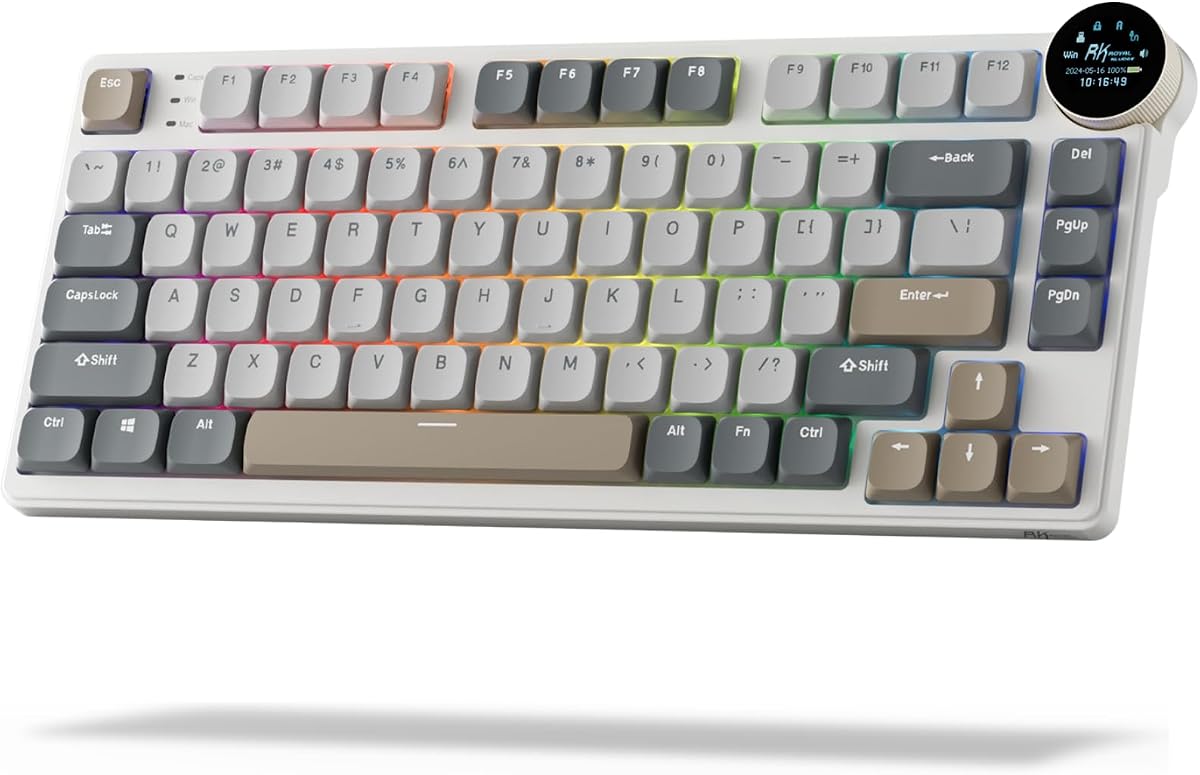


The Redragon K618 PRO stands out as an accessible entry into the low-profile mechanical keyboard market. With a solid rating and versatile connectivity options, it is designed for users who value speed and customization without breaking the bank.
We may earn a commission when you buy through this link, at no additional cost to you.
Its standout feature is the dedicated macro zone and media scroll, which allows for instant adjustments without software installation. The tri-mode connectivity ensures seamless switching between devices, while the low-profile design reduces travel distance for faster keystrokes.
While the software is functional, it lacks the depth found in higher-end models. Additionally, the build quality is serviceable but may not match the durability of premium aluminum cases. However, these trade-offs are acceptable given the competitive positioning.
This keyboard is best suited for gamers and office workers seeking a compact, responsive solution. Its balance of features and cost makes it a strong recommendation for those looking to upgrade from membrane boards.
The macro keys allow for rapid command execution, ideal for complex workflows or gaming setups.
Tri-mode connectivity lets you jump between PC, tablet, and phone without re-pairing, keeping your workflow uninterrupted.
We may earn a commission when you buy through this link, at no additional cost to you.
The Keychron K3 Version 2 is a standout choice for those seeking a compact and highly customizable mechanical keyboard. Its 75% layout saves desk space while retaining essential function keys, making it perfect for productivity and multitasking.
We may earn a commission when you buy through this link, at no additional cost to you.
The open-source QMK firmware allows for endless key remapping and macro creation, giving users full control over their typing experience. The reinforced aluminum body provides a sturdy feel, and the unique Mac layout ensures seamless integration with Apple devices.
However, the bottom frame is plastic which may feel less premium than all-metal alternatives. Additionally, users may need to update firmware to ensure perfect device compatibility. These are minor issues compared to the versatility offered by the QMK support.
Ideal for developers and Mac users, this keyboard balances functionality and design effectively. Its wireless reliability and extensive customization options make it a top recommendation for anyone seeking a modern typing experience.
Built-in Mac keys and layout compatibility make this keyboard a natural fit for Apple ecosystems without extra work.
Open-source firmware enables deep customization, allowing users to tailor every key and layer to their specific needs.
We may earn a commission when you buy through this link, at no additional cost to you.
The Cherry MX 10.0N brings the reliability of Cherry switches to the low-profile category. Its ultra-slim design and robust aluminum housing make it a premium option for users prioritizing build quality and aesthetic appeal.
We may earn a commission when you buy through this link, at no additional cost to you.
Cherry MX Low Profile Speed switches provide linear, quiet, and responsive feedback ideal for both gaming and typing. The integrated stand offers ergonomic support, while RGB backlighting adds a customizable touch to your workspace.
A limitation is the lack of hot-swap support, meaning switch changes require soldering. The price is also higher compared to mass-market options. Despite this, the build quality and switch reliability justify the investment for enthusiasts.
This keyboard is perfect for gamers and professionals who demand durability and precision. Its combination of premium materials and trusted switches makes it a strong contender in the high-end segment.
The aluminum housing ensures longevity and a sturdy typing experience that resists wear over time.
Cherry's low profile switches offer fast actuation, reducing fatigue and increasing accuracy during intense gaming or work.
We may earn a commission when you buy through this link, at no additional cost to you.
The RK N80 redefines versatility with a smart display screen that shows custom GIFs and connection modes. Its unique knob control and tri-mode connectivity make it a standout choice for users who want modern features.
We may earn a commission when you buy through this link, at no additional cost to you.
The top-mounted structure provides stability and reliable feedback, while the sound-absorbing layers minimize hollow noise. The heavy-duty base solves common wobbling issues, ensuring a solid typing experience even during intense gaming.
The display may not appeal to everyone who prefers a minimal look. Additionally, mastering the knob controls and settings might take time. However, these are minor inconveniences given the rich feature set.
This keyboard is ideal for tech enthusiasts and multitaskers. Its blend of practical controls, unique display, and robust build makes it a great option for those seeking more than just typing functionality.
The knob allows effortless control of volume, brightness, and connectivity, adding a tactile layer to your setup.
Multiple sound-absorbing layers ensure quiet typing, making it suitable for shared workspaces or late-night sessions.
We may earn a commission when you buy through this link, at no additional cost to you.
The Flow Lite 84 Keys offers a premium typing experience with a gasket mount design that provides softness and cushioning. Its Specter linear switches reduce force to lower joint fatigue, making it ideal for long sessions.
We may earn a commission when you buy through this link, at no additional cost to you.
PBT double-shot keycaps ensure durability and a matte texture, while the 1000Hz polling rate delivers responsiveness. The adjustable kickstand and roller volume wheel add to its practicality, enhancing user interaction.
The body transition to ABS might disappoint users expecting all-metal. The price is also on the higher end compared to competitors. Yet, the focus on comfort and customization justifies the cost for dedicated users.
This keyboard is perfect for those prioritizing comfort and customization. Its combination of ergonomic design and high-quality materials makes it a top choice for anyone seeking a refined typing experience.
Designed for natural wrist positioning, this keyboard reduces strain and allows for longer, more comfortable typing sessions.
PBT keycaps and a gasket design ensure a satisfying typing feel and long-lasting durability against wear and tear.
We may earn a commission when you buy through this link, at no additional cost to you.
The Keychron K1 Ultra 8K combines high-speed performance with versatile features. Its 8K polling rate and tri-mode connectivity make it a powerful tool for gaming and productivity across multiple systems.
We may earn a commission when you buy through this link, at no additional cost to you.
Hot-swappable low-profile POM switches allow easy customization without soldering, while the programmable knob adds convenience. The durable materials and sound-dampening layers provide a premium feel and quiet operation.
The setup and software can be complex for casual users, and the price is steep. However, the performance and customization options outweigh these drawbacks for enthusiasts. Its robust build and speed set a new standard.
Ideal for gamers and pros, this keyboard offers a balance of speed and versatility. Its advanced features and reliable performance make it the top recommendation for those seeking the best in low-profile tech.
With up to 8K polling, this keyboard delivers ultra-low latency, ensuring every keystroke is registered instantly for competitive play.
Hot-swappable switches and programmable keys let you tailor the keyboard exactly to your preferences without any technical barriers.
We may earn a commission when you buy through this link, at no additional cost to you.
The Keychron K17 Max offers a 96% layout that saves space while keeping number pad functionality. Its ultra-slim body and QMK firmware make it a strong contender for users who need both productivity and portability.
We may earn a commission when you buy through this link, at no additional cost to you.
Gateron low-profile switches provide a satisfying tactile response, and the double-shot PBT keycaps ensure durability. The aluminum frame enhances stability, and the launcher app simplifies customization across multiple operating systems.
The 96% layout might be complex for users accustomed to TKL. Additionally, wireless range is average compared to Bluetooth alternatives. These trade-offs are acceptable given the space efficiency and build quality.
This keyboard suits professionals needing a compact workstation. Its combination of function and design makes it a solid choice for those who value efficiency and reliable wireless connectivity.
The 96% layout retains essential keys while significantly reducing desk footprint, ideal for tight workspaces.
Gateron tactile switches offer feedback that aids typing accuracy, reducing errors during fast-paced work.
We may earn a commission when you buy through this link, at no additional cost to you.
The Flow Lite 100 Keys brings the comfort of low-profile keys to a full-size layout. With a full number pad and gasket mount, it is designed for users who need numeric input without sacrificing ergonomics.
We may earn a commission when you buy through this link, at no additional cost to you.
Specter linear switches reduce finger fatigue, while the large 3000mAh battery ensures long usage times. PBT double-shot keycaps provide a durable and textured feel. The design balances functionality with a soothing aesthetic.
Its size may be too bulky for small desks. Additionally, the transition from aluminum to ABS may not satisfy everyone. However, the ergonomic benefits and battery life make it a compelling option for full-layout users.
Ideal for accountants and data entry professionals, this keyboard offers comprehensive functionality. Its comfort features and reliability make it a top pick for those needing a full numpad with reduced strain.
Retains full numpad functionality while delivering the ergonomic benefits of low-profile keys for extended input sessions.
A robust 3000mAh battery provides up to 100 hours of use, minimizing downtime and charging interruptions.
We may earn a commission when you buy through this link, at no additional cost to you.
The Keychron K3 Max SE delivers premium features with a 75% layout and QMK support. Its hot-swappable switches and tri-mode connectivity make it ideal for users who value customization and flexibility.
We may earn a commission when you buy through this link, at no additional cost to you.
Advanced acoustic foam and redesigned stabilizers ensure a quiet and stable typing experience. The Milk POM switches are slimmer than standard, reducing strain. The build quality and attention to detail are evident throughout.
Users may find the customization complex without guidance. The price is higher than many competitors. However, the performance and durability justify the cost for those seeking a high-end mechanical experience.
This keyboard suits tech enthusiasts and professionals. Its combination of acoustic comfort and extensive customization makes it a top choice for those who demand quality and reliability.
Advanced acoustic foam and redesigned stabilizers reduce noise and wobble, delivering a premium and silent typing feel.
Hot-swappable switches and QMK firmware allow complete control over the keyboard to match your exact workflow.
We may earn a commission when you buy through this link, at no additional cost to you.
The Razer Ornata V3 combines mechanical-like feedback with membrane reliability. Its low-profile keys and UV-coated caps offer durability, making it a great choice for gamers seeking comfort and precision.
We may earn a commission when you buy through this link, at no additional cost to you.
Mecha-Membrane switches provide a satisfying clicky feel, while the magnetic wrist rest ensures support during long sessions. Dedicated media keys and customizable lighting add to its usability and aesthetic appeal.
It is not a true mechanical keyboard which may disappoint purists. Software is required for full customization. Yet, its comfort and durability make it a reliable option for casual and competitive gamers.
This keyboard is ideal for gamers and casual users. Its blend of comfort, durability, and snappy feedback makes it a solid recommendation for those seeking a streamlined gaming setup.
Mecha-Membrane switches offer a satisfying tactile feel that bridges the gap between membranes and mechanical switches.
A magnetic wrist rest provides essential comfort during extended use, reducing strain and maintaining focus.
We may earn a commission when you buy through this link, at no additional cost to you.
Choosing the right low profile mechanical keyboard involves considering factors that impact your typing experience and workflow.
Switch type determines the feel and sound of your keyboard. Linear switches are smooth and quiet, tactile switches offer feedback without loud clicks, and clicky switches are loud but provide strong feedback. Choosing the right type depends on your preference for noise and feedback.
Look for switches that match your work environment. If you share a space, quiet linear or tactile switches may be better.
Layout size affects how much desk space your keyboard occupies. Full-size keyboards have a number pad, while 75% and 60% models are compact. Consider your desk space and whether you need number input.
Opt for 75% or 80% models to balance functionality and desk space. Full-size is best for data entry tasks.
Connectivity options determine how you connect to devices. Wired offers stability, Bluetooth provides convenience, and 2.4GHz wireless balances both. Tri-mode connectivity allows switching between devices seamlessly.
Choose a model with multiple modes if you use multiple devices. Wired is essential for gaming requiring low latency.
Build quality impacts durability and typing feel. Aluminum housings are sturdy but heavier. ABS plastic is lighter but less robust. Hot-swap sockets allow switch changes without soldering.
Invest in aluminum frames for longevity. Ensure hot-swap support if you plan to customize switches later.
Customization allows tailoring the keyboard to your workflow. Look for programmable keys and macro support. QMK firmware offers deep customization but requires technical knowledge.
Prioritize models with intuitive software if you want ease of use. QMK is great for advanced users.
Ergonomics reduce strain during long typing sessions. Low-profile designs reduce hand elevation. Wrist rests or adjustable kickstands help maintain a natural position.
Ensure the keyboard is comfortable for extended use. A wrist rest is a valuable addition for comfort.
Battery life is critical for wireless models. Look for capacity that supports at least 40 hours of use. USB-C charging ensures convenient power replenishment.
Prioritize models with large batteries if you use the keyboard away from a charger often.
Budget influences available features. Entry-level models offer basic functionality, while premium ones provide customization and better materials. Determine your spending limit before comparing.
Balance cost with features. A slightly higher investment may yield better long-term satisfaction.
To maximize comfort, adjust the keyboard angle using kickstands to align with your wrists. This reduces strain during long typing sessions and improves efficiency.
Regularly clean the keycaps with compressed air to remove dust and debris. This prevents debris from interfering with switch performance and maintains the keyboard appearance.
Update the firmware regularly to access new features and improvements. Always back up your custom layouts before updating to avoid losing personalized configurations.
Yes, low-profile keyboards are highly suitable for gaming due to their fast actuation and short travel distance. Many models offer high polling rates and anti-ghosting to ensure accurate and rapid keystrokes during intense sessions.
Low-profile switches have a shorter travel distance and lower profile, which reduces hand strain and allows for faster key presses. They often provide a different tactile feel compared to traditional mechanical switches.
Not always. Many low-profile keyboards allow onboard customization, but advanced features like macros and lighting often require dedicated software. Open-source firmware models may use web-based tools instead.
With proper care, a low-profile mechanical keyboard can last for years. Mechanical switches are rated for tens of millions of keystrokes. Durability depends on build quality and how often the keyboard is used.
Yes, they are excellent for programming due to their compact layouts and responsive switches. Customizable macros and multi-device connectivity further enhance productivity for developers and engineers.
It depends on the model. Some keyboards have hot-swappable sockets allowing easy switch changes without soldering. Others require soldering or have fixed switches. Check the product specs before purchasing.
This guide highlights ten exceptional models offering a range of features from budget-friendly to premium. Whether you prioritize speed, customization, or comfort, there is a suitable option for every user.
Prioritize factors like switch type and connectivity that align with your daily needs. Investing in a quality keyboard enhances both productivity and comfort during long work sessions.
Always check current availability and ensure compatibility with your operating system before purchasing. A well-chosen keyboard remains a valuable tool for years of efficient and enjoyable typing.