
Kaico PS1 HDMI / PS2 AV Cable
4.2Editor score
Switches RGB and Component modes
Durable plug and play design
Supports all PlayStation output resolutions
This guide compares the top HDMI Adapter for PS1 options available in October 2026 to help you choose the best converter for retro gaming on modern TVs.
Connecting your classic PlayStation 1 to a modern high definition television requires a reliable HDMI Adapter for PS1. These devices bridge the gap between legacy analog signals and digital displays ensuring you can enjoy retro games without sacrificing visual clarity or convenience.
We have evaluated ten top rated converters based on signal quality compatibility and ease of use. Our comparison focuses on how well each adapter handles RGB and component signals to deliver the best possible experience on contemporary screens and projectors.
Each pick highlights specific strengths such as aspect ratio switching or built in signal processing. Please note that pricing and availability may change over time so check current listings before making your final purchase decision today.
4.2Editor score

4.6Editor score

4.2Editor score
The following table provides a side by side comparison of all ten selected HDMI adapters for the PlayStation 1. Review these specifications to understand the key differences in connectivity and supported features before choosing your device.


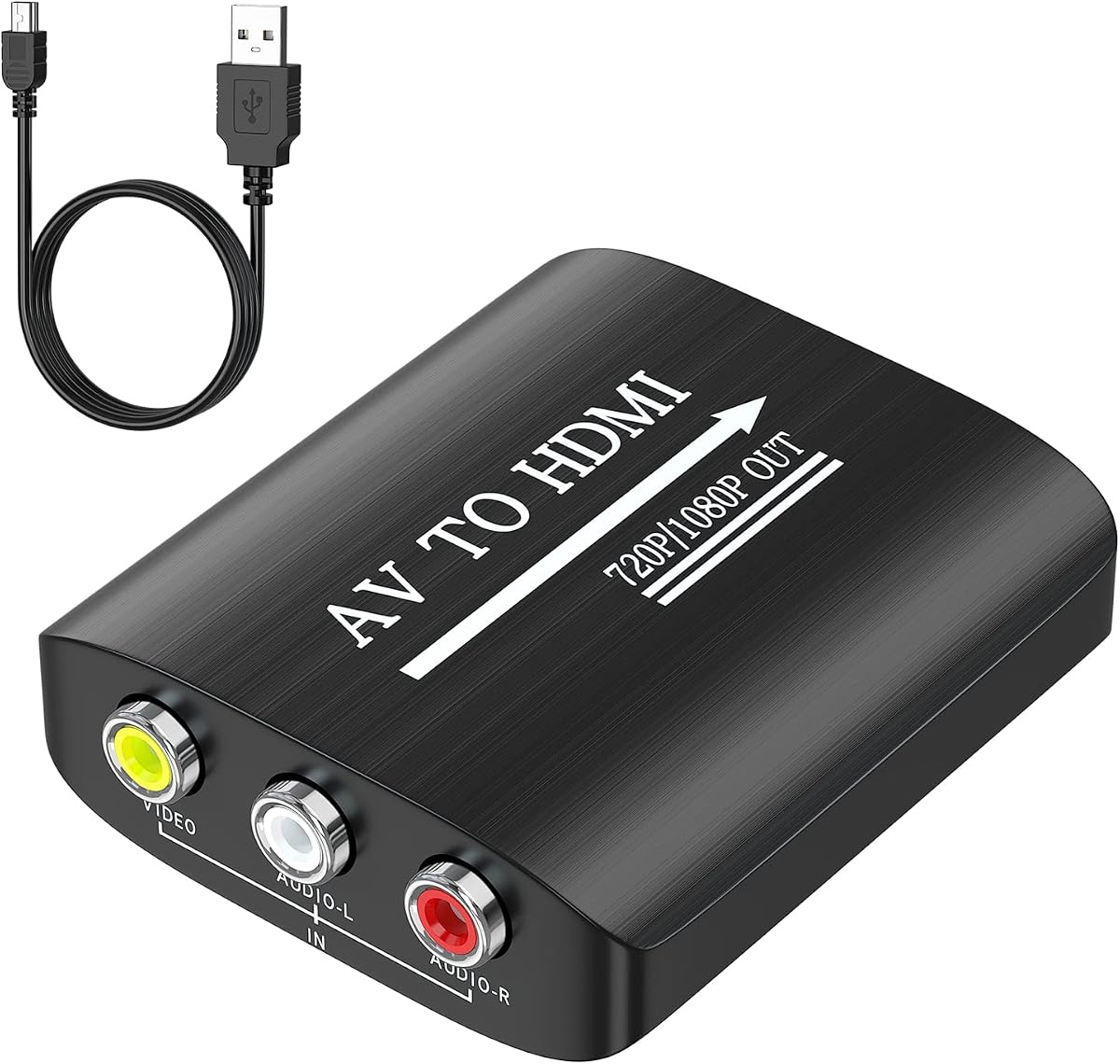


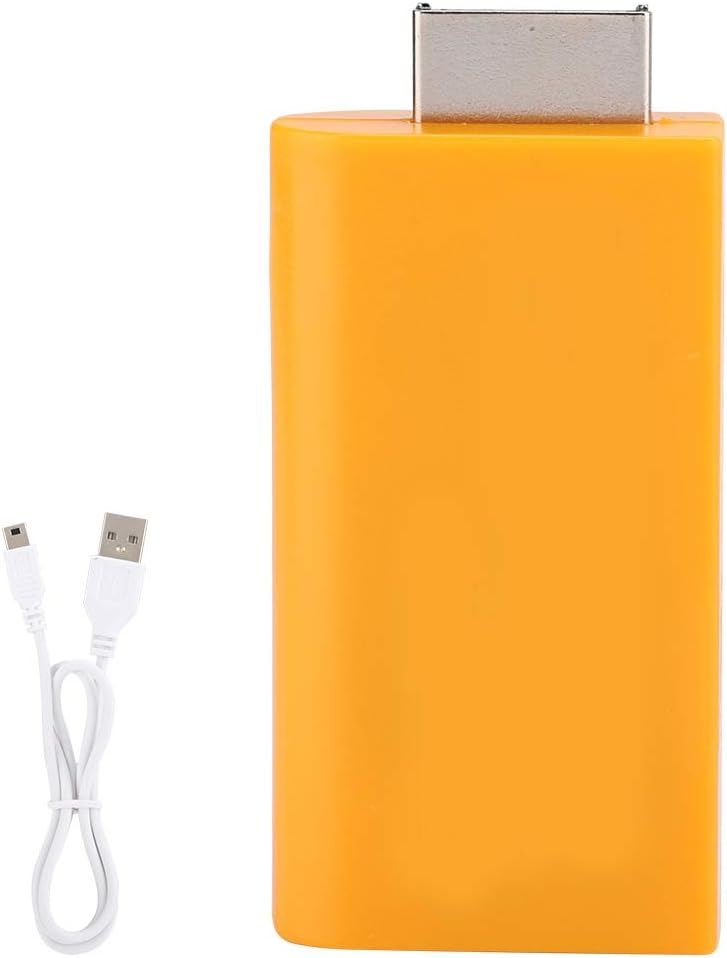

The HD Link HDMI Cable stands out as a top choice for retro gamers seeking quality and reliability. With a strong rating of 4.6 this adapter delivers impressive visual fidelity while connecting your classic console to modern displays effortlessly.
We may earn a commission when you buy through this link, at no additional cost to you.
Its standout feature is the advanced signal processing that provides precise colors and resolution details. The ability to switch between 4:3 and 16:9 aspect ratios ensures you can play games exactly as they were intended without distortion or black bars.
While the price point is slightly higher than entry level options the detachable design and low latency performance justify the investment. It is worth noting that users must provide their own USB power source for operation.
This adapter is ideal for serious collectors and casual players who prioritize image quality and ease of use. If you want a dependable solution that handles both PS1 and PS2 well this is our top recommendation.
The HD Link adapter uses improved video processing to upscale analog signals for sharper images on high definition screens.
Its detachable HDMI design allows you to use high end or extended cables for more versatile placement in your setup.
We may earn a commission when you buy through this link, at no additional cost to you.
This converter offers a straightforward way to connect your retro console to modern HDMI displays. It leverages the S-Video signal for a cleaner path which can result in better visuals compared to standard composite conversion methods.
We may earn a commission when you buy through this link, at no additional cost to you.
The package includes everything you need to get started including the converter itself along with an HDMI cable and a Micro USB power cable. This makes setup incredibly simple for anyone unfamiliar with retro hardware.
Keep in mind that the power adapter is not included so you will need a USB source. Also display quality relies heavily on the original signal from your console which varies by region and condition.
Choose this adapter if you want a complete kit that is easy to set up without extra purchases. It is a solid option for casual gamers looking to play classics on a modern screen.
By using the S-Video Y/C signal this adapter provides a more refined connection than standard composite video converters offer.
The box includes the converter HDMI cable and power cable so you can start gaming right away without hunting for extras.
We may earn a commission when you buy through this link, at no additional cost to you.
This adapter focuses on delivering true RGB signal output which is essential for accurate color representation on retro games. It is designed specifically for the PlayStation 1 and 2 consoles ensuring compatibility with the correct hardware standards.
We may earn a commission when you buy through this link, at no additional cost to you.
The device is plug and play which means you can connect it and start gaming immediately. It does not require any drivers or software making it user friendly for all skill levels.
Note that this adapter transfers the video signal as is so it will not artificially improve the quality beyond what the console provides. Also it is not compatible with Sony or BlackMagic brand televisions or displays.
If you prioritize accurate colors and a simple plug and play experience this adapter is a strong contender. Just ensure your display supports the input signals for the best results.
The true RGB signal output ensures that games display with the intended colors and contrast for a more authentic experience.
Its flexible and portable build makes it easy to move between different gaming setups or take to a friend house.
We may earn a commission when you buy through this link, at no additional cost to you.
The GINGIN converter is versatile because it supports a wide range of devices beyond just PlayStation consoles. It converts analog AV composite input to HDMI signals making it useful for various retro gaming systems and media players.
We may earn a commission when you buy through this link, at no additional cost to you.
Setup is straightforward with a plug and play design that requires no extra drivers. The included USB power cable allows you to connect to a 5V source to ensure stable operation during gameplay.
However this adapter cannot improve the original video quality so expect the same resolution as your source console. Ensure you set the PS2 to RGB output for the best performance with this converter.
This is a great choice if you own multiple retro consoles or other AV devices that need HDMI conversion. It offers broad utility at an affordable price point for any retro enthusiast.
This adapter works with many systems including PS1, PS2, Xbox 360, and VHS players making it a versatile tool for collectors.
It supports 720P and 1080P output standards which allows for clear viewing on modern HD TVs and projectors.
We may earn a commission when you buy through this link, at no additional cost to you.
This adapter is known for its durable build and useful built in switch that allows you to toggle between RGB and Component modes easily. It is designed to work with all PlayStation 1 and 2 models to provide consistent connectivity.
We may earn a commission when you buy through this link, at no additional cost to you.
The component cable quality ensures that your games look their best on high definition TVs without signal loss or degradation. Its plug and play nature means you can start gaming immediately after connecting the cables.
While the switch requires manual adjustment depending on your console setup this feature offers flexibility for different display types. The warranty support adds value by providing repair or replacement options for peace of mind.
Choose this adapter if you want a reliable budget friendly option that offers more control over your video signal. It is a solid pick for gamers who value durability and performance on a budget.
The integrated switch lets you choose between RGB and Component modes to optimize your display settings for different TVs.
Kaico offers a 12 month support policy that includes repair or replacement ensuring your investment is protected over time.
We may earn a commission when you buy through this link, at no additional cost to you.
The Tengchi converter specializes in converting RCA signals to HDMI making it a perfect fit for consoles that use composite cables. It delivers 1080p output which ensures sharp images on compatible modern displays.
We may earn a commission when you buy through this link, at no additional cost to you.
The package includes a female to HDMI converter along with HDMI and USB cables to make setup easier. It supports various TV formats so it is suitable for different regions and broadcast standards.
Keep in mind that it does not support 3D or 4K output so it is limited to standard HD resolution. Also the power supply is not included so you must provide a 5V source for operation.
This adapter is ideal for users who need a simple and effective RCA to HDMI solution for their classic gaming setup. It offers good performance and support for everyday gaming needs.
The RCA female ports allow direct connection to standard composite cables commonly used with older gaming consoles.
With 1080p output this converter ensures that your games look clear and detailed on high definition televisions.
We may earn a commission when you buy through this link, at no additional cost to you.
This premium adapter stands out for its full digital HDMI compatible format which ensures zero transmission loss for both video and audio. It supports multiple classic consoles and provides advanced processing for improved color and resolution.
We may earn a commission when you buy through this link, at no additional cost to you.
The built in RGB-YPbPr switch gives you control over the video mode to suit your display. It handles 240p up to 576i input signals and converts them to a clean 1080P HDMI output.
While the manual switch requires careful setup the quality of the output justifies the effort. It is an excellent choice for those who demand the best possible experience from their retro hardware.
Choose this adapter if you want top tier performance and digital precision for your PlayStation 1 games. It is well suited for enthusiasts who prioritize quality over cost.
This adapter ensures zero transmission loss by converting analog signals to a pure digital HDMI format for clearer playback.
The internal signal processor enhances color and resolution details making retro games look vibrant on modern screens.
We may earn a commission when you buy through this link, at no additional cost to you.
This adapter offers a simple plug and play experience without requiring video signal setup which is a plus for many users. It supports 1080P at 60Hz for smooth playback on modern screens.
We may earn a commission when you buy through this link, at no additional cost to you.
The built in aspect ratio switch lets you toggle between 4:3 and 16:9 modes easily. This flexibility helps you maintain authentic proportions while taking advantage of widescreen displays.
Note that the HDMI cable is not included so you may need to purchase one separately. Also the converter does not improve the original image quality but it maintains the original resolution well.
Ideal for casual gamers who want a quick setup to play classics with family or friends. Its compact design makes it easy to store or move as needed.
The dedicated button allows instant switching between standard and widescreen modes for flexible viewing preferences.
No manual video configurations are needed so you can plug it in and start playing games immediately.
We may earn a commission when you buy through this link, at no additional cost to you.
This adapter focuses on durability and signal integrity with its anti interference shielded cable and tin plated connectors. It is designed to maintain signal clarity during long gaming sessions which helps prevent dropouts or static.
We may earn a commission when you buy through this link, at no additional cost to you.
The palm sized form factor makes it easy to store in a bag or on a desk. It is lightweight and practical for gaming setups at home or on the go.
The tin plating on the internal wires resists oxidation and reduces interference over time. This ensures the adapter remains reliable even with frequent use or travel.
Choose this adapter if you need a portable and durable solution that prioritizes signal quality. It is a solid choice for gamers who travel or need a compact option.
The shielded cable and tin plated connectors help maintain stable signal clarity during your gaming sessions.
Its palm sized and lightweight build makes it easy to carry and store wherever you need to game.
We may earn a commission when you buy through this link, at no additional cost to you.
This adapter provides a flexible solution for connecting your console to modern TVs with a focus on aspect ratio control. It allows you to switch between 4:3 and 16:9 modes easily to suit your display preference.
We may earn a commission when you buy through this link, at no additional cost to you.
The RGB signal mode ensures that colors are displayed accurately without unnecessary processing. It is portable and flexible which makes it easy to use in various gaming environments.
Note that it is limited to PS1 PS2 and PS3 consoles and does not improve video quality beyond what the console provides. Also it is compatible with most displays but always check for best results.
Select this adapter if you want a simple and portable way to play your favorite classics with flexible viewing options. It is a reliable tool for gamers who value adaptability.
The built in switch lets you toggle between standard and widescreen modes for different display preferences.
Its flexible and portable design makes it easy to move between setups or take to friends for multiplayer fun.
We may earn a commission when you buy through this link, at no additional cost to you.
Choosing the right HDMI Adapter for PS1 involves considering several factors to ensure compatibility and performance. This guide outlines the key aspects you should evaluate before purchasing.
Ensure the adapter supports the output signal your console provides. Most PS1 consoles output RGB or composite signals so look for converters that accept these inputs for accurate display.
Check that the adapter explicitly states support for your console model to avoid connection issues.
Many modern TVs are widescreen but classic games were designed for 4:3. Choose an adapter with a switch to toggle between 4:3 and 16:9 to preserve the original look.
This feature prevents stretching and maintains the authentic retro experience.
Most adapters require external USB power. Verify that you have a USB power source available or that one is included in the package.
Missing power adapters can lead to unstable connections or failure to turn on.
Look for adapters with shielded cables and durable connectors. These features help protect against interference and ensure long term reliability during regular use.
Metal connectors often last longer than plastic ones for consistent signal transmission.
Check your TV's HDMI input compatibility. Some adapters may not work with certain high end displays so verify reviews to confirm performance on your specific model.
Ensuring compatibility helps avoid display issues or signal loss.
Plug and play adapters are easier to use than those requiring software or configuration. Look for devices that work immediately after connecting cables.
Simple setup saves time and reduces frustration for casual users.
Choose adapters that include a warranty for peace of mind. Manufacturers who offer repair or replacement services ensure you are covered if issues arise.
Good customer support can resolve technical problems quickly.
Compare prices relative to features offered. Higher priced models often include better processing or additional features like aspect ratio switches.
Decide on a budget but prioritize features that matter most to your gaming experience.
Start by connecting the AV cables from your PlayStation console to the adapter inputs ensuring they fit securely. Then plug the USB power cable into a 5V power source to activate the converter.
Connect the HDMI cable from the adapter to your TV input. Use the adapter's switch to select the correct aspect ratio such as 4:3 for authentic proportions or 16:9 for widescreen.
Regularly check cable connections to prevent wear and oxidation. Store the adapter in a cool dry place when not in use to extend its lifespan and maintain signal quality.
No HDMI adapters do not improve the original graphics of your PS1 games. They convert the existing signal to HDMI format which allows it to work on modern TVs. Any improvement in clarity comes from the better screen not the adapter itself.
Yes most HDMI adapters require external USB power to operate. You will need to plug the included USB cable into a 5V power source such as a wall adapter or USB port. Ensure you have a compatible power supply before use.
Most adapters are designed for standard PS1 consoles but some may have specific requirements. Check the product details to confirm support for your exact model. Generally the adapters work with all regions and versions of the original PlayStation.
RGB refers to Red Green Blue signal components which are standard for PS1. Component uses similar YPbPr signals for PS2. Some adapters switch between them to match the console output for optimal video quality.
Many adapters support other retro consoles like Xbox or Wii depending on the model. However some are specifically labeled for PS1 and PS2. Check the compatibility list to ensure your other devices will work with the adapter.
Flickering may be due to incorrect power supply or loose cable connections. Ensure the USB power source is stable and all cables are firmly attached. If the issue persists check your TV settings or try a different adapter.
We reviewed ten HDMI adapters for PS1 offering options for different budgets and needs. The HD Link HDMI Cable stands out for its image quality while the Kaico adapter offers great value for budget conscious users.
Prioritize adapters with aspect ratio switching and reliable power options for the best gaming experience. Ensure the device matches your console signal to avoid connection issues during play.
Always verify current availability and pricing as they may change over time. Check recent customer reviews for updated compatibility details before finalizing your purchase decision today.