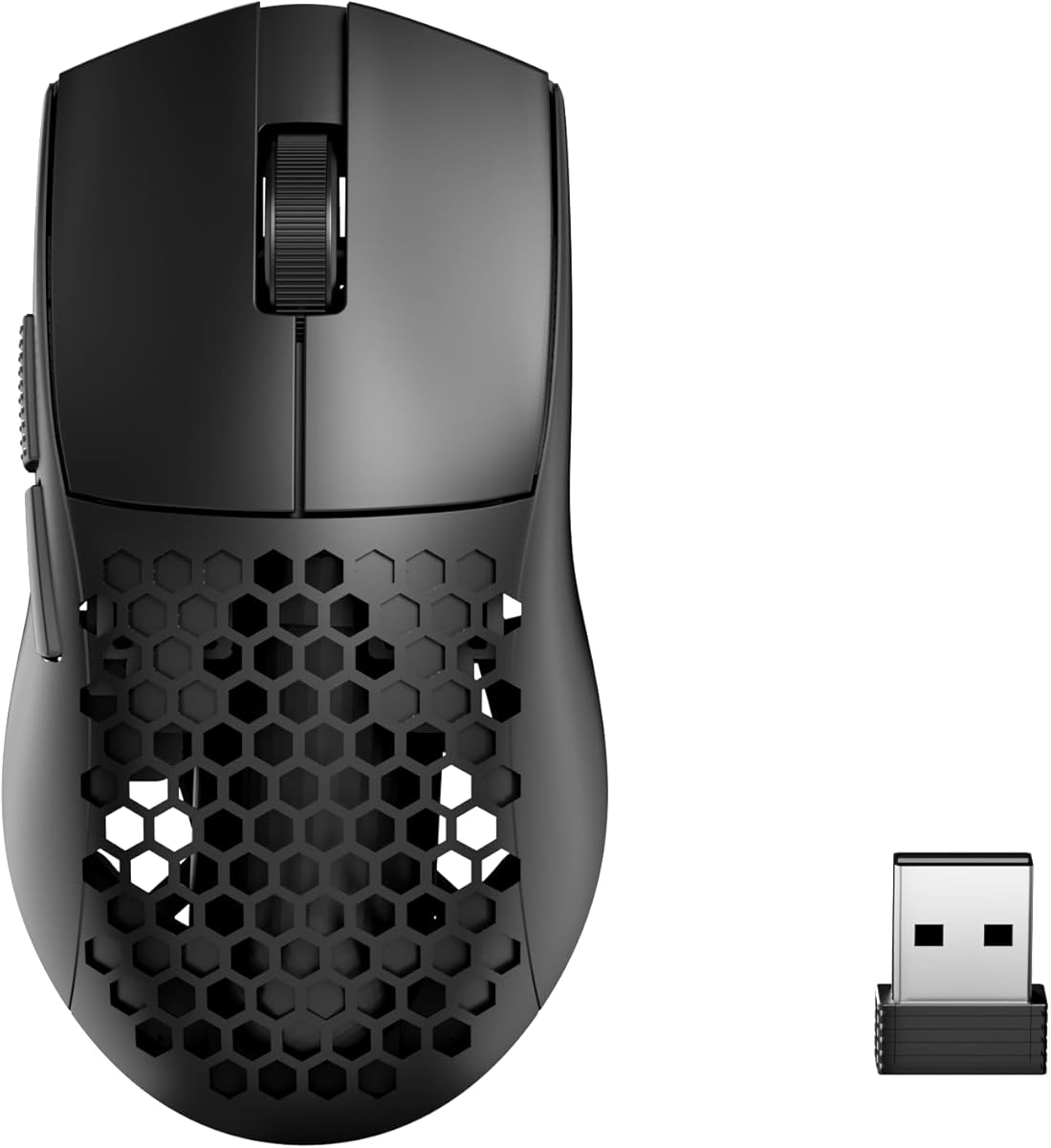
Redragon M725 Honeycomb Shell Gaming Mouse Wireless
4.4Editor score
Tri-mode connectivity
49g ultra-lightweight
Programmable macros
Discover the lightest mice for gaming in this comprehensive guide comparing ten top wireless and wired models for speed, precision, and comfort.
Finding the lightest mice for gaming can transform your competitive edge by reducing fatigue and increasing swipes speed during intense sessions.
We analyzed ten top models based on weight, sensor quality, build durability, and user feedback to help you choose the perfect lightweight mouse.
Each pick highlights unique strengths and trade-offs so you can decide quickly; note that prices and stock may change over time.
4.4Editor score

4.5Editor score

4.3Editor score
The following table compares all ten selected mice side by side so you can quickly see weight, sensor type, connectivity, and standout features before you buy.


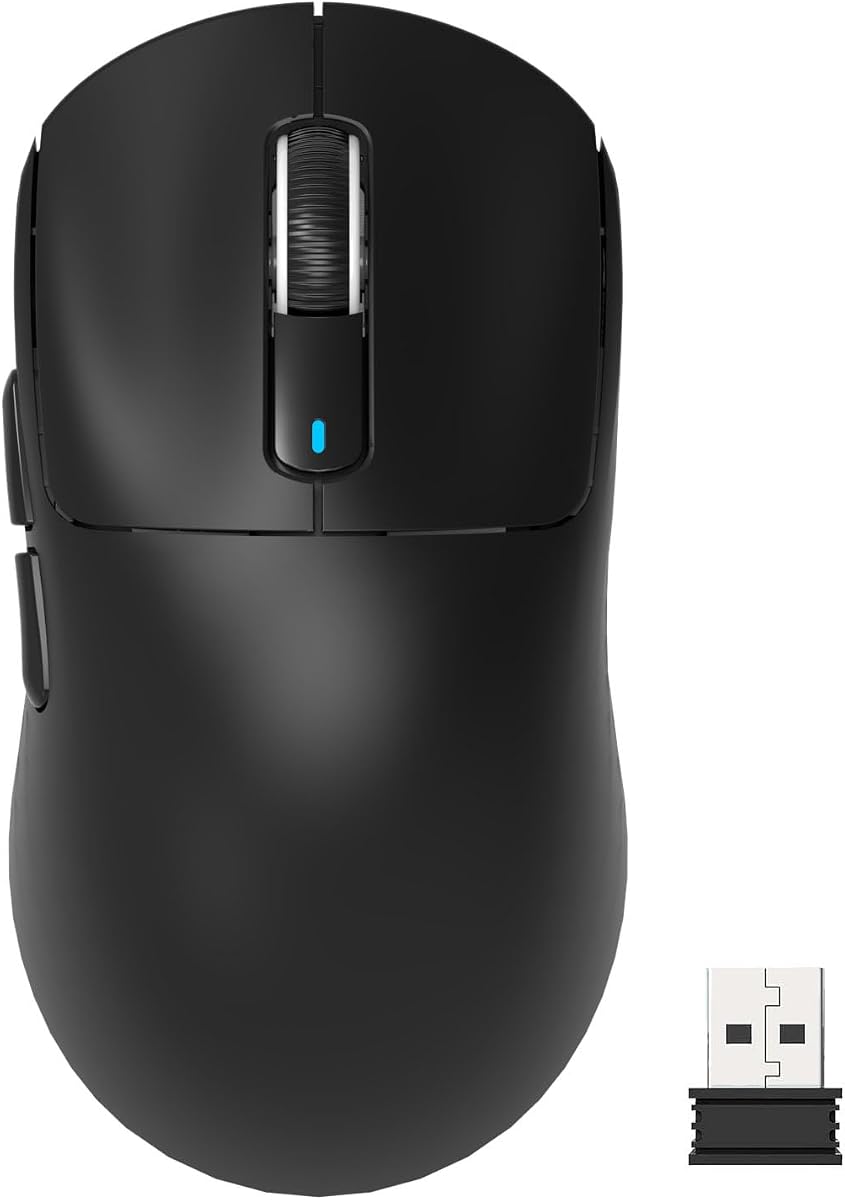


The Logitech G PRO X Superlight 2 is the top choice for competitive players who demand minimal weight and maximum precision.
We may earn a commission when you buy through this link, at no additional cost to you.
It features the HERO 2 sensor with over 888 IPS tracking and 8 kHz polling for near-instant response times.
Battery life reaches 95 hours on a single charge and POWERPLAY compatibility keeps it powered indefinitely.
If you play fast FPS titles and value build quality, this wireless mouse is the safest investment you can make.
Faster polling reduces input lag and allows micro-adjustments to land exactly where you aim during chaotic fights.
Pure PTFE feet ensure consistent friction across any surface so your aiming muscle memory never has to adapt.
We may earn a commission when you buy through this link, at no additional cost to you.
This mouse tips the scales at just 37 grams lighter than an egg for unmatched speed in rapid flicks.
We may earn a commission when you buy through this link, at no additional cost to you.
The XS-1 sensor delivers 32000 DPI and 750 IPS tracking so you never lose lock on fast targets.
Optical switches prevent accidental double clicks and ensure every click registers exactly as intended.
It suits fingertip and claw grip users who want to reduce wrist strain during marathon gaming sessions.
Optical switches use light beams instead of contacts to cut debounce delay and extend click lifespan.
Internal dust seals keep debris out of switches and scroll wheel so performance stays consistent over time.
We may earn a commission when you buy through this link, at no additional cost to you.
The M725 offers honeycomb lightness and tri-mode connectivity at a fraction of the cost of premium rivals.
We may earn a commission when you buy through this link, at no additional cost to you.
It switches seamlessly between USB-C wired 2.4GHz wireless and Bluetooth for flexible desktop laptop setups.
Air circulation holes keep your palm dry during long sessions and reduce overall mass.
If you need lightweight performance without overspending this is the best value choice on the market.
Switching modes lets you use one mouse across PC console phone or tablet without carrying extra dongles.
The shell design allows air to flow through the case so sweat buildup is reduced during intense play.
We may earn a commission when you buy through this link, at no additional cost to you.
The Viper V3 HyperSpeed balances mass centralized design with massive battery life for uninterrupted tournament play.
We may earn a commission when you buy through this link, at no additional cost to you.
Its FOCUS PRO 30K sensor tracks flawlessly on glass surfaces and offers intelligent auto-sleep modes.
On mouse DPI toggling lets you switch speeds without pausing game or opening software.
Players who hate charging cables will appreciate the AA battery power that lasts for months.
Advanced optical filters allow the sensor to read micro-textures on glass pads without losing accuracy.
This dedicated button lets you swap between preset DPI stages with a single thumb press during combat.
We may earn a commission when you buy through this link, at no additional cost to you.
G305 packs HERO sensor efficiency into a portable shell that fits easily in laptop bags for travel.
We may earn a commission when you buy through this link, at no additional cost to you.
It delivers 1 ms report rate and can last up to nine months with endurance mode enabled.
Built-in nano receiver storage keeps the USB dongle safe and prevents loss on the road.
Students and travelers who need dependable wireless performance without bulk will love this lightweight companion.
HERO sensor design reduces power draw so one AA battery can fuel hundreds of gaming hours.
The receiver stores inside the mouse bottom so you never forget it when moving your setup.
We may earn a commission when you buy through this link, at no additional cost to you.
L7 Pro brings 8K polling and 39g weight to budget gamers who want near pro-level response without the cost.
We may earn a commission when you buy through this link, at no additional cost to you.
A high hump ergonomic design supports natural hand posture for long sessions without wrist fatigue.
TTC gold encoders give a crisp tactile feedback and ensure scroll wheel precision.
Use the free driver to tweak DPI and macros so every click supports your unique playstyle.
8K polling updates position 8000 times per second to reduce jitter and improve micro adjustment control.
Optical switches rated for 150 million clicks guarantee durability even for heavy users who click constantly.
We may earn a commission when you buy through this link, at no additional cost to you.
X3 packs the PAW3395 flagship sensor into a 49g shell for unbeatable performance at its price range.
We may earn a commission when you buy through this link, at no additional cost to you.
Kailh GM8.0 micro switches deliver fast rebound and a crisp sound that confirms every click.
It supports USB-C 2.4GHz and Bluetooth so you can work or game without cables.
For gamers on a strict budget this is the best ultra-light option available today.
This flagship sensor tracks 650 IPS with 50G acceleration so fast movements stay accurate.
Up to four devices can connect so you can switch from PC to laptop with one toggle.
We may earn a commission when you buy through this link, at no additional cost to you.
X2 Crazylight offers the same 39g featherlight build as the mini version but in a medium size.
We may earn a commission when you buy through this link, at no additional cost to you.
The symmetrical low profile shape supports both claw and fingertip grips equally well.
XS-1 sensor delivers 32000 DPI with dust-proof internals that protect against debris accumulation.
Medium hand users who want weightless speed will find this the ideal balance of comfort and performance.
Sealed internals prevent dust from entering the sensor or switch chambers so reliability stays high.
A symmetrical shell ensures both left and right handed users can rest their hand naturally.
We may earn a commission when you buy through this link, at no additional cost to you.
Harpe Ace Mini is co-developed with professional FPS players for a shape that fits smaller hands.
We may earn a commission when you buy through this link, at no additional cost to you.
ROG AimPoint Pro sensor tracks on glass with pixel perfect accuracy and up to 105 hours battery.
SpeedNova wireless ensures ultra low latency and links to multiple devices through one receiver.
Competitive players with smaller hands will find this mini mouse the best ergonomic pro solution.
Advanced filtering lets the sensor track on reflective or transparent glass without losing pixel precision.
ROG SpeedNova optimizes packet delivery to minimize latency and prevent signal dropouts in busy venues.
We may earn a commission when you buy through this link, at no additional cost to you.
M808 Storm features a honeycomb shell and RGB lighting for a flashy look at a tiny price.
We may earn a commission when you buy through this link, at no additional cost to you.
Its 85g weight reduces fatigue and the lightweight weave cable minimizes drag during swipes.
Seven programmable buttons let you bind macros and key combos for complex game controls.
If you prefer wired reliability and want RGB customization this is the best budget RGB option.
Honeycomb cutouts reduce weight and improve airflow so your hand stays cool during long sessions.
The cable uses lightweight braided material to cut friction so movement feels smooth and tethered.
We may earn a commission when you buy through this link, at no additional cost to you.
Choosing a light mouse involves balancing weight sensor quality shape and connectivity to match your grip style and game needs.
Lower weight reduces wrist strain and allows faster flicks. Look for models using polycarbonate shells or honeycomb cutouts to cut mass without sacrificing durability.
Aim for mice under 60 grams for competitive play; anything lighter will feel nearly weightless in your hand.
Top sensors like HERO or PAW3395 offer high DPI and IPS so tracking stays accurate even during rapid spins.
Ensure the sensor has zero smoothing or acceleration so raw input matches your physical hand movement.
Fingertip and claw grip players usually benefit from symmetrical and low profile shapes. Palm grippers often prefer ergonomic humps for wrist support.
Choose a shape that lets your hand rest naturally so you can play long matches without discomfort.
Optical switches reduce debounce delay and resist double clicking better than traditional mechanical ones.
Check rated lifespans; most pro grade mice offer 50 million clicks or more to last years of heavy use.
Wireless 2.4GHz offers low latency but check battery life. USB-C wired ensures steady power but adds cable drag.
If you switch between devices or use Bluetooth verify multi-device support before buying to keep setup simple.
Good driver software lets you remap buttons adjust DPI and tweak polling rates to suit your playstyle.
Ensure the manufacturer provides stable software for your OS so settings stick after updates.
Pure PTFE feet deliver smooth glides and reduce friction so your aim stays fluid.
Some brands include extra skates so you can replace worn ones and keep performance high.
High end mice offer proven reliability but budget options now include flagship sensors and ultra light build.
Determine your priority list to choose between premium features or cost savings that still deliver speed.
Start by removing dust and fingerprints from the sensor area and feet so tracking starts clean. Wipe down the surface gently with a soft lint-free cloth.
Update firmware and install the manufacturer driver to unlock all features such as macro programming and DPI stages.
Store your mouse in a cool dry place and avoid sharp objects that can scratch or dent the lightweight shell.
Yes lighter mice reduce wrist fatigue and allow faster micro-adjustments. This helps maintain accuracy during long sessions and rapid flicks.
Most ultra-light mice use high quality polycarbonate that resists cracking. Shell designs may feel less robust but still handle years of use.
Top sensors include Logitech HERO 2 Razer FOCUS PRO and Pixart PAW3395. They offer high DPI tracking and zero acceleration for raw input.
Wireless mice typically offer 50 to 200 hours per charge. Some use AA batteries so last months while others rely on rechargeable packs.
Symmetrical shaped mice work for both hands. Some brands offer ambidextrous designs but ergonomic ones are usually right handed only.
Lighter mice help in any game requiring fast movement. Even RPGs benefit from less fatigue during long play sessions.
The Logitech G PRO X Superlight 2 Pulsar X2H and Redragon M725 lead the list with top performance and value.
Prioritize sensor accuracy switch feel and grip shape over extra features like lighting if you chase pure competitive speed.
Remember to check current prices and stock before buying since deals change often and models may sell out quickly.