
Franklin Collins English Digital Dictionary Express Edition
3.7Editor score
118,000 words definitions
500,000 synonyms antonyms
6 interactive word games
This guide compares the top electronic dictionaries and thesaurus devices for students and professionals, highlighting features like offline translation and
Electronic dictionaries and thesaurus devices offer a reliable way to access language tools without internet access. These portable devices are designed for students, professionals, and language enthusiasts who need quick definitions and synonyms on the go. They provide focused learning environments free from the distractions of smartphones.
We compared ten top models based on vocabulary size, translation capabilities, battery life, and ease of use. Our analysis focuses on devices that offer comprehensive offline dictionaries, thesaurus features, and useful learning tools like grammar checks and word games. Each product was evaluated for its suitability in educational and professional settings.
Each pick in this list highlights unique strengths such as bilingual support, large word counts, or specialized test preparation tools. Please note that availability and pricing may vary over time. We recommend checking current stock and deals before making a purchase decision for your specific language learning needs.
3.7Editor score

3.9Editor score

3.9Editor score
The following table provides a side-by-side comparison of all ten selected electronic dictionary models to help you quickly identify the right device for your needs.





The Franklin MES-2400 stands out as a leading choice for students and travelers who need reliable offline language tools. It features a talking dictionary function that pronounces words and phrases in true native human voices, which is crucial for accurate pronunciation practice. The device supports offline translation across five major languages without requiring an internet connection.
We may earn a commission when you buy through this link, at no additional cost to you.
This model offers substantial value with phonetic and typographical spell correction, helping users who spell words based on how they sound. The interface is designed to be simple and distraction-free, allowing learners to focus on building proficiency. Its compact size fits comfortably in a pocket, making it easy to carry everywhere.
While the device comes at a higher price than basic dictionary models, the added functionality of offline translation and audio pronunciation justifies the cost for serious learners. The tactile keypad provides a straightforward typing experience that minimizes learning curves for all ages. The limitation to five languages may be a consideration for polyglots.
We recommend this device for students learning Spanish, Italian, German, or French alongside English who need a dedicated tool for pronunciation and translation. It serves well in classrooms, travel scenarios, or at home for practice without internet distractions. For those prioritizing offline reliability and audio features, this is a top choice.
The device translates English, Spanish, Italian, German, and French offline, ensuring access anywhere without signal.
Native human voice audio helps learners master correct pronunciation for words and phrases accurately.
We may earn a commission when you buy through this link, at no additional cost to you.
The Franklin DBE-1200 is a powerful bilingual translator offering over one million translations between English and Spanish. It goes beyond simple word-for-word translation by including full dictionaries with definitions and a thesaurus for synonyms and usage. This makes it an excellent resource for deep language learning rather than quick lookups.
We may earn a commission when you buy through this link, at no additional cost to you.
Users benefit from a robust bilingual grammar toolset that includes noun, verb, and adjective inflection for Spanish and verb conjugation for English. A phrasebook with 7,000 entries aids in communication, while vocabulary banks prepare students for major standardized tests like TOEFL and SAT. The device operates fully offline with no ads or notifications.
While this model focuses exclusively on the Spanish-English pair which limits broader language exploration it offers unparalleled depth for these two languages. The price is higher than entry-level dictionaries but reflects the comprehensive database and specialized grammar support. It is built for serious students and professionals who need accuracy.
This device is ideal for bilingual households or students deeply engaged in Spanish-English language studies who require detailed grammatical context. It excels in environments where internet access is unreliable or forbidden such as certain schools or secure work settings. For targeted bilingual fluency this is a premium choice.
Built-in grammar tools handle inflections and conjugations to help learners understand word forms and usage rules.
The device operates without internet or ads ensuring focused study sessions without digital interruptions.
We may earn a commission when you buy through this link, at no additional cost to you.
The Franklin Collins Express Edition provides a cost-effective entry into electronic dictionaries without sacrificing essential features. It contains over 118,000 words and 500,000 synonyms and antonyms making it a strong vocabulary builder. The device includes helpful utility tools like a calculator and currency converter which adds value beyond pure language lookup.
We may earn a commission when you buy through this link, at no additional cost to you.
Spelling and word usage are supported through phonetic spell correction and a confusables feature that explains commonly confused words. This aids learners in mastering nuances of English that simple dictionaries might miss. Interactive word games offer a way to practice vocabulary in an engaging manner suitable for all ages.
While the device is budget-friendly it uses basic materials and has a standard screen size. The features are robust for the price though it may lack some of the polished interfaces of higher-end models. The value is strong for students or casual users needing reliable definitions and synonyms.
We recommend this for students or professionals seeking an affordable tool to expand vocabulary and improve spelling accuracy on a budget. It works well for daily use in classrooms or offices where portability and cost are important factors. The included utilities make it a versatile companion for general tasks.
With over 500,000 synonyms and antonyms the device offers extensive resources for finding the right word.
Additional tools like a calculator and converter make the device useful for more than just language lookup.
We may earn a commission when you buy through this link, at no additional cost to you.
The Franklin MDE-1200 focuses on academic support with a specific emphasis on standardized test preparation. It offers grammar lessons including irregular verbs and conjugation which are vital for language exams. Vocabulary banks for TOEFL, GRE, SAT, and TOEIC make it a targeted tool for students aiming to improve their scores.
We may earn a commission when you buy through this link, at no additional cost to you.
Interactive word games and solvers like Anagram Solver and Crossword Solver help make practice engaging. The device includes a zoomable 3-inch screen with adjustable contrast for comfortable reading. It is lightweight and battery-powered for easy portability in classrooms or libraries.
While the total word count is lower than some premium models the specialized test prep tools offer high value for students. The lack of audio pronunciation is a trade-off but acceptable for those focused on written grammar and vocabulary. It serves well as a dedicated study aid.
This model is best suited for students preparing for major English language exams who need focused grammar and vocabulary resources. It is a practical choice for daily study sessions where digital distractions must be avoided. For academic goals related to standardized testing this device is highly effective.
Built-in vocabulary banks for TOEFL and SAT help students focus their study on relevant exam terms.
Games like Hangman and Word Builder turn vocabulary practice into a fun and engaging activity.
We may earn a commission when you buy through this link, at no additional cost to you.
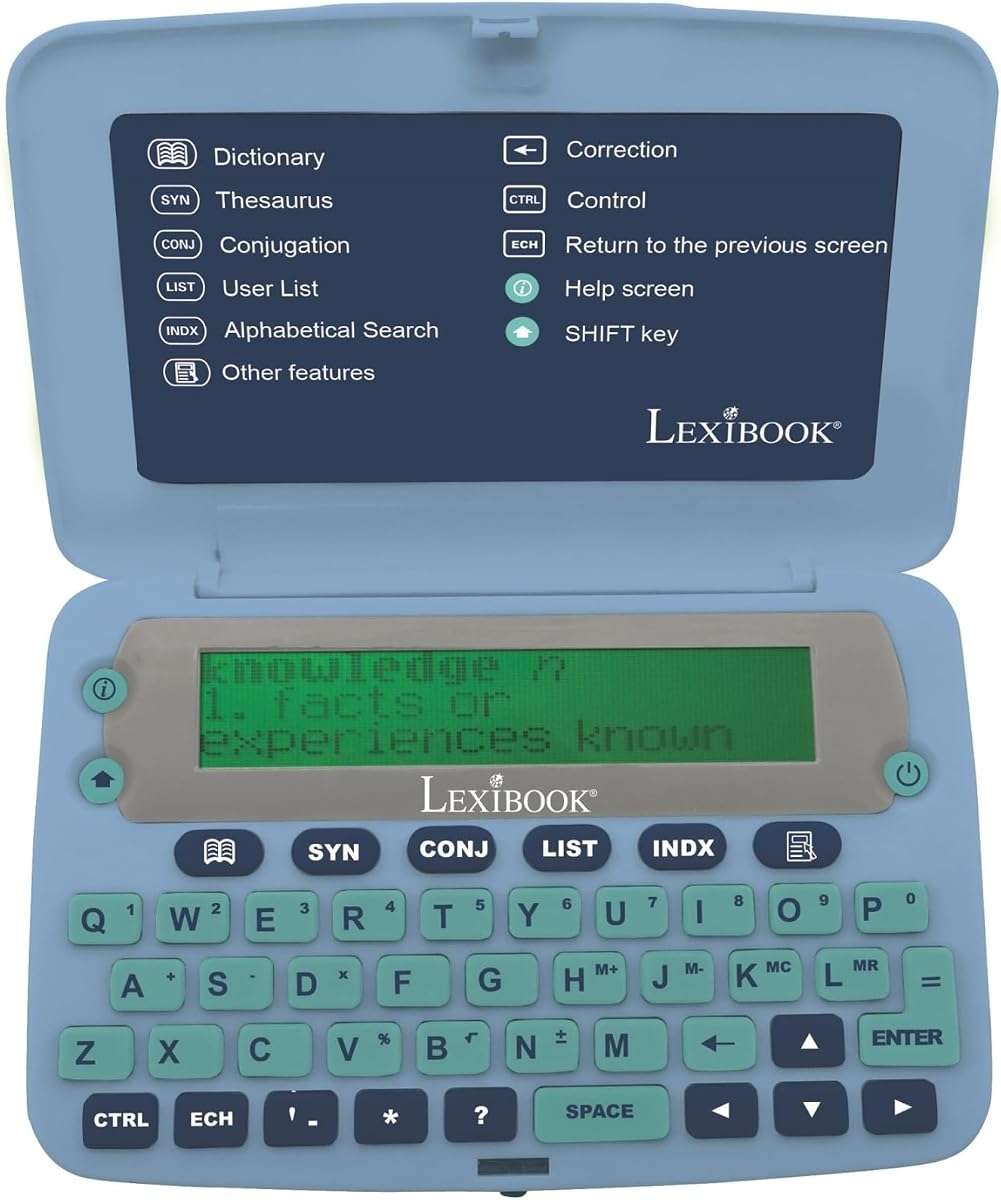
The LEXiBOOK Collins 13th Edition boasts a massive vocabulary of 725,000 words making it one of the most comprehensive dictionaries on this list. It includes over 8,000 verbs with conjugation across four tenses which supports detailed grammatical analysis. The device features a magnifying function to assist users with vision challenges.
We may earn a commission when you buy through this link, at no additional cost to you.
Additional tools include a crossword solver and phonetic spell-checker to assist with finding words quickly. The device uses a 4-line screen for easy reading and ergonomic design with large buttons for accessibility. Help is available on-screen at any time to guide users through features.
While the vocabulary is vast the device received a lower rating likely due to a dated interface or bulkier build. It is a strong candidate for those prioritizing raw data volume and verb conjugation over modern aesthetics. The ergonomic design adds value for frequent users.
We recommend this for users who need deep vocabulary coverage and verb reference without requiring translation. It serves well in academic settings where detailed linguistic data is required for essays or translation work. For data-focused users this is a robust option.
With 725,000 words the device offers a deep reference for finding precise definitions and phrases.
Support for over 8,000 verbs with four tenses provides thorough grammatical reference for language students.
We may earn a commission when you buy through this link, at no additional cost to you.
The LEXiBOOK D650EN offers a strong balance of features at an affordable price point. It includes 78,000 synonyms which is particularly useful for writers and students expanding their expression. Each word can show up to six definitions allowing for nuanced understanding of context and usage.
We may earn a commission when you buy through this link, at no additional cost to you.
Additional tools include a memo-list feature for tracking words to study and a currency converter for travelers. The 3-line screen is designed for easy reading and the device supports common utilities like a calendar. It is a versatile tool for general daily use.
While the screen is smaller than some models the density of information per word makes up for it. The value is high for users who need synonyms and definitions without complex translation features. The build is basic but functional for the price.
We recommend this for students and writers who need a quick and reliable way to check synonyms and meanings. It works well as a secondary tool alongside other resources or for casual learners. The memo-list adds utility for vocabulary building on the go.
With 78,000 synonyms the device supports writers in finding diverse ways to express ideas.
The memo-list feature allows users to save words for later review and targeted study sessions.
We may earn a commission when you buy through this link, at no additional cost to you.
This device features Merriam-Webster content known for its quality and contemporary definitions. It offers 274,000 definitions and nearly half a million synonyms making it a strong resource for writing and speaking. The spelling verification list helps avoid errors with 83,000 words included.
We may earn a commission when you buy through this link, at no additional cost to you.
A notable feature is the slot for a Book Card allowing users to expand the dictionary content with additional titles. It includes spoken word pronunciation out loud which aids in speaking accuracy. The device combines trusted source material with practical learning tools.
As an older model the design may feel dated compared to newer competitors but the content quality remains high. The price is higher but reflects the Merriam-Webster brand and expandability. It is ideal for users who value authoritative definitions over modern aesthetics.
We recommend this for writers and students who trust Merriam-Webster and need a portable device with that authority. The expandability offers future growth options for those who need more specialized content. For reliable definitions this model holds strong.
Using Merriam-Webster definitions ensures accuracy and reliability for academic and professional use.
The Book Card slot allows users to add new dictionaries to the device over time.
We may earn a commission when you buy through this link, at no additional cost to you.
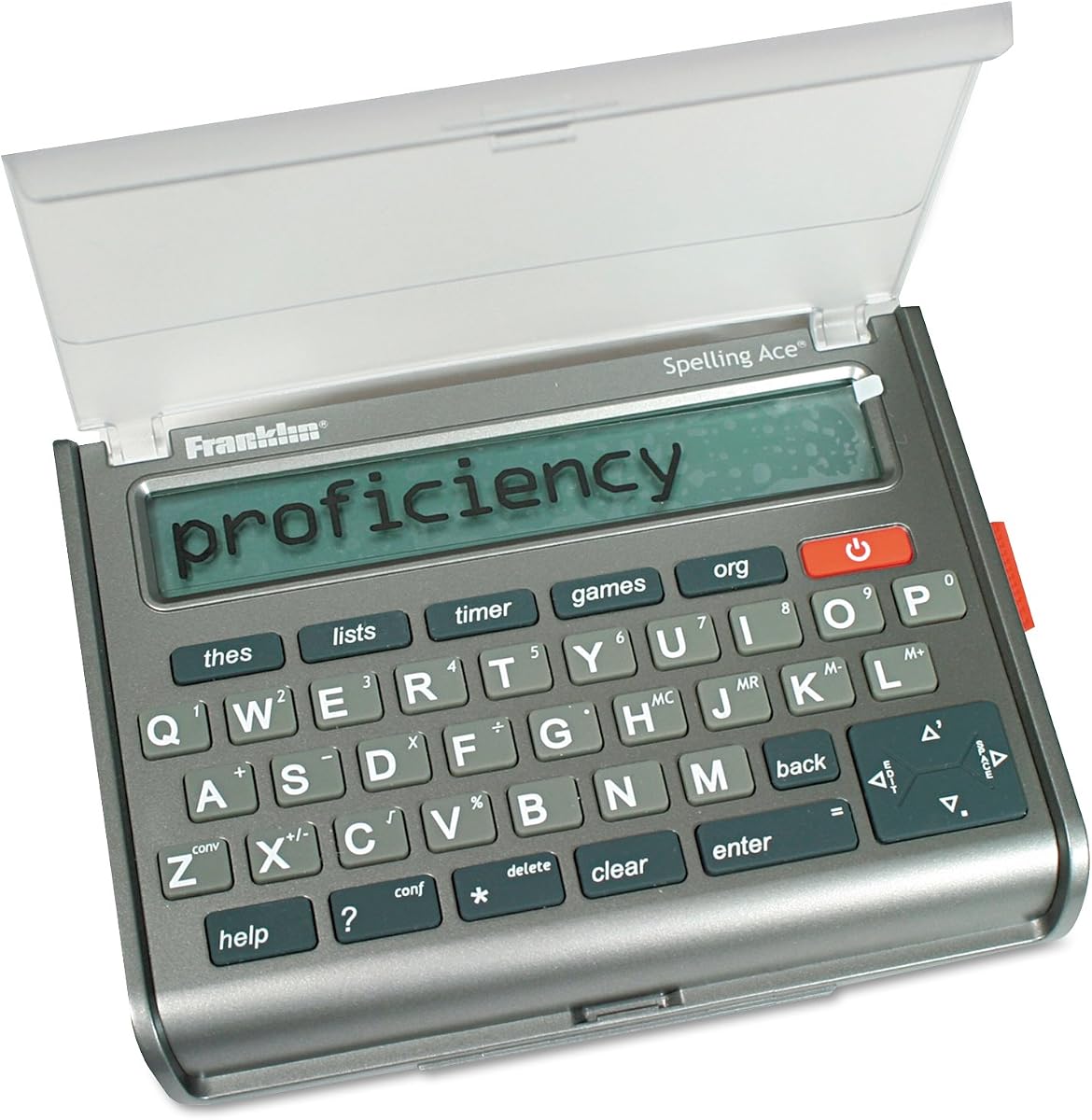
The SA-309 Spelling Ace is highly rated for its puzzle solving capabilities using the Merriam-Webster word list. It includes a word builder tool that creates possible words from entered letters which aids in crosswords and Scrabble. The device features a thesaurus with half a million synonyms for writing assistance.
We may earn a commission when you buy through this link, at no additional cost to you.
Unique tools include confusables function that identifies and explains similar sounding words like to and too. The classmates feature provides words in similar categories which helps with vocabulary organization. It is a powerful tool for word enthusiasts and writers.
While it lacks translation or advanced grammar features its strength lies in word games and spelling accuracy. The rating is strong among users who value these specific word tools. It is less suitable for language learners needing translation.
We recommend this for hobbyists who love word games and writers who need a reliable synonym and spelling tool. It fits well in a desk drawer or bag for quick word checks. For puzzle solving this is a top-tier dedicated device.
Dedicated crossword and word builder tools help users solve puzzles efficiently using trusted word lists.
The classmates feature groups similar words which helps build vocabulary by semantic association.
We may earn a commission when you buy through this link, at no additional cost to you.
The Merriam-Webster BookMan MWD-440 is a classic electronic pocket model known for its compact size. It combines a dictionary and thesaurus in one small unit making it easy to carry anywhere. Users get the reliability of Merriam-Webster content in a portable form factor.
We may earn a commission when you buy through this link, at no additional cost to you.
This model offers straightforward lookup capabilities without extra features like translation or advanced games. Its main selling point is its physical footprint which fits easily into a pocket or small bag. It serves well for basic definition and synonym checks.
While it lacks modern connectivity or high definition screens it remains a durable option for those who prefer simple devices. The rating is lower likely due to age but the core function works. It is a nostalgic choice for fans of older tech.
We recommend this for users who need a very small device for quick lookups without complex menus. It is a good backup option when larger tablets or phones are not permitted. For simplicity and portability this is a solid choice.
The pocket model design ensures the device fits easily into bags for instant access.
Combining dictionary and thesaurus in one simple interface makes finding words fast and easy.
We may earn a commission when you buy through this link, at no additional cost to you.
The MWD-1450 offers over 100,000 definitions and the capability to expand content with BOOKCARD cards. This flexibility allows users to add specialized dictionaries as needed for different subjects or languages. It includes nine learning games which help reinforce vocabulary through play.
We may earn a commission when you buy through this link, at no additional cost to you.
The 5-line display provides a comfortable viewing area for definitions and examples. Using Merriam-Webster data ensures that the base definitions are accurate and up-to-date. It is a versatile option for students who want room to grow their library.
While the expandability is a major plus it requires purchasing additional cards which adds to the long-term cost. The interface is standard but functional for daily learning tasks. It balances affordability with future expansion potential.
We recommend this for students who plan to use the device for multiple years and want to add content later. It is also good for those who enjoy educational games as part of their study routine. For flexible learning this is a practical choice.
BOOKCARD expandable functionality allows users to add new dictionaries and content to the device over time.
Nine built-in games make vocabulary practice fun and interactive for students of all ages.
We may earn a commission when you buy through this link, at no additional cost to you.
Selecting the right electronic dictionary depends on your specific needs for language learning and reference. Consider the following factors to make an informed decision.
Determine whether you need a monolingual English dictionary or a bilingual translator. Some devices focus on English definitions while others support multiple languages for translation. Check which languages are supported if you plan to use the device for travel or international communication.
Ensure the device covers your target language pair if you need translation capabilities.
Many modern language tools rely on internet connections which may not be available in classrooms or during travel. Electronic dictionaries offer offline access so you can look up words anywhere without Wi-Fi. This is crucial for students who need reliable tools in controlled environments.
Choose a device with built-in databases that work without internet.
The number of words and definitions varies widely between models. Some offer 100,000 words while others exceed 700,000. A larger database provides more comprehensive coverage including obscure terms and technical jargon which is helpful for advanced learners.
Look for a word count that matches your proficiency level and needs.
Some models include audio pronunciation to help learners speak correctly. This is especially useful for language students who need to hear native speakers. Check if the device supports true native human voice audio rather than robotic voices.
Select a talking dictionary if audio support is a priority for your learning goals.
Beyond simple lookups many devices offer grammar lessons conjugation tables and word games. These features help reinforce language skills and prepare students for standardized tests. Consider tools like spell checkers and confusables that explain common errors.
Prioritize models that include grammar and test prep tools if you need academic support.
Electronic dictionaries are designed to be portable but sizes vary. Look for a device that fits comfortably in your pocket or bag. An ergonomic design with large buttons and a clear screen helps with frequent use.
Choose a device with a screen size and buttons that suit your physical needs.
Some models allow you to add new dictionaries via memory cards or slots. This feature extends the device's life and utility over time. It is useful for students who may need specialized content in the future.
Check if the device supports expandable content if you plan to grow your library.
Prices range from budget-friendly to premium depending on features. More expensive models often include audio translation and larger databases. Balance the cost against the features you will actually use.
Select a price point that matches your budget and feature requirements.
To begin using your electronic dictionary insert the batteries as indicated in the user guide. Turn on the device and allow the display to initialize. Use the keypad to type the word you wish to look up and press the search button.
For translation modes select your target language before entering a word. Ensure you check the direction of translation to avoid errors. Most devices allow you to toggle between dictionary and translator modes easily.
Keep your device clean by wiping the screen and keypad with a soft dry cloth. Store it in a protective case to prevent damage to the screen or buttons. Replace batteries when the low battery indicator appears to avoid data loss.
Electronic dictionaries offer the distinct advantage of working offline which is ideal for environments without internet access. They also minimize distractions since they are dedicated devices without notifications. However online apps may have larger databases and are updated more frequently.
Most standalone electronic dictionaries do not require a subscription and work fully offline. The databases are pre-installed on the device. Some models may offer expandable cards but those are one-time purchases rather than monthly fees.
Many schools and test centers have strict policies regarding electronic devices. Always check the rules for exams like the SAT or GRE. Dedicated electronic dictionaries without internet capabilities may be permitted but this varies by institution.
Battery life varies by model but many devices last for weeks with regular use. Most use standard AAA or AA batteries that are easy to replace. Some models have battery savers that turn off the screen after inactivity.
Yes many models include word games and simple interfaces suitable for children. However parental supervision is recommended to ensure they are using the device correctly. Look for models with parental controls or simplified modes if needed.
To reset most devices remove the batteries for a few minutes and then reinsert them. Consult the user manual for specific reset buttons or menu options. This often clears errors and restores factory settings.
This guide highlights top models for various needs including bilingual translation grammar support and test preparation. The Franklin MES-2400 stands out for its audio and offline translation while the Collins Express offers great budget value.
Prioritize features such as offline capability and language coverage to match your daily needs. A device with strong grammar tools may be better for students while travelers might prefer translation focus.
Prices and availability change frequently so we recommend checking current listings before purchase. Select the model that best aligns with your study goals and budget.