
Creality Falcon 10W
4.2Editor score
72W Laser Power
15.7×16.3 Workspace
Compatible with LightBurn
Finding the right laser engraver can transform your creative projects into professional-quality items. Creality offers a range of models designed for hobbyists and professionals alike, featuring advanced safety systems and precise cutting capabilities.
We evaluated ten top Creality laser engraver machines based on their output power, speed, safety features, and ease of use. Our analysis includes detailed specifications and real-world performance insights to help you make an informed decision.
Each pick in this list highlights specific strengths, from budget-friendly options to high-performance enclosed units. Please note that product availability and pricing may change, so verify details before purchasing.
4.2Editor score

4.1Editor score

4.2Editor score
As an Amazon Associate we earn from qualifying purchases.
The following table provides a side-by-side comparison of all ten Creality laser engraver models reviewed in this guide, highlighting key specifications and features.



The Creality Falcon A1 10W is a standout choice for those seeking a balance of power and safety. With an 80W output and 600mm/s speed, it delivers efficient performance suitable for various materials.
We may earn a commission when you buy through this link, at no additional cost to you.
Its fully enclosed design ensures Class 1 safety, blocking 99% of laser light. The HD camera auto positioning simplifies setup, making it accessible for beginners.
While it offers impressive speed, users should note the compatibility limits with honeycomb panels and avoid highly reflective materials for safety reasons.
This model is ideal for hobbyists and small businesses needing a reliable, safe, and fast engraving solution without complex assembly.
The Class 1 safety certification and enclosed design protect users from laser exposure without needing goggles.
The built-in camera automatically adjusts settings for different materials, streamlining the engraving process.
We may earn a commission when you buy through this link, at no additional cost to you.
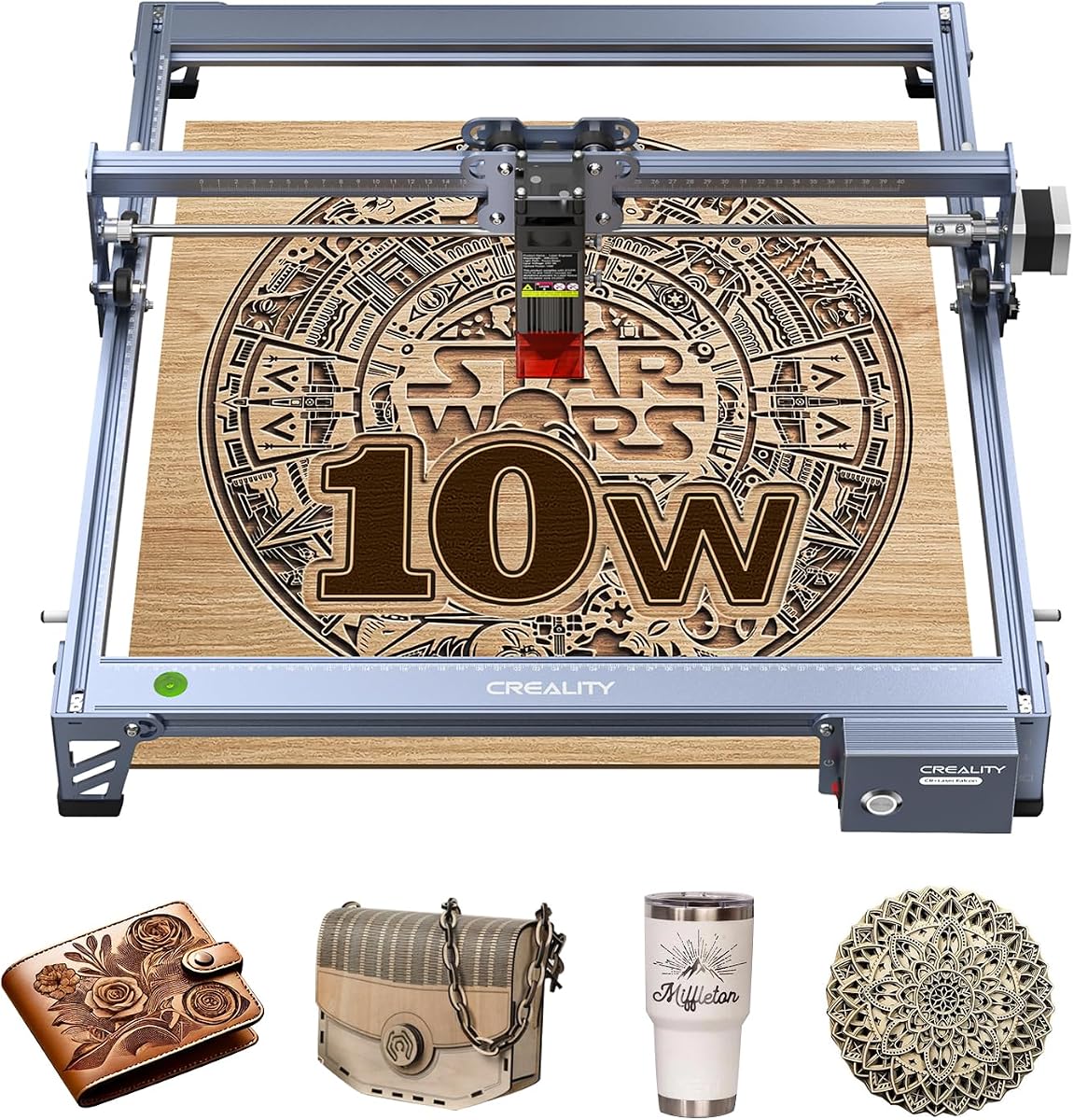
The Falcon 10W offers exceptional value for its price, delivering 72W of power with high precision. It is suitable for a wide range of materials including wood, acrylic, and leather.
We may earn a commission when you buy through this link, at no additional cost to you.
Its workspace measures 15.7×16.3 inches, providing ample room for projects. The anti-UV filter adds a layer of eye protection during operation.
While it lacks the advanced automation of higher-end models, it remains a reliable choice for budget-conscious users focused on precision.
Buyers should consider this model if they prioritize cost-effectiveness and are comfortable with manual setup steps.
The 0.06mm precision ensures detailed and consistent engraving results for intricate designs.
Included goggles and anti-UV filters provide additional protection for the operator and bystanders.
We may earn a commission when you buy through this link, at no additional cost to you.
The Falcon A1 Pro 20W brings professional-grade capabilities with its 180W output and touchscreen interface. It supports remote monitoring via an app, enhancing workflow efficiency.
We may earn a commission when you buy through this link, at no additional cost to you.
With auto focus and HD camera, it minimizes manual adjustments. The Class 1 safety rating ensures a secure environment for detailed work on metals and woods.
Users should be aware that the infrared module for metal engraving is an additional purchase, adding to the overall cost.
This machine is perfect for professionals needing speed, precision, and modern connectivity features in an enclosed system.
App control allows users to monitor progress from anywhere, improving multitasking capabilities.
Auto focus technology adjusts the laser height in seconds, ensuring consistent results across materials.
We may earn a commission when you buy through this link, at no additional cost to you.
This variant of the Falcon A1 includes air assist to improve cut quality. It features a CoreXY motion system for rapid 600mm/s speeds.
We may earn a commission when you buy through this link, at no additional cost to you.
The smart camera simplifies positioning, and graphic outline extraction helps convert designs quickly. It is well-suited for wood and metal engraving.
However, it does not support cutting acrylic, which may limit certain creative projects. Always check material compatibility before starting.
Ideal for users prioritizing cut quality and speed in a pre-configured enclosure.
Air assist blows away debris and smoke, resulting in cleaner cuts and reduced soot on materials.
Outline extraction converts images into engraving paths, saving time on manual tracing.
We may earn a commission when you buy through this link, at no additional cost to you.
This model offers a spacious 17×16 workspace for larger projects. Wi-Fi support enables wireless file transfer for convenient operation.
We may earn a commission when you buy through this link, at no additional cost to you.
Safety is addressed with an anti-UV filter, and it comes with 1-year free parts replacement. It is a solid option for DIY enthusiasts.
Assembly is relatively quick, but manual focus adjustment may be necessary for different materials.
Consider this if you need a larger area and wireless features at a competitive price point.
Wi-Fi capability allows you to send designs directly from your device without cables.
Comprehensive service includes free parts replacement and permanent technical assistance.
We may earn a commission when you buy through this link, at no additional cost to you.
The Falcon2 Pro S delivers high power for professional batch production. Its integrated enclosure and debris drawer simplify cleanup and safety.
We may earn a commission when you buy through this link, at no additional cost to you.
Auto focus and camera positioning reduce manual steps, while the 600mm/s speed ensures rapid output for large orders.
User ratings are slightly lower, suggesting potential setup complexity. Nevertheless, its performance features are robust for dedicated users.
This unit is recommended for small studios needing reliable, high-volume cutting capabilities.
High power and speed allow for faster processing of multiple items in one run.
A built-in debris drawer collects residue, keeping the workspace cleaner.
We may earn a commission when you buy through this link, at no additional cost to you.
The Falcon A1C leverages AI to simplify engraving with one-tap features. Its high speed and interchangeable platform provide flexibility for different tasks.
We may earn a commission when you buy through this link, at no additional cost to you.
With a Class 1 safety rating and compact design, it fits well in home studios or classrooms. AI camera positioning reduces setup time.
The workspace is smaller than some models, which may limit larger projects. However, its ease of use is a strong selling point.
Ideal for creators who want advanced software features in a portable package.
AI tools convert photos to artwork and suggest settings, streamlining the creative process.
Compact footprint makes it easy to move between home, studio, or workshop.
We may earn a commission when you buy through this link, at no additional cost to you.
This model emphasizes user experience with a smart touchscreen. It offers quick access to history files and real-time previews for precise work.
We may earn a commission when you buy through this link, at no additional cost to you.
The air assist ensures clean cuts, and auto focus takes three seconds. It handles 10mm basswood and 8mm acrylic with smooth edges.
Reflective materials are prohibited, and the infrared module is not included. These are minor constraints for most users.
Choose this for a modern interface and powerful engraving in a quiet, enclosed shop.
Touchscreen allows seamless navigation and history access without connecting to a computer.
Air assist minimizes burning and soot for a professional finish on wood and acrylic.
We may earn a commission when you buy through this link, at no additional cost to you.
This mini version prioritizes portability without sacrificing power. The quick-swap module design allows easy upgrades for different tasks.
We may earn a commission when you buy through this link, at no additional cost to you.
It works with over 300 materials and includes AI software for design and focus. Flame detection adds a crucial safety layer for home use.
The workspace is compact, suited for smaller items or educational settings. It is versatile and user-friendly.
Recommended for those needing a lightweight, adaptable system for varied projects.
Modules can be swapped in seconds, adapting the machine for different material needs quickly.
Flame detection and tilt protection prevent accidents during operation.
We may earn a commission when you buy through this link, at no additional cost to you.
This version of the Falcon A1 focuses on safety and simplicity. It features six safety protections and requires zero assembly out of the box.
We may earn a commission when you buy through this link, at no additional cost to you.
Auto material recognition and precise 0.01mm positioning ensure high-quality results. It fits well in home or office environments.
While the price is higher, the convenience and safety features justify the investment for peace of mind.
Best for beginners who want a safe, ready-to-use machine for creative projects.
Six protections including emergency stop and laser leak protection ensure a secure workspace.
Three-step operation allows immediate engraving with minimal learning curve.
We may earn a commission when you buy through this link, at no additional cost to you.
Choosing the right engraver involves assessing power, safety, and workspace needs. Below are key factors to consider.
Higher wattage allows faster cutting and deeper engraving on tough materials like wood or metal. For basic projects, 10W may suffice, but 20W offers professional versatility.
Look for models with higher machine power ratings for efficiency.
Class 1 safety certification ensures the enclosure blocks harmful radiation. Auto-shutoff on lid opening and flame detectors are vital for home use.
Always choose a fully enclosed unit for protection.
Measure your materials to ensure the engraver fits. Larger areas allow batch production, while compact units save desk space.
Consider your project scale before selecting size.
Compatible software like LightBurn or LaserGRBL provides design flexibility. Some models include proprietary software that simplifies setup for beginners.
Verify software support matches your workflow.
HD cameras with auto focus reduce manual setup time. They allow precise placement of designs before engraving.
This feature is ideal for detailed work.
Different lasers handle various materials. Some cannot cut acrylic or reflective metals. Check specifications to avoid restrictions.
Select a model that supports your intended materials.
Faster engraving speeds increase productivity. Look for CoreXY systems that offer quick movement and acceleration.
This is crucial for small businesses.
Balance cost against features. Higher prices often bring better safety, speed, and software. Consider long-term value.
Invest in a machine that meets future needs.
Start by preparing your workspace and ensuring the machine is on a flat, stable surface. Connect the device to your computer and install the recommended software drivers.
Position your material securely within the workspace and adjust the laser focus using the auto-focus tool or manual lens if needed. Ensure safety goggles are worn if not using an enclosed Class 1 machine.
Run a test engraving on scrap material to verify settings and alignment. Regularly clean lenses and remove debris from the workspace to maintain performance and safety.
Yes, many models can engrave metal, but cutting requires higher power or an infrared module. Always check if the machine supports the specific metal type before starting. Reflective metals are generally prohibited for safety.
Most models support popular software like LightBurn and LaserGRBL. Some come with proprietary software that simplifies the process for beginners. Compatibility varies by model and operating system.
Yes, Class 1 enclosed models are designed to be safe for home use without goggles. They block laser light and include safety features like emergency stops. Always follow the manufacturer's safety guidelines.
Avoid highly reflective materials like mirrors or polished metals. Some models also restrict acrylic cutting. Always check the manual for prohibited materials to prevent damage or safety hazards.
Laser module lifespan depends on usage and material. Typically, they last thousands of hours with proper care. Clean the lens regularly and avoid overheating to extend the life.
Some models come with or support rotary attachments for curved objects like bottles. Check if a roller kit is included or available as an accessory. This expands the range of your projects.
The Creality Falcon A1 10W stands out as a balanced choice with speed and safety. For budget buyers, the Falcon 10W offers great precision at a lower cost.
Prioritize features like enclosed design, auto focus, and software compatibility based on your needs. Professional users may prefer the high power of the A1 Pro 20W.
Always verify current pricing and availability before purchase to ensure you get the best deal. These machines are excellent tools for bringing creative designs to life.