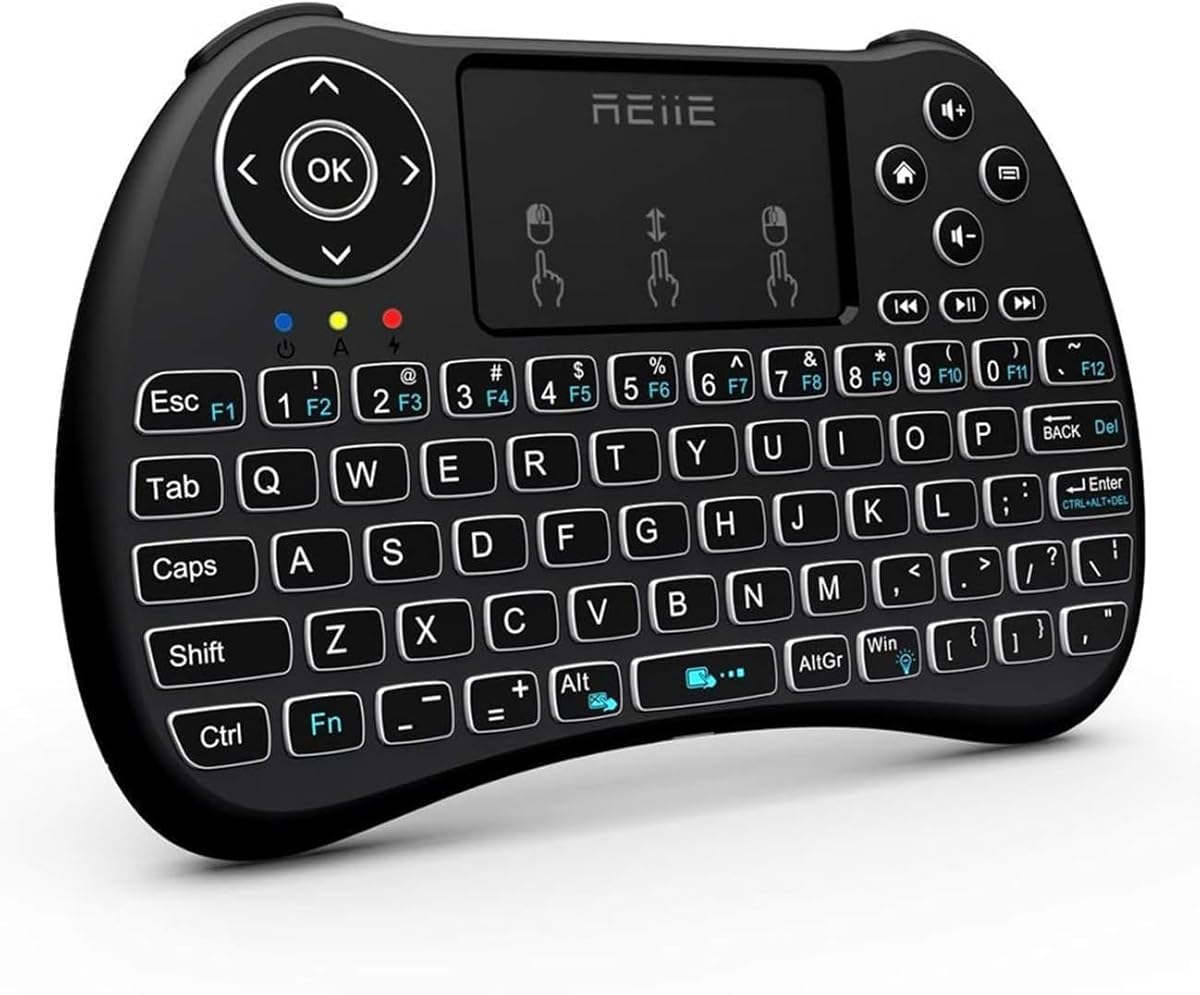
REIIE H9+
4.3Editor score
Compact handheld design
White soft backlight for dark rooms
Multi-finger touchpad support
This guide compares the best Htpc Keyboard options for media centers, highlighting features like touchpads, wireless range, and compatibility to help you
Finding the right Htpc Keyboard can transform your home theater experience by combining typing and navigation into one sleek device. These keyboards are designed to work seamlessly with your TV connected computer or media center setup.
We compared ten top rated models based on connectivity, build quality, and user feedback to ensure you get the most reliable option available today. Each product offers unique features like backlighting, touchpad functionality, and multi device support for versatile use.
Each pick in this list shows specific strengths and potential trade offs so you can decide what matters most for your living room setup. Please note that prices change frequently so check the latest deals before making your final purchase decision.
4.3Editor score

4.4Editor score
4.2Editor score
This side-by-side comparison highlights key specifications across all ten models to help you quickly identify which Htpc Keyboard fits your specific needs and device ecosystem.




The Logitech K400 Plus stands out as a reliable choice for Htpc Keyboard needs with its proven track record and solid performance in living room environments. It holds a strong rating from users who appreciate its simplicity and long-term durability without requiring frequent maintenance or replacement.
We may earn a commission when you buy through this link, at no additional cost to you.
Its standout quality lies in the integrated touchpad which eliminates the need for a separate mouse and streamlines navigation through streaming apps and web browsers. The keys are designed to be quiet so you can type without disturbing others watching a movie or show on your connected TV.
While the lack of backlighting might be a downside for dark rooms the long battery life and spill-resistant design make it a practical investment for everyday use. The wireless range ensures you can comfortably sit on the couch while controlling your PC connected TV without signal interruptions.
This keyboard is ideal for users who prioritize reliability and ease of use over extra features like lighting or multi-device switching. If you want a no-fuss solution that works right out of the box and lasts for years the K400 Plus is a top recommendation.
The large touchpad provides smooth cursor control that mimics a laptop experience making it easy to browse menus and scroll through content without a mouse.
Built to withstand accidental spills and heavy usage the K400 Plus ensures your entertainment setup remains functional even if drinks are nearby during movie nights.
We may earn a commission when you buy through this link, at no additional cost to you.
The Arteck Universal Backlit brings visual flair and modern connectivity to your home theater setup with its seven unique backlight color options and Bluetooth capability. It earns praise for allowing users to personalize their keyboard appearance while maintaining a clean wireless connection without USB dongles.
We may earn a commission when you buy through this link, at no additional cost to you.
Its backlight feature is particularly useful for low-light environments ensuring you can see keys clearly during evening viewing sessions. The auto sleep function helps maximize power usage so you do not have to recharge or replace batteries as often as other models.
The reliance on Bluetooth means compatibility with older devices that lack this feature might be limited compared to 2.4G options. However for modern smart TVs and computers the connection is stable and provides the freedom to pair with multiple devices easily.
This keyboard suits users who value customization and sleek connectivity over rugged durability. If you want a keyboard that looks great and connects wirelessly without extra hardware the Arteck Universal Backlit is a compelling choice for your Htpc setup.
Choose from seven elegant LED colors to match your room decor or mood while typing in the dark without straining your eyes on dim keys.
The auto sleep feature activates when the keyboard is idle extending battery life and reducing waste for eco-friendly users who want longevity.
We may earn a commission when you buy through this link, at no additional cost to you.
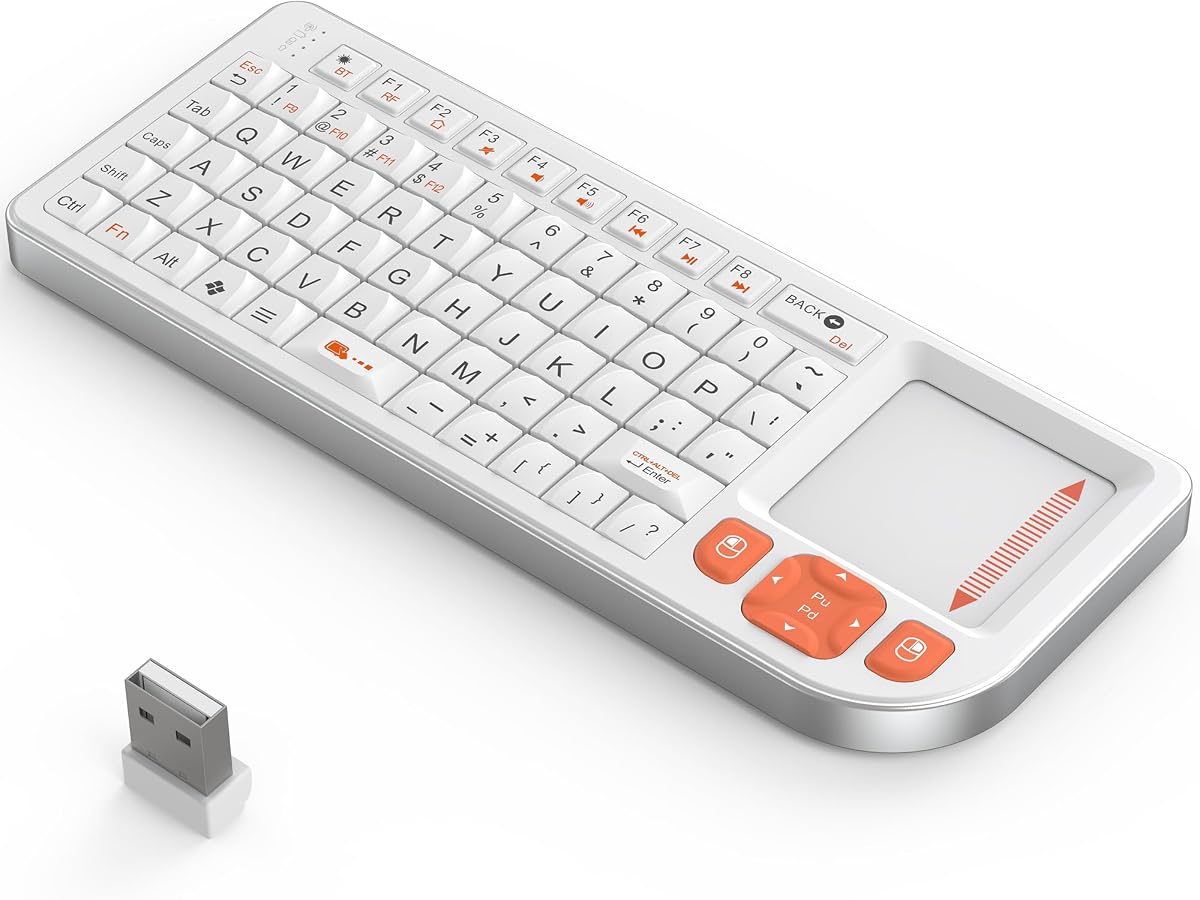
The Arteck 2.4G Wireless delivers a premium feel with its solid stainless steel frame that stands out among plastic competitors in the Htpc Keyboard market. Users appreciate its durable build quality which resists wear and tear over time while maintaining a sleek look on your coffee table.
We may earn a commission when you buy through this link, at no additional cost to you.
Its ultra compact design allows it to fit easily into small spaces without sacrificing the full-size keyboard layout for comfortable typing. The nano USB receiver ensures a stable connection that works even in rooms with multiple wireless signals or interference from other devices.
While it lacks backlighting the robust construction and reliable wireless performance make it a practical choice for users who prioritize longevity over aesthetics. The media hot keys add convenience for controlling volume and playback without needing to access complex menus on your screen.
This model is best suited for those who want a keyboard that feels substantial and lasts long in daily use. If you prefer a no-frills design with a high-quality feel and simple connectivity the Arteck 2.4G Wireless is a strong contender.
The stainless steel frame provides a rigid and cool touch that elevates the user experience compared to flimsy plastic alternatives.
Insert the tiny USB receiver and start typing instantly without drivers ensuring your media center remains clutter free and efficient.
We may earn a commission when you buy through this link, at no additional cost to you.
The Arteck Universal Multi-Device excels at managing multiple connections by allowing you to pair up to three devices simultaneously and switch between them with one click. This feature is perfect for households with mixed ecosystems where you might want to control a PC and a smart TV without swapping keyboards.
We may earn a commission when you buy through this link, at no additional cost to you.
Its dual wireless modes ensure you can use Bluetooth for tablets and phones while keeping a USB receiver for computers that do not have native Bluetooth support. The rechargeable battery eliminates the need for constant battery replacements adding to its value proposition over time.
Some users may find the switching mechanism requires a bit of learning but the convenience of not unplugging cables outweighs this minor hurdle. The touchpad and media keys provide a complete control solution that enhances your overall media consumption experience.
This keyboard is highly recommended for tech-savvy users who juggle several devices and want a unified input solution. If you need flexibility to connect different systems easily the Arteck Universal Multi-Device offers unmatched versatility in this category.
Transition from typing on your laptop to controlling your TV instantly with a dedicated key press streamlining your workflow and entertainment flow.
The built-in rechargeable battery reduces electronic waste and saves money compared to buying disposable batteries regularly for your keyboard.
We may earn a commission when you buy through this link, at no additional cost to you.
The REIIE H9+ offers exceptional value for budget-conscious buyers looking for a functional Htpc Keyboard without breaking the bank. Its handheld design makes it easy to hold while sitting on the couch and the white soft backlight ensures visibility in dark viewing environments.
We may earn a commission when you buy through this link, at no additional cost to you.
The multi-finger touchpad allows for intuitive gestures like dragging and scrolling which enhances navigation on large screens without needing a separate mouse. This feature is particularly useful for smart TV interfaces where touch interactions are becoming increasingly common.
While it does not support Bluetooth the 2.4G connection is stable enough for most media center uses and the price point makes it accessible to many users. You may need to recharge the batteries before first use so plan accordingly when you receive the package.
This is an ideal entry-level option for students or anyone needing a simple reliable keyboard for a media box. If you want a versatile and affordable solution that gets the job done the REIIE H9+ is a top budget pick.
Two-finger clicks and dragging simulate mouse right-click and scroll functions providing advanced control in a compact form factor.
The small footprint allows you to carry it easily in a bag or hold it comfortably while browsing content from your sofa.
We may earn a commission when you buy through this link, at no additional cost to you.
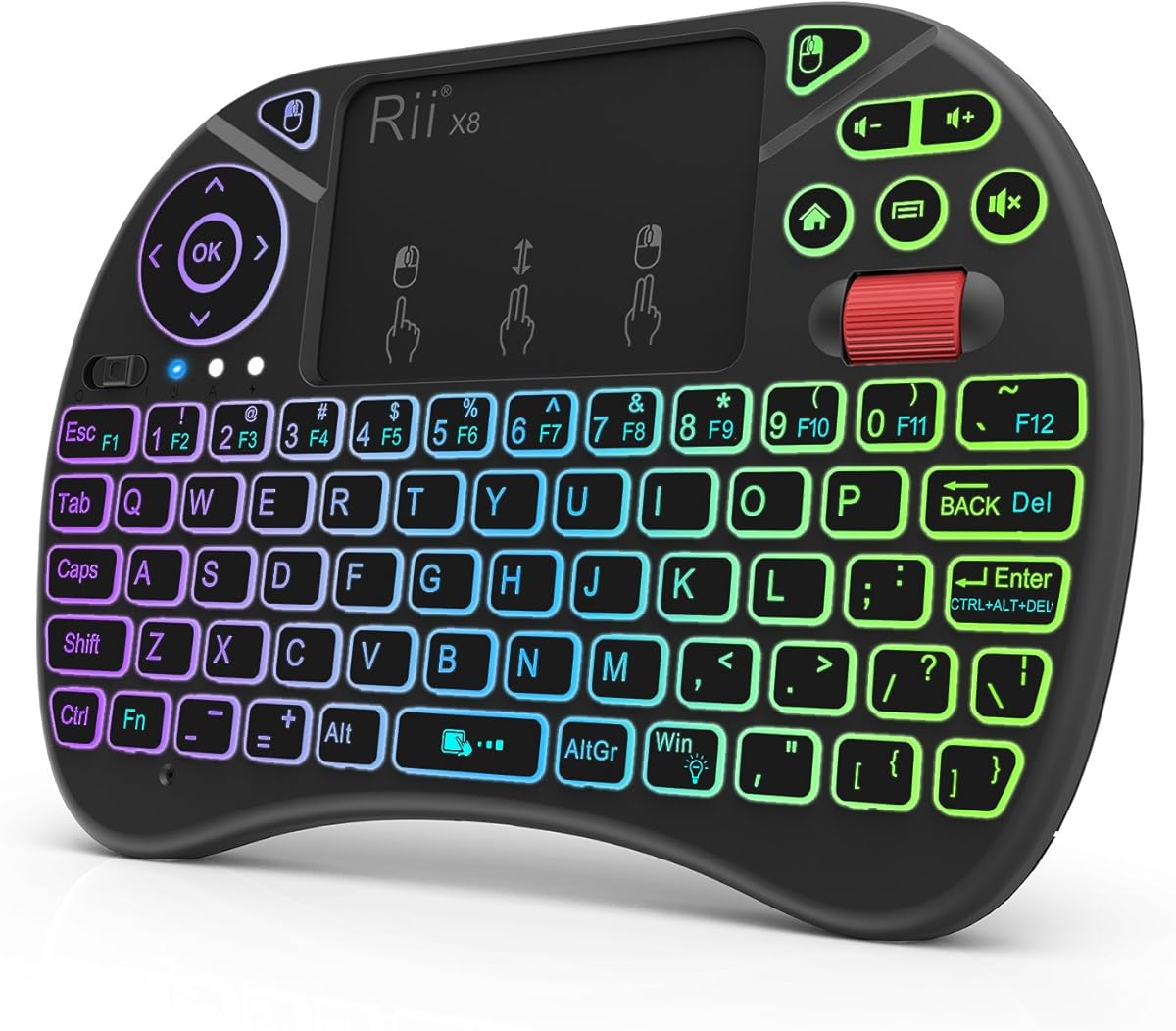
The Rii X8 Mini Keyboard is a favorite among Android TV Box users due to its compact design and specific compatibility features. The eight-color RGB backlight adds a gaming-inspired aesthetic that appeals to those who want their media center to look dynamic and modern.
We may earn a commission when you buy through this link, at no additional cost to you.
A standout feature is the scroll wheel located on the side which allows you to navigate through long lists and web pages much faster than using the trackpad alone. This convenience is often overlooked but significantly improves the user experience when browsing extensive content libraries.
The built-in rechargeable battery ensures you do not need to manage separate power cells but note that Fire TV Stick users may need an OTG cable for proper operation. The touchpad supports multi-touch gestures which mimic smartphone navigation for a seamless interaction style.
This keyboard is well-suited for users with Android TV Boxes who want extra features like RGB lighting and a scroll wheel. If you value functionality and style in a small package the Rii X8 is a versatile choice for your setup.
The dedicated scroll wheel speeds up browsing through long menus and websites saving time and reducing finger fatigue.
Customize the backlight colors to match your setup or mood adding a touch of personality to your living room entertainment center.
We may earn a commission when you buy through this link, at no additional cost to you.
The Rapoo Mini Wireless Keyboard is designed for portability and multi-device flexibility with a profile that is thinner than many laptops. It supports up to four devices across different operating systems allowing you to switch between your PC tablet and console with ease.
We may earn a commission when you buy through this link, at no additional cost to you.
Its tri-mode wireless connectivity via Bluetooth and 2.4GHz ensures you can connect to almost any modern device whether it has a USB port or not. The multi-finger gestures for Windows and Mac make it feel like a laptop trackpad which is great for precise cursor control.
While the overall rating is slightly lower than competitors the battery life is impressive and the lightweight design makes it ideal for travel or small spaces. The compact layout means keys are smaller so it may take some getting used to if you type frequently.
This keyboard is best for travelers or those with limited space who need a versatile input device. If you prioritize portability and multi-OS support over a full-size typing experience the Rapoo Mini Wireless is a strong option.
Its slim profile fits easily into sleeves and bags making it perfect for taking on the go without adding bulk.
Switch between Windows and Mac modes with a keystroke ensuring optimal performance regardless of your operating system preference.
We may earn a commission when you buy through this link, at no additional cost to you.
The K809 Mini Keyboard distinguishes itself with a high-end aluminum alloy frame that provides a sturdy and premium feel unmatched by plastic competitors. It weighs only 86 grams making it incredibly light yet durable enough to withstand daily handling in a living room environment.
We may earn a commission when you buy through this link, at no additional cost to you.
Its 1000mAh rechargeable battery offers long-lasting power reducing the need for frequent charging sessions and eliminating battery anxiety. The scratch-resistant metal surface keeps the keyboard looking new over time which adds to its value as a long-term investment.
The dual-mode connectivity allows you to choose between Bluetooth for devices without USB ports and 2.4G for stable connections. This flexibility ensures compatibility with a wide range of modern gadgets from tablets to smart TVs and PCs.
This keyboard is perfect for users who appreciate high-quality materials and design in their peripherals. If you want a device that feels luxurious and performs reliably the K809 Mini Keyboard is a top premium choice.
The aluminum frame gives a solid and premium tactile feel that elevates the user experience beyond typical budget plastic keyboards.
A 1000mAh battery ensures weeks of usage on a single charge so you spend less time charging and more time enjoying content.
We may earn a commission when you buy through this link, at no additional cost to you.
The Fosmon Mini Keyboard offers advanced connectivity with Bluetooth 5.2 ensuring fast and stable connections to modern devices. Its backlighted design is perfect for dark environments allowing you to see keys clearly without additional lighting or room adjustments.
We may earn a commission when you buy through this link, at no additional cost to you.
The built-in lithium-ion battery supports up to ten days of continuous use and fifty days of standby time which is convenient for occasional users. LED indicators notify you when the battery is low or fully charged removing guesswork from maintenance.
While it works well with many smart TVs and consoles note that it is not compatible with Xbox series systems. Checking Bluetooth capability on your TV before purchase helps ensure smooth setup and avoids potential compatibility issues.
This keyboard suits users who want modern Bluetooth standards and a clear backlight for night use. If you value connectivity and convenience the Fosmon Mini Keyboard is a solid option for your Htpc needs.
Bluetooth 5.2 ensures low latency and efficient power usage pairing seamlessly with your latest devices without needing dongles.
LED lights show battery status and charging progress so you always know when your device is ready to use.
We may earn a commission when you buy through this link, at no additional cost to you.
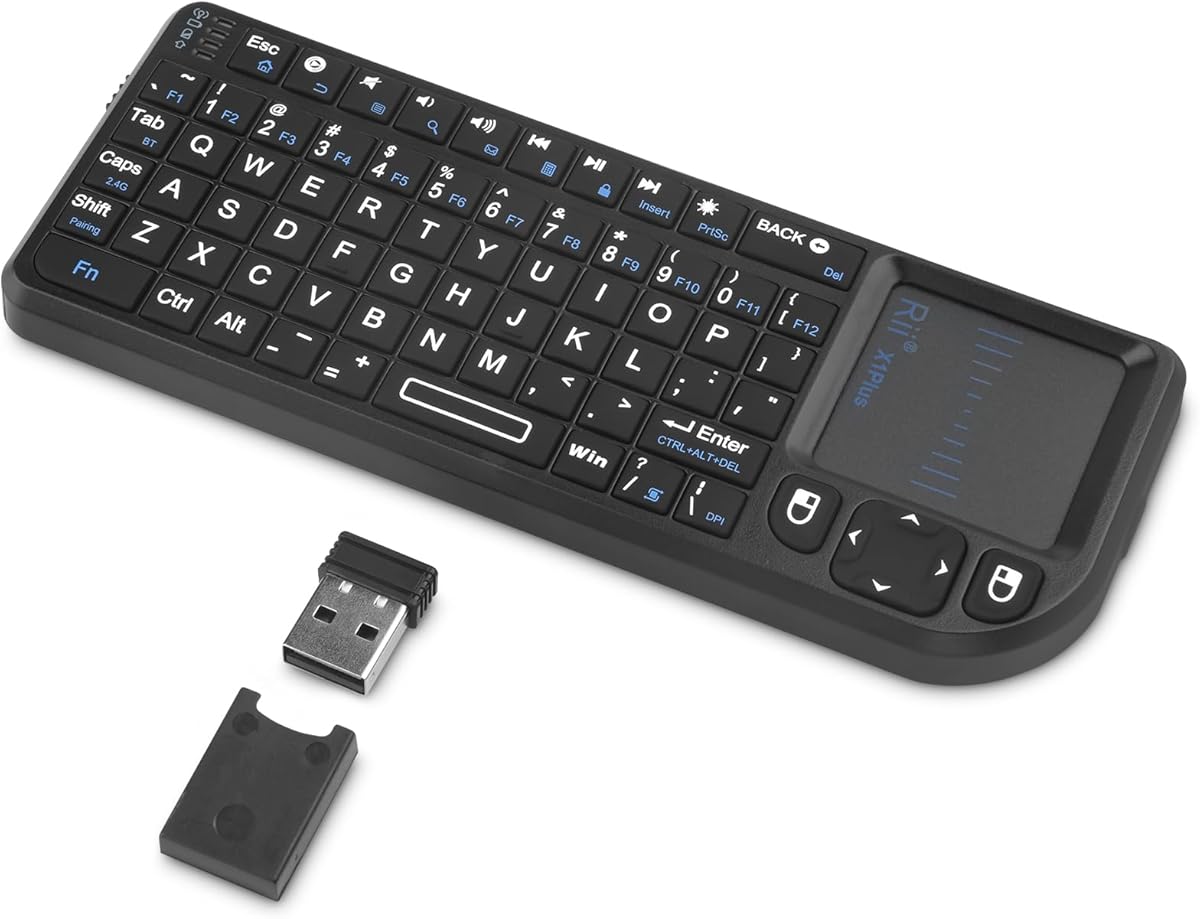
The Rii Mini 2.4G Bluetooth Keyboard offers a balanced mix of dual-mode connectivity and affordability for general media control. Its white LED backlight ensures clear visibility in dark settings while the compact size makes it easy to store when not in use.
We may earn a commission when you buy through this link, at no additional cost to you.
A significant benefit is the long battery life allowing over thirty days of operation on a single charge which is convenient for home entertainment use. The USB-C charging adds modern convenience ensuring you can power up quickly with common cables.
You should verify device compatibility before buying as some specialized systems may need specific drivers or configurations. The touchpad is small but functional for basic navigation and selection without the need for a mouse.
This keyboard is ideal for budget-minded buyers who need a simple portable tool for smart TV navigation. If you want reliable wireless performance without extra cost the Rii Mini 2.4G is a dependable choice.
Recharge via USB-C for quick power-ups using cables you already have for phones and tablets ensuring easy maintenance.
White LED keys are bright enough for dark rooms yet not distracting allowing you to see inputs clearly while watching TV.
We may earn a commission when you buy through this link, at no additional cost to you.
Choosing the right Htpc Keyboard involves considering connectivity build quality and specific features that suit your entertainment setup.
Look for keyboards that support both Bluetooth and 2.4GHz wireless to ensure compatibility with all your devices. This dual-mode capability gives you flexibility to connect to TVs without Bluetooth via USB receiver.
Prioritize models with stable wireless ranges to avoid signal drops when you are far from your PC or TV box.
A built-in touchpad is essential for navigating menus without a separate mouse ensuring a clutter-free setup. Check for multi-finger gesture support if you want advanced navigation similar to a laptop.
Ensure the touchpad has enough space for smooth cursor control without requiring excessive finger movement.
Long battery life or rechargeable options are crucial to prevent interruptions during your favorite shows. Models with 18 months of life or multi-week rechargeable cycles reduce maintenance needs.
Consider how often you use the keyboard to decide between disposable batteries and built-in rechargeable units.
Backlighting helps you see keys in dark rooms without turning on bright lights that distract from viewing. Look for models with adjustable brightness or color options to suit your preference.
Ensure the backlight does not drain the battery too quickly if you plan to use it often in low-light environments.
Materials like metal frames or spill-resistant plastics increase the lifespan of your keyboard against accidental damage. A sturdy build is important for devices used frequently in living rooms.
Check user reviews for long-term reliability feedback to ensure the keyboard stays functional over years.
Dedicated media keys for volume play and pause save time by avoiding on-screen menus for basic actions. These shortcuts enhance your entertainment experience significantly.
Verify that the media keys support the functions you need on your specific TV or media center software.
Compact keyboards are easier to store and hold on the couch but may have smaller keys. Consider if you prioritize portability or typing comfort for long sessions.
Choose a size that fits your available space without making typing uncomfortable for daily tasks.
Ensure the keyboard works with your operating system whether it is Windows Android or Mac. Some models offer mode switching keys for different platforms.
Check the product details for explicit compatibility lists to avoid connection issues with your specific devices.
Connect your keyboard by plugging the USB receiver into an available port or enabling Bluetooth on your device before pairing. Follow the instructions in the guide to ensure proper driver installation if needed for full functionality.
Regularly clean the keys and touchpad with a soft cloth to prevent dust buildup that can affect performance or comfort. Store it in a safe place when not in use to avoid accidental damage or spills.
Monitor battery levels and charge or replace them as needed to ensure consistent wireless performance. If you notice connection issues try restarting your device or moving closer to the receiver for a stronger signal.
Yes most Htpc Keyboards support Android TV boxes through USB receivers or Bluetooth connections. Ensure your box has a USB port or Bluetooth enabled to pair the device successfully. Some models include specific keys optimized for Android navigation which improves usability.
Many Htpc Keyboards are compatible with gaming consoles like Raspberry Pi or PC-based setups but may not work with Xbox due to restrictions. Check the product specs for explicit console compatibility before buying. Some models offer switchable modes for different systems to broaden utility.
Keyboards with multi-device support allow you to switch by pressing a specific function key or toggle button. Pair each device separately and remember the assigned number for quick access. Consult the manual for the exact combination to activate device switching mode.
Backlighting is helpful if you use your keyboard in a dark room without turning on bright lights. It improves visibility for typing without straining your eyes during movies. If you only use it in well-lit rooms backlighting may be optional but still adds convenience.
Most Htpc Keyboards are plug-and-play and do not require additional drivers for basic typing and navigation. Some models offer software for customizing keys or touchpad settings if desired. Always check the packaging for any recommended software for advanced features.
Battery life varies from a few weeks for rechargeable models to 18 months for those with standard batteries. Using backlighting reduces battery life so consider turning it off when not needed. Check the product description for specific runtime estimates based on usage.
Yes these keyboards are designed for general typing tasks including emails or web browsing on connected TVs. The touchpad helps navigate input fields quickly without a mouse. Ensure the connection is stable to avoid missing letters or interruptions while typing.
The Logitech K400 Plus Arteck Universal Backlit and Rii Mini models stand out for reliability versatility and value in this category. Each option offers unique strengths whether you need long battery life multi-device support or premium materials for your living room.
Prioritize features like touchpad size wireless stability and backlighting based on how you plan to use the device. A good Htpc Keyboard should simplify control rather than add complexity to your entertainment setup.
Always verify the latest prices and availability before buying to ensure you get the best deal. With the right choice you can enhance your media experience with seamless navigation and comfortable typing from the couch.