
40W Wireless Charging Pad
3.8Editor score
Dual 20W fast charging
Slim portable design
Multiple safety protections
Keeping your desk tidy while charging many gadgets is hard. A charging mat for multiple devices lets you power several items on one flat surface without messy cables cluttering your space.
We compared ten real models based on charging speed, safety features, design quality, and compatibility. Each pick includes detailed specs and honest pros and cons to help you decide quickly.
Every review highlights standout features, real-world performance, and potential trade-offs. Prices change often, so check current listings before buying to ensure you get the best deal available today.
3.8Editor score
4.0Editor score

4.4Editor score
As an Amazon Associate we earn from qualifying purchases.
This side-by-side comparison highlights key specifications for each model, including charging zones, adapter inclusion, surface material, and device compatibility to help you find the right fit.




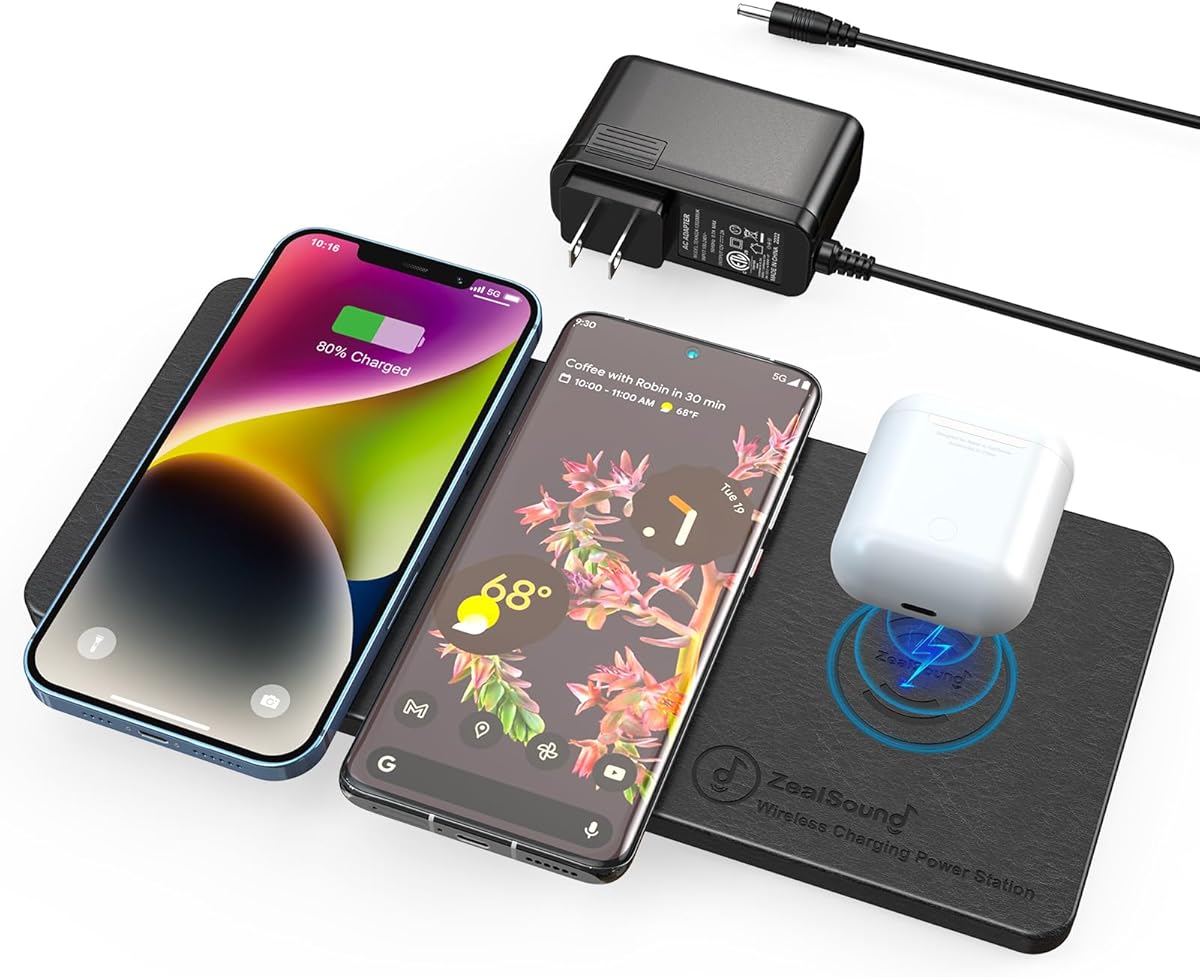
This ZealSound wireless charging pad offers a clean way to power three devices at once with a solid 4.0 rating from users.
We may earn a commission when you buy through this link, at no additional cost to you.
It supports phones and earbuds simultaneously, works through most cases, and includes a 24W adapter so setup starts immediately without extra purchases.
The lack of watch charging limits it to iPhone and Android users without smartwatches, but that trade-off keeps the price affordable and the design slim.
Buy this if you want a reliable multi-device mat that looks nice and comes with everything you need to start charging today.
The included 24W adapter ensures you can charge right out of the box without hunting for a compatible wall plug.
No bright indicator lights mean it won't disturb light sleepers when charging devices overnight on a nightstand.
We may earn a commission when you buy through this link, at no additional cost to you.
Mophie brings a versatile mat that supports four wireless devices and one wired port, though the 3.8 rating suggests mixed user experiences.
We may earn a commission when you buy through this link, at no additional cost to you.
It stands out by charging an Apple Watch alongside phones and earbuds, making it great for Apple ecosystems needing all devices powered at once.
Some users may find alignment trickier or the power output slower than dedicated fast chargers, so manage expectations on speed.
Choose this if you own an Apple Watch and want a stylish fabric mat that consolidates most of your daily charging needs.
An included Watch charging stand removes the need for a separate puck to power your timepiece alongside other gear.
Centralizing chargers for phone, buds, and watch keeps your nightstand tidy and cuts down on tangled wires.
We may earn a commission when you buy through this link, at no additional cost to you.
This affordable dual-zone mat supports fast 20W charging on two devices, earning a 3.8 rating while keeping costs low for budget shoppers.
We may earn a commission when you buy through this link, at no additional cost to you.
Its thin profile and multiple safety chips like temperature and surge protection make it safe and easy to pack for trips or dorm rooms.
You must provide your own PD adapter, and it does not charge watches, but these limits help keep the price competitive.
Pick this if you want solid dual-device charging speed without spending much and already own a compatible USB-C power adapter.
With 20W outputs on both zones, it supports quick top-ups for iPhones and Samsung phones that need power fast.
Slim size saves desk space while built-in safeguards guard against overheating and voltage spikes during charging.
We may earn a commission when you buy through this link, at no additional cost to you.
This 3-in-1 foldable dock earned a 4.2 rating by using magnets to align iPhones and including spots for Watch and AirPods in one kit.
We may earn a commission when you buy through this link, at no additional cost to you.
It packs small for trips, offers magnetic charging, and provides an 18W adapter so you can use it right away without extra purchases.
It focuses heavily on Apple devices, so mixed-Android households will need a different model that supports Qi charging more broadly.
Buy this if you mainly use Apple gear and want a compact magnetic station that saves space in your bag or on desks.
The foldable 180 degree design lets you use it flat or as a stand while keeping the footprint small for travel.
Built-in magnets snap iPhones into the correct charging spot for reliable power delivery without constant fiddling.
We may earn a commission when you buy through this link, at no additional cost to you.
This 3-in-1 model earned a 3.8 rating and stands out with a 36W adapter to handle several devices at once without power drops.
We may earn a commission when you buy through this link, at no additional cost to you.
Its narrow layout helps line up large camera phones better, and the leather finish gives it a polished look on any desk.
It does not charge watches, so Apple Watch users should look elsewhere, but it works well for mixed iPhone and Android setups.
Choose this if you want a quiet light-free charger with plenty of included power to run multiple devices reliably.
A 36W power adapter gives extra capacity to handle multi-device charging without slowing down due to power limits.
Ultra-narrow zones make it easier to center phones and reduce the need to fiddle with alignment to get charging started.
We may earn a commission when you buy through this link, at no additional cost to you.
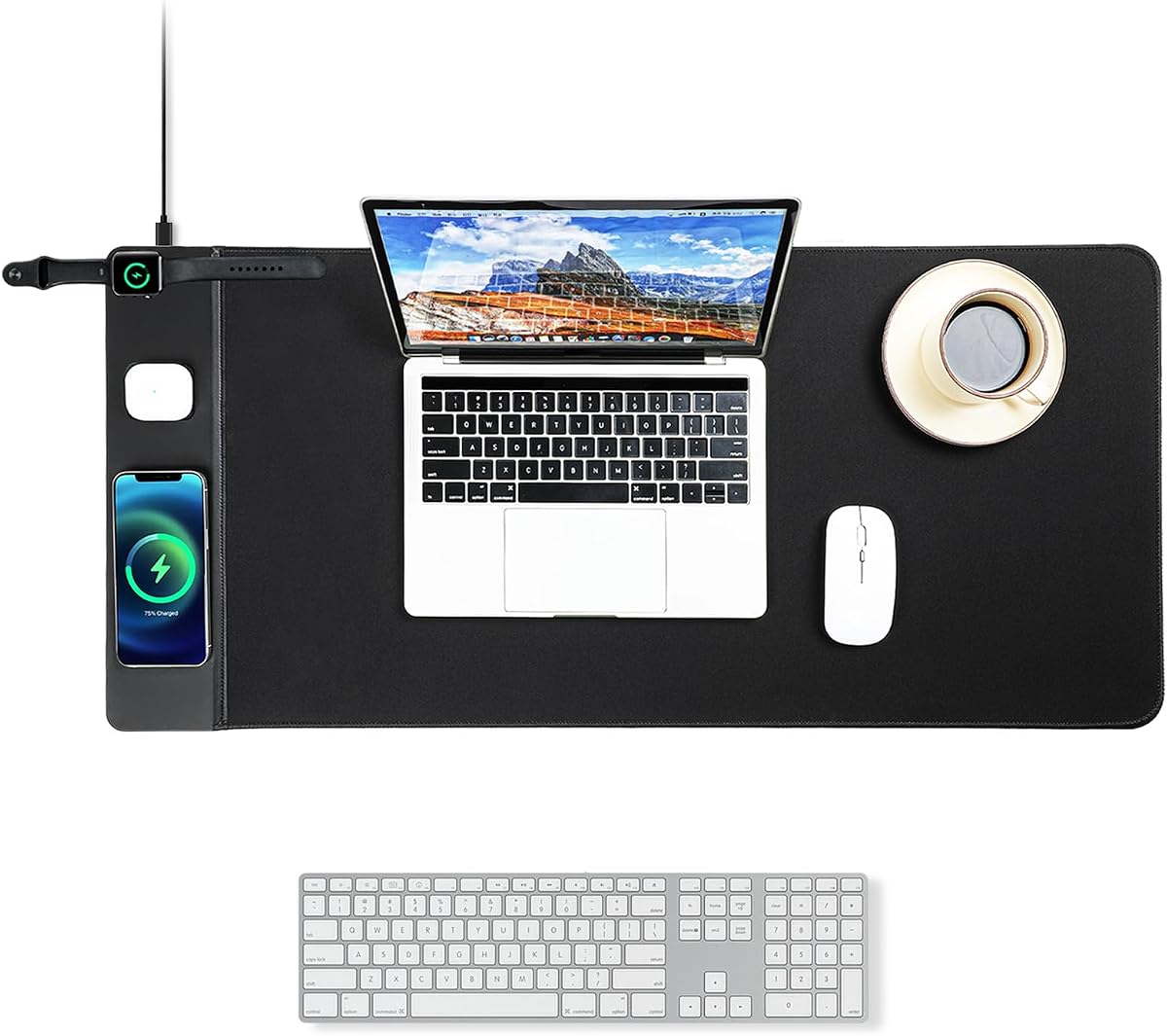
This VOVIPO mat earned a 4.2 rating by combining a large mouse pad with built-in wireless charging zones for phones, buds, and watches.
We may earn a commission when you buy through this link, at no additional cost to you.
It uses a smooth micro-braid surface for precise mouse control and supports 15W charging when paired with a fast adapter of 25W or more.
The included cables are for data only, and no adapter is included, so you must supply a compatible plug to get charging working.
Pick this if you want a combined desk mat and charger that keeps your mouse zone functional while powering multiple devices nearby.
Charging zones built into a large mouse mat save desk space and let you charge devices right where you work.
High quality polyester material provides an ultra-smooth glide for mice while staying waterproof and scratch-proof daily.
We may earn a commission when you buy through this link, at no additional cost to you.
This station earned a 4.3 rating by focusing on health with a magnetic isolation sheet to limit radiation leakage for families.
We may earn a commission when you buy through this link, at no additional cost to you.
It folds compactly, supports iPhone, Watch, and AirPods at once, and includes a 20W adapter so you can use it immediately.
Charging speeds are moderate rather than fast, and it does not support non-Apple devices, which limits versatility outside Apple homes.
Buy this if you prioritize safety features and want a foldable Apple charger that travels well and charges your devices.
Magnetic isolation inside reduces electromagnetic exposure concerns, making it a safer choice for households with children.
Foldable design and included cable and adapter make it easy to toss into a bag without buying extra accessories.
We may earn a commission when you buy through this link, at no additional cost to you.
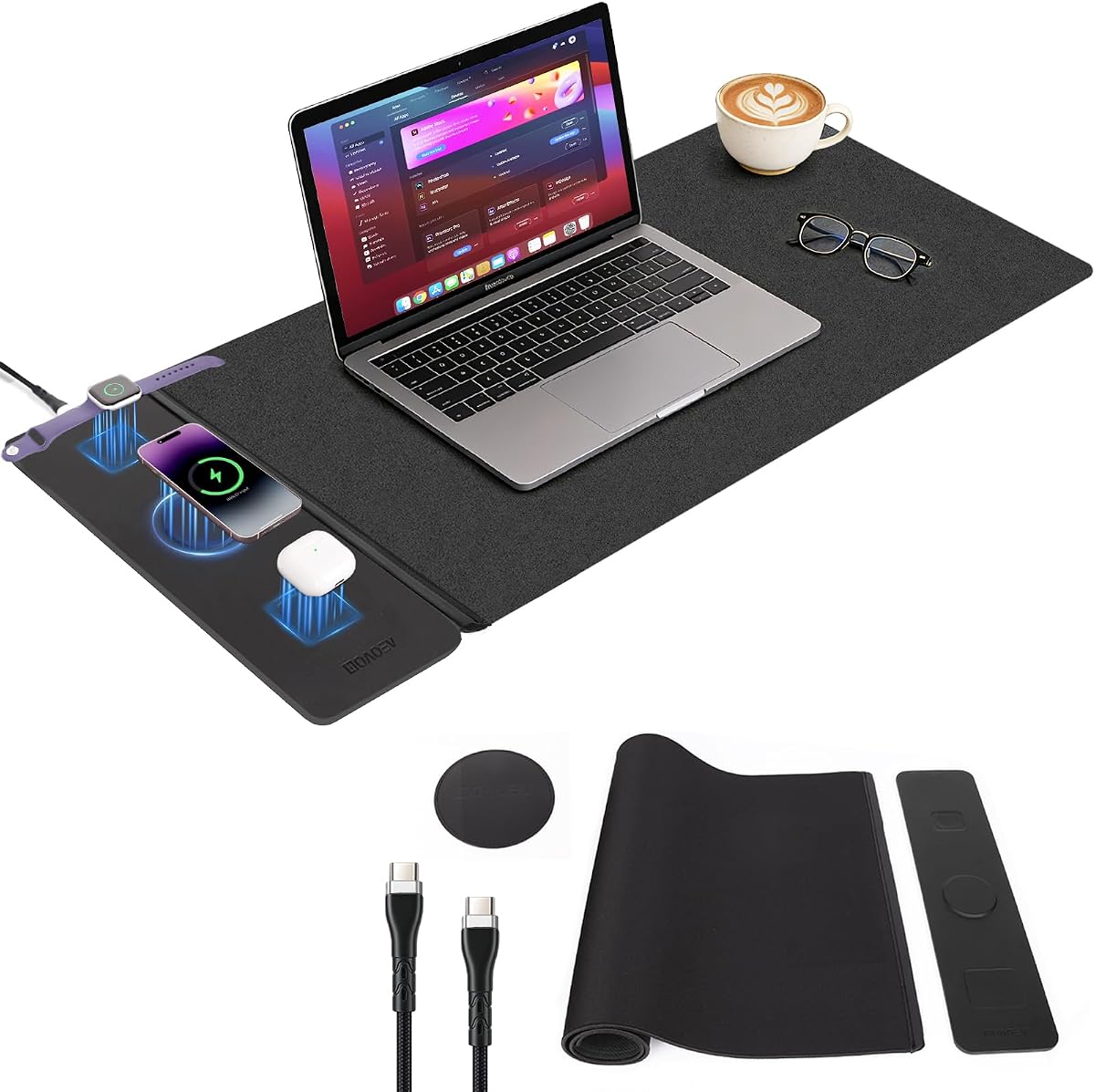
This 2nd Gen pad got a 4.1 rating by combining a large waterproof desk mat with efficient wireless charging that uses a detachable magnetic panel.
We may earn a commission when you buy through this link, at no additional cost to you.
It resists spills, cleans easily by removing the panel, and offers smooth jacquard fabric for precise mouse control across its generous size.
Higher cost compared to standard mats may deter budget buyers, and adapter specs are less detailed than some competitors in the list.
Choose this if you need a spill-resistant desk surface that also charges multiple devices without cluttering your workspace with cables.
Waterproof construction protects internal components from coffee or tea spills that often happen near desks and keyboards.
The magnetic detachable panel lifts off quickly for cleaning without needing to disassemble the entire desk mat.
We may earn a commission when you buy through this link, at no additional cost to you.
This Samsung Trio earned the highest 4.4 rating in the list by using six internal coils for easier alignment and dedicated watch charging.
We may earn a commission when you buy through this link, at no additional cost to you.
It supports fast charging, uses a minimalist design, and includes LED indicators to show charging status with colors that can dim at night.
The higher price reflects its premium build, and the LED lights might annoy some light sleepers even though they can be dimmed.
Buy this if you want top-tier reliability, fast charging, and a polished design that fits a Galaxy or mixed-device household well.
Six internal coils reduce guesswork so you can place devices on the pad and charge without precise positioning.
LED colors show charging status clearly, and the dimmable light ensures it does not disturb sleep when left on.
We may earn a commission when you buy through this link, at no additional cost to you.
This 160W hub earned a 4.3 rating by adding wireless charging to five ports that can power laptops, phones, and tablets all at once.
We may earn a commission when you buy through this link, at no additional cost to you.
It shows real-time power usage on an LCD screen, supports 65W USB-C for laptops, and includes protections against overheat and overcurrent.
It is more of a power hub than a flat charging mat, so it is less about sleek aesthetics and more about multi-device throughput.
Choose this if you need to charge a laptop and multiple small devices from one power source with visible power output readings.
The LCD screen displays real-time voltage and current for each port so you know exactly how much power devices use.
Five ports including USB-C and wireless let you plug in several items at once without needing multiple separate adapters.
We may earn a commission when you buy through this link, at no additional cost to you.
Choosing the right mat depends on your devices, desired speed, and desk setup. Use these factors to narrow your options.
Most mats support two or three devices at once. Choose three if you need to charge a phone plus earbuds or a watch simultaneously to save space and reduce outlet needs.
Count your daily essentials and pick a zone count that matches your routine so you never leave a device uncharged.
Some mats include a power adapter while others sell it separately. Models with adapters are ready out of the box and save you from buying extra parts.
Verify whether the box includes an adapter so you can plan your purchase budget and start using the mat immediately.
Wireless charging must work through your phone case. Most mats support cases up to 3mm, but thicker or metal cases can block the signal.
Check the case thickness limit before buying to ensure your current cover will not stop your phone from charging wirelessly.
Leather, fabric, and rubber finishes affect look and feel. Leather and fabric add style to desks while rubber helps devices stay in place and resist slipping.
Pick a finish that matches your workspace style and offers enough grip to keep devices aligned during long charging sessions.
Look for built-in safeguards like overheat, overvoltage, and foreign object detection. These protect your devices from damage and reduce fire or battery risks.
Prioritize mats with multiple safety layers to ensure consistent, long-term charging performance and peace of mind.
If you move between home, office, and travel, choose slim and foldable designs. Compact mats pack into bags easily and reduce the need for multiple chargers.
Check dimensions and weight to confirm the mat fits your carry-on or bag without taking up too much space.
Some mats use LED lights to show status while others are light-free. Light-free designs are better for bedrooms since they avoid distracting glow during sleep.
Decide whether you want visual status feedback or a dark-friendly option for nightstand charging based on your sleep habits.
Apple products often require specific magnetic or dedicated spots, while Android phones use standard Qi charging. Ensure the mat supports your specific devices and watch type.
Confirm compatibility with your phone model, earbuds, and watch before purchasing to avoid returns or unusable setups.
Place the mat on a flat, hard surface near an outlet. Remove metal cases or accessories that block wireless signals to ensure devices charge properly.
Keep the surface clean with a dry cloth to prevent dust buildup. Overheating risks drop if you avoid covering the mat with thick fabric or heavy items.
Unplug the adapter when not in use to save energy and reduce heat exposure. Store folded mats carefully to prevent creasing or damaging charging coils.
Many mats support standard Qi charging so phones and earbuds from Samsung or Google work fine. However, Apple Watch-specific spots usually do not charge Android watches without adapters. Check product specs for device compatibility before buying.
Most mats work through cases up to 3mm thick, but thicker or metal cases can block signals. If your case is thicker than the stated limit, remove it to allow charging. Metal rings and wallets also interfere with wireless power.
Yes, most quality mats include overheat and full-battery protection that stops charging once the device is full. Still avoid placing them under pillows or on soft surfaces that trap heat during long charging sessions.
Some mats include adapters while others do not. Check the product details to see if a plug is included. If not, use a fast PD adapter with enough wattage to support multiple devices charging together.
Slow charging can be caused by thick cases, misalignment, or an adapter that lacks sufficient wattage. Center the phone properly and use an adapter that meets the mat's required output for best speed.
Yes, many mats support charging two or three devices together. Total speed may drop when multiple devices charge simultaneously so the mat splits its output among them. Use a high-wattage adapter to maintain good charging rates.
Stop charging, remove the device, and let both cool before retrying. Ensure the mat is in a well-ventilated area and not covered. Use the included adapter and remove metal accessories to reduce heat buildup and risks.
The top picks include the ZealSound mat for best overall performance, the 40W mat for budget speed, and the Samsung Trio for premium reliability across devices.
Prioritize adapter inclusion, zone count, and safety features to match your household needs. Decide whether travel or desk presence matters more before you decide.
Prices change often, so verify current listings for the best value. Check compatibility with your exact devices to avoid returns and ensure smooth daily charging.